# Architecture Overview
Flowcrafter is a WordPress plugin layered on Gravity Forms and Action Scheduler. There is no long-running process and no daemon to babysit. You build a workflow in a visual builder, a trigger fires, and Action Scheduler runs each top-level step and continuation in the background. A [For Each](/documentation/flowcrafter/nodes/flow/for-each/) body is the exception: its steps run inline while the iterator handles a batch. That's the whole shape of it.
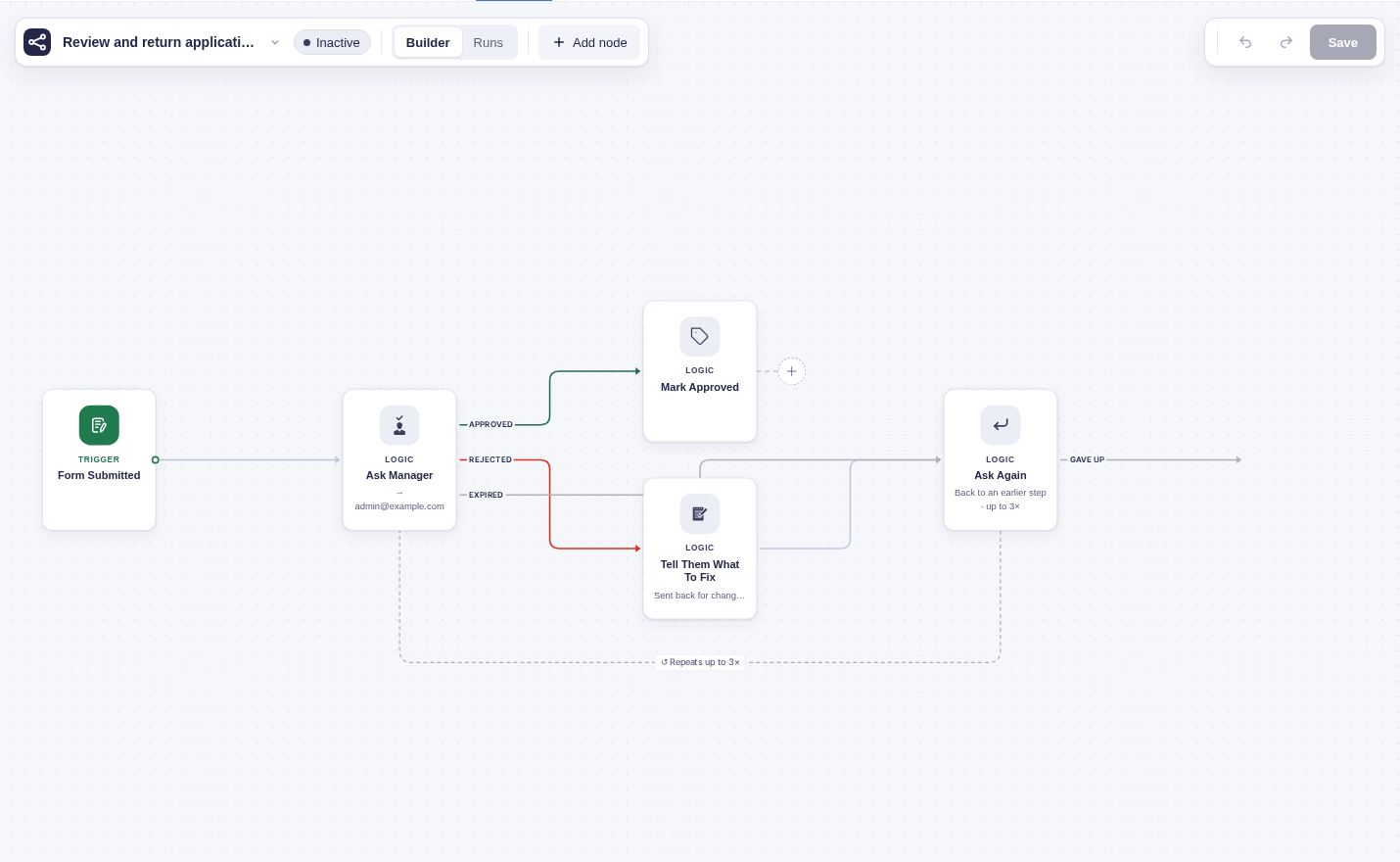
This page is the map. It names the layers, shows how they stack, and traces a single change from "builder edits the canvas" down to "a node runs in the background." Once you have the layout, the [execution model](/documentation/flowcrafter/developers/execution-model/) goes deep on the run loop itself.
The builder is the visible starting point. This small workflow becomes the saved workflow and background work described below.
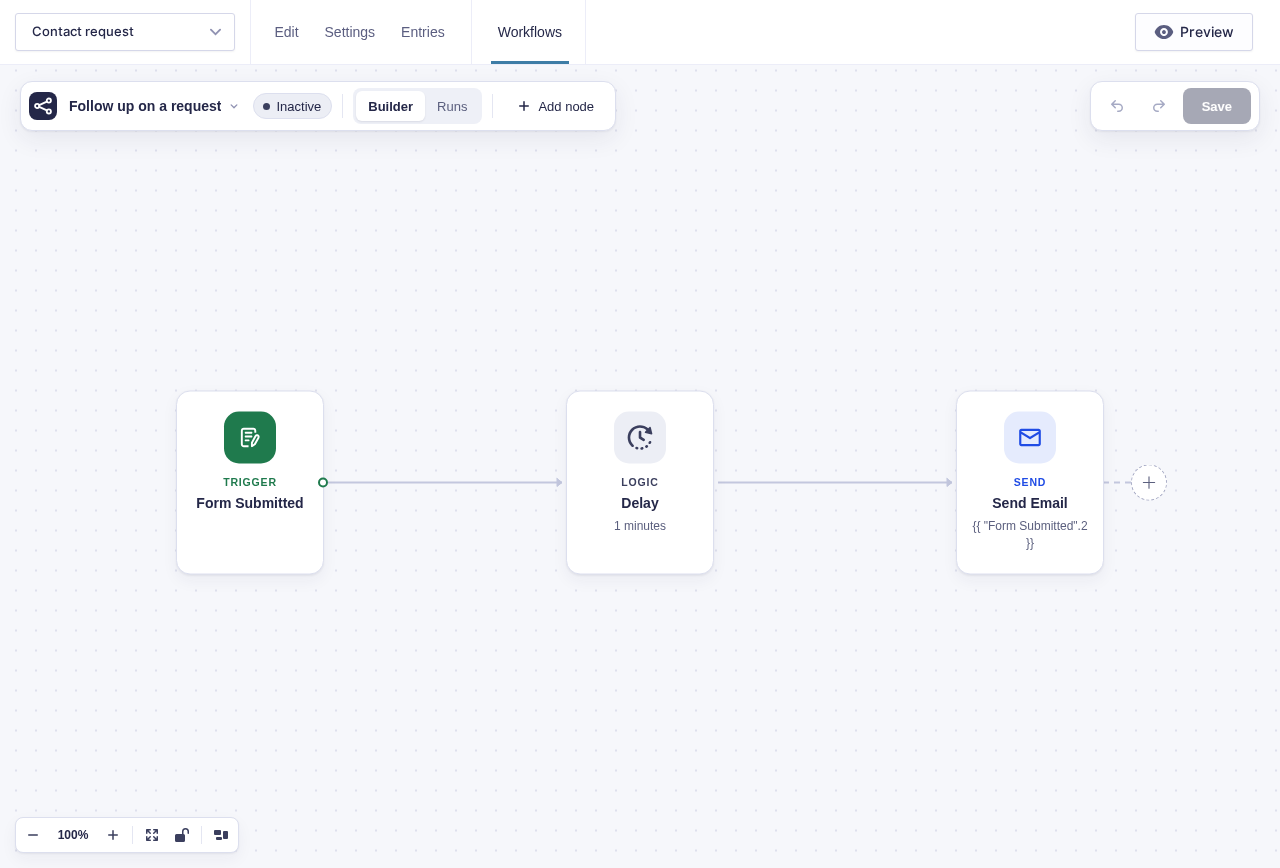
## The layers
Read top to bottom: the builder talks to REST, REST reads and writes through the models, a trigger hands off to the engine, and the engine schedules each node handler as an Action Scheduler job on top of Gravity Forms and WordPress.
| Layer | Owns |
|---|---|
| Builder | The canvas, the test runner, the run-history overlay. Runs in the browser; talks to the REST API. |
| REST (`flowcrafter/v1`) | Workflow CRUD, run history, node types, test execution, the inbound webhook. |
| Models | Persist workflows, runs, logs, and dispatches: the workflow, the run, the run's logs, flow tag resolution, and the dispatch outbox. |
| Engine | Owns **every** scheduling decision: fan-out, delay, park, retry, run lifecycle, maintenance. |
| Node handlers | Per-node business logic. Each returns a result array and **never touches Action Scheduler** (see [the execution model](/documentation/flowcrafter/developers/execution-model/#why-handlers-never-touch-action-scheduler)). |
| Action Scheduler | WordPress's background job runner. Claims and runs queued actions, and owns the real time-based waits — delays and schedules. |
| Gravity Forms / WordPress | The platform: form submissions, payment hooks, entries, capabilities. |
The two boundaries that matter most: **the engine is the only thing that schedules work**, and **the workflow is frozen the moment a run starts**. Everything else follows from those two rules.
```mermaid
flowchart TD
subgraph Platform["WordPress / Gravity Forms"]
GF["Gravity Forms
gform_entry_created, payment hooks"]
AS["Action Scheduler
background job runner"]
WP["WordPress REST API"]
end
subgraph Bootstrap["Plugin Bootstrap"]
FC["Plugin bootstrap
wires the runtime at init"]
end
subgraph Backend
Engine["Execution Engine"]
Models["Data Models
Workflow definitions, runs,
the run's logs, the dispatch outbox"]
Nodes["Node Handlers
one folder per node type"]
REST["REST Controllers
flowcrafter/v1"]
end
subgraph Frontend
Builder["Visual Builder
(browser)"]
Store["Builder state"]
end
GF --> FC
FC --> Engine
FC --> Models
FC --> Nodes
FC --> REST
AS -->|"runs the node job"| Engine
WP --> REST
REST --> Builder
Builder --> Store
Engine -->|"records intent"| Models
Engine -->|"hands the job to Action Scheduler"| AS
Nodes -->|"result array"| Engine
```
## How a change flows through the layers
Follow one workflow from "build it" to "it ran":
1. A builder edits the workflow on the canvas in the browser.
2. Save goes over REST (`flowcrafter/v1`), and the workflow model persists the workflow as a JSON blob (plus a projection lookup for fast routing). Nodes are **not** normalized into their own table — the workflow stays a JSON blob by design.
3. A trigger fires. The **engine** creates a run and freezes the current workflow into a `graph_snapshot` on the run row. From here the engine reads only the snapshot, never the live workflow.
4. The engine records a durable dispatch intent in the outbox, then hands it to Action Scheduler.
5. Action Scheduler picks up the queued job, and the engine runs the corresponding node. The node **handler** returns a result array, the engine reads it, and schedules the next job(s). Repeat until the run completes.
:::note[The two type-key strings must match]
A node's PHP `type_key` and the frontend `registerNodeType({ type })` key must match **exactly**. The backend and the builder share those strings — a mismatch means the builder can't render a node the engine knows how to run, or vice versa.
:::
## What boots it all
The plugin's bootstrap wires the runtime at init, on every request before Gravity Forms processes a submission. In order, it creates the custom tables, registers the built-in node types, fires `flowcrafter_register_nodes` so third-party nodes can register, initializes the engine (which registers the Action Scheduler and Gravity Forms hooks), sets up the file-download proxy, injects confirmation polling, registers the REST controllers, and — on WordPress 6.9+ — registers the [AI Abilities](/documentation/flowcrafter/developers/abilities/).
Service instances — the engine, the validator, the test runner, the scheduled-trigger machinery, and friends — are created once at init and shared everywhere, so every caller works against the same live instance rather than spinning up its own.
## The subsystem map
The layers above are the shape; these are the actual pieces. Trimmed to the parts you'll reach for most.
| Subsystem | What it does |
|---|---|
| **Nodes** | The co-located node handlers (PHP handler + frontend registration + settings UI, one folder per node type). Each returns a result array. |
| **Node extension system** | Lets other plugins add node types, extend built-in nodes, and gate a node behind an active integration. |
| **Engine** | Schedules top-level steps and continuations as Action Scheduler jobs, and runs For Each body steps inline. Orchestrates dispatch, fan-out/fan-in, loops, parks, scheduled triggers, cleanup, feed suppression, and test runs. |
| **Models / persistence** | Workflows, runs, node logs, the frozen `graph_snapshot`, collections, the dispatch outbox, flow tag resolution. |
| **REST API** | `flowcrafter/v1` — workflow CRUD, runs, tasks, test mode, inventory, node types, templates, webhooks. |
| **Validation** | Pre-activation and pre-launch workflow checks; a write guard; collection type compatibility between producer and consumer nodes. |
| **WP-CLI** | Terminal `wp flowcrafter` commands for seeding, resetting, and inspecting or replaying runs. |
| **AI Abilities** | Registers Flowcrafter operations with the WordPress 6.9+ Abilities API (`wp-abilities/v1`) — the AI-agent / MCP surface. |
| **OpenAI nodes** | [OpenAI Text](/documentation/flowcrafter/nodes/actions/ai-text/) and [OpenAI Image](/documentation/flowcrafter/nodes/actions/ai-image/) are supplied by GC OpenAI through Flowcrafter's external node API. Flowcrafter advertises them when the connector is missing. |
| **Templates / recipes** | Bundled starter workflows the builder's template picker offers. Extensible via `flowcrafter_templates`. |
| **Logging** | Structured per-run and per-node logs, surfaced in the run monitor and CLI. |
| **Run report** | Correlates a run's node states, logs, loops, collections, dispatch outbox, and pending Action Scheduler jobs into one object. Oracle for CLI `run inspect` and integration tests. |
| **Node projection** | A fast lookup table mapping active forms to managed feed/node IDs, so submit-time suppression and trigger routing don't parse every workflow. |
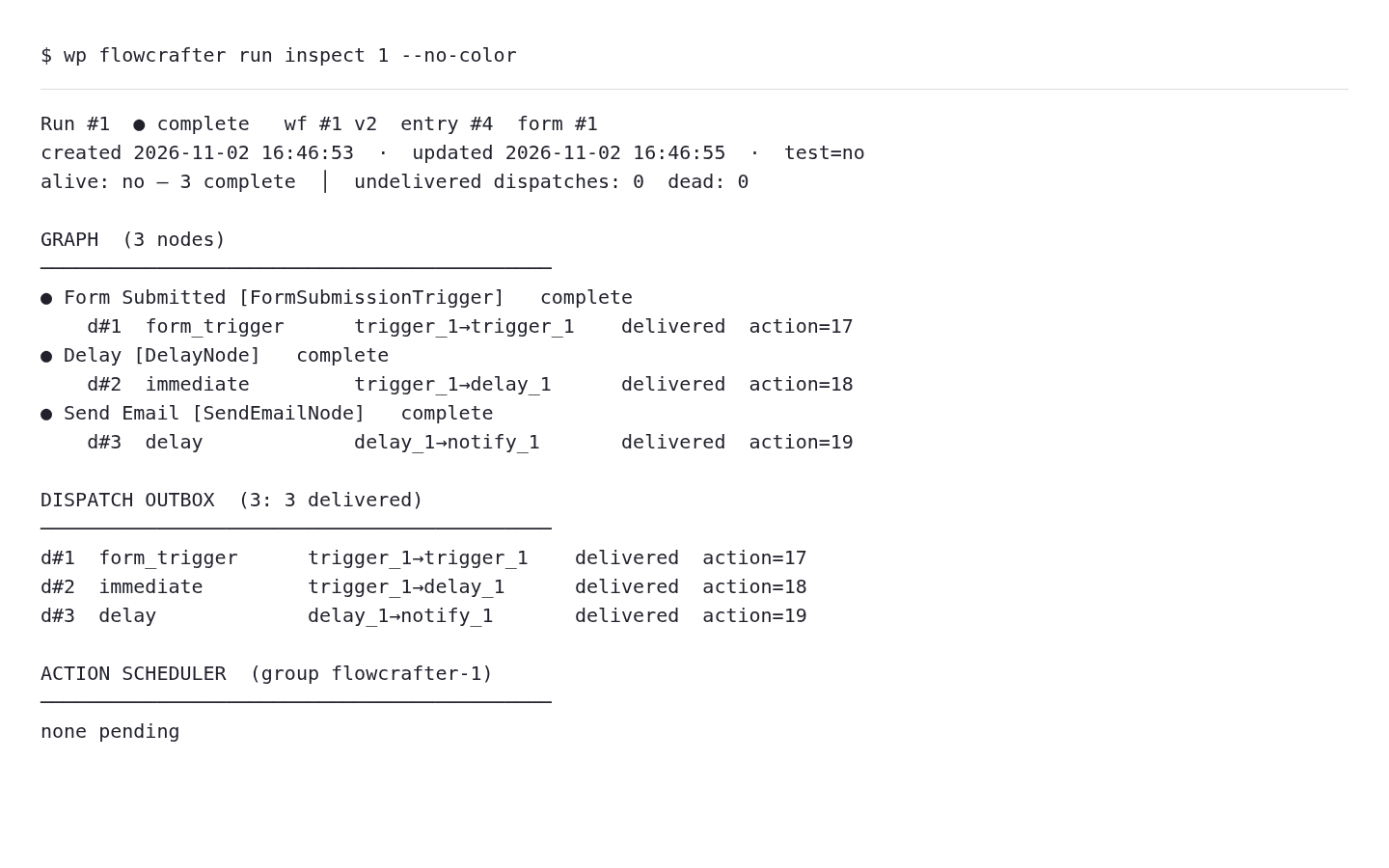
The run inspector exposes the background side of that same shape: node states, dispatches, and Action Scheduler work. This is actual sandbox command output rendered as text.
## Where to go next
- **[The Execution Model](/documentation/flowcrafter/developers/execution-model/)** — the run lifecycle step by step, the result-array contract, the run and node state machines, and the four triggers. Start here if you want to understand how a run actually moves.
- **[WP-CLI](/documentation/flowcrafter/developers/cli/)**, **[REST API](/documentation/flowcrafter/developers/rest-api/)**, and **[Abilities](/documentation/flowcrafter/developers/abilities/)** — drive Flowcrafter from the terminal, over HTTP, or from an AI agent.
- **[Nodes](/documentation/flowcrafter/nodes/nodes-overview/)** — the node catalog, and how to build or extend one.