Comparing WordPress Booking Plugins for Gravity Forms Users

Simply Schedule Appointments, Amelia, gAppointments, and GP Bookings are popular plugins among Gravity Forms users — but they’re built on fundamentally different models. Here’s how to pick the one that fits your setup.
- First, let’s establish some lingo…
- What are the key differences between these solutions?
- How well do they integrate with Gravity Forms?
- How do these plugins run day-to-day?
- How are bookings managed in GP Bookings?
- How does GP Bookings handle pricing?
- What can customers do on their own with GP Bookings?
- How are bookings managed in Simply Schedule Appointments?
- How does Simply Schedule Appointments handle pricing?
- What can customers do on their own with Simply Schedule Appointments?
- How are bookings managed in Amelia?
- How does Amelia handle pricing?
- What can customers do on their own with Amelia?
- How are bookings managed in gAppointments?
- How does gAppointments handle pricing?
- What can customers do on their own with gAppointments?
- Which plugin fits my business model?
- Key Takeaways
- Frequently Asked Questions
- Can I try these plugins before committing?
- Do GP Bookings and gAppointments require Gravity Forms to work?
- Does Simply Schedule Appointments work without Gravity Forms?
- Does Amelia integrate directly with Gravity Forms?
- Can customers book multiple time slots in a single submission?
- Which plugin works for a single-person operation?
Gravity Forms handles more than just forms — with the right plugin, it can take your entire booking operation to the moon. 🚀
This article compares some of the most common Gravity Forms booking solutions out there:
- Gravity Perks Bookings (aka GP Bookings)
- Simply Schedule Appointments
- Amelia
- gAppointments
These are the four main questions we’ll focus on to help you decide which one best fits your unique needs.
- What are the key differences between these solutions?
- How well do they integrate with Gravity Forms?
- How do these plugins run day-to-day?
- Which plugin fits my business model?
Short Answer
gAppointments and GP Bookings live inside Gravity Forms — bookings are entries, and your existing forms and workflows extend to scheduling. Simply Schedule Appointments and Amelia run their own systems, with Gravity Forms as an optional layer. Within each camp, the plugins differ significantly in what they can handle and how they assume your business is structured.
First, let’s establish some lingo…
These are common booking terms you’ll encounter across this article and all four plugins:
- Plugin name shortenings: Gravity Perks Bookings has two acronyms, GP Bookings (most common) and GPB (for friends). Simply Schedule Appointments is often referred to as SSA. gAppointments can be shortened to gAppts.
- Services / Appointment Types: What is being booked. For example: haircuts, cabin rentals, consultations, yoga classes.
- Resources / Providers / Team Members / Employees / Extras / Add-ons: Things (e.g. cabins, yoga mats) and people (e.g. barber, doctor) that can be part of a booking alongside a service. Each plugin uses different terminology and handles these differently — we’ll explain more as we go.
- Availability: Determines when a service and/or resource can be booked.
- Booking flow: The steps a customer moves through to complete a booking.
What are the key differences between these solutions?
| GP Bookings | SSA | Amelia | gAppointments | |
| Architecture | Gravity Forms plugin | Standalone with Gravity Forms integration | Standalone; Gravity Forms via redirect, webhooks, or API | Gravity Forms plugin |
| Booking structure | Book services with optional add-ons — people, spaces, equipment, or anything else — each with their own schedule, pricing, and limits | Book appointment types with optional people to deliver them and basic add-ons | Book services and events. Services require a person to deliver it — add-ons can have their own duration and pricing, or be inventory-based. Events offer different ticketing tiers and don’t offer add-ons | Book services with an optional provider to deliver them — one service and one provider per submission |
| Scheduling | A calendar-based or week-based availability system where you define windows of days/time that compound — the booking form then shows available slots within those windows | A visual grid where you paint availability blocks across a weekly calendar, or define exact start times | Service availability is set via employee work hours. Events can have multiple start and end dates, times, and also recur daily, weekly, monthly, or yearly | Slots are generated automatically from a work schedule, or defined manually with individual pricing and capacity per slot; providers can set their own work schedule |
| Payments | Rule-based pricing where multiple conditions stack on the same booking; transactions handled via Gravity Forms payment fields | Fixed price per appointment type natively; pricing handled entirely by Gravity Forms payment fields when integrated | One pricing method per service with group size multiplication; deposits, coupons, taxes, invoices, and WooCommerce payments built in | Fixed price per service or slot; transactions handled via Gravity Forms payment fields |
| Customer self-service | ✅ Frontend link, no login required | ✅ Frontend link, no login required | ✅ Frontend with choice of login requirement; one-click cancel link available | ✅ Frontend when logged in |
| Management experience | Bookings are managed from a dedicated dashboard with multiple ways to view and filter them — by calendar, list, or agenda. Supports drag-and-drop rescheduling | Bookings managed from a filterable list in the backend. Team members can manage their own bookings and availability in the backend | Bookings managed from a dedicated dashboard with analytics, a calendar view, and a tabbed list for appointments, packages, and events. Employees can manage their own bookings and availability in the backend | Bookings managed from a list in the backend. Providers linked to a WordPress user can manage their own availability in the backend and bookings from the frontend |
| Two-way external calendar sync | ✅ | ✅ | ✅ | ✅ |
| Most unique feature | Everything involved in a booking — what’s being booked, who or what delivers it — can have its own schedule, pricing, and limits that work in tandem with each other | Customers can be shown the next available opening automatically, with a fallback to a full calendar if none is found within a set window | Supports a separate booking experience for events with ticketing, waiting lists, and recurring scheduling built in | Customers can book multiple time slots for the same thing on the same booking field |
| Lowest price with Gravity Forms availability | $59/year See more on Gravity Perks pricing. | $129/year See more on SSA pricing. | Webhooks (simpler integration): $99/year API (robust integration): $679/year See more on Amelia pricing. | Free bookings: One-time $60 Paid bookings: One-time $675 See more on gAppointments pricing. |
How well do they integrate with Gravity Forms?
Here’s a table comparison of how each plugin connects to Gravity Forms (referred to as GF):
| GP Bookings | SSA | Amelia | gAppointments | |
| Level of integration | Fully native — GF is the booking system | Separate system that can connect to Gravity Forms via its own Appointment field | Separate system without a direct integration. Webhooks or REST APIs needed | Fully native — GF is the booking system |
| Booking entry management | Booking editable via GF entry edit | Appointment field is not editable | No direct integration | Entry edit does not update booking |
| Payments | Runs through GF payment fields | SSA pricing bypassed; pricing handled by GF payment fields | Fully independent; no GF payment connection | Runs through GF payment fields |
| Conditional logic | ✅ | ❌ Requires additional plugins* | ❌ | ✅ |
| Notifications | Extends GF notifications with booking-specific events | Own notification system | Own notification system | Own notification system; no GF notification events |
| Dynamic data population | GF dynamic population and GP Populate Anything | ❌ | ❌ | GP Populate Anything only |
Ranking of most to least integrated with Gravity Forms:
- GP Bookings: Fully native, deepest Gravity Forms feature support
- gAppointments: Fully native, lighter Gravity Forms feature support
- Simply Schedule Appointments: Offers its own integration, minimal Gravity Forms feature support
- Amelia: No direct integration
*On SSA and conditional logic: Even though Simply Schedule Appointments doesn’t support Gravity Forms conditional logic natively, we have teamed up to show how Populate Anything can bridge that gap. And, if you’re still hungry for more, here’s another article showing how other Gravity Perks can further this integration.
How do these plugins run day-to-day?
GP Bookings, SSA, Amelia, and gAppointments can all handle customer-facing bookings on a WordPress site. The difference is in how each one handles pricing, management, and the customer experience.
Here are three quick questions to help narrow it down:
How do you need to manage bookings day-to-day?
- Analytics dashboard with revenue tracking and filterable calendar → Amelia
- Filterable list and calendar views with drag-and-drop rescheduling → GP Bookings
- List-based management → SSA and gAppointments
Read more on:
How flexible does your pricing need to be?
- Fully flexible — pricing rules that stack and compound on the same booking → GP Bookings
- Flexible per service with one modifier and group multiplication → Amelia
- Flexible through Gravity Forms, or fixed pricing when used on its own → SSA
- Fixed pricing per service or slot → gAppointments
Quick note about pricing your offerings
The sections below cover what each plugin offers as pricing features out of the box. All four plugins could equally leverage Gravity Forms’ pricing capabilities instead depending on your setup. Learn more about which payment gateways are supported by Gravity Forms.
Read more on:
- GP Bookings pricing features
- SSA pricing features
- Amelia pricing features
- gAppointments pricing features
What should your customers be able to do on their own?
- Full self-service panel with invoices, recurring bookings, and event ticketing → Amelia
- Reschedule or cancel via a link with no login required → GP Bookings and SSA
- Reschedule or cancel from the frontend when logged in → gAppointments
Read more on:
- GP Bookings customer self-service
- SSA customer self-service
- Amelia customer self-service
- gAppts customer self-service
How are bookings managed in GP Bookings?
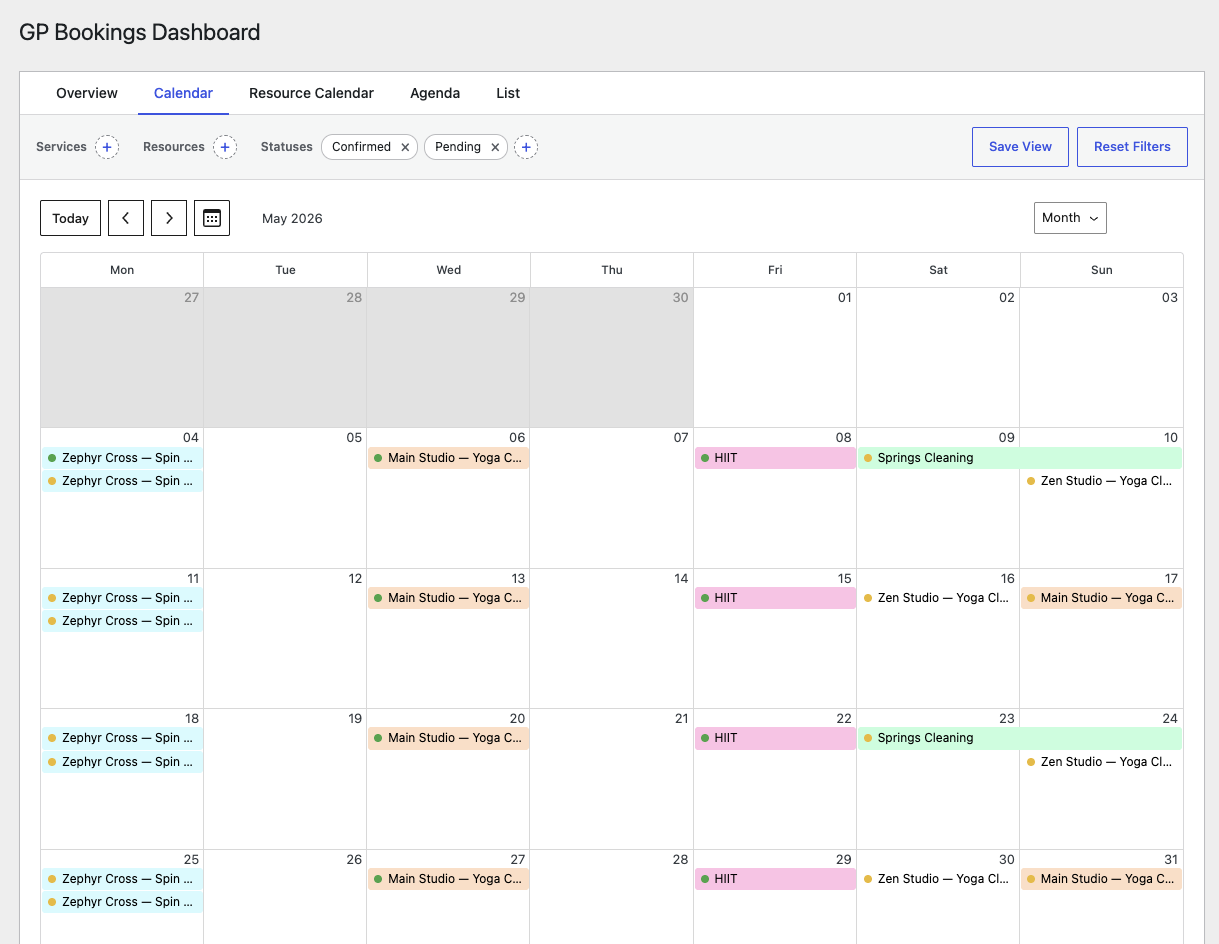
GP Bookings has its own dashboard where bookings live and can be managed directly in WordPress.
- Five dashboard views: a summary-based Overview, two calendar views (general and resource-based), an Agenda view for a clean chronological read, and a filterable List view with quick “Approve” and “Manage” actions
- Drag-and-drop rescheduling directly from the calendar
- Filterable by service, resource, and status with the ability to save filtered views
- Individual resource management is coming soon (Add your vote here!)
How does GP Bookings handle pricing?
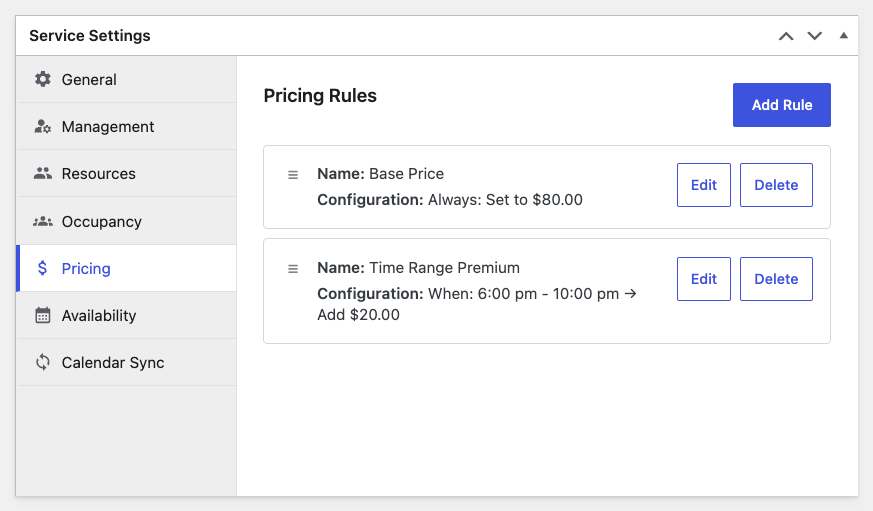
GP Bookings has its own pricing system where multiple conditions can stack on the same booking, each influencing the final price. For example, a booking could apply a weekend rate, an after-hours surcharge, and a group discount all at once.
- Condition types cover timing, duration, occupancy, quantity, and price thresholds
- Resource-level pricing rules that supplement or override service pricing
- Pricing breakdown saved to the booking entry for admin review
- Transactions run through any Gravity Forms-supported payment gateway
What can customers do on their own with GP Bookings?
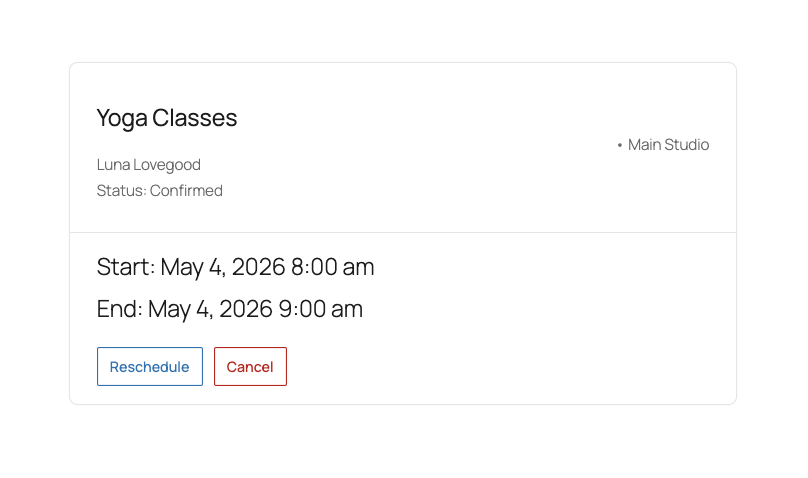
Customers manage their bookings via the Booking Management Page, a link-based page specific to each booking that requires no login. They can reschedule or cancel within a configurable deadline.
How are bookings managed in Simply Schedule Appointments?
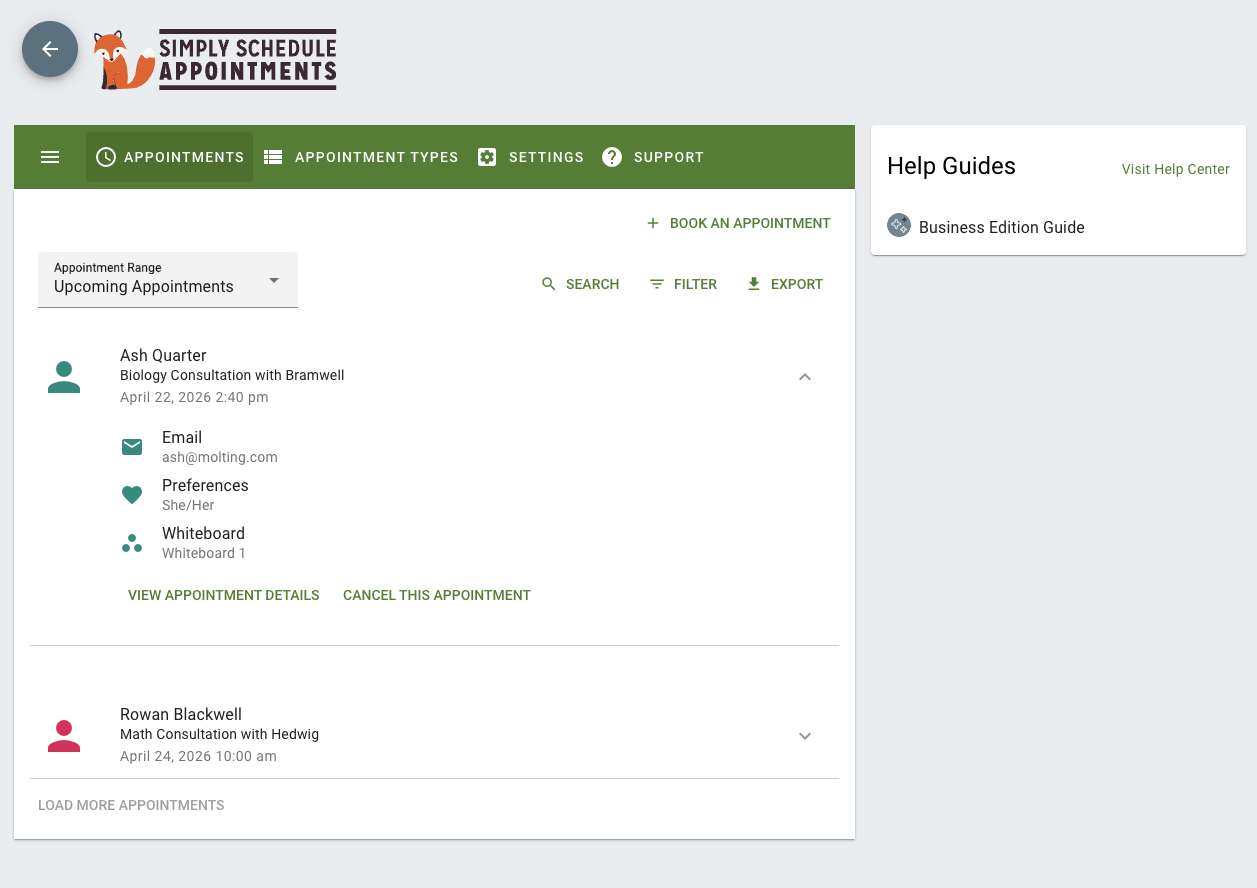
SSA manages bookings from a list-based view in WordPress.
- List is filterable by appointment type, status, and team member
- Team members can manage their own availability and blackout dates in the backend
- Admins can book appointments manually from the backend
How does Simply Schedule Appointments handle pricing?
If used on its own, SSA supports fixed pricing per appointment type via Stripe or PayPal. When connected to Gravity Forms, SSA’s native pricing settings are bypassed entirely in favor of Gravity Forms’ pricing capabilities and supported payment gateways.
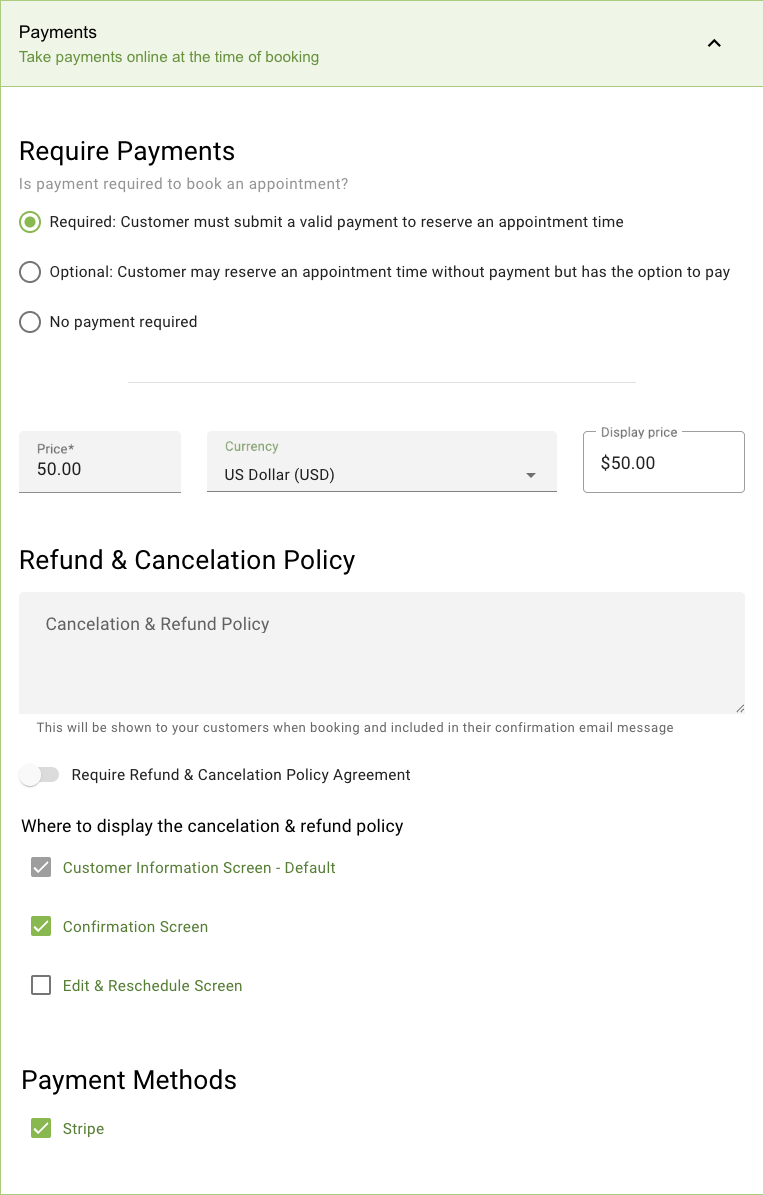
What can customers do on their own with Simply Schedule Appointments?
Customers can reschedule or cancel via a link-based page specific to each booking that requires no login.
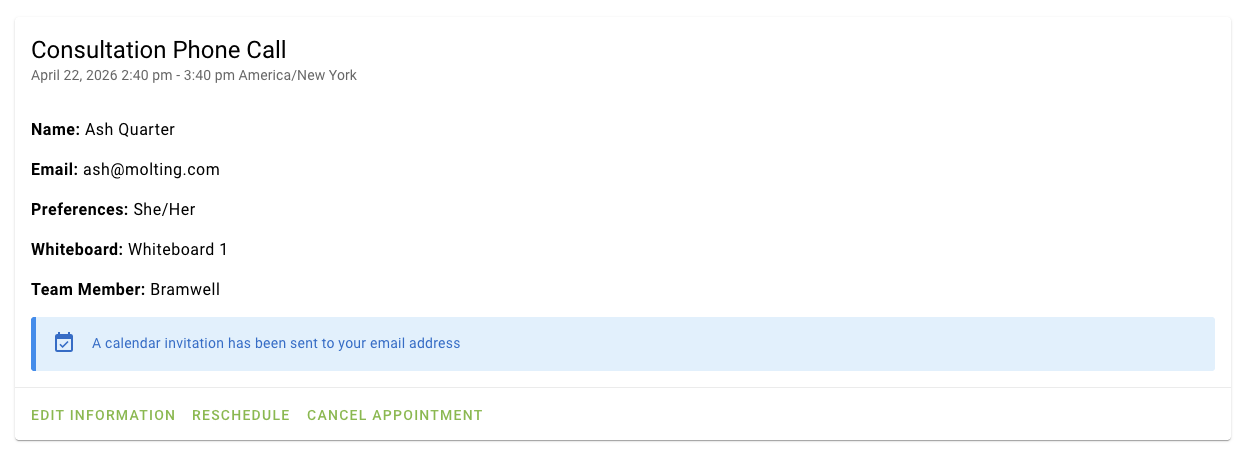
How are bookings managed in Amelia?
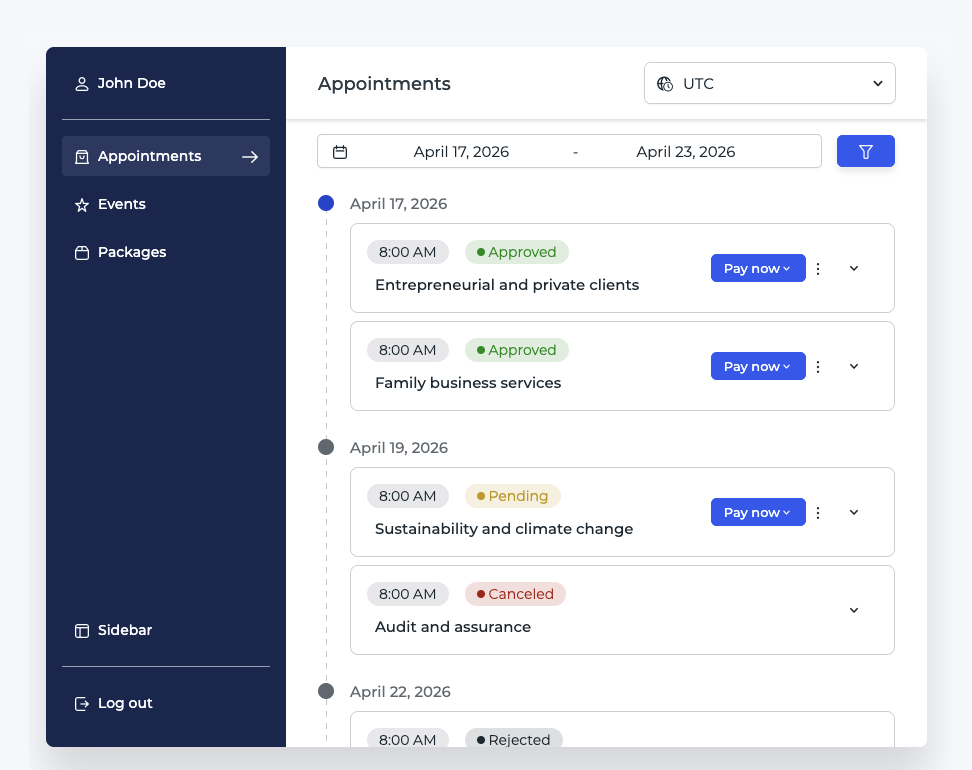
Amelia has its own dedicated dashboard within WordPress with analytics, a calendar view, and a bookings list.
- Analytics: total appointments, customer counts, occupancy rate, revenue with period-over-period comparison, and top trends by employee, service, and package
- Filterable calendar view for appointments and events
- Bookings managed from a list with tabs for Appointments, Packages, and Events
- Customer profiles track appointment history across bookings
- Employees can view their schedule and upcoming bookings from the frontend; making changes requires going to the backend
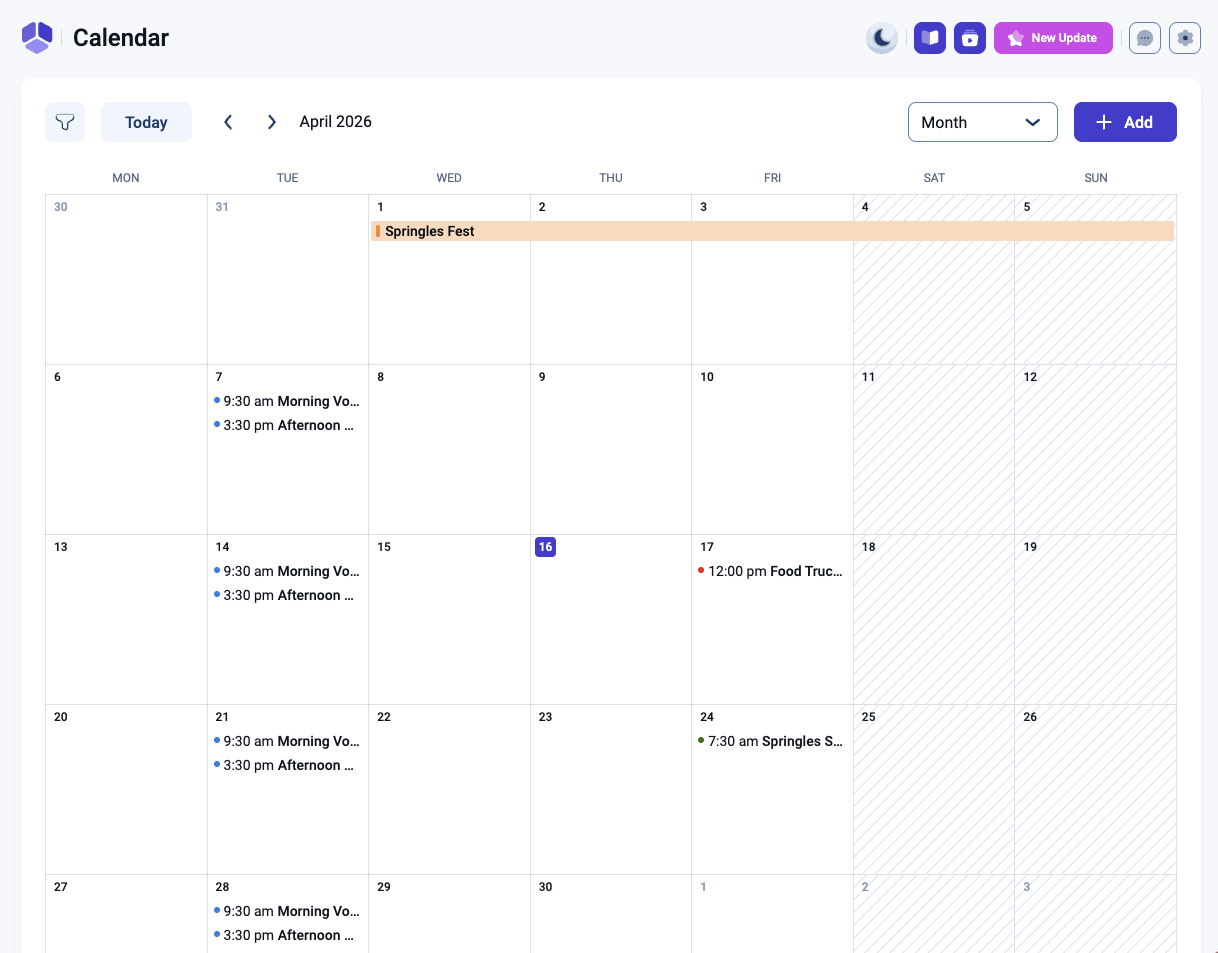
How does Amelia handle pricing?
Amelia has its own pricing system with flexible per-service pricing methods. Only one method can be active per service.
- Pricing methods: Duration or date and time
- Price can be multiplied by group size
- Deposits, coupons, taxes, and invoices built in
- Service packages with shared or per-service capacity and optional discounts
- WooCommerce, Stripe, PayPal, and Mollie supported for transactions
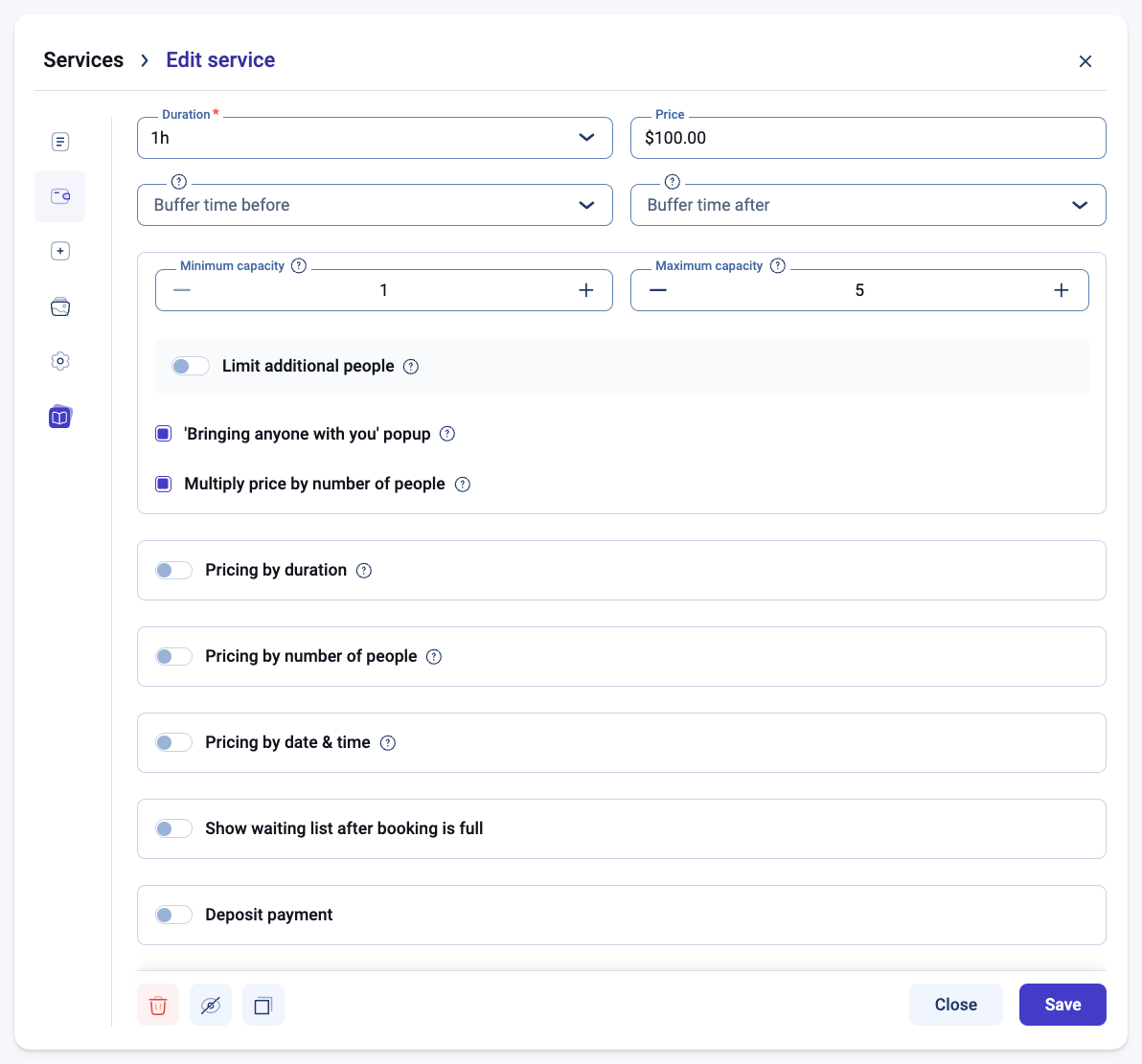
What can customers do on their own with Amelia?
- Customers manage their bookings via the Customer Panel, where they can reschedule, cancel, print invoices, and edit personal details
- Access to the panel can be via link or require login
- Recurring bookings: set up a daily, weekly, or monthly series in a single session
- Events support ticket-based booking with QR e-tickets
Interested in some of these Amelia features for Gravity Forms?
Amelia has a handful of great built-in features. Here’s a few ideas as to how to achieve them in Gravity Forms:
- Generate scannable QR e-tickets with GP QR Code
- Create coupons with Gravity Forms Coupons
- Handle taxes with GP eCommerce Fields
- Send PDF invoices with GravityGPF
How are bookings managed in gAppointments?
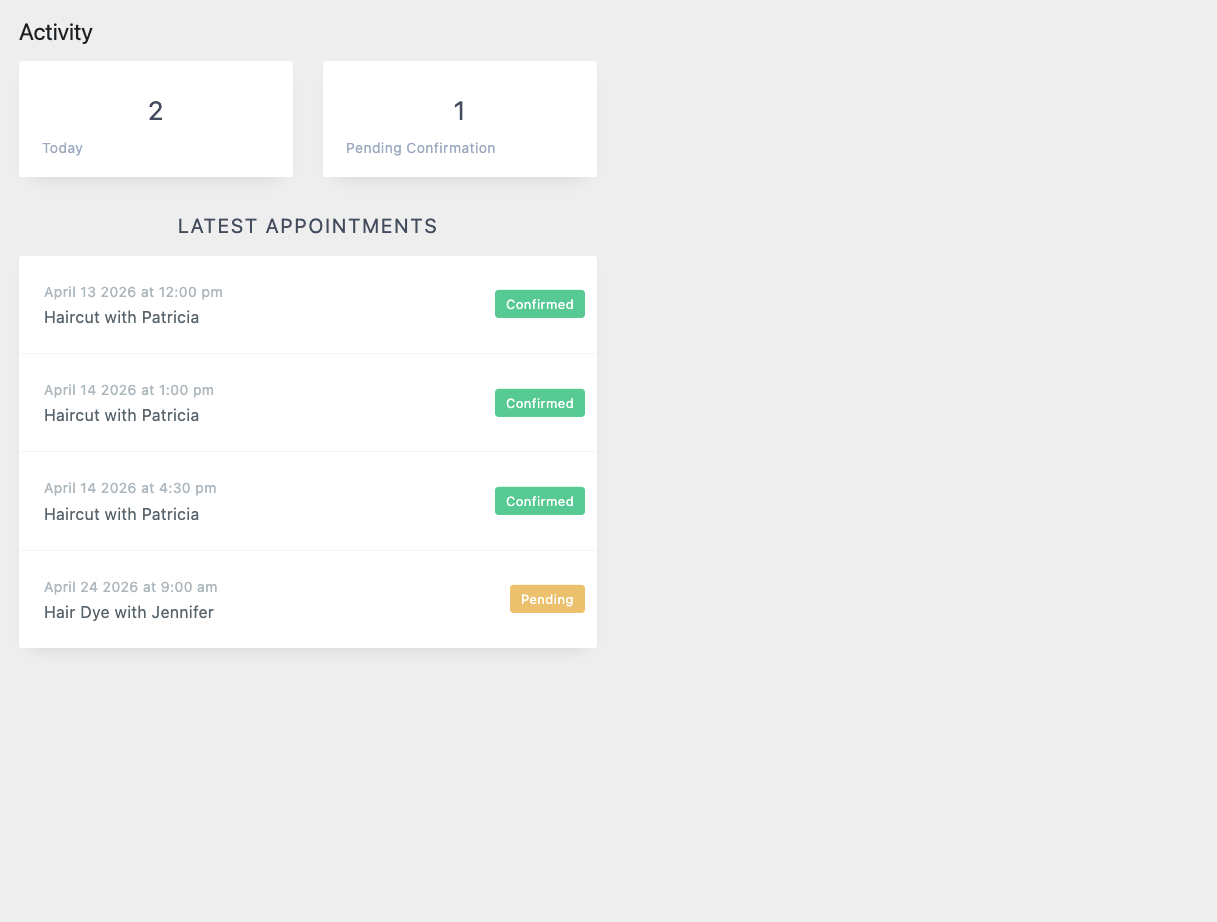
gAppointments manages bookings from the WordPress backend.
- Appointment list management available in the Activity panel
- Providers can manage their own availability in the backend and bookings from the frontend
How does gAppointments handle pricing?
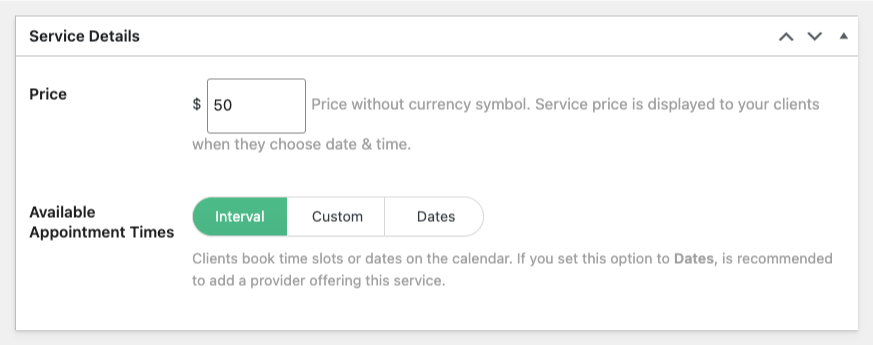
Pricing is static and set at the service or slot level, handled through Gravity Forms payment fields.
- Per-slot pricing available in custom scheduling mode — each slot can have its own price
- Transactions run through any Gravity Forms-supported payment gateway
What can customers do on their own with gAppointments?
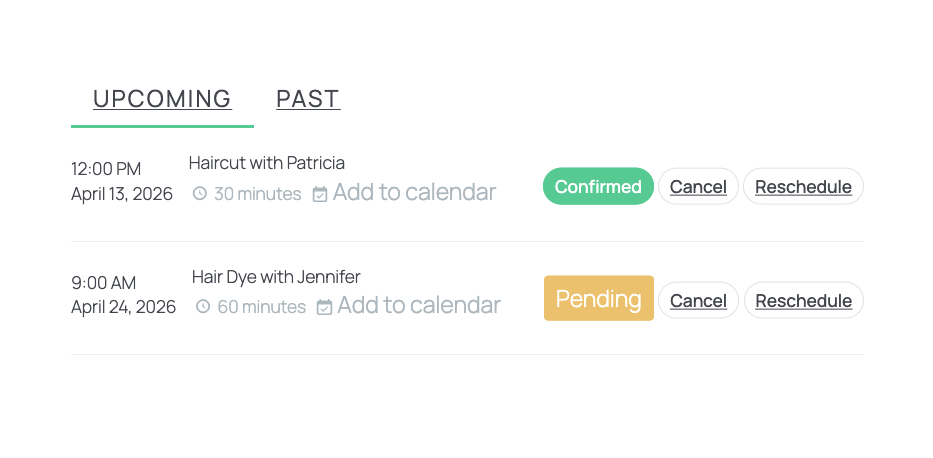
Customers can reschedule or cancel their bookings from the frontend when logged in. They can also book multiple time slots of the same service in a single submission.
Which plugin fits my business model?
Every booking operation is different. A restaurant, a cabin rental business, and a medical practice all need booking software, but what they need it to do varies significantly.
Here are two quick questions to help narrow it down:
What could a booking in your operation include?
- Optional people, spaces, and/or things that may have their own schedule, pricing, and limits → GP Bookings
- A person that delivers it with their own schedule, plus optional add-ons that may have their own duration and pricing → Amelia
- Optional people with their own schedule and basic add-ons → SSA
- Optional single provider with their own schedule → gAppointments
How do you need to define when bookings are available?
- Derived primarily from the service with the option to factor in who delivers it, what it includes, where it happens, or any combination → GP Bookings
- Derived from each employee’s working hours; individual events have their own independent schedule → Amelia
- Derived from open time blocks or specific start times per appointment type, team member schedule factored in when assigned → SSA
- Derived from provider work schedule or manually defined per slot → gAppointments
Let’s break down what each plugin assumes about your operation and what it’s capable of handling.
| GP Bookings | SSA | Amelia | gAppointments | |
| PEOPLE | ||||
| Can people be assigned to a service? | ✅ | ✅ | ✅ | ✅ |
| Can each person have their own availability? | ✅ | ✅ | ✅ | ✅ |
| Can each person have their own pricing? | ✅ | ❌ | ✅ | ❌ |
| Can people manage their own bookings from the frontend? | ✴️ Coming soon (Add your vote!) | ❌ Backend only | ✴️ View from frontend, manage from backend | ✅ |
| THINGS | ||||
| Can things be booked alongside a service? | ✅ | ✅ | ✅ | ✅ (If provider used as a thing) |
| Can each thing have its own availability? | ✅ | ❌ | ❌ | ✅ (If provider used as a thing) |
| Can each thing have its own pricing? | ✅ | ❌ | ✅ (Extras) | ❌ |
| Can multiple things be booked per appointment? | ✅ | ✅ | ✅ | ❌ |
| CAPACITY | ||||
| Can bookings per slot be limited? | ✅ | ✅ | ✅ | ✅ |
| Can a single booked unit have its own capacity (e.g. guests per room)? | ✅ | ❌ | ❌ | ❌ |
| OTHER | ||||
| Can it handle recurring bookings? | ❌ | ❌ | ✅ | ❌ |
| Can it handle events with waiting lists? | ❌ | ❌ | ✅ | ❌ |
| Can customers book multiple slots in one submission? | ✅ | ❌ | ❌ | ✅ |
| Can it handle QR tickets? | ✅ Via GP QR Code | ✅ Via GP QR Code | ✅ Native | ✅ Via GP QR Code |
Key Takeaways
- Every plugin has its own assumptions about how your business runs. The more a plugin’s model matches your operation, the less you’ll need to work around it.
- GP Bookings is native to Gravity Forms and offers the most flexibility across the board — what gets booked, how availability is defined, and how pricing is calculated can all be configured independently.
- gAppointments is a simple Gravity Forms-native option. Its custom scheduling mode (manually defined slots with their own pricing and capacity) and multi-slot booking in a single submission are its clearest strengths.
- Simply Schedule Appointments is a polished standalone booking system with a purpose-built customer-facing UI. It can connect to Gravity Forms, but doesn’t depend on it, making it a strong candidate when Gravity Forms integration isn’t a priority.
- Amelia is the most feature-complete out of the box — recurring bookings, customer profiles, a full financial toolkit, and a complete event system with ticketing are all built in. Its biggest trade-off is not having a direct Gravity Forms integration. Most of what it offers can be achieved through Gravity Forms and its ecosystem of plugins.
- How important the Gravity Forms integration is to your operation is as relevant as any feature comparison — it determines not just which plugin fits today, but how it grows with your setup.
Frequently Asked Questions
Can I try these plugins before committing?
GP Bookings — Yes! 30-day no-questions-asked money-back guarantee.
Simply Schedule Appointments — Yes! Free tier includes unlimited appointment types, customizable notifications, blackout dates, and page builder integrations. 30-day money-back guarantee on paid plans.
Amelia — Yes! Free tier (known as Amelia Lite) includes one employee, basic service and event booking, a calendar dashboard, and Square payments. 15-day money-back guarantee on paid plans.
gAppointments — No. It’s a one-time purchase subject to CodeCanyon’s refund policy.
Do GP Bookings and gAppointments require Gravity Forms to work?
Yes. Both are Gravity Forms add-ons and require Gravity Forms to function.
Does Simply Schedule Appointments work without Gravity Forms?
Yes. The ability to integrate with Gravity Forms is an optional add-on on paid plans.
Does Amelia integrate directly with Gravity Forms?
No. The simplest approach is a redirect flow — collect information with Gravity Forms, then send users to an Amelia booking page to complete the appointment. For a more connected setup, API Alchemist can help bridge Gravity Forms and Amelia without custom development.
Can customers book multiple time slots in a single submission?
gAppointments supports this natively, customers can select multiple time/date slots of the same service in a single form submission.
Which plugin works for a single-person operation?
All four do. GP Bookings and gAppointments are strong fits if you’re already on Gravity Forms. SSA covers basic scheduling and its free tier makes it easy to get started without a financial commitment. Amelia works too, its free tier is a good starting point. Keep in mind its employee + service requirement means setting up an employee record for yourself — which works, just adds a step.