
How to Turn Gravity Forms into a Hotel Booking Platform

Build a complete hotel booking system with Gravity Forms and GP Bookings that automates seasonal pricing, manages room inventory, and more.
Running a hotel means juggling a lot, like housekeeping, front desk operations, and food prep. But the booking system? Get it wrong, and nothing else matters.
Gravity Forms is a great foundation to build on. It handles the payments, sends emails, and collects guest details while making the experience feel like your hotel instead of a generic template.
But standard forms don’t really “think” like a hotelier. To give them the right smarts, you’ll want to add GP Bookings. Think of it as a virtual concierge for your booking forms—tracking room availability, setting seasonal rates, keeping your calendars in sync, and more.
This article requires the Gravity Forms Bookings perk.
Buy Gravity Perks to get this perk plus 48 other premium Gravity Forms plugins!
Solving Hotel Booking Pains
Let’s look at how GP Bookings can help with common hotel booking pains.
1. Handling Seasonal Pricing
A room in January doesn’t need to cost the same as one booked over the holidays. But keeping track of those price changes manually can get messy.
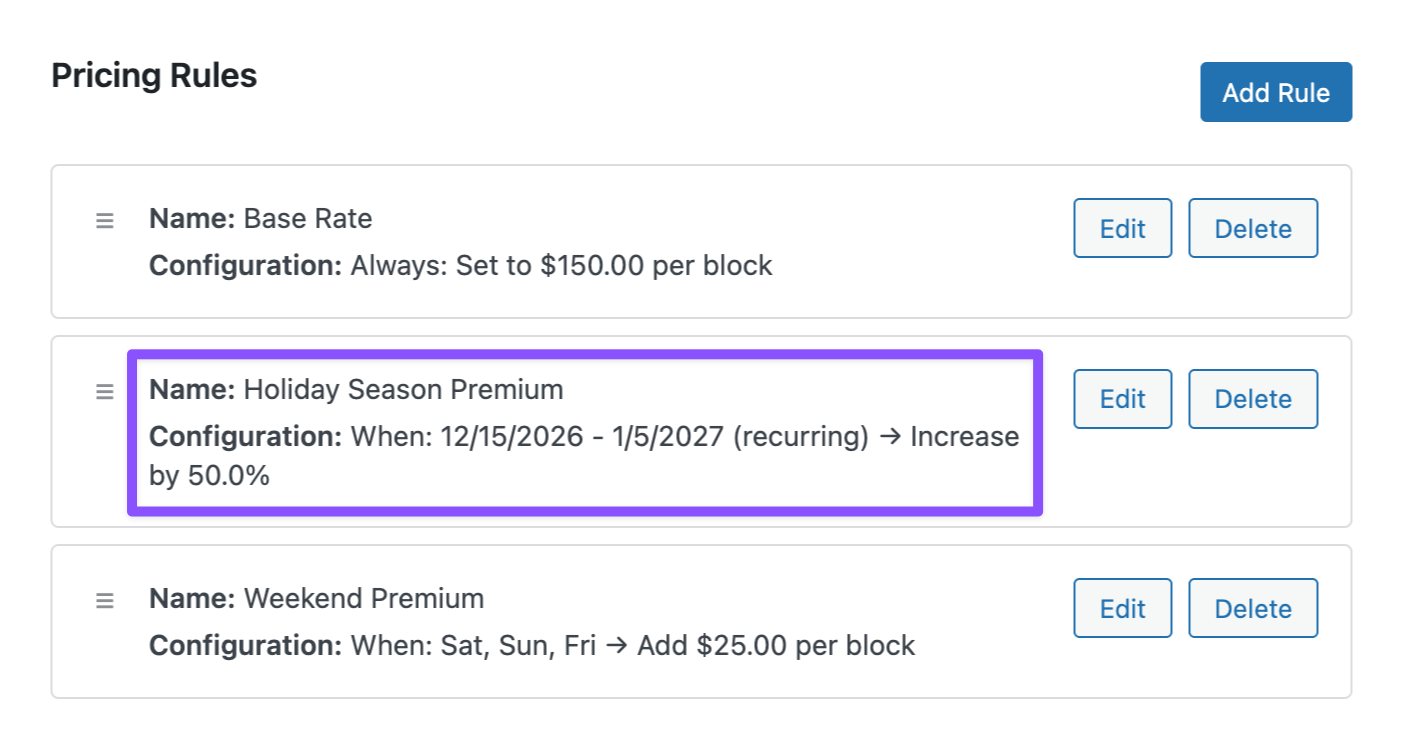
With Pricing Rules, you can set it up once and forget about it. Tell GP Bookings to bump rates during your busy season (say, December 15 through January 5), and the form handles the rest. Guests pick their dates, and the price updates automatically.
Pro-Tip
You can stack rules too, like adding a weekend bump on top of your holiday rate. 😉
Want to reward guests who book months in advance? Check out how you can set up early bird pricing to automatically discount rates for early bookers.
Wizard’s Note
If you want a more detailed walkthrough on setting this up, check out our guide to seasonal pricing — from creating pricing rules to making them repeat automatically year after year.
2. Room Inventory Management
Double booking is a hotel owner’s worst nightmare. The first step to fixing this is making sure your booking system actually knows your hotel’s capacity.
GP Bookings lets you set up Resources (your actual rooms) and group them into Resource Types (like “Standard Rooms” and “Suites”).
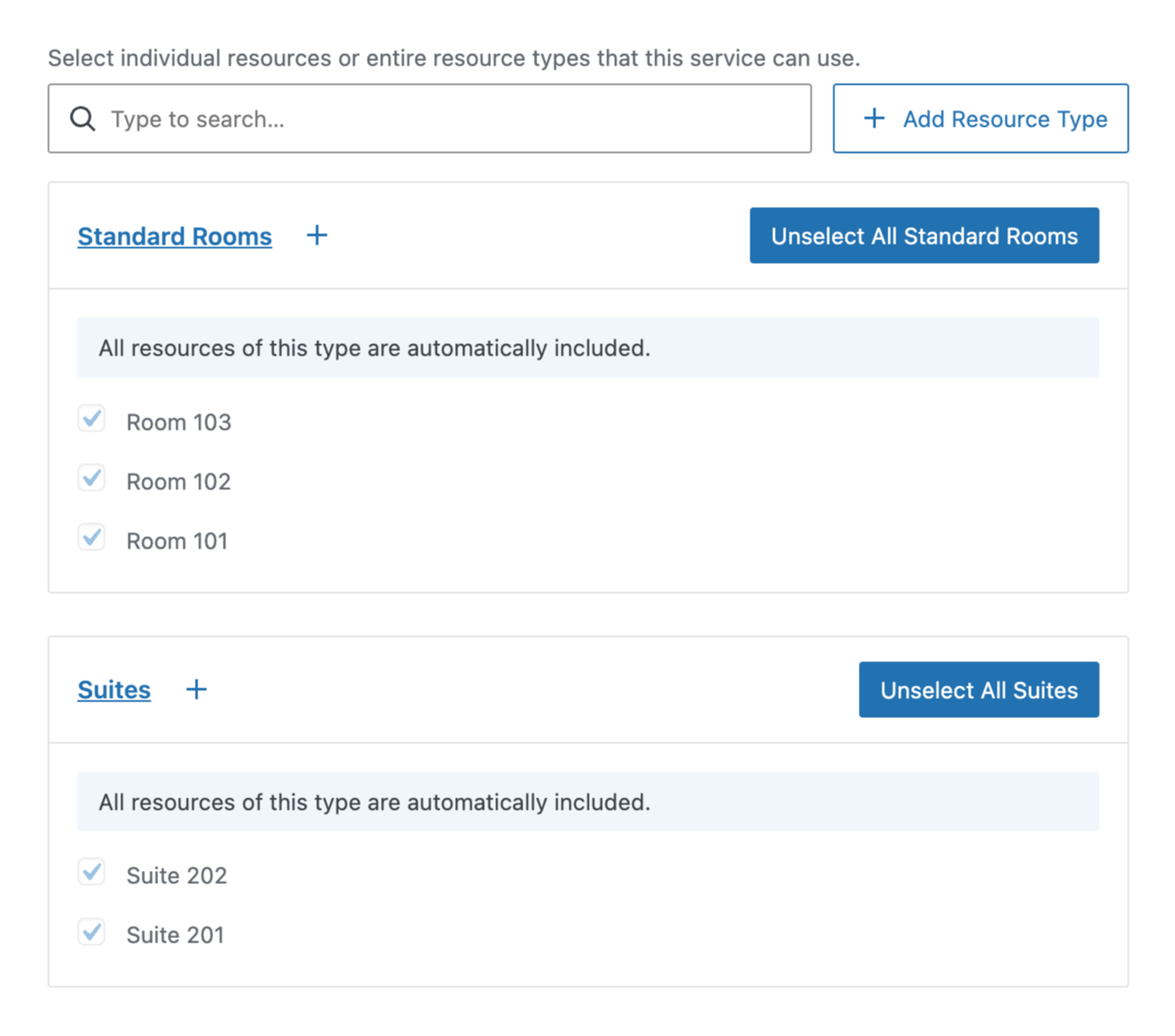
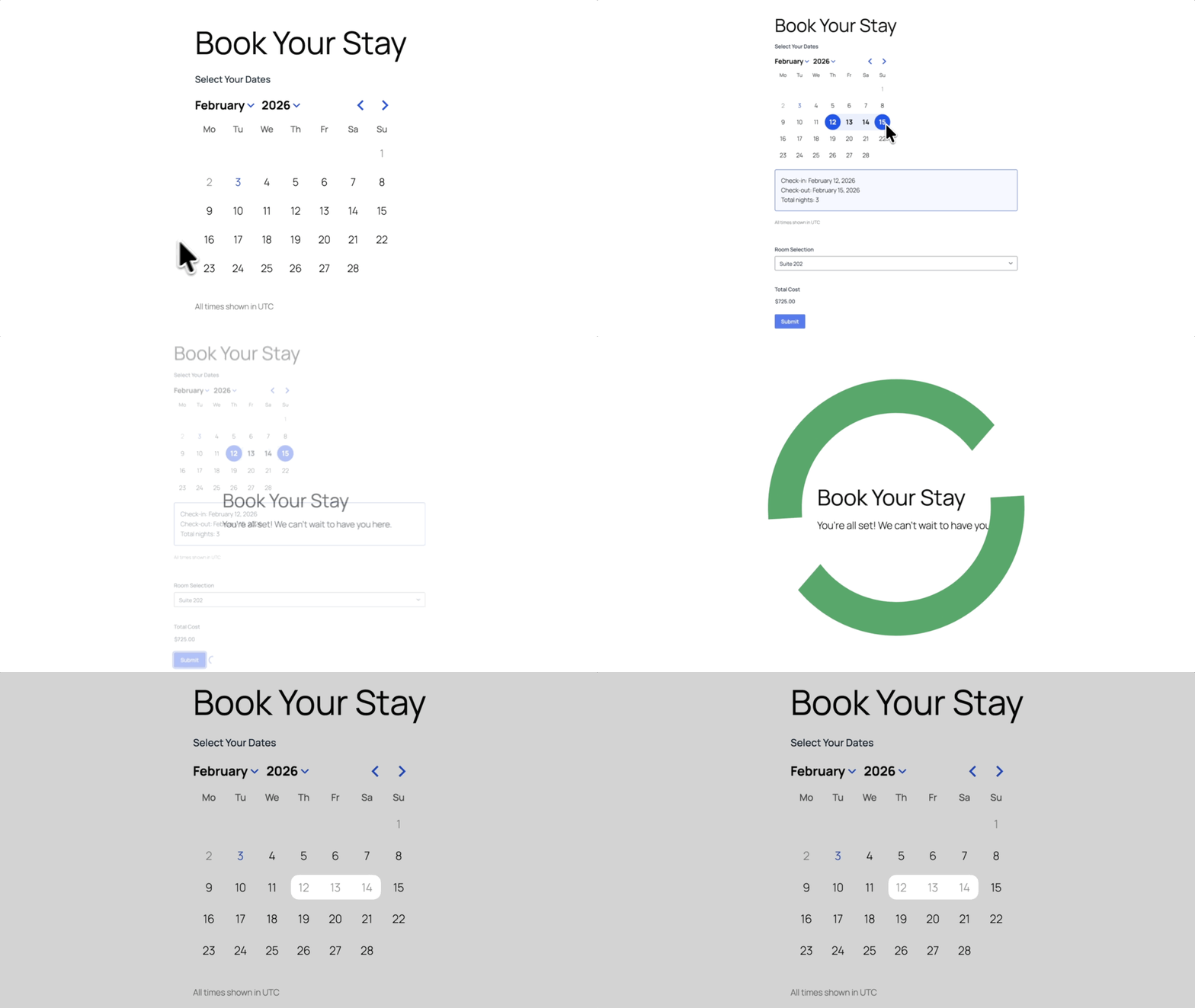
By using Automatic Assignment, the form automatically manages your inventory. If someone books Room 101, the next booking goes to Room 102. When every resource in a single type reaches its max Capacity (usually 1 per room), those dates go gray on the calendar, preventing any double bookings.
Wizard’s Note
Automatic assignment works for people the same way it works for spaces! Check out our guide to learn how round robin and capacity-based strategies work across resources.
3. Enforcing Minimum Stays
Sometimes you need guests to book at least two nights on weekends. Or, maybe you want to avoid those annoying single-night gaps that mess up your calendar.
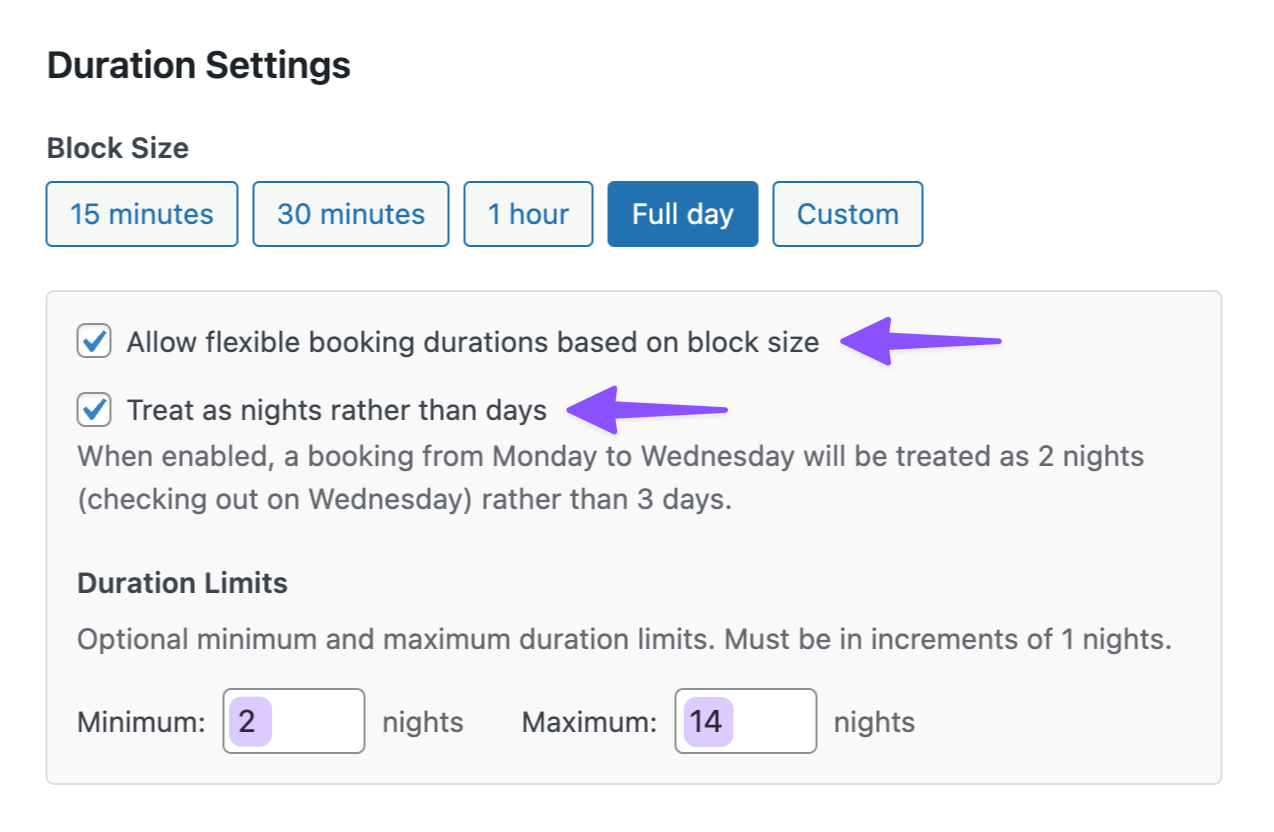
Turn on flexible booking durations and set a minimum stay (like 2 nights) that the form will enforce automatically.
4. Pricing Multiple Nights
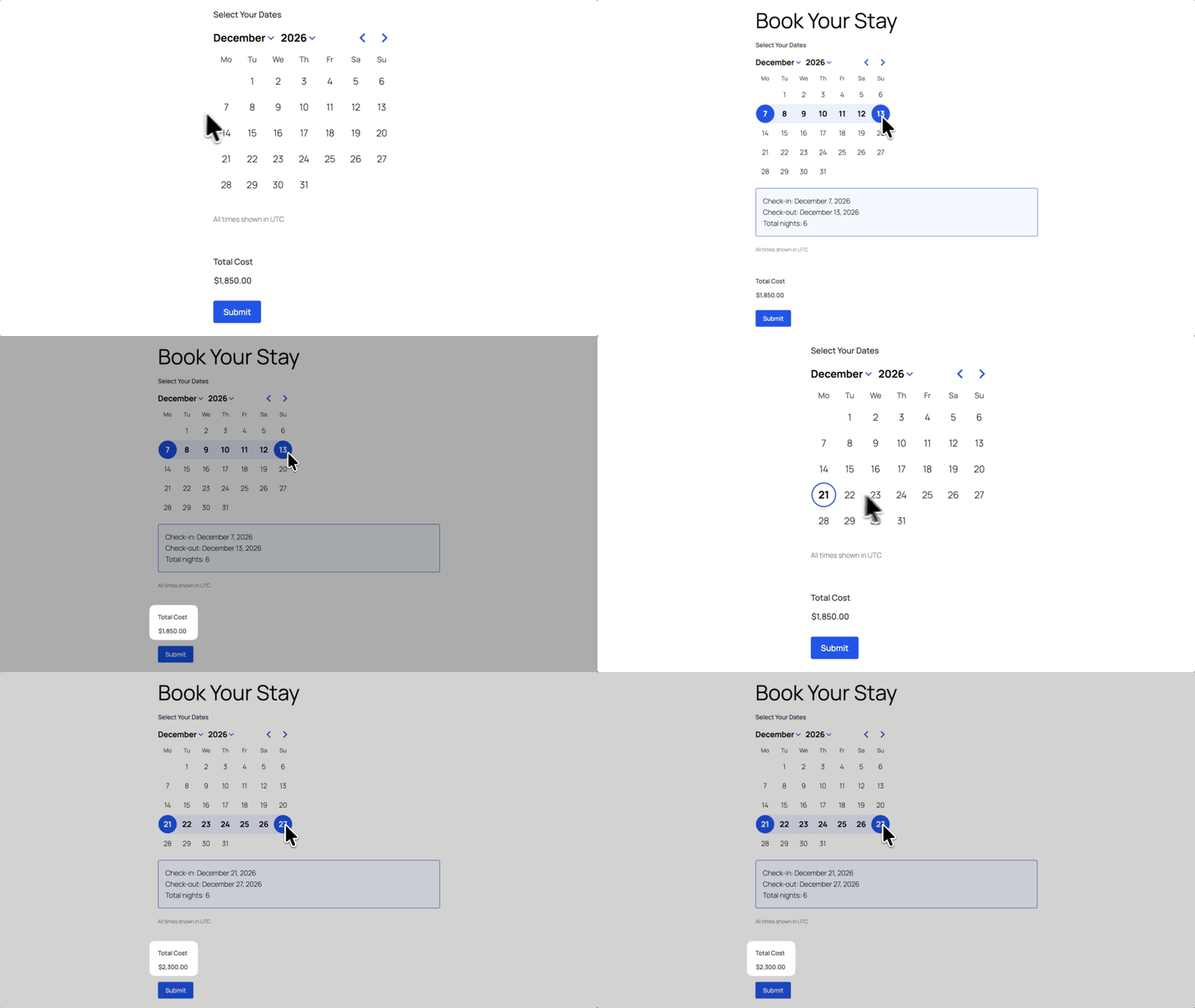
When you set up your Pricing Rules, you can apply costs per booking block (i.e. per night). So if your room is $150 per night and someone books three nights, the form automatically calculates $450.
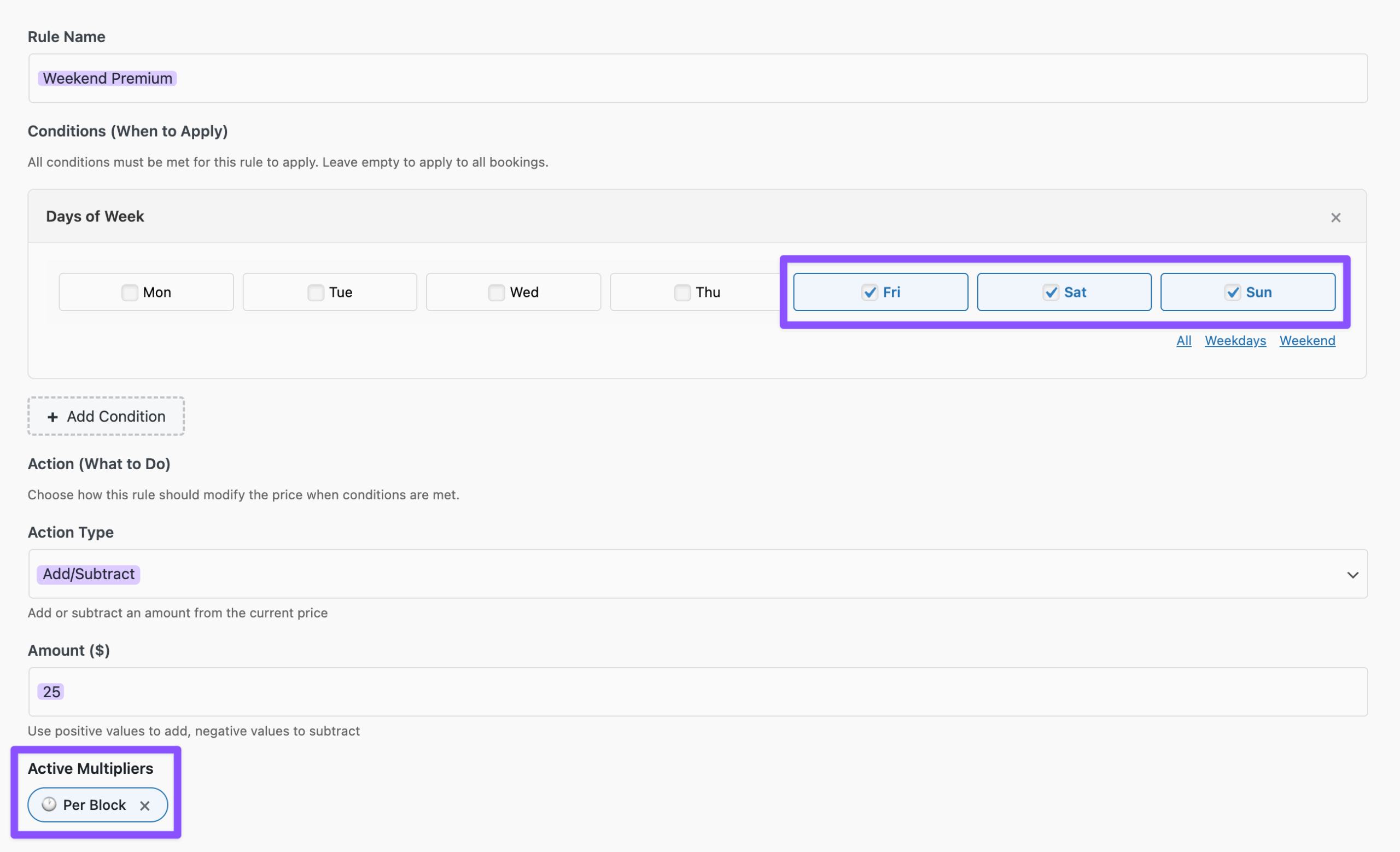
GP Bookings even handles price changes during a stay. For example, if someone books Thursday at your regular rate and then stays through Friday when weekend prices kick in, GP Bookings automatically adjusts the total cost.
Taking It Further with Spellbook
GP Bookings is pretty solid on its own. But if you want to handle more of the tricky stuff hotels deal with, open your Spellbook and pair it with other perks.
Here are two perks that pair well with hotel bookings:
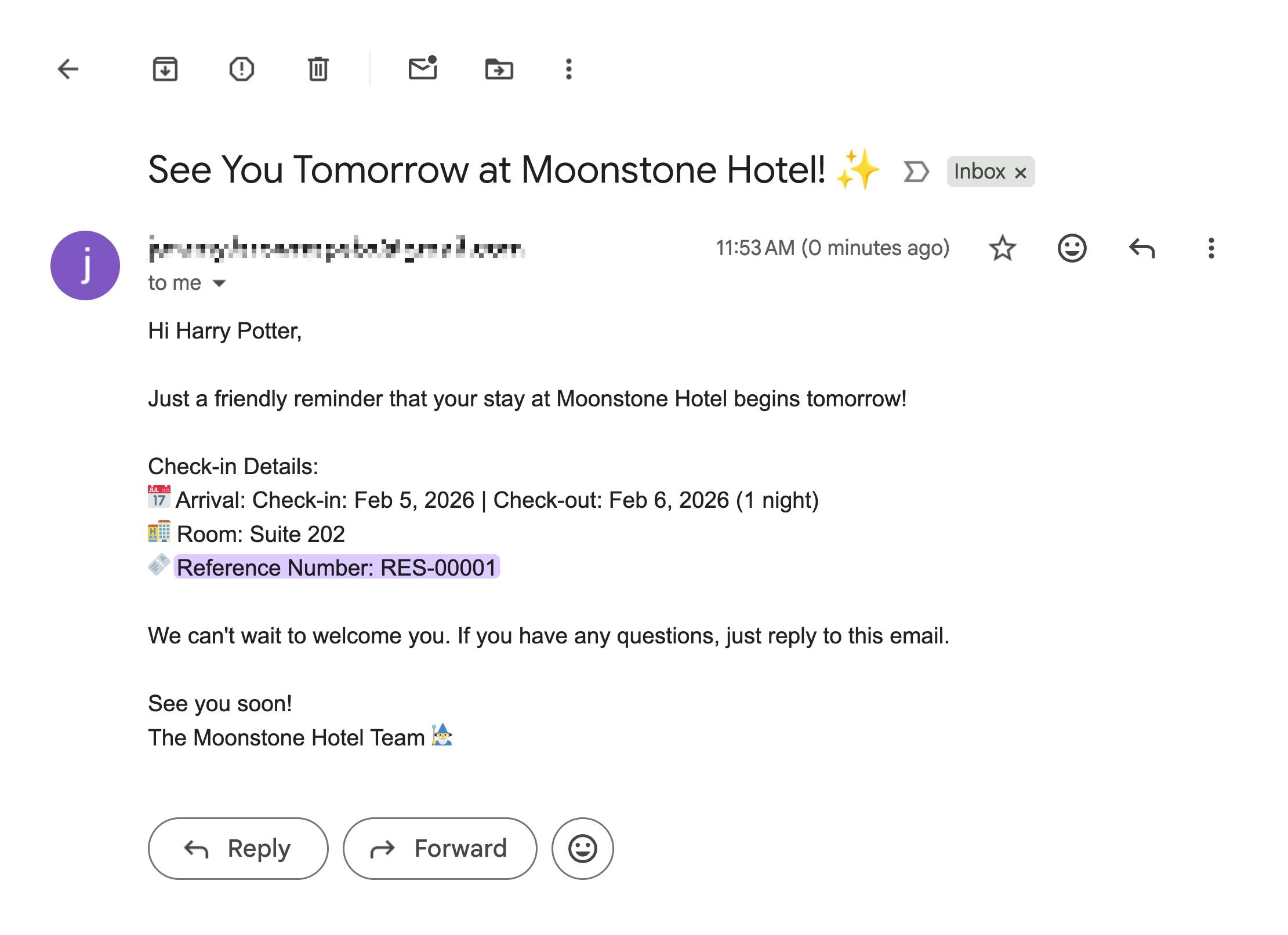
- Automated Reminders: GP Notification Scheduler lets you send a “See you tomorrow!” email 24 hours before check-in. It’s a nice touch that keeps guests in the loop and helps cut down on no-shows.
- Booking Reference Numbers: GP Unique ID generates sequential confirmation codes like
RES-00001. Drop the Unique ID merge tag into your confirmation emails and both you and your guest have a clear reference for the stay.
Wizard’s Note
Want to see how GP Bookings handles resources with their own schedules and services with their own durations? Check out our guide to setting up a booking platform for a salon.
Your Booking System is Checked In!
If you want to learn more of what GP Bookings can do, check out its documentation.
And hey, if you’re building something specific for your hotel booking, drop a comment. We might write about it next. 🧙♂️

Can we handle check in and check out times on a day? That is: guest checks out at 10am on Feb 14 and the same room is bookable from 3pm that same day? How would have be handled without the user selecting check in/out times? If that’s not possible, it’s not really feel suitable for accommodation bookings.
Hey Kelly,
Yes, you can do this by selecting the Full day block option, and then enabling “Allow flexible booking durations based on block size” so guests can book date ranges instead of a single night, and also enabling “Treat as nights rather than days” in your Duration Settings.
With that setup, the check-out date becomes available again for check-in, so a guest can check out in the morning and the same room can be booked later that day.
Looking good! Move over OTAs, it’s about time to let Gravity draw in some direct bookings!
YES! That’s the spirit! 😄