
Introducing Gravity Forms Dev Tools

A collection of magic tools combining enhanced previews, faster navigation, and deeper debugging into one free plugin.
- Gain full control over Gravity Forms previews
- Instantly access all forms and plugins from anywhere
- Generate thousands of entries
- Test payment workflows easily
- Birdseye view of everything happening on submission
- Automatic field & choice naming
- All tools in one place
- Bugs begone!
The Wizards of Oz Gravity present a collection of tools we use every day + one of our premium perks, consolidated into a single toolkit:
Gravity Forms Dev Tools — available for free for anyone building with Gravity Forms.
We’ve created these tools over the years of supporting and building with Gravity Forms on the daily. They enhance the testing experience, speed up debugging, and make the whole process a little bit more magical.
At a glance:
- Enhanced frontend previews with advanced controls (e.g. unrequiring fields, AJAX toggle)
- Admin bar shortcuts for forms and WordPress plugins
- Bulk dummy entry generation
- Dummy payment gateway for testing flows without dealing with actual gateways
- Gravity Forms logging inside Query Monitor
- Automatic form, field, and choice naming + an auto-delete field button for fast form management
We hope it saves you the same hours of testing time and unnecessary headaches it has saved us. 🧙♂️
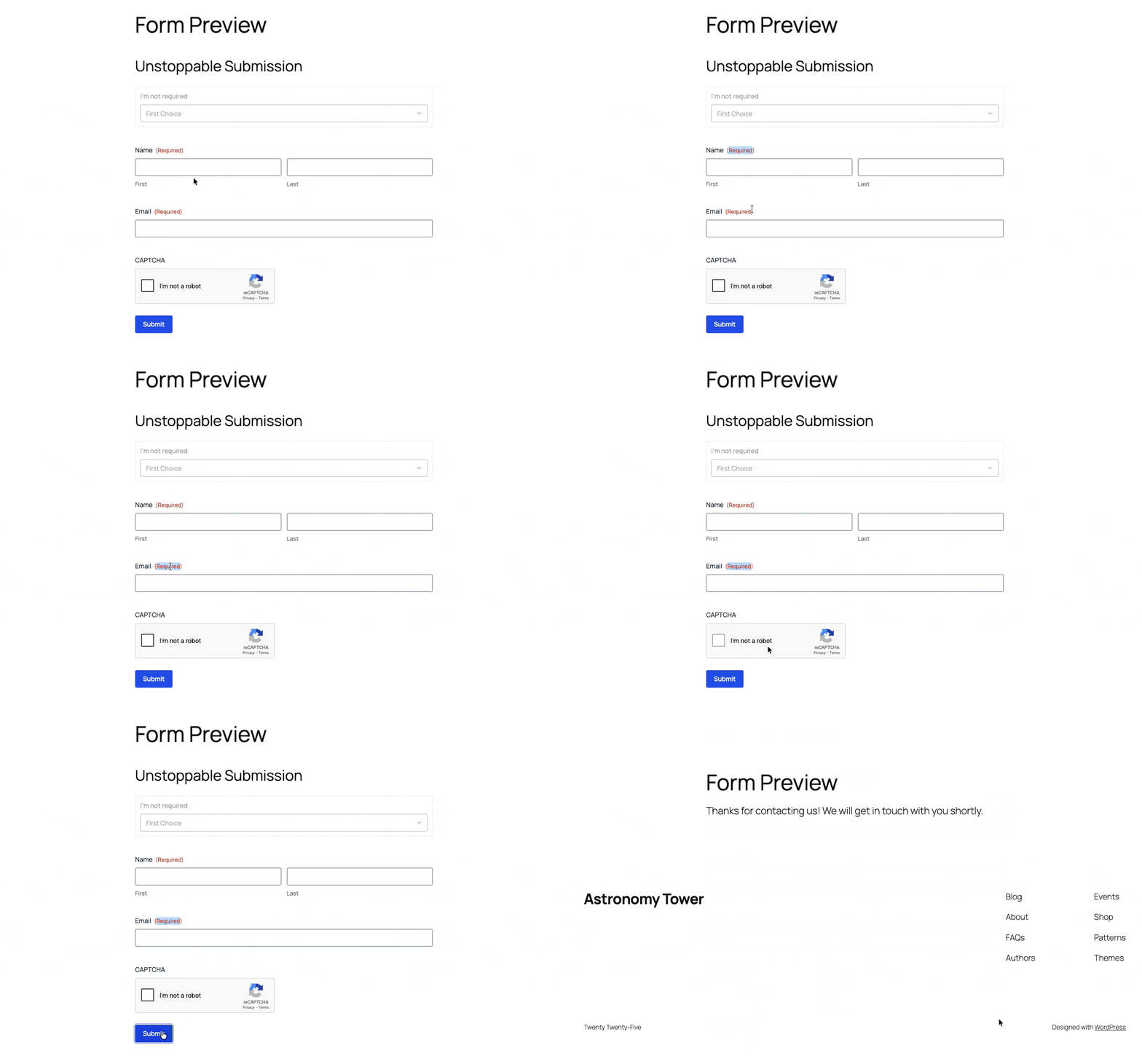
Gain full control over Gravity Forms previews
GP Live Preview, originally a paid perk, has left perkhood behind. All of its features (plus some) are now included free as part of GF Dev Tools!
Using these features, you can turn the default Gravity Forms form preview into a controlled, fully-fledged testing environment.
For example:
- Preview forms fully styled on the frontend
- Show hidden fields
- Ignore required validation (including reCAPTCHA)
- Combine multi-page forms into a single page
- Toggle AJAX
- Disable notifications
- Ignore entry limits and scheduling restrictions
If you’re building a complex multi-page form or troubleshooting conditional logic, you can test specific sections, see everything that is going on, and skip irrelevant fields at the same time.
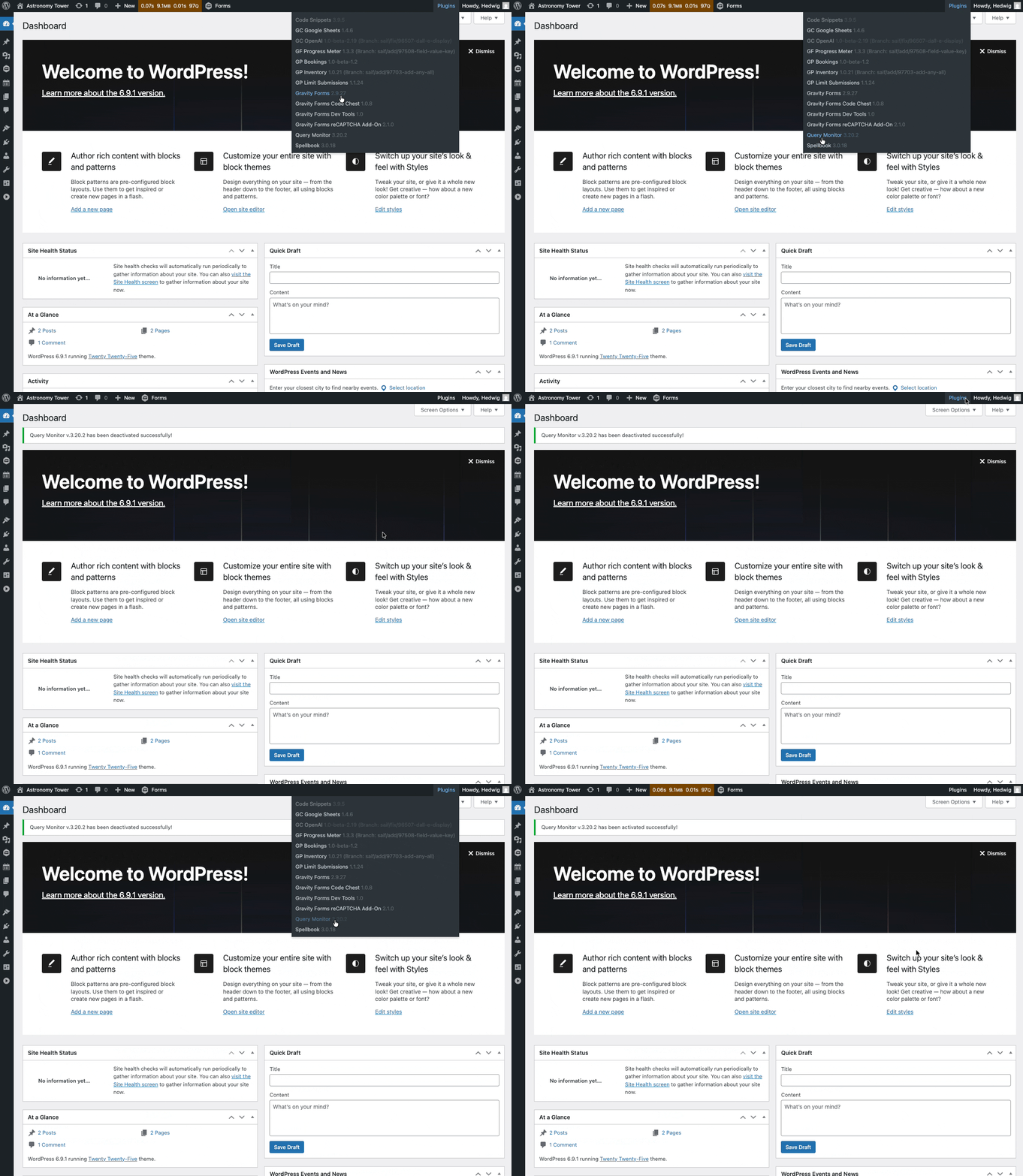
Instantly access all forms and plugins from anywhere
Dev Tools adds two WordPress admin bar menus: one for forms and one for plugins. Quickly find and manage plugins and forms from wherever you’re working from in your admin.
Admin Bar Form Manager lets you:
- Search and jump to any form
- Create new forms instantly
- Export the current form
- Access the import screen directly
Admin Bar Plugin Manager lets you:
- Search installed plugins
- Activate or deactivate them from anywhere
- Switch between installed versions for testing
When diagnosing conflicts or iterating quickly, these shortcuts keep everything within reach.
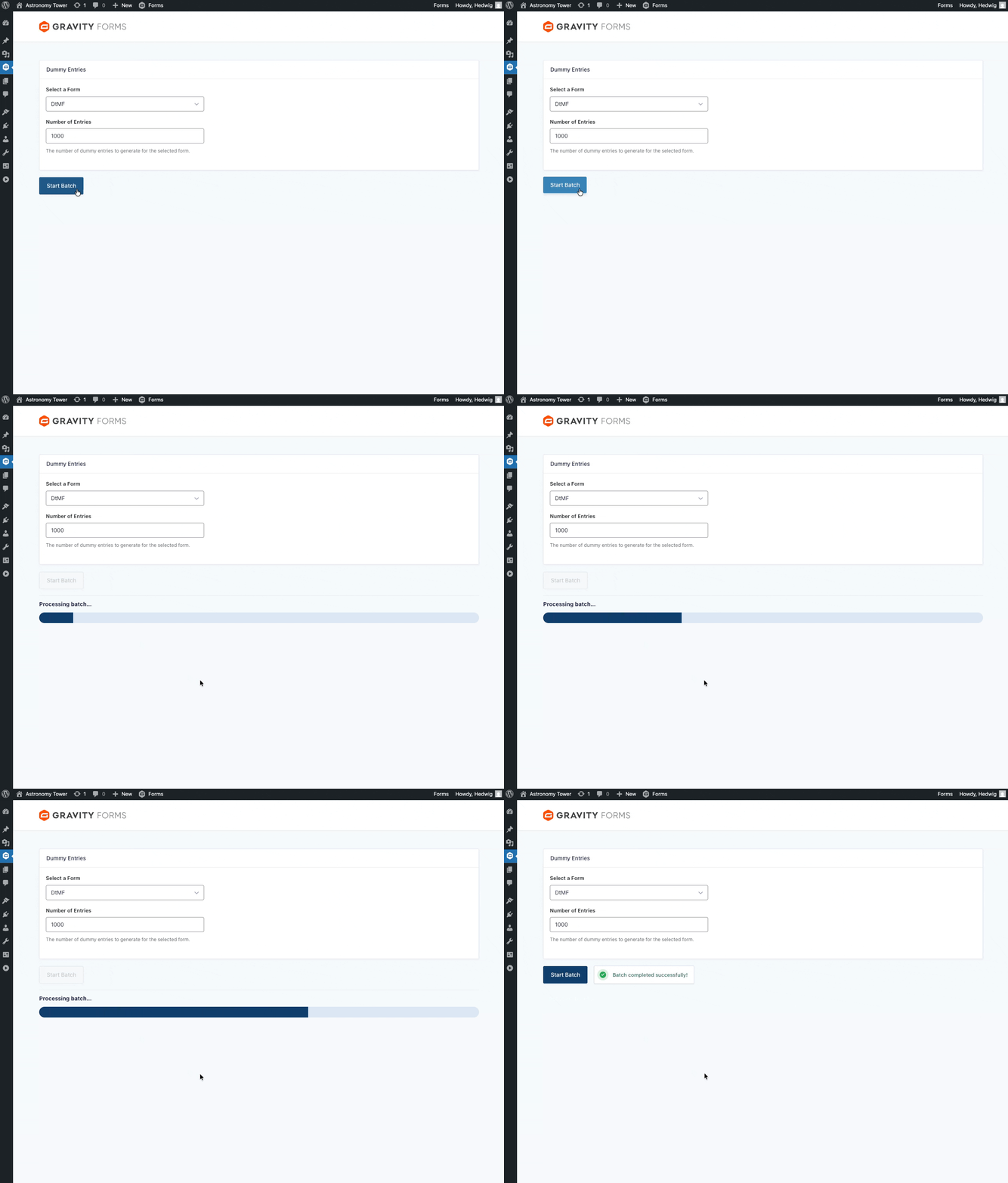
Generate thousands of entries
Generate test entries in bulk with a single click via the Dummy Entry Generator.
Select a form, choose how many entries to create, and the generator detects field types automatically. Useful for stress-testing how data is being structured and displayed, feed plugins (like Gravity Connect), calculations, dynamic population, and more.
Test payment workflows easily
The Dummy Gateway simulates payment processing without connecting to real payment gateways like Stripe or PayPal, saving you tons of time on setup.
You can:
- Test immediate or delayed captures
- Simulate paid, authorized, or failed statuses
- Trigger conditional logic based on payment results
- Verify feed-based integrations
Birdseye view of everything happening on submission
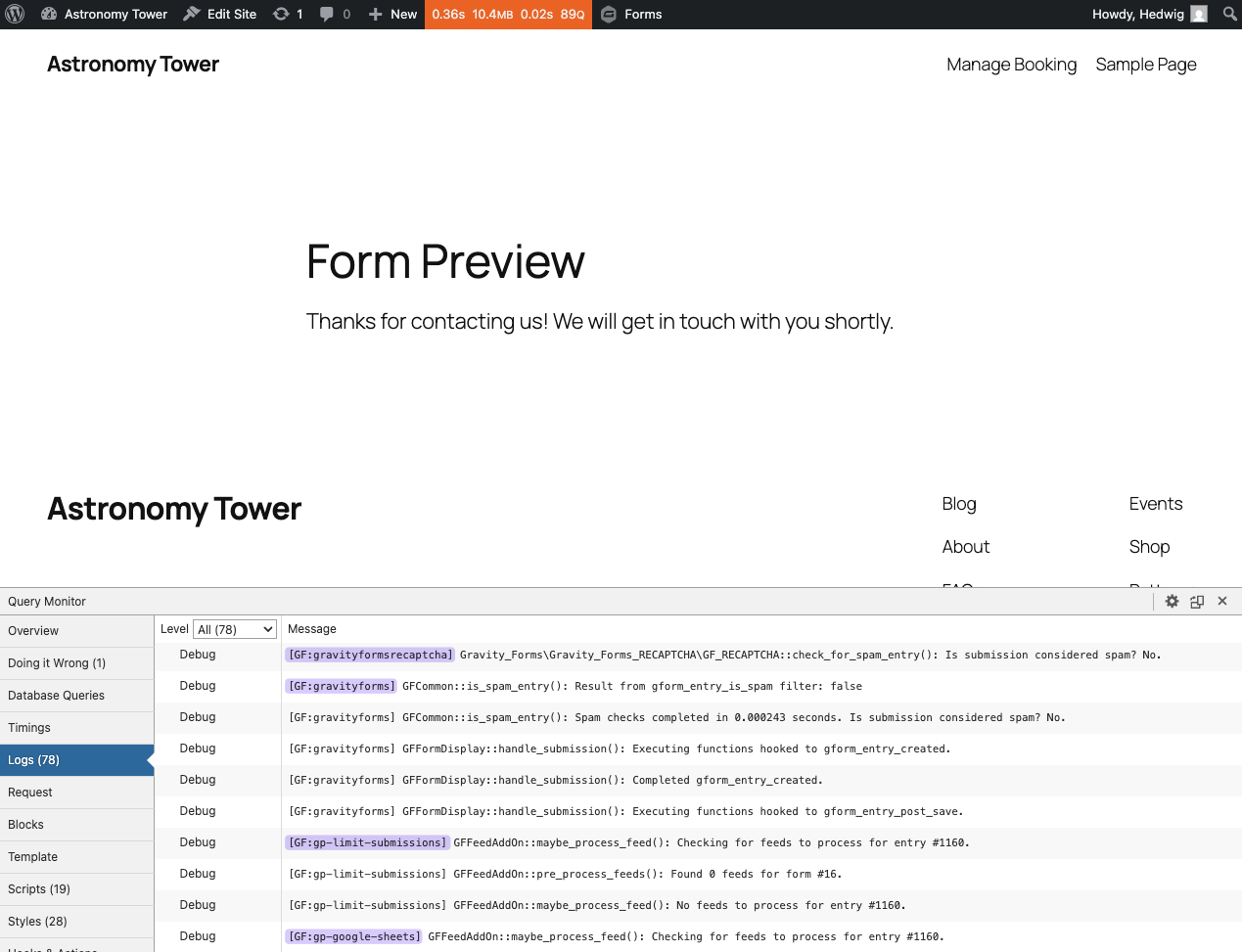
Dev Tools integrates Gravity Forms directly into Query Monitor, a debugging tools panel, to show you what’s happening behind the scenes with every submission.
Inside Query Monitor, you can:
- See render time, field count, and AJAX status
- Access Gravity Forms logs immediately after submission
- Populate and clear fields automatically
- Easily identify forms in the page
What’s more: Logs from Gravity Forms core and add-ons are routed automatically, even if logging is disabled in the main settings.
Automatic field & choice naming
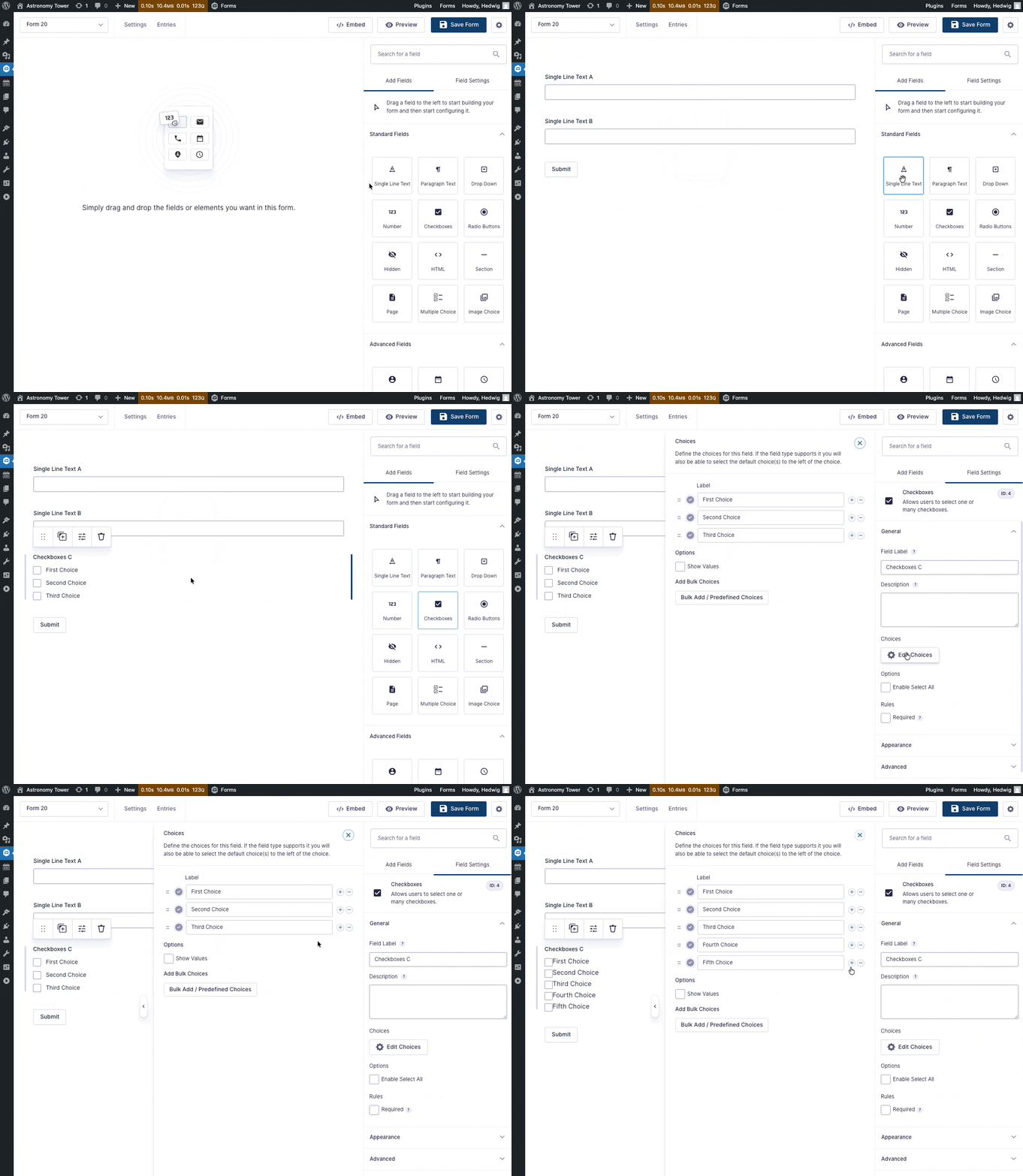
New fields and choices can be automatically given distinct names (e.g., “Single Line Text A”, “First Choice”) with the Auto Field Naming tool.
When building quickly or prototyping, this keeps fields clearly identified from the start and avoids duplicate labels in the editor.
All tools in one place
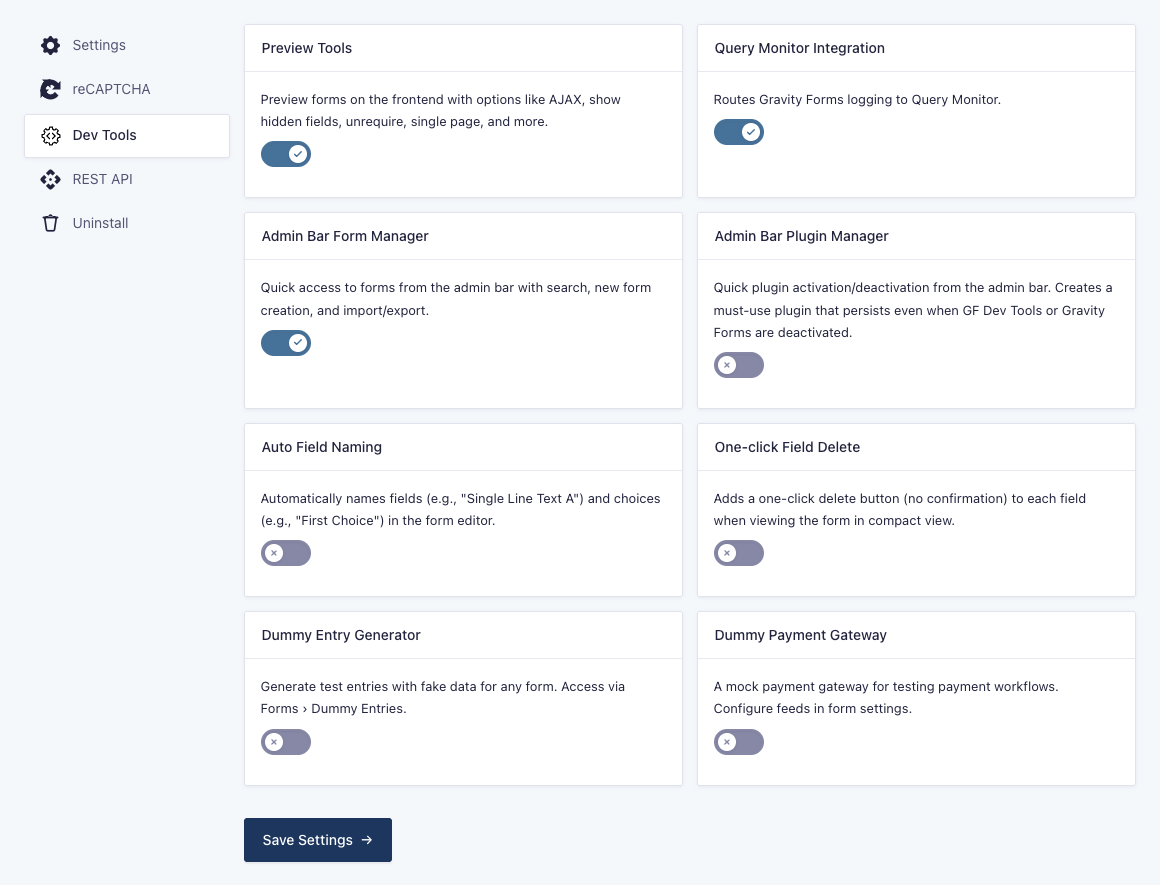
Access all tools at any time from the Dev Tools settings. Activate what you need and disable what you don’t in just a few clicks.
Bugs begone!
Dev Tools is available for download now in your Spellbook. 🪄
Don’t have a Spellbook yet? Get yours for free!
Hi !
I don’t see Dummy entries in Forms
Hey Ben,
Dummy entries will not appear by default. To make use of the dummy entry generator, you’ll have to manually generate entries for the form of your choosing. We have some more specific instructions on how to generate those entries here.
Hoping that’ll help, but if still no luck, please reach out to us via Support, and we will be happy to take a closer look at what might be happening here on your site!
Wow, thanks guys, I‘ll be giving this a spin first thing tomorrow!
Hey Harry,
Sounds good, and please do let us know what you think. We’re always hungry for feedback!
I don’t see dev tools in the spell book or in the downloads on the my account area :(
Hey Sam,
If you are on Spellbook v3.0.18, and GF Dev Tools is not under the “Free Plugins” tab, then please send us a message via Support, and I’ll be happy to take a closer look at your site to see what’s happening here!
That’s awesome work! Kuddos to the whole team for this exceptional FREE plugin!
Hey Gui,
Thank you so much for the kind words.
Once you have had a chance to try all the features out, please don’t hesitate to drop us a line via Support with any additional feedback.
We’re super eager to hear what you think!