
New: GC Google Calendar 1.0 + GP Bookings Beta 2

Sync Gravity Forms bookings with your Google Calendar — instantly, automatically, magically.
If you’ve ever tried to build a booking system with Gravity Forms, you know the hard part isn’t collecting the booking…
…it’s everything that happens after.
Managing availability. Preventing double-bookings. Keeping calendars in sync. Keeping your schedule from going off the rails. 😅
That’s exactly what Gravity Perks Bookings (GP Bookings) and Gravity Connect Google Calendar (GC Google Calendar) are built to handle — and together, they finally make scheduling feel… easy.
TL;DR
- GP Bookings (Beta 2): Turn Gravity Forms into a fully customizable booking platform.
- GC Google Calendar (1.0): Create and sync Google Calendar events directly from your forms.
- Together: Two-way scheduling that keeps your site and your calendar in sync — without the delays and extra setup that come with traditional ICS feeds.
Prefer to see it in action?
Before we go further, a quick refresher on what each piece does.
GP Bookings: Turn Gravity Forms into a booking platform
GP Bookings turns your forms into a real booking system.
Instead of entries just being entries — they become bookings.
You can:
- Build scheduling flows for appointments, rentals, classes, and more
- Define availability, capacity, occupancy, and pricing rules
- Manage everything from a calendar-based dashboard inside WordPress
- Let customers reschedule or cancel their own bookings
At its core, GP Bookings introduces a simple but powerful model:
- Services → what’s being booked
- Resources → who/what provides it (staff, rooms, equipment)
- Availability → when it can happen
From there, everything builds naturally.
GC Google Calendar: Create and Sync events from Gravity Forms
GC Google Calendar connects Gravity Forms directly to Google Calendar.
Every submission can become a fully configured calendar event — with:
- Titles, times, and descriptions mapped from your form
- Attendees pulled from submitted data
- Optional Google Meet links
- Automatic updates when entries change
- Automatic cleanup when entries are deleted
No exports, middleware, or weird sync tools needed!
Here’s where it all syncs up
Together, these plugins can give you a scheduling system that’s easy to set up and stays in sync.
If you’re using Google Calendar, GC Google Calendar becomes the bridge between GP Bookings and your calendar — which means:
Bidirectional sync (without ICS overhead)
- New bookings → instantly added to Google Calendar
- New Google Calendar events → automatically block availability on your site (synced on a regular interval)
Automatic updates & cleanup
- Edit a booking → the calendar event updates
- Delete a booking → the event is removed
Your calendar stays accurate without manual cleanup.
Service & resource-level control
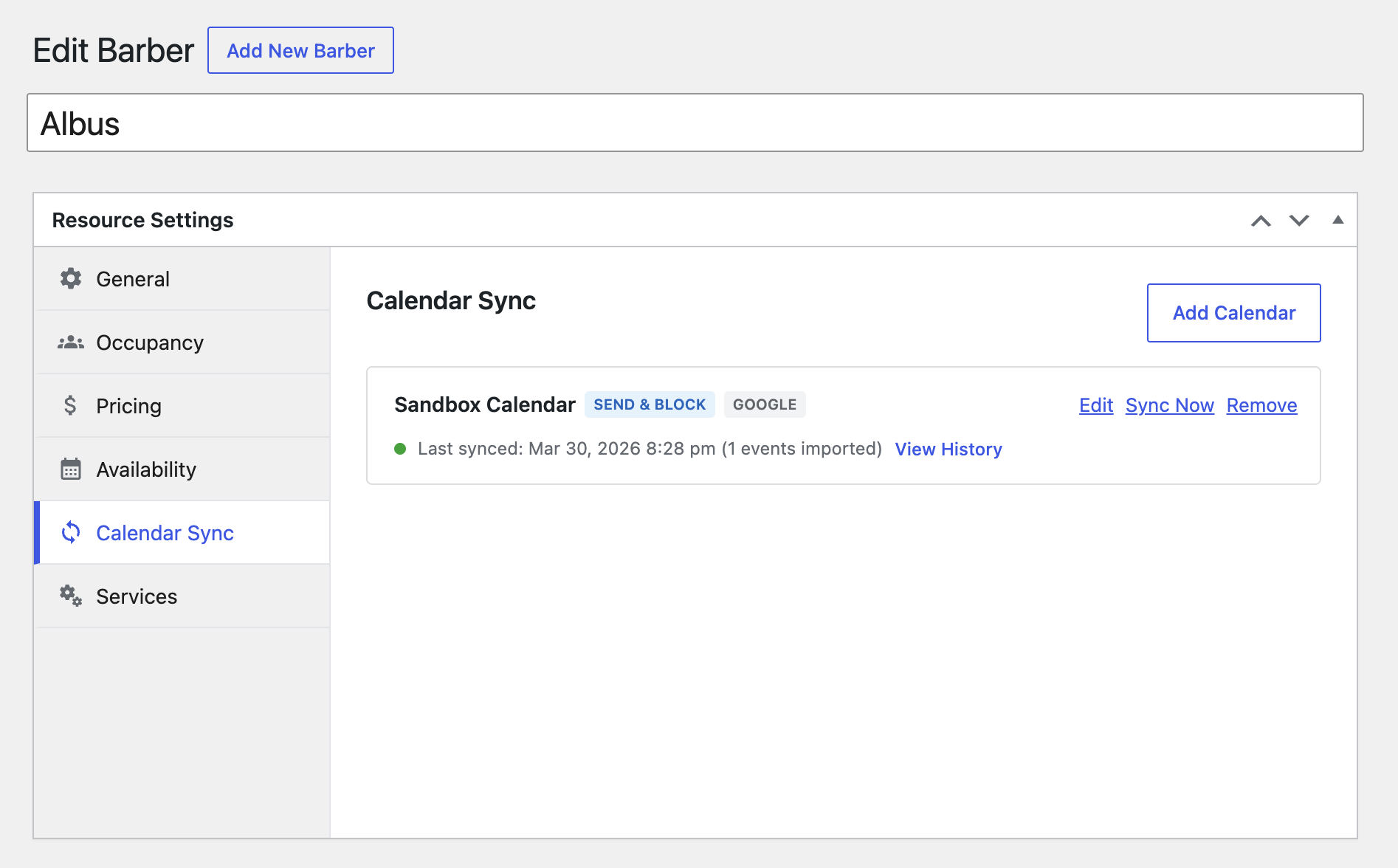
- Assign different calendars to different services or resources
- Give each team member their own calendar
- Or map calendars to rooms, cabins, equipment — whatever you’re booking
Everything stays organized and scales cleanly.
Why this matters
Most booking setups rely on ICS feeds:
- Separate feeds for each direction (one out, one in)
- Delayed updates (sometimes hours)
- Manual subscriptions and setup on both ends
With GP Bookings + GC Google Calendar:
- It’s two-way — from a single connection (no feed juggling)
- It’s real-time syncing for new bookings, with reliable background syncing for calendar changes
- It’s… just easier 😉
Get the most out of it
If you’re building booking systems with Gravity Forms — especially across multiple sites — the Wiz Bundle is where this shines.
The Wiz Bundle gives you:
- All of Gravity Perks (including GP Bookings)
- All of Gravity Connect (including GC Google Calendar)
- Unlimited sites for everything you build
Just getting started — or only need GC Google Calendar? You can also grab a Gravity Connect Basic license for $59.
Available now
GP Bookings Beta 2 and GC Google Calendar 1.0 are available now in your Spellbook.
If you’ve been waiting for a better way to handle scheduling with Gravity Forms…
This is it. 😉