Spotlight: Turning Gravity Forms into a Real-Time Medical Calculator

See how Roman Melicher turned a form into a web application that processes hundreds of lab parameters to save doctors time.

Spotlight Function
Real-time quote calculator
Imagine walking into a medical center where the doctors are tied up at their desks calculating the cost of blood tests instead of seeing patients.
That was the situation at Health Services in Slovakia. They managed over 700 lab parameters, each with its own price, insurance rules, and possible combinations. Before anyone could draw blood, someone had to figure out what the patient actually owed.
The reception staff didn’t have the medical expertise to handle such data. So who did the work instead?
[The] doctors were burdening themselves with providing this information.
Roman Melicher saw what was happening, and knew it had to change.
The Spotlight
Roman had been reading Gravity Wiz’s Spotlights for a while, learning how other wizards solved tricky problems with clever Gravity Forms setups.
Actually, thanks to the Spotlight [section in the Gravity Wiz Weekly] newsletter, I thought about this in the first place. Since I am a Gravity Wiz fan… I thought about the whole idea and how it can work for us.
What if reception could handle this? They could just search for the parameters, pick what’s needed, and see the total right there on the screen.
So, he opened his Spellbook and made it a reality:
- First, he moved all 700+ parameters and their pricing into a Google Sheet and connected it to Gravity Forms using GC Google Sheets. This kept the data centralized and easy to update.
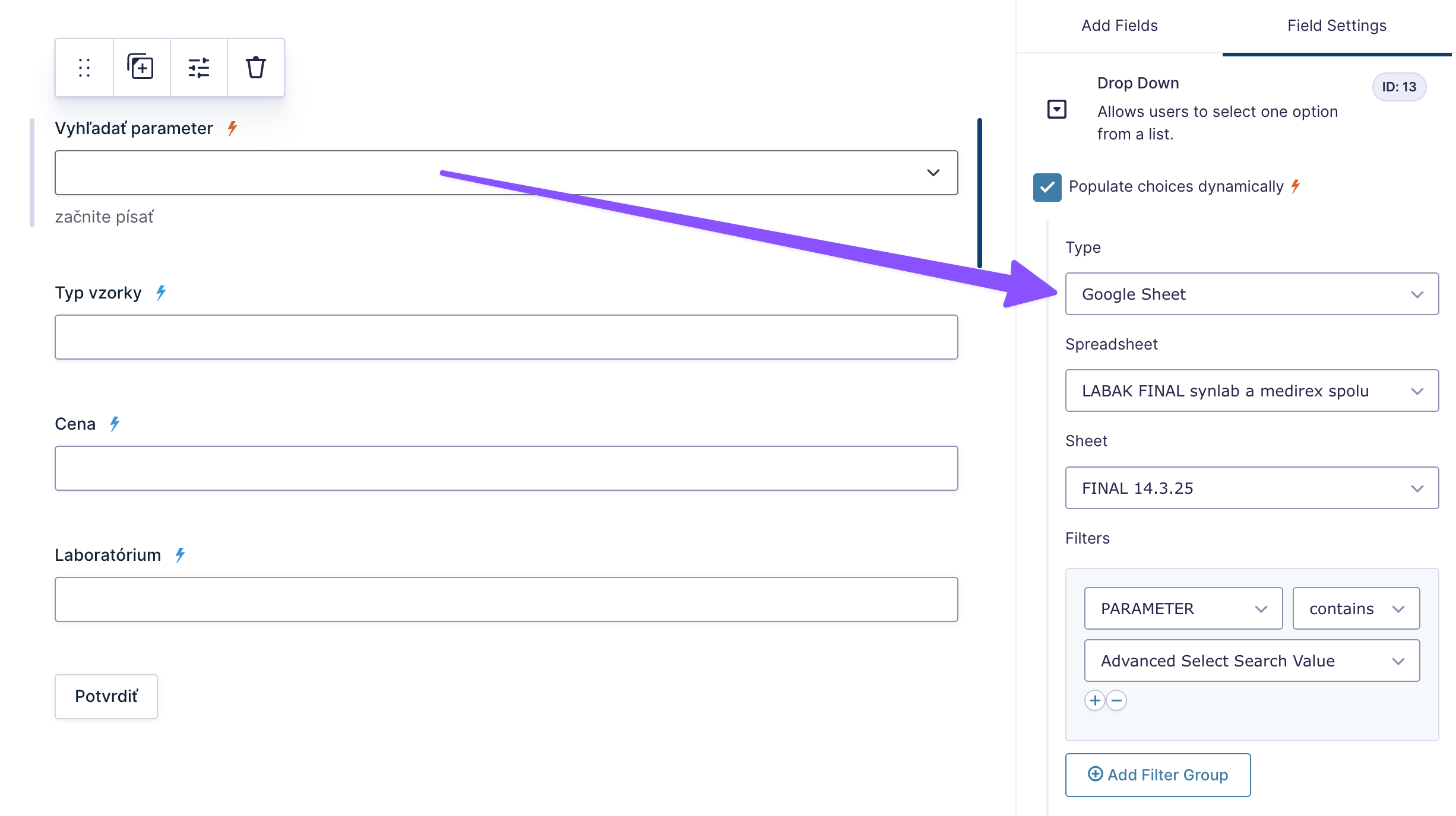
- He used GP Populate Anything to pull the pricing data from the Google Sheet into the form.
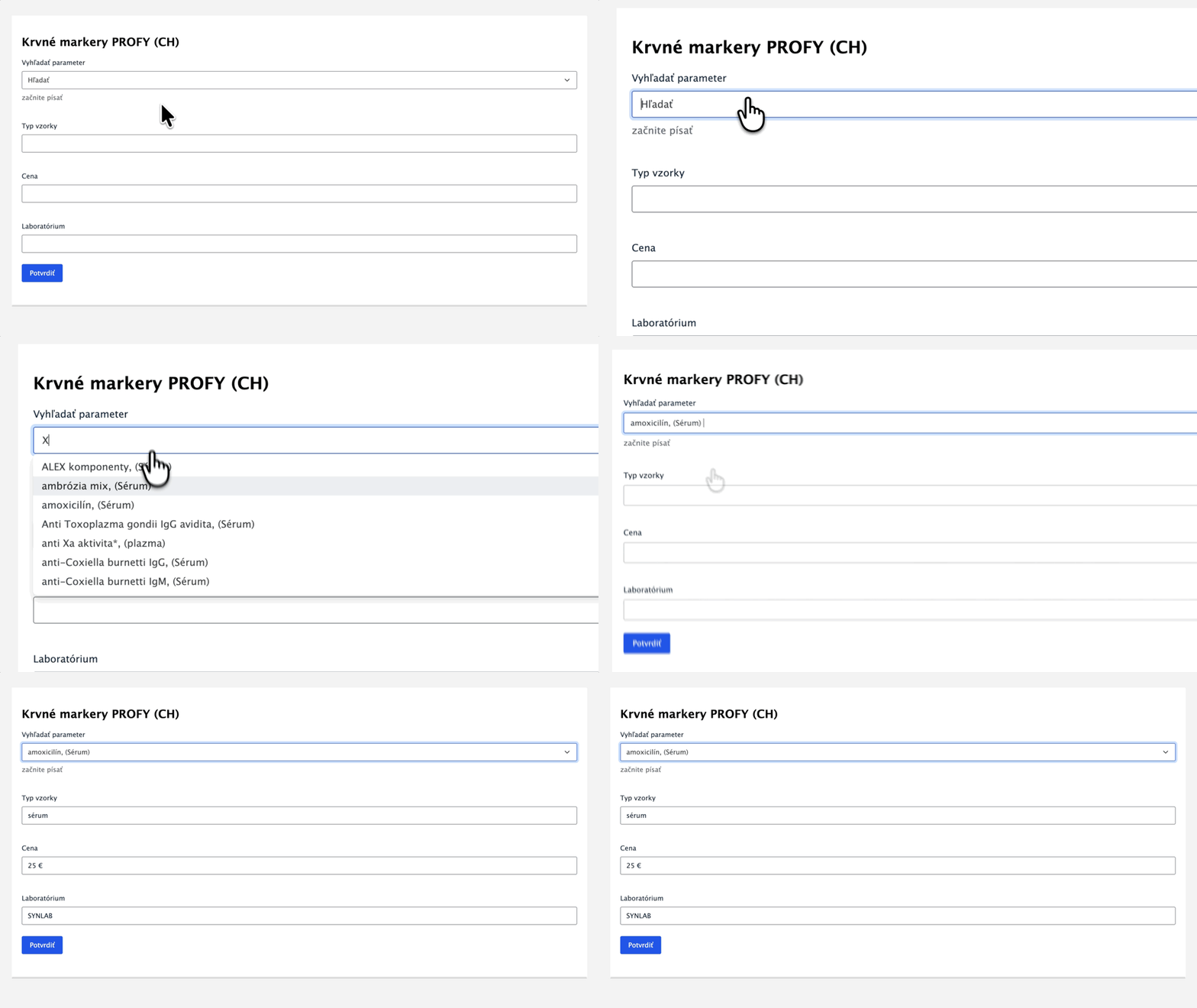
- To save receptionists from scrolling through hundreds of options, he used GP Advanced Select. With this, staff members just type one or more letters to find the correct parameter.
- At the heart of it all was GP Nested Forms, allowing staff to add multiple tests (child entries) to a single patient’s quote, calculating the running total in real-time.
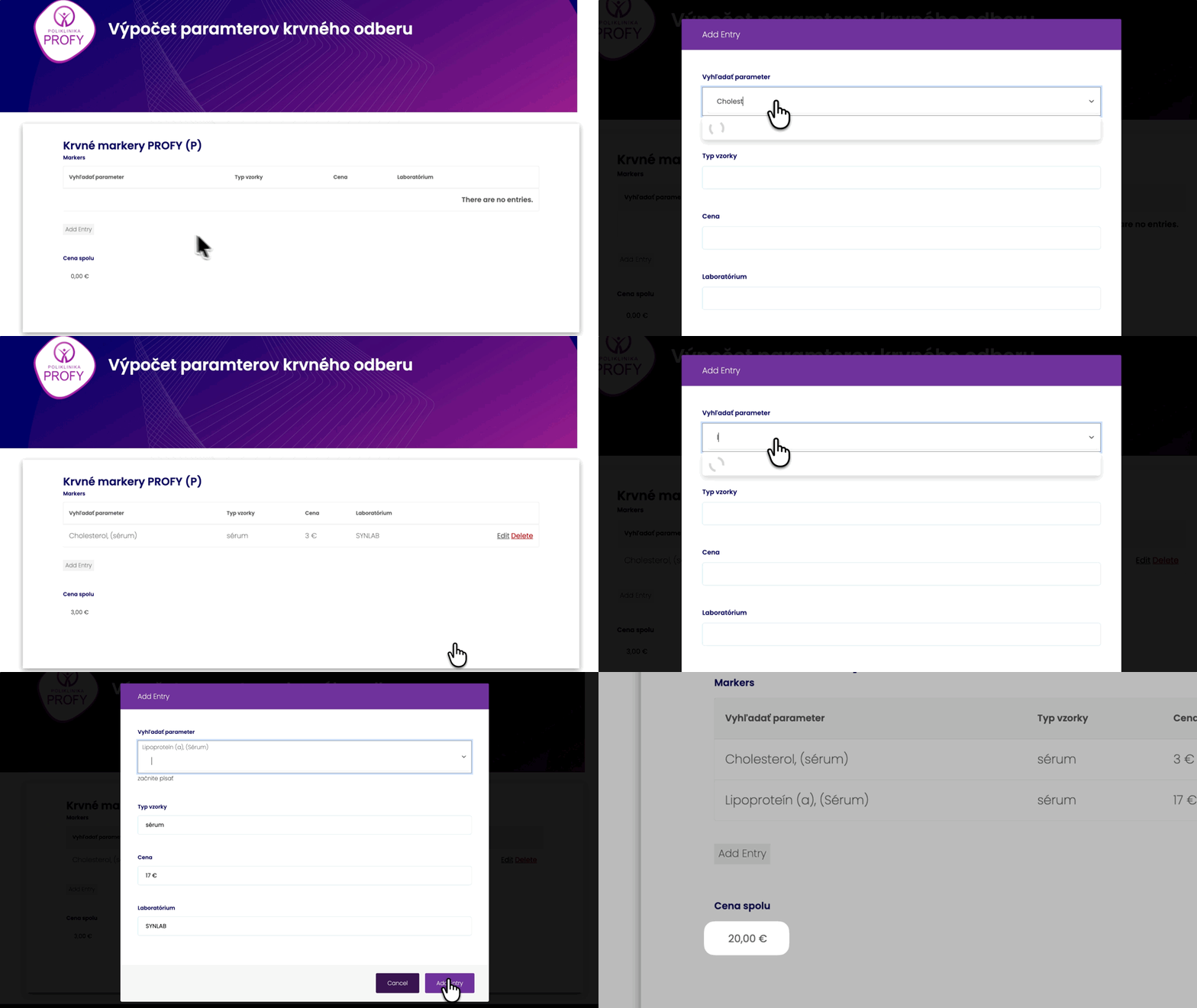
Best of all? Roman built this entire system without writing a single line of code.
I’ve built my website mostly around Gravity Perks (with zero knowledge of programming). You [guys] are providing flexible solutions for everyday use.
The Twist
Roman had built a useful form. But the real magic was yet to come…
While most forms collect data, create entries, and store everything, Roman didn’t need any of that. Why? Because the form never gets submitted. Ever.
Instead, the workflow is purely cyclical:
- The reception staff opens the form.
- They build the quote.
- They give the price to the patient.
- They reload the page.
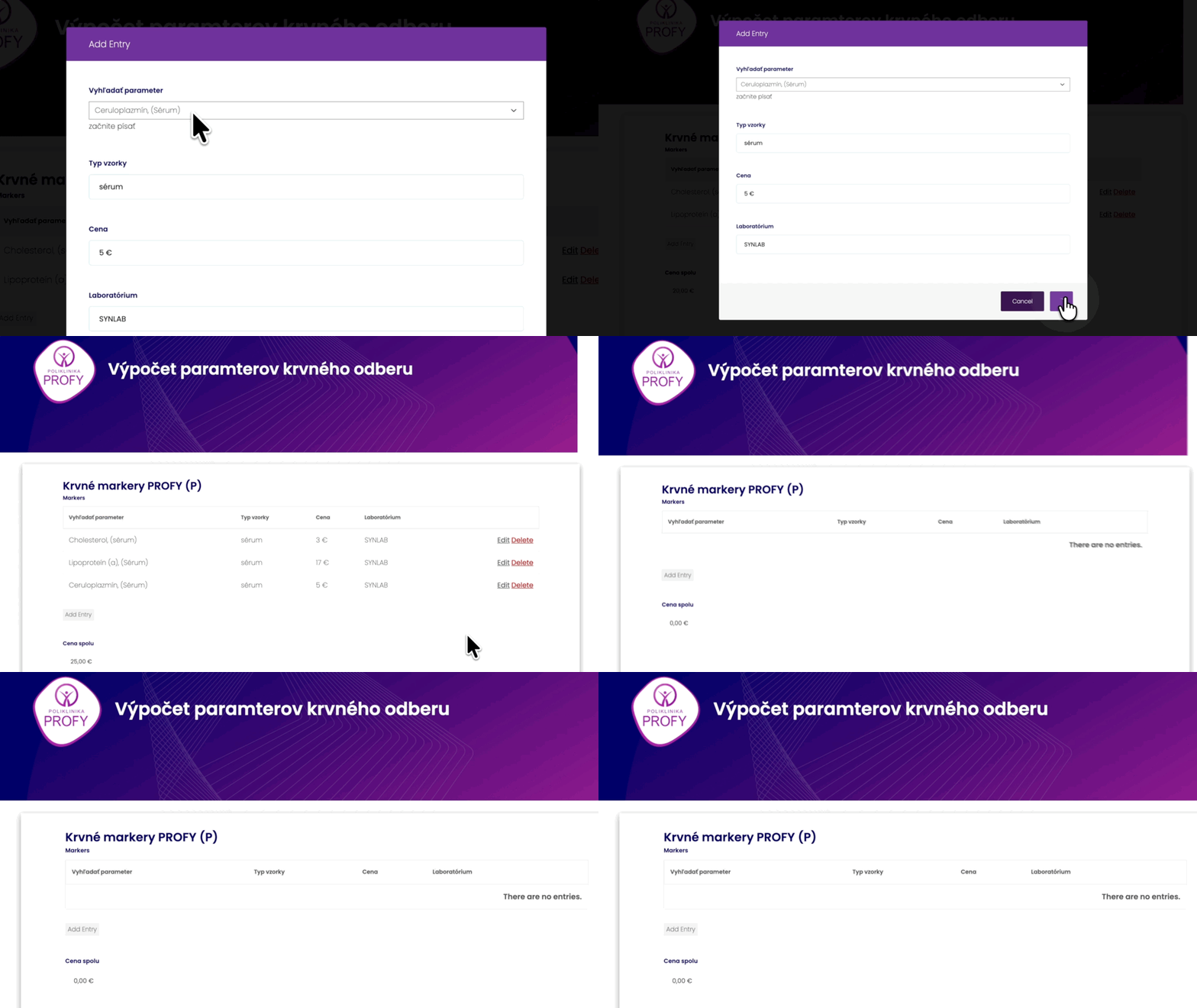
A perpetual calculator—always on, never storing data, and instantly ready for the next patient. No submissions, just results.
The Outcome
Doctors who were stuck calculating costs are back to treating patients, saving hours every week.
The reception staff? Now breezing through 700+ lab parameters in seconds.
[It allows us] to unload the burden from the doctor and hand it over to reception staff, so they can provide the patient all necessary information… And also add calculations to save their time.
Thanks for sharing, Roman! You’ve shown us that forms can be magical, even without ever being submitted. 🪄