
New: GC Google Calendar 1.0 + GP Bookings Beta 2

Sync Gravity Forms bookings with your Google Calendar — instantly, automatically, magically.
If you’ve ever tried to build a booking system with Gravity Forms, you know the hard part isn’t collecting the booking…
…it’s everything that happens after.
Managing availability. Preventing double-bookings. Keeping calendars in sync. Keeping your schedule from going off the rails. 😅
That’s exactly what Gravity Perks Bookings (GP Bookings) and Gravity Connect Google Calendar (GC Google Calendar) are built to handle — and together, they finally make scheduling feel… easy.
TL;DR
- GP Bookings (Beta 2): Turn Gravity Forms into a fully customizable booking platform.
- GC Google Calendar (1.0): Create and sync Google Calendar events directly from your forms.
- Together: Two-way scheduling that keeps your site and your calendar in sync — without the delays and extra setup that come with traditional ICS feeds.
Prefer to see it in action?
Before we go further, a quick refresher on what each piece does.
GP Bookings: Turn Gravity Forms into a booking platform
GP Bookings turns your forms into a real booking system.
Instead of entries just being entries — they become bookings.
You can:
- Build scheduling flows for appointments, rentals, classes, and more
- Define availability, capacity, occupancy, and pricing rules
- Manage everything from a calendar-based dashboard inside WordPress
- Let customers reschedule or cancel their own bookings
At its core, GP Bookings introduces a simple but powerful model:
- Services → what’s being booked
- Resources → who/what provides it (staff, rooms, equipment)
- Availability → when it can happen
From there, everything builds naturally.
GC Google Calendar: Create and Sync events from Gravity Forms
GC Google Calendar connects Gravity Forms directly to Google Calendar.
Every submission can become a fully configured calendar event — with:
- Titles, times, and descriptions mapped from your form
- Attendees pulled from submitted data
- Optional Google Meet links
- Automatic updates when entries change
- Automatic cleanup when entries are deleted
No exports, middleware, or weird sync tools needed!
Here’s where it all syncs up
Together, these plugins can give you a scheduling system that’s easy to set up and stays in sync.
If you’re using Google Calendar, GC Google Calendar becomes the bridge between GP Bookings and your calendar — which means:
Bidirectional sync (without ICS overhead)
- New bookings → instantly added to Google Calendar
- New Google Calendar events → automatically block availability on your site (synced on a regular interval)
Automatic updates & cleanup
- Edit a booking → the calendar event updates
- Delete a booking → the event is removed
Your calendar stays accurate without manual cleanup.
Service & resource-level control
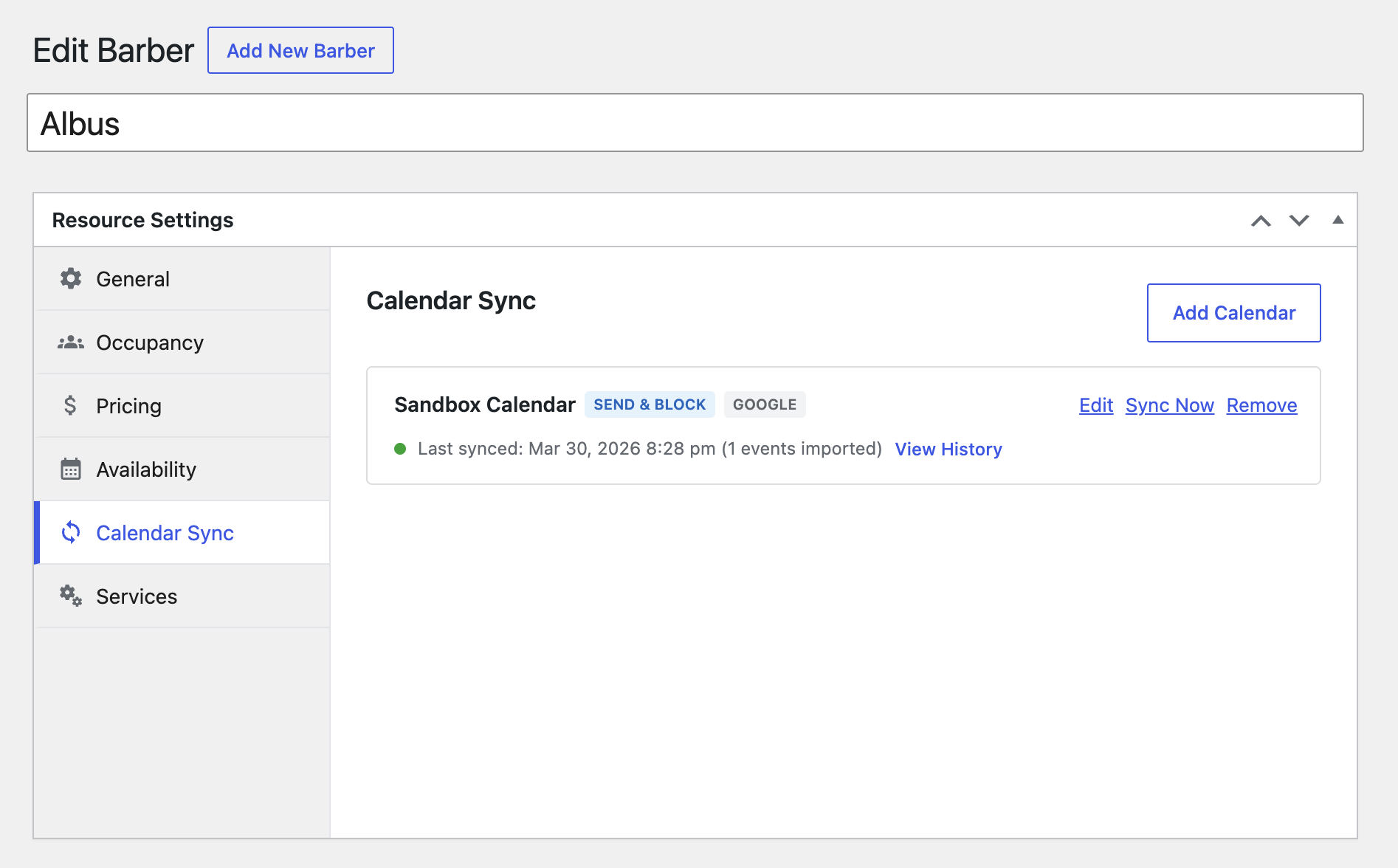
- Assign different calendars to different services or resources
- Give each team member their own calendar
- Or map calendars to rooms, cabins, equipment — whatever you’re booking
Everything stays organized and scales cleanly.
Why this matters
Most booking setups rely on ICS feeds:
- Separate feeds for each direction (one out, one in)
- Delayed updates (sometimes hours)
- Manual subscriptions and setup on both ends
With GP Bookings + GC Google Calendar:
- It’s two-way — from a single connection (no feed juggling)
- It’s real-time syncing for new bookings, with reliable background syncing for calendar changes
- It’s… just easier 😉
Get the most out of it
If you’re building booking systems with Gravity Forms — especially across multiple sites — the Wiz Bundle is where this shines.
The Wiz Bundle gives you:
- All of Gravity Perks (including GP Bookings)
- All of Gravity Connect (including GC Google Calendar)
- Unlimited sites for everything you build
Just getting started — or only need GC Google Calendar? You can also grab a Gravity Connect Basic license for $59.
Available now
GP Bookings Beta 2 and GC Google Calendar 1.0 are available now in your Spellbook.
If you’ve been waiting for a better way to handle scheduling with Gravity Forms…
This is it. 😉
I have this setup working perfectly. One thing I’d love to be able to do is customise the Google Calendar event title and description with data from the Gravity Form submission, is this possible?
Hey Matt,
This is possible with a custom GC Google Calendar feed. The Event Detail settings allow you to use merge tags directly, so you should have no issues using data from the submission in your title and description. Please give that a try, and just let us know via Support if you run into any issues!