Spotlight: Turning Forms into Intuitive Lead Generators

Logan’s client just wanted to offer a free resource. Instead, they ended up with a science-backed lead magnet using GP Sliders.
Spotlight Function
Lead Generating Quiz
Spells Used
Did you know quizzes are a very effective way to connect with a user before they become a customer?
They hit scientifically-proven beats of online persuasion:
- Interactivity pulls people in, it’s simply more interesting than something static.
- Personalization invites people to share in a way that makes them want to do so. They believe the tradeoff is worth it for a better, more personalized result (e.g. What type of X are you?) or experience.
- This interaction builds momentum, making people more likely to convert.
Logan Greenhaw, the mind behind Trail Mix Creative, built a lead generator quiz using Gravity Forms, GP Sliders, and Advanced Calculations for After the Burn Co., an initiative focused on nervous system–centered recovery from burnout.
This concoction allowed the quiz, aka the Nervous System Quick Scan, to feel effortless to take while still supporting over 30 different outcomes behind the scenes.

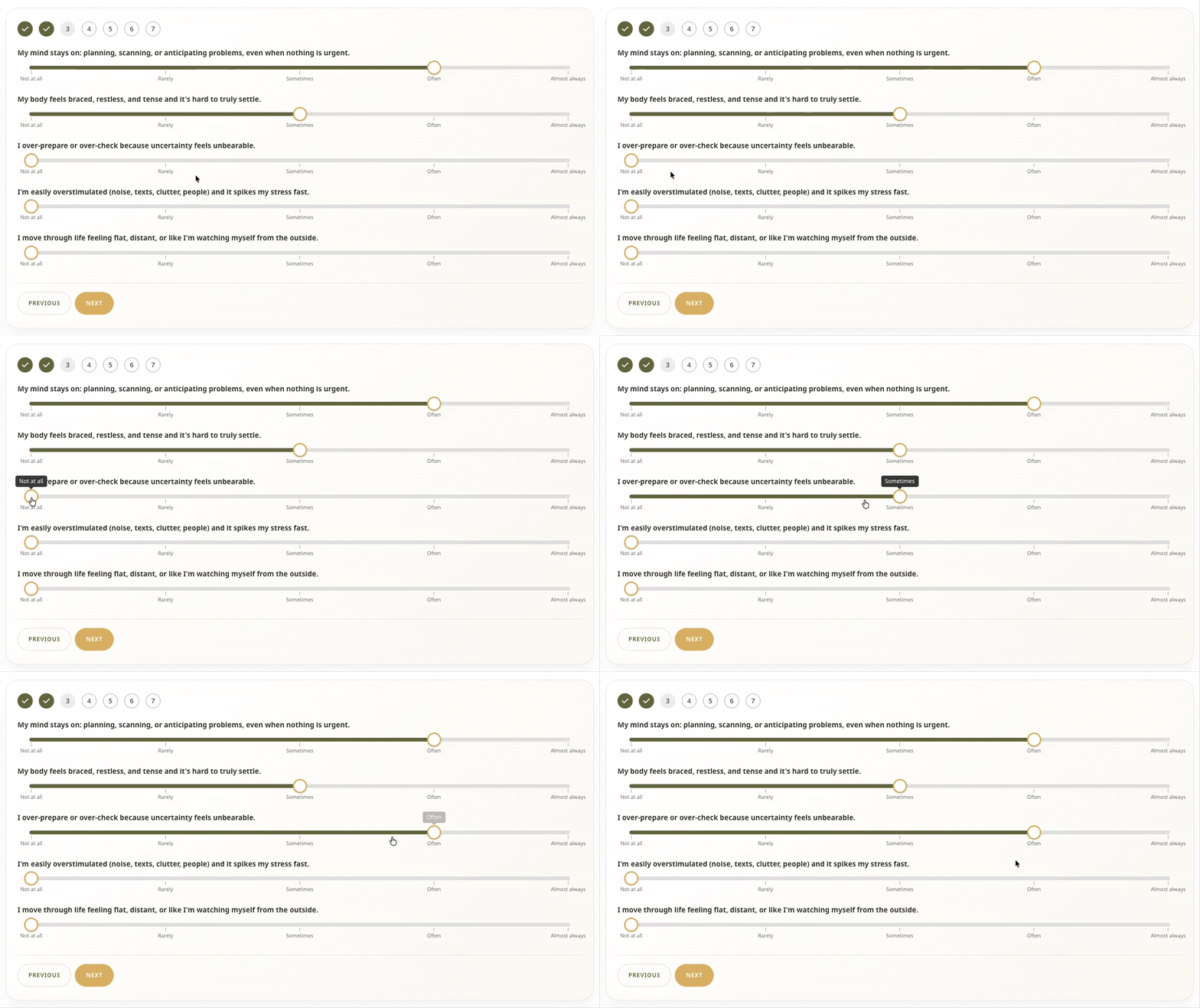
Users respond with how much they’ve related to a particular statement using sliders, which is where GP Sliders — and more science — came in.
The benefits of sliders
The reason for using GP Sliders was simple:
We wanted the selectors for the quiz to feel more interactive, beautiful, and visually-led, so we chose to go with the custom sliders approach.
And, in all honesty, these do look gorgeous. ✨
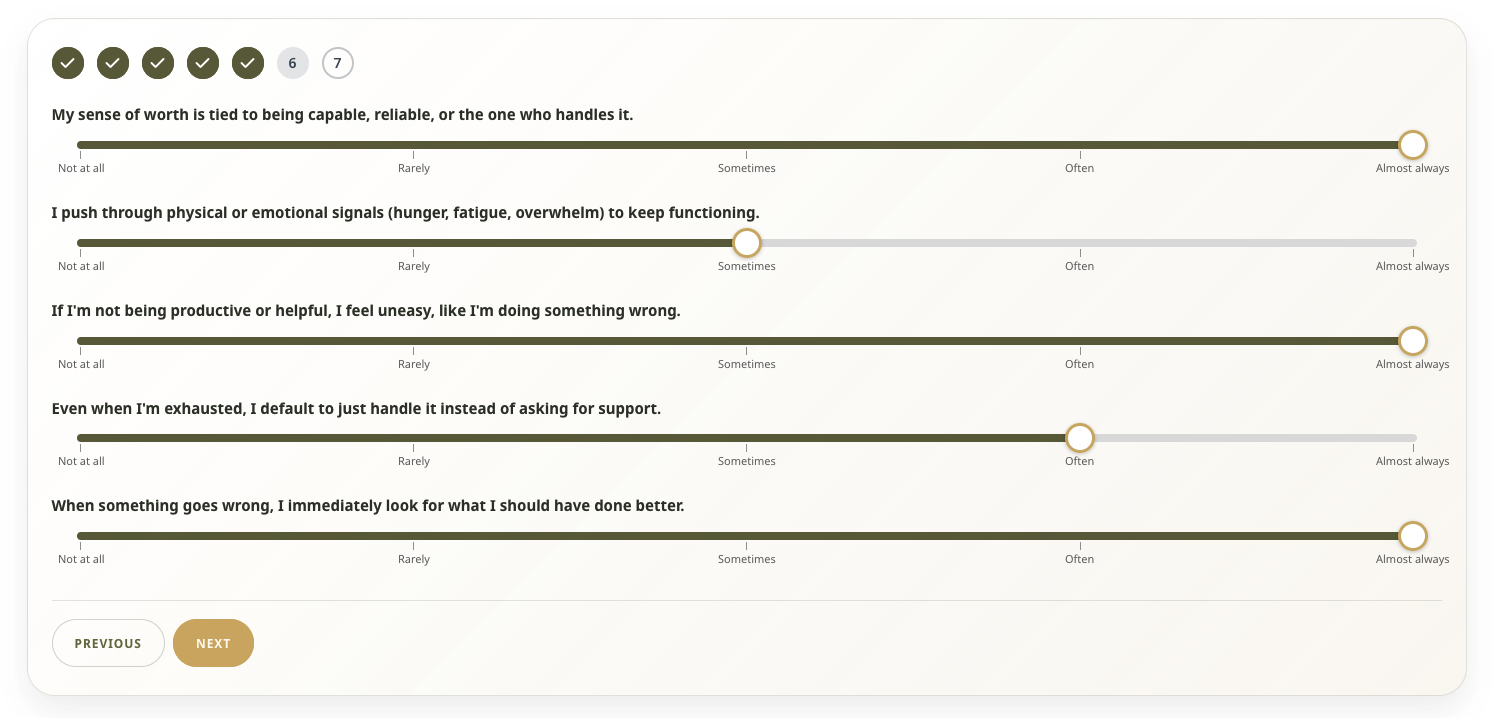
But it got me curious: what is it about sliders that creates that effect?
Turns out sliders come in to give quizzes a speed buff, making people engage with them faster. This Stanford study shows that sliders change what people pay attention to and, in turn, how they interact with the quiz itself.
To use the words of one of the researchers, “When people see a slider scale, they read the question, and then they immediately start using the scale […] They use it as their thinking mechanism; they’re forming their judgment as they drag.”
That landed itself perfectly for the Nervous System Quick Scan. Logan was able to easily add sliders, and the user experiences them as if they’re scanning their own mind.
The logic behind the quiz
While GP Sliders made things smooth for both Logan and users in the frontend, the logic of the quiz itself is quite complex. So much so, Suri — founder of After the Burn Co. and mastermind behind the quiz logic — was concerned they wouldn’t be able to build it.
Fortunately, Logan still had one spell under his sleeve: Advanced Calculations.
It was the conditional statements functionality [from Advanced Calculations] that really helped us create the logic of the form.
Here’s how the quiz scoring works:
- The quiz determines the user’s current regulation state based on how often they relate to 25 statements written by Suri.
- Answers are given on a five-point slider from “Not At All” to “Almost Always.”
- Every answer adds points to a regulation state category (e.g. “Overfunctioning”), with “Almost Always” adding the most points and “Not At All” the least.
- The two highest category scores are identified and stored.
You might have noticed I said “category scores” and not “categories”. That is by design for the logic of the results page. It has tailored texts for each category in two different formats, one for the highest score and the other for the second highest.
What determines which category texts appear is a pair of fields with conditional calculations. They do this by comparing the highest scores against each category’s total until they find a match. When a match is found, the fields store its numeric ID (a number from 0–6).
Here’s what that formula looks like:
if( F44 <= 0 ):
0
elseif( F4 == F44 ):
1
elseif( F14 == F44 ):
2
elseif( F21 == F44 ):
3
elseif( F24 == F44 ):
4
elseif( F29 == F44 ):
5
else:
6
endif;
Formula translation: “if Category 1’s score (F4) matches the highest score (F44), output 1. If not, check if Category 2’s score ( F14) matches the highest to output 2,” and so on.
These IDs are then used in conditional shortcodes, which only display content when a field value matches a specified value. This conditional layering allows the results page to hold category texts for any situation in the backend, but only display the user’s actual results in the frontend.
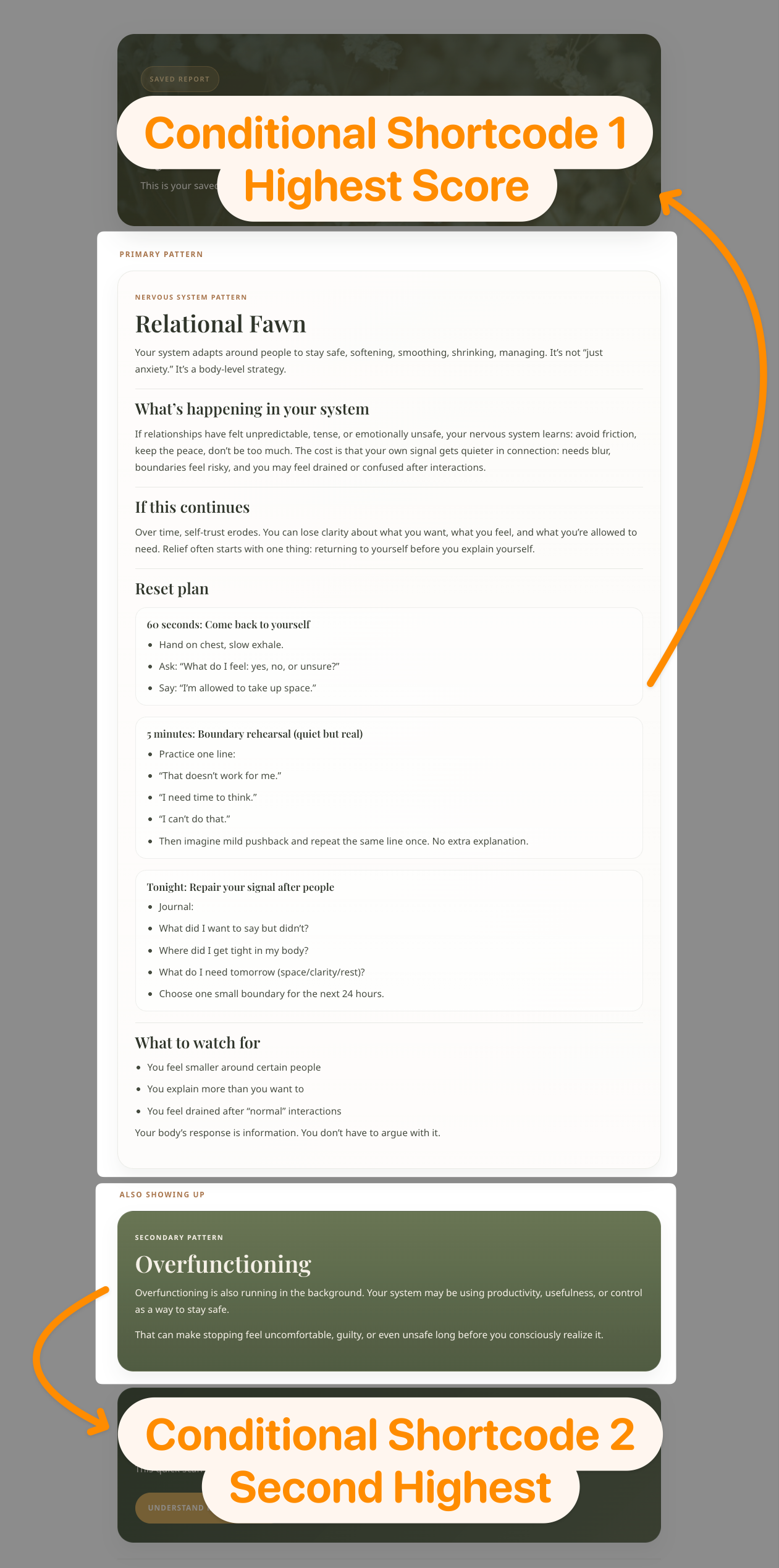
This block, for example, appears only when Category 5 (F29) has the highest score:
[gravityforms action="conditional" merge_tag="{Primary Result ID:46}" condition="is" value="5"]Relentless with their conditionals, Logan and Suri took the possible results one step further. They included a special conditional result for those who likely have more going on than what the quiz can identify.
We have hidden fields that calculate their highest category and their second highest. If they score high on three [or] more, then we show that [third] special message.
A quiz for every wiz
Thank you for sharing your story, Logan! Quizzes can be surprisingly complicated under the hood and it’s awesome to see what you and Suri were able to build.
To finish this spotlight, I wanted to share one last thing: whilst taking the quiz, I noticed that I felt everything those studies on online persuasion found out about before knowing about them. Something to keep in mind before you take your next one. 😉
If you want to try the same approach, both GP Sliders and Advanced Calculations are part of Gravity Perks.