How to Set Up Age Based Pricing

Adjust a product’s price based on the customer’s calculated age.

This article requires the GP Advanced Calculations perk.
Buy Gravity Perks to get this perk plus 46 other premium Gravity Forms plugins!
Offering differently priced products based on a customers age is a common sales technique. You might offer a lower membership price for children or give a discount to seniors.
In this simple tutorial, we’ll use Advanced Calculations to a build a form that will conditionally calculate a price per unit based on a customer’s age.
Steps
Want to skip the additional Age field?
Advanced Conditional Logic adds a Formula condition to Gravity Forms conditional logic, allowing you to add formulas directly into conditions that need them/
Step 1 – Create a Date of Birth Field
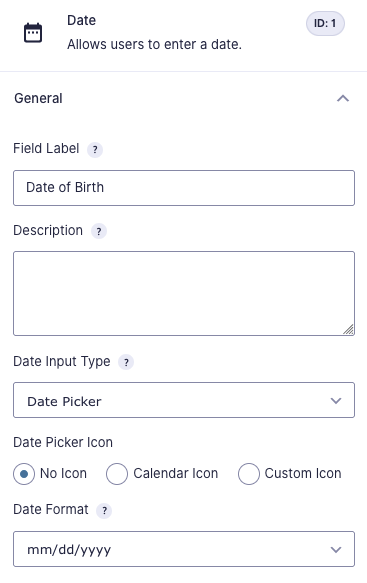
Add a Date field to the form, name it “Date of Birth”, and set your desired date format.
Step 2 – Create an Age Field
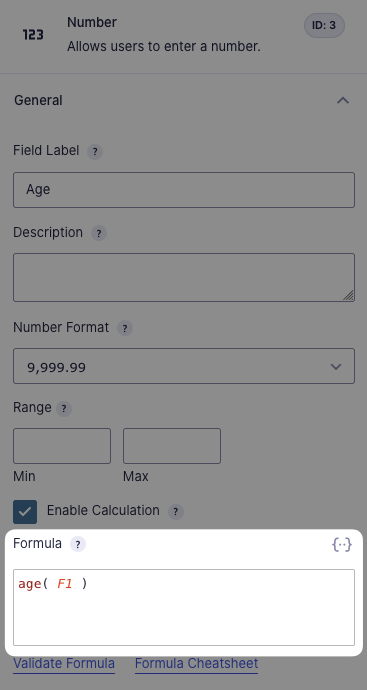
Add a Number field, enable calculation, and insert the function age( F1 ). Change the 1 to the field ID of your Date of Birth field. This will calculate the amount of years between the date of birth and the current date.
Step 3 – Create Product Fields for Each Age Group
With the age calculation taken care of, create separate Product Fields for each age group and use conditional logic to show them based on the customer’s age.
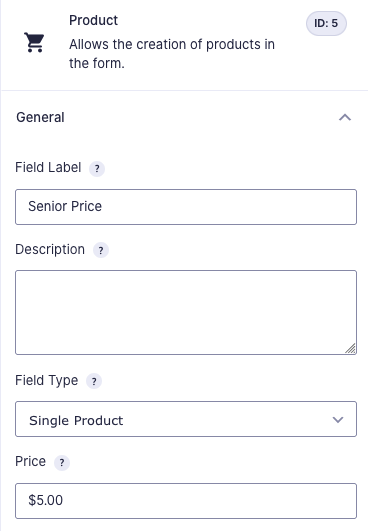
Create a Product field for the age group and set the price.
Enable Conditional Logic for the field and set your parameters based on age.
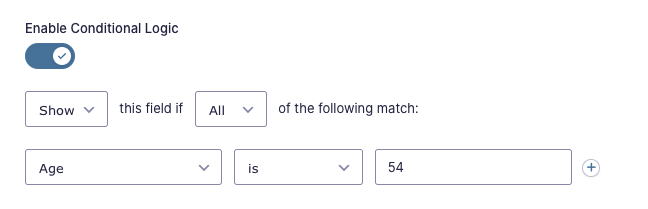
Repeat this for every age group.
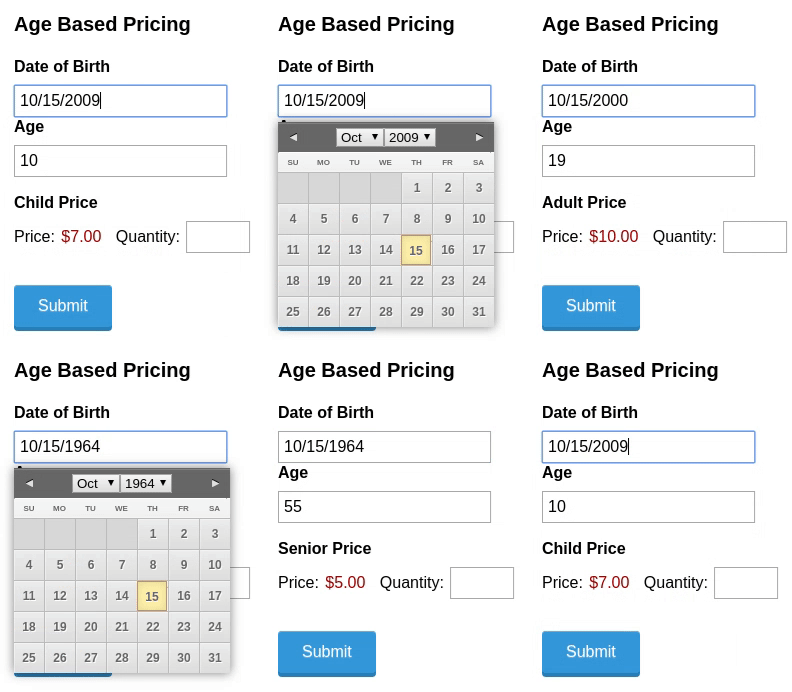
And here’s how that behaves on the front end.
Taking It Further
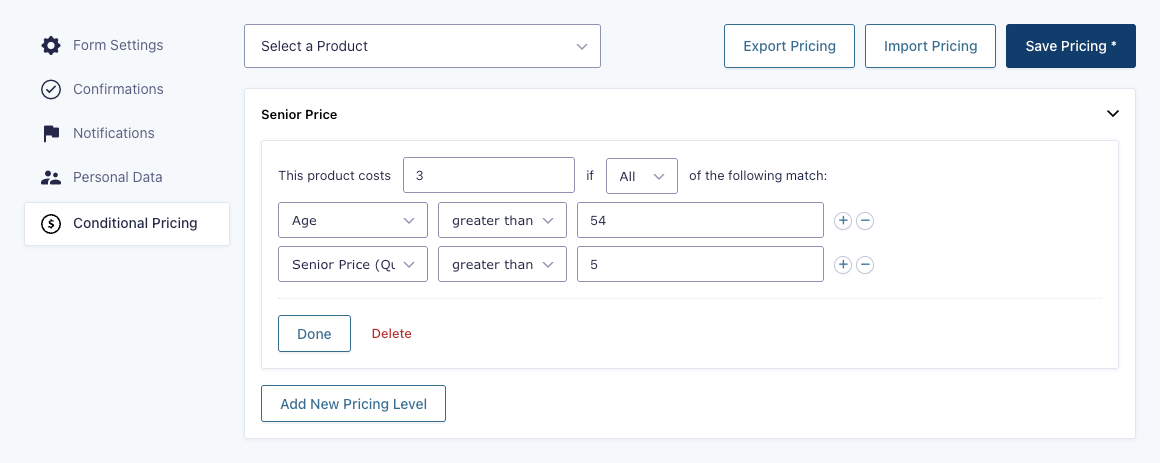
While using separate Number field, Product fields, and conditional logic provides a simple solution to offer multiple pricing levels for different age groups, a more elegant option is to use Conditional Pricing to automatically adjust the pricing levels of a single Product field. This provides two benefits:
- Your form uses a single Product field instead of 3 separate product fields. This keeps things cleaner on the back end, especially if you plan on exporting your form data or integrating it with another system.
Conditional Pricing offers more robust pricing options, such as offering quantity-based discounts on top of the age-based discount.
That’s all for now!
Do you have any questions about how to set this up? We’d love to hear them. Leave a comment below.