Spotlight: Simplifying Student Registration with Gravity Forms

See how Cory Robbins used Populate Anything to prefill registration forms with returning students’ current data — so parents had less to re-enter.

- Step 1: Select the returning student
- Step 2: Populate the registration form with current student data
- Step 3: Make the student data easier to review
- The Result: Less retyping for returning families
Spotlight Function
Student Registration
Spells Used
Ever wish a registration form could start with your saved details already filled in?
That’s exactly what Cory Robbins did at West Fork Schools. He built their registration form in Gravity Forms, then used Populate Anything to pull a returning student’s current data from the school’s student information system (SIS) into the right fields.
For parents, that meant less retyping — and more reviewing.
Let’s take a look at how it works.
Step 1: Select the returning student
Parents start on West Fork’s registration login page, where they enter their username or email address.
Once logged in, they can choose from a list of returning students.
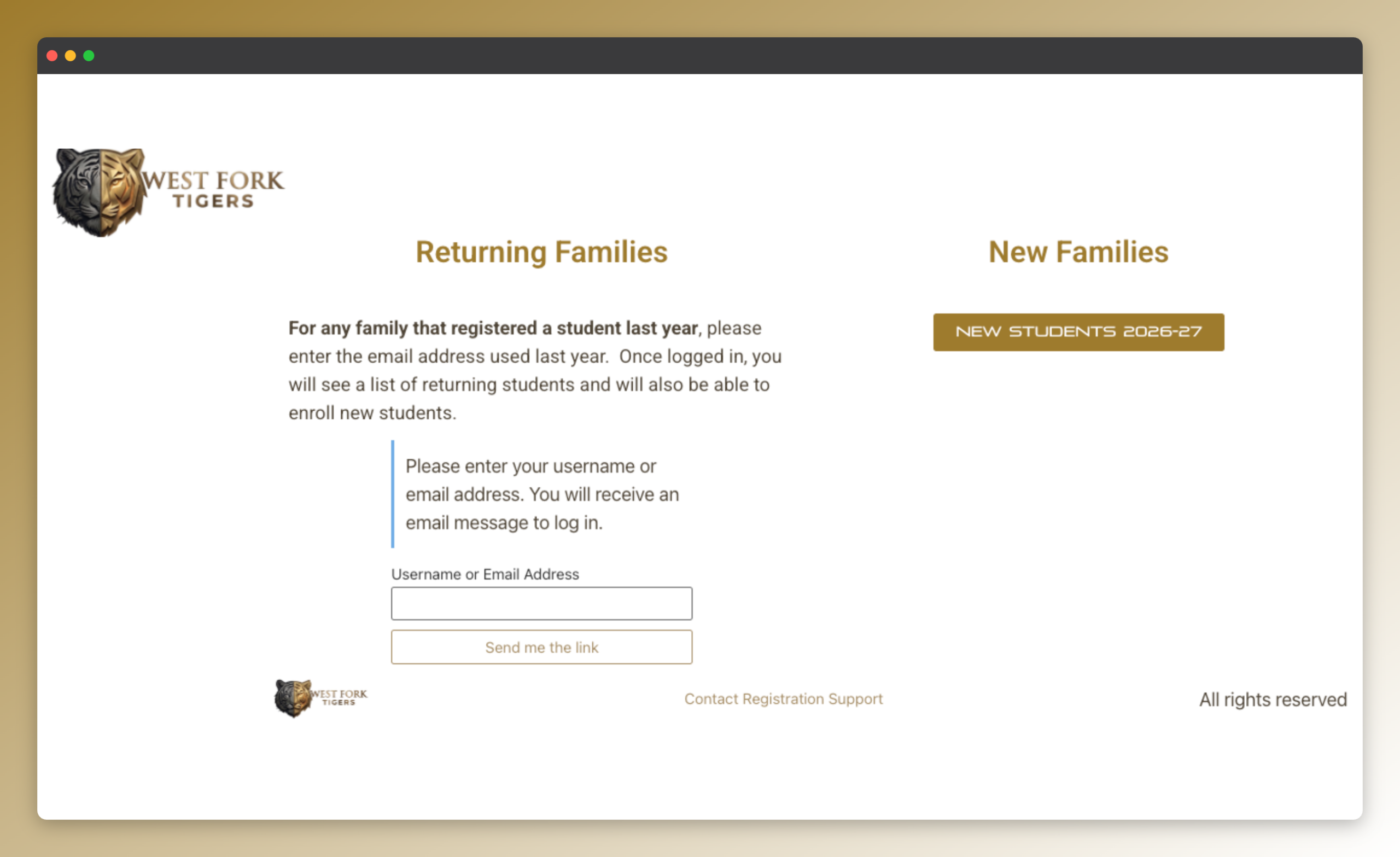
When a parent selects a student from the list, Easy Passthrough takes care of passing data from one form to another — in this case, the student’s ID into the registration form.
Step 2: Populate the registration form with current student data
Populate Anything can use a value already in a form to find matching info and fill in other fields automatically.
In Cory’s setup, that value is the student ID. With it, Populate Anything finds the right student in West Fork’s student information system (SIS) and populates the registration form with their current data.
Populate Anything is, by far, the MVP.
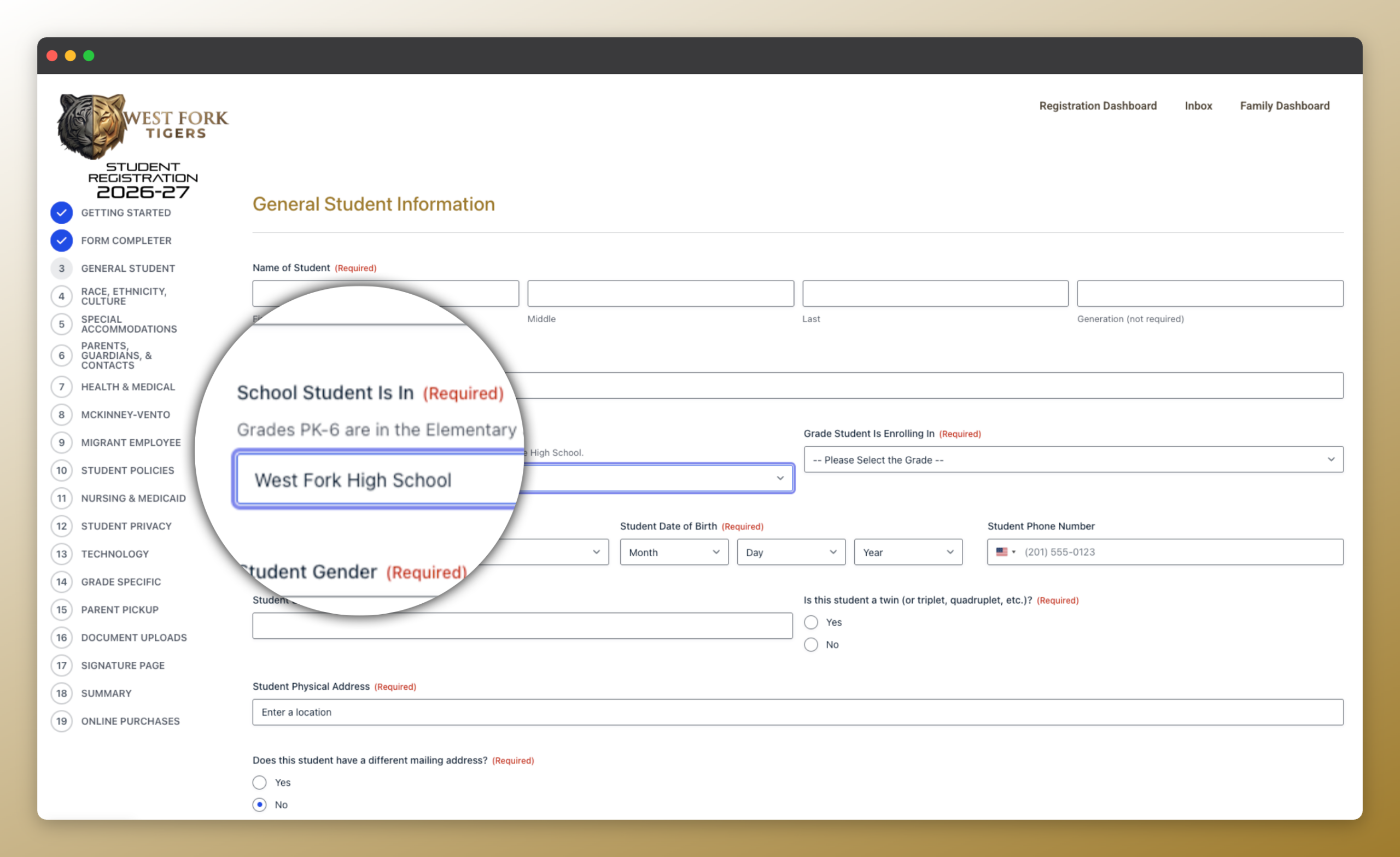
Step 3: Make the student data easier to review
Populate Anything also includes Live Merge Tags, which show a field’s value elsewhere in the form and keep it updated automatically.
Cory uses them to show the student’s information in a simpler verification view, so it’s easier for parents to review.
I’m using live merge tags to show the values in a view that is much less intimidating than seeing the form.
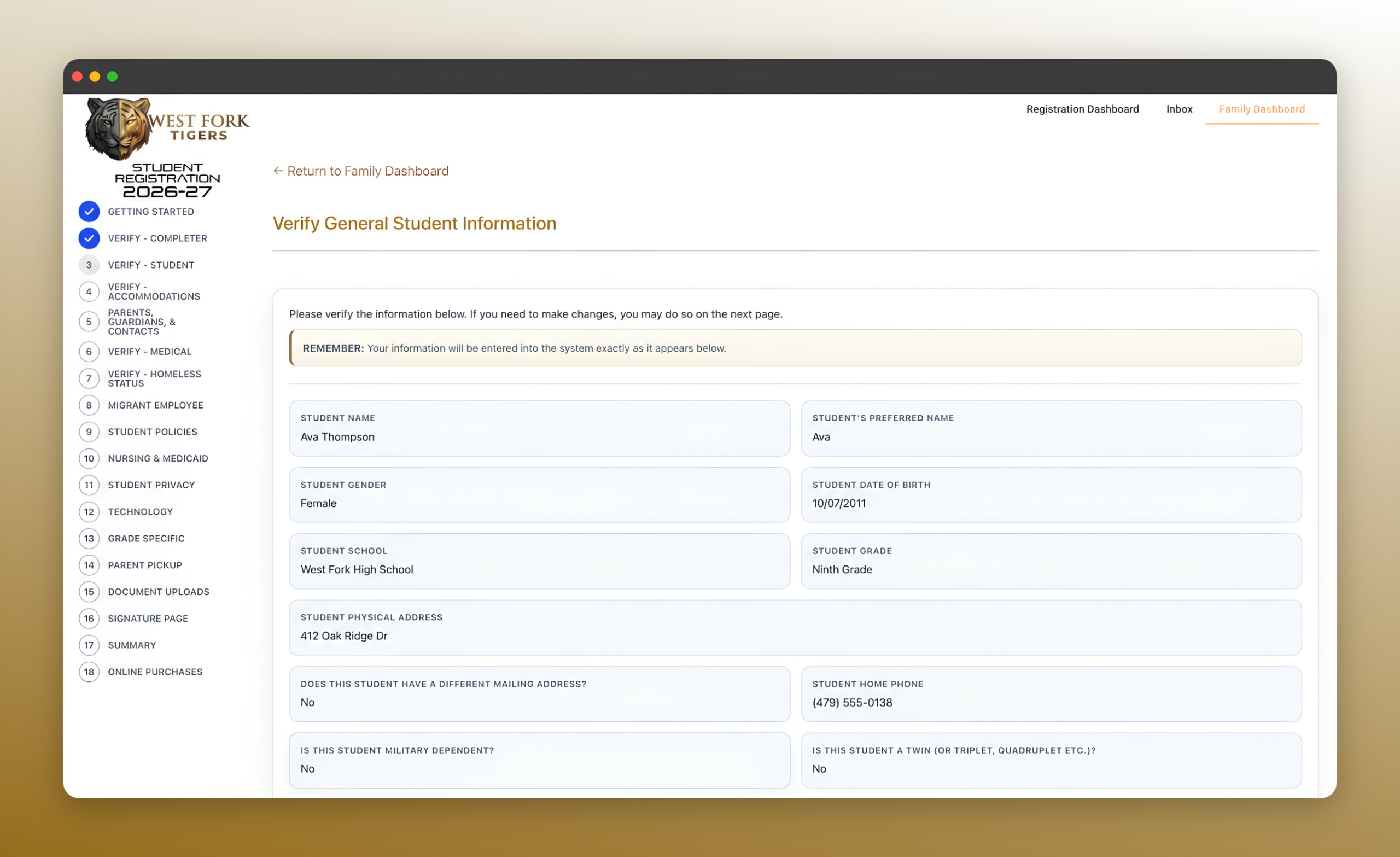
The Result: Less retyping for returning families
Cory says the vast majority of feedback on West Fork’s new student registration flow has been positive, especially from parents.
They love that it is a single website, and they love the verification for returning students.
A big thanks to Cory for sharing the build with us. And with that, I’ll let him have the last word:
Every experience I’ve had with Gravity Wiz, whether that be the products or the people, has been fantastic.