eCommerce Fields 1.3: Tax-Inclusive Pricing

Automatically calculate and show the tax amount already included in your product prices—without adding it to the total again.
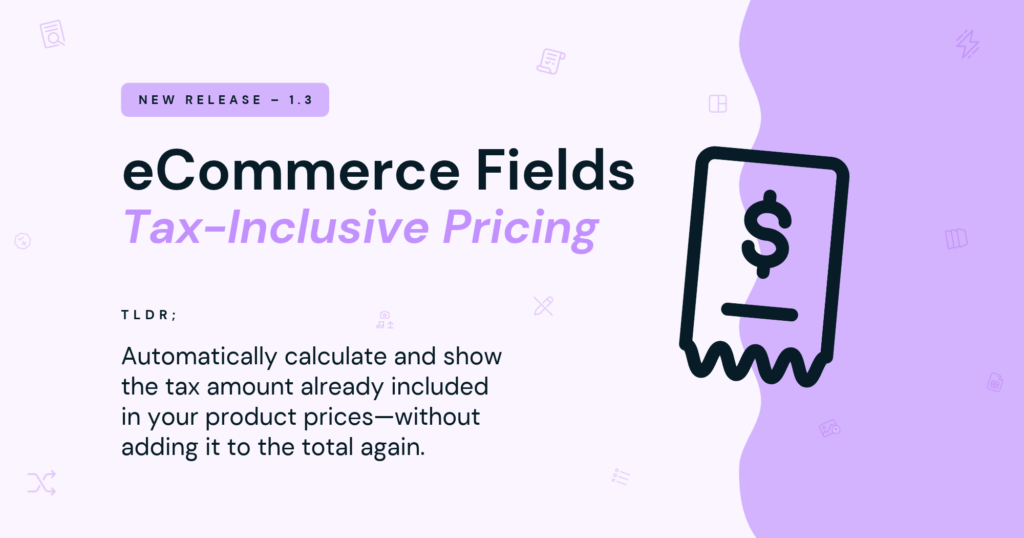
If a workshop costs £120, including tax, that’s the price you advertise and the price customers expect to pay.
But you still need to show how much of it is tax.
eCommerce Fields 1.3 lets you calculate and display the tax already included in your prices, while keeping the total unchanged.
Tax included. Total unchanged.
Until now, Tax fields calculated tax and added it to the order total. With 1.3, you can choose the new “Included in prices” options instead.
With 20% VAT, that £120 workshop breaks down to £100 plus £20 in tax. eCommerce Fields shows the £20 as included tax. The total stays £120, not £144.
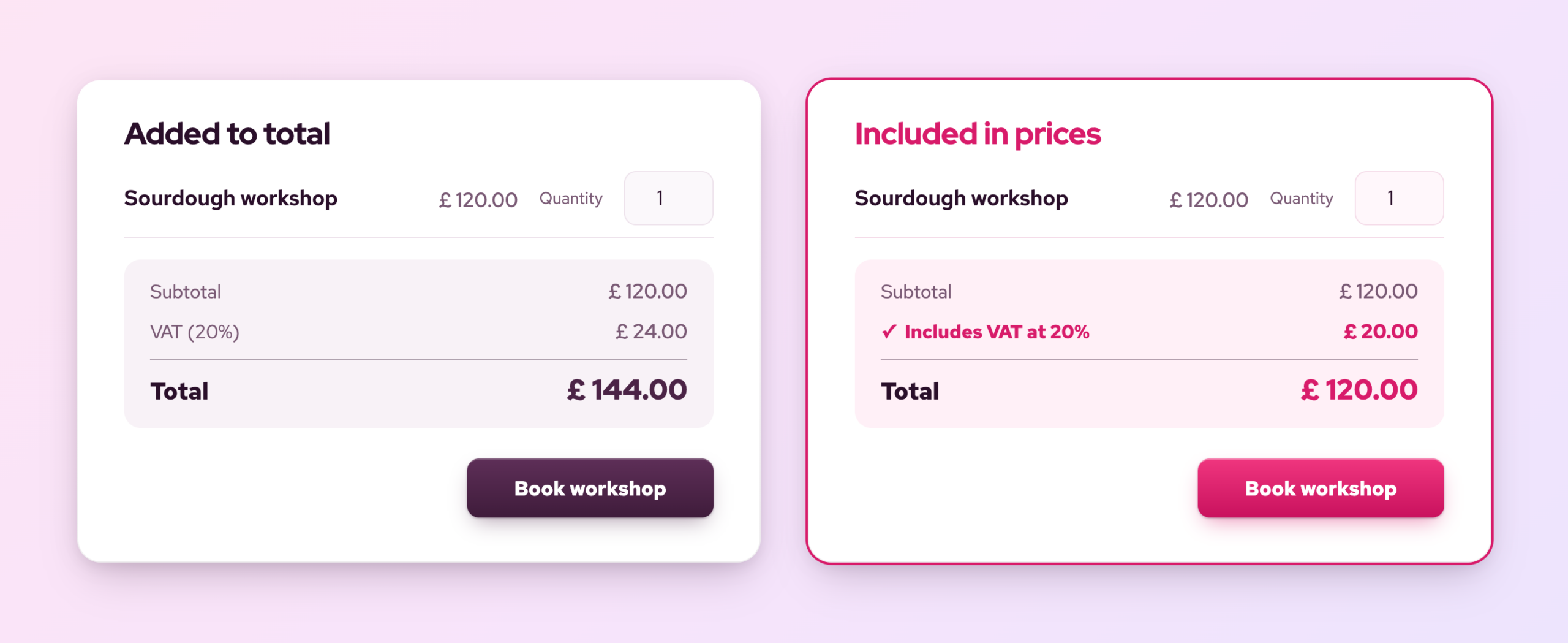
- Apply tax where it belongs. Calculate included tax for all products or specific products. Selling items with different tax rates? Use a separate Tax field for each rate.
- Keep discounts in the picture. Included tax adjusts to reflect discounts and coupons, so it’s calculated from the reduced product prices.
- Make the breakdown clear. The new Summary Label setting lets you use wording like “Includes VAT at 20%” or “GST included” in order summaries, independently of the field label.
eCommerce Fields in a nutshell
eCommerce Fields boosts Gravity Forms’ eCommerce abilities with Tax, Discount, and Subtotal fields. It also brings those amounts together in a clearer order summary for your entries, confirmations, and notifications.
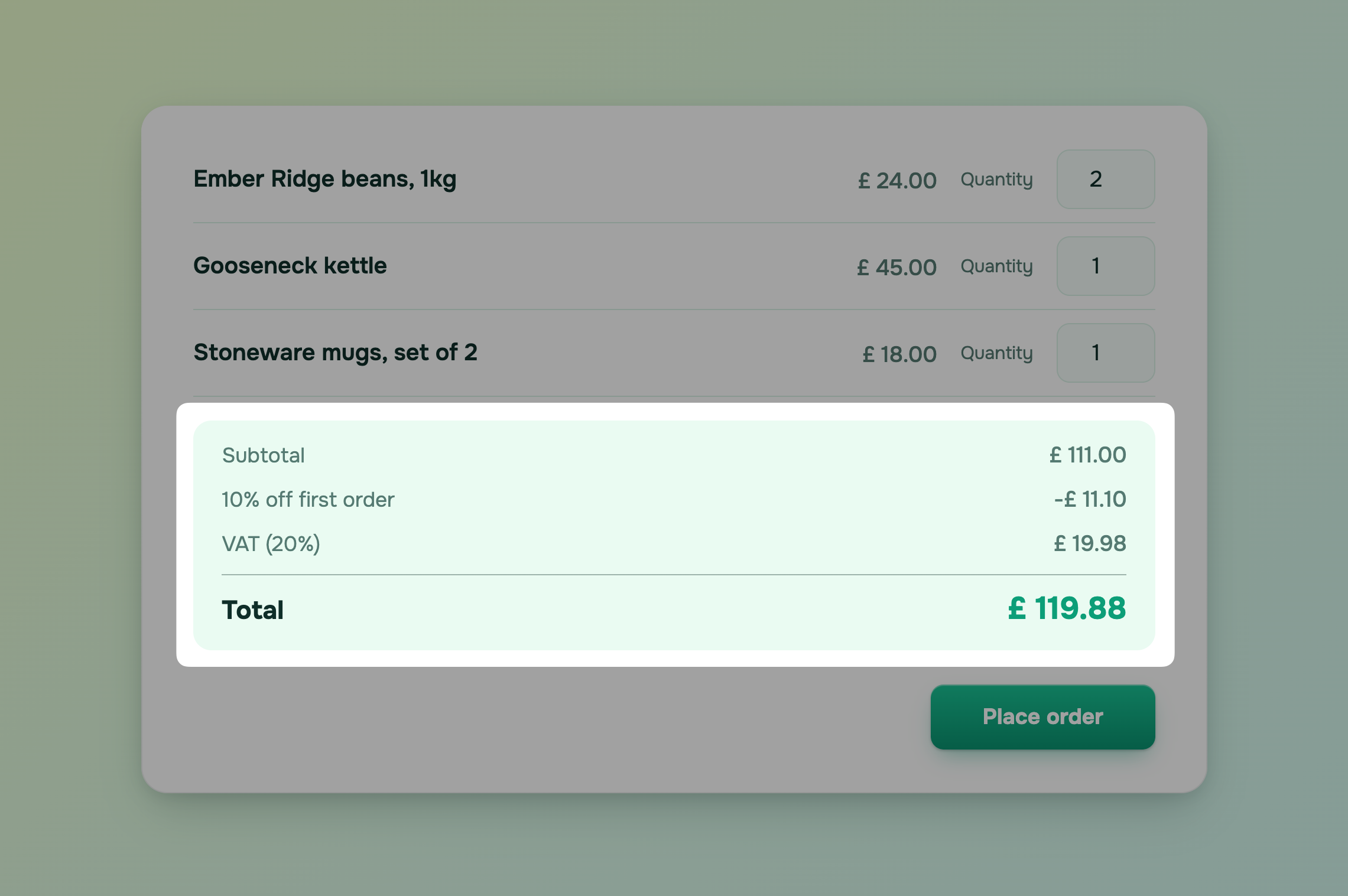
Whether you’re selling products, registering attendees, or collecting payments for services, customers can see how their order adds up.
Ready to make tax less taxing?
eCommerce Fields 1.3 is available now via Spellbook!
Not building with the wizards yet? Get your share of magic tax with Gravity Perks. 🧙♂️