GWW 329: Seal of Approval

Approve bookings in one click, get conditional with pricing, and find out which spam solution comes out on top.
Greetings, wizards!
I’m hooked on a new hobby: hot yoga! 🧘♂️
One of my favorite things about trying new things is discovering ways they could be better. I’m always looking for inspiration for our own products.
And while the yoga instructors have been fantastic, their booking experience? Surprisingly painful.
Gimme a namaste if I should pitch them on GP Bookings. 😉
Speaking of which…
GP Bookings: One-Click Approvals
Approving a booking just got a whole lot easier!
With the new {gpb_approve_booking} and {gpb_deny_booking} merge tags, you can approve or deny pending bookings directly from your notification emails. No need to log into WordPress. Just one click, and you’re done.

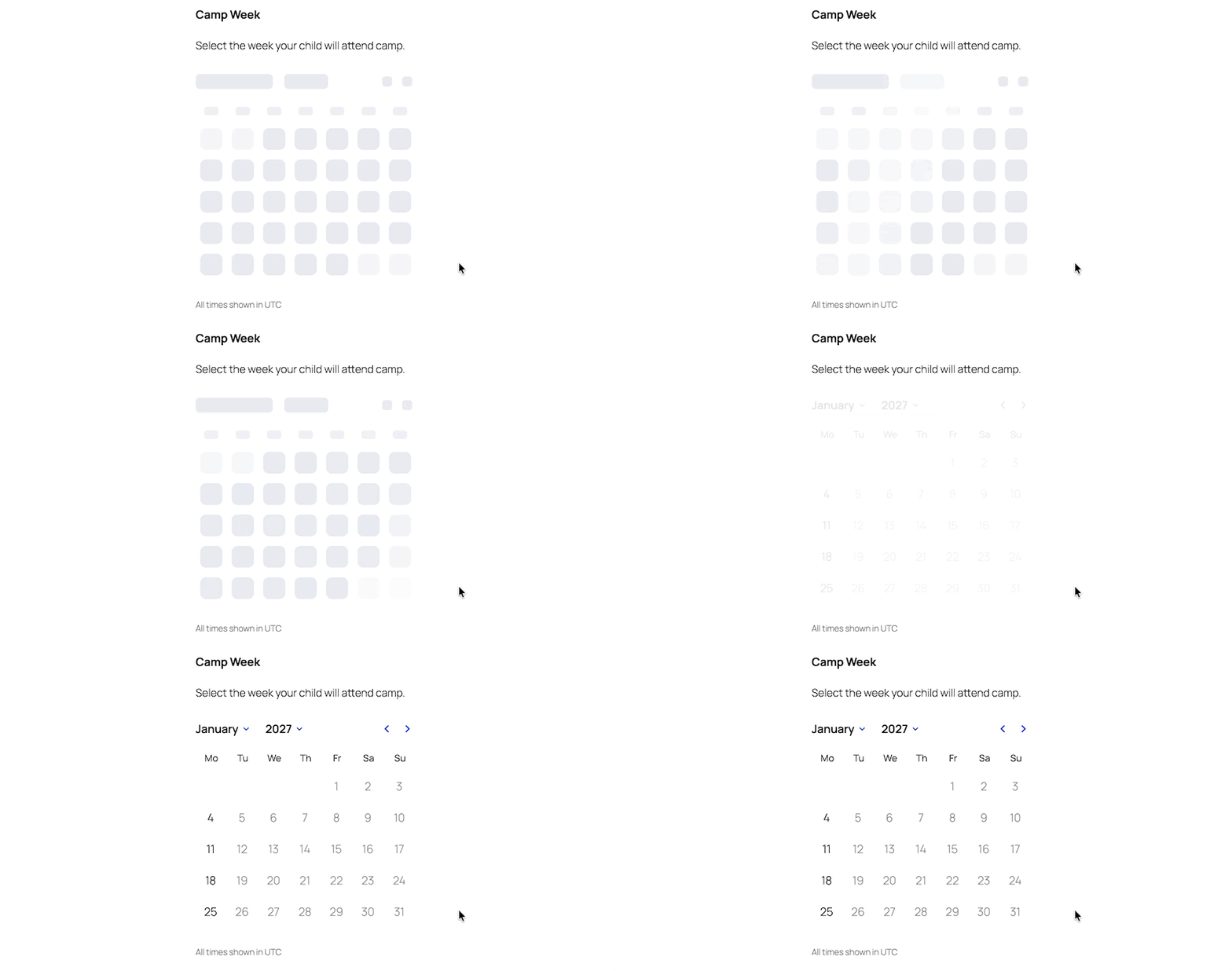
We’ve also polished the Booking Time calendar’s initial loading experience. Instead of briefly showing the current month before jumping to the correct one, you’ll now see a loading animation while the calendar gets its bearings.
And if you’re using GP Bookings with Google Calendar, don’t miss this week’s snippet below. 🧪
Top Picks: Product Updates
GP Limit Dates
✦ Restrict Date fields by date ranges, days of the week, or linked fields.
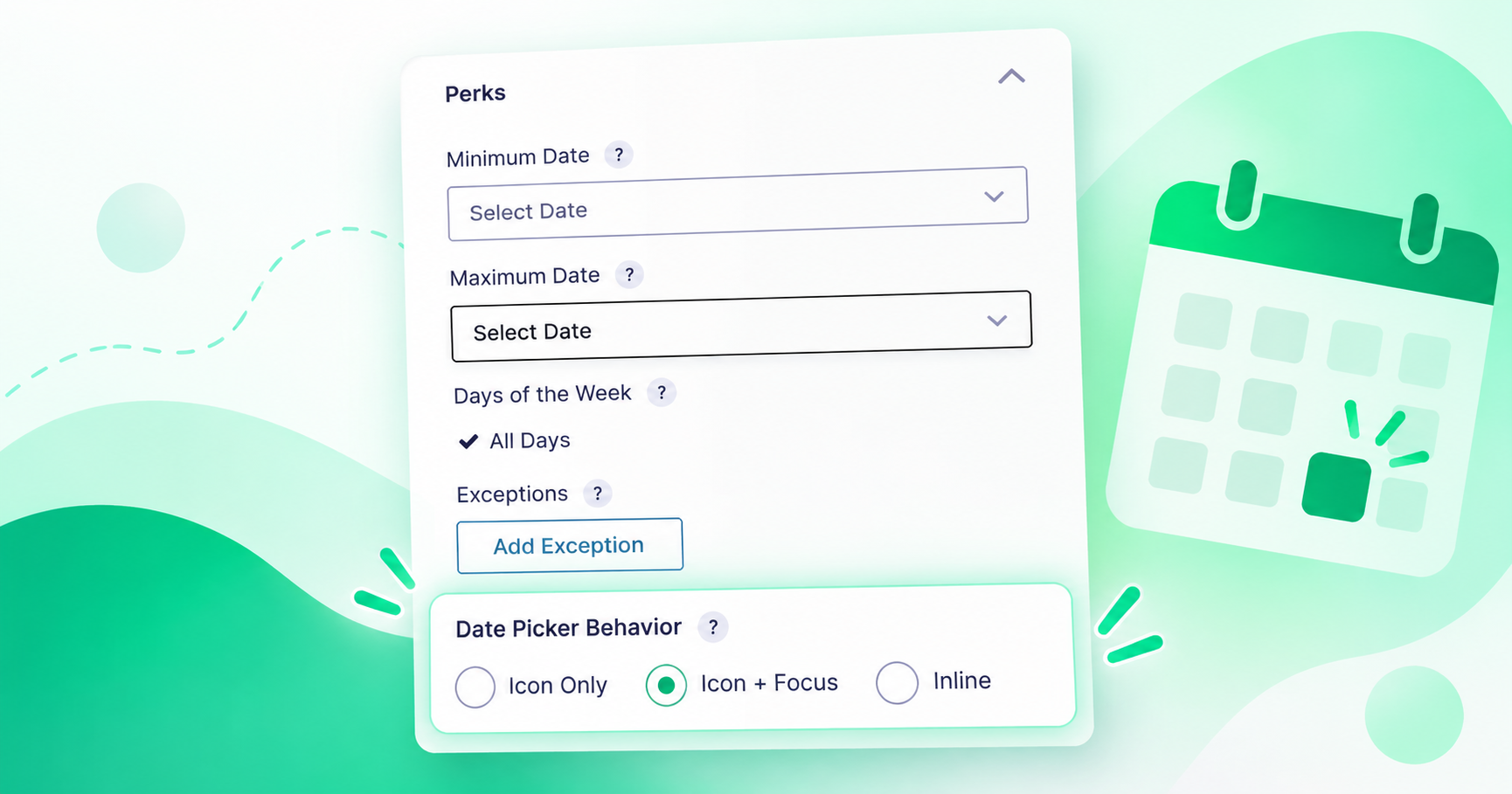
More control over your datepicker! The new Date Picker Behavior setting lets you choose whether the calendar opens when a user clicks the icon, focuses on the field, or displays inline. One less click for your users, if that’s how you roll.
GP Advanced Conditional Logic
✦ Next level conditional logic with groups, date and time rules, user-aware conditions, and more.
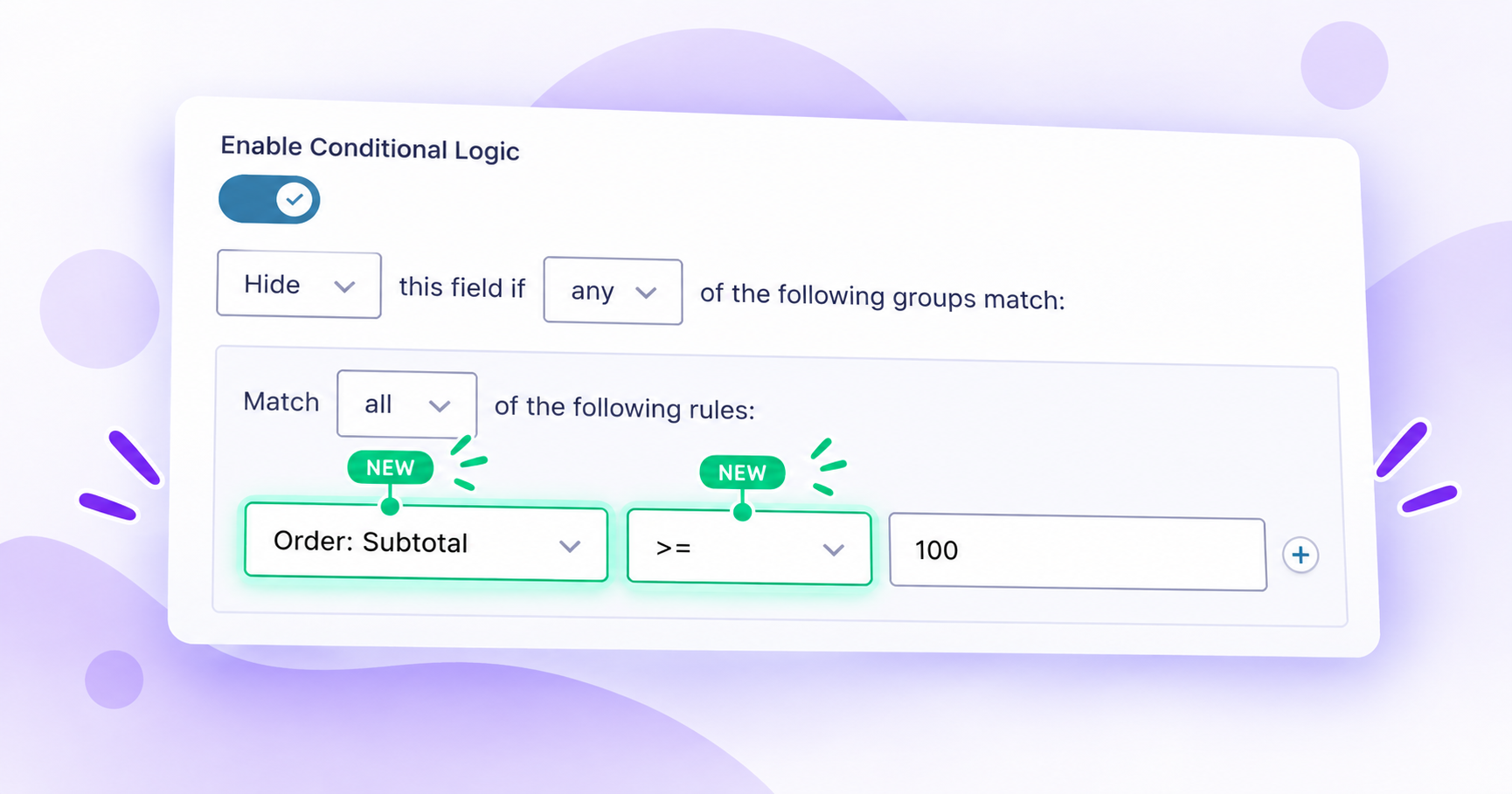
You can now build conditional logic rules based on product prices and quantities, plus subtotals and taxes with GP eCommerce Fields!
We’ve also added greater-than-or-equal-to and less-than-or-equal-to operators! These might seem like small additions, but they make conditions so much more intuitive. No more adding or subtracting 1 just to get the comparison you actually want.
Combine these with the new pricing conditions and you can do things like show a free shipping notice when the order subtotal reaches $100. No code required.
And one more thing we missed last week… Payment status conditions now work with GP Notification Scheduler!
Why is that interesting? Well, Gravity Forms can trigger notifications when a payment status changes. But what happens when someone abandons Stripe Checkout and the payment stays in Processing?
With GP Notification Scheduler, you can schedule a notification to send after a specified delay, then use a payment status condition to target entries still in Processing.
Boom. Abandoned cart reminders, powered by Gravity Forms. 🛒
Wizard’s Guide: Comparing Spam Solutions for Gravity Forms

There are a lot of ways to fight spam in Gravity Forms. Which one should you use?
Dani (who is an absolute wizard at analyzing products) put five popular solutions head-to-head: Spam Hexer, Akismet, reCAPTCHA, Turnstile, and Zero Spam. She breaks down how they work, what they cost, their impact on performance, and how they handle privacy.
One of my favorite takeaways is that you don’t necessarily need to pick just one. Combining a lightweight first line of defense with a more sophisticated solution can give you better protection without breaking the bank.
For a little context, Spam Hexer blocked over 11,000 spam attempts on gravitywiz.com in a single month, with just $0.01 in AI classification costs.
Not too shabby for a free plugin. 🔨
✦ Sorcerous Snippets
We’re always adding new snippets (and improving existing ones) in our Snippet Library.
These ready-made solutions can save you the trouble of writing custom code yourself, or give you a solid starting point for your next AI-assisted creation.
—
GP Bookings | Sync Booking Changes from Google Calendar
Reschedule a booking in Google Calendar and automatically sync the change back to Gravity Forms! The entry is updated, the old time slot is released, and the new one is reserved. Changes are picked up during the next calendar sync, or immediately with Sync Now.
Requires GC Google Calendar. This one’s still experimental, so give it a good test before putting it to work. And as always, if you want this in core, ring the bell! 🔔
Gravity Forms | Email Entry Notes
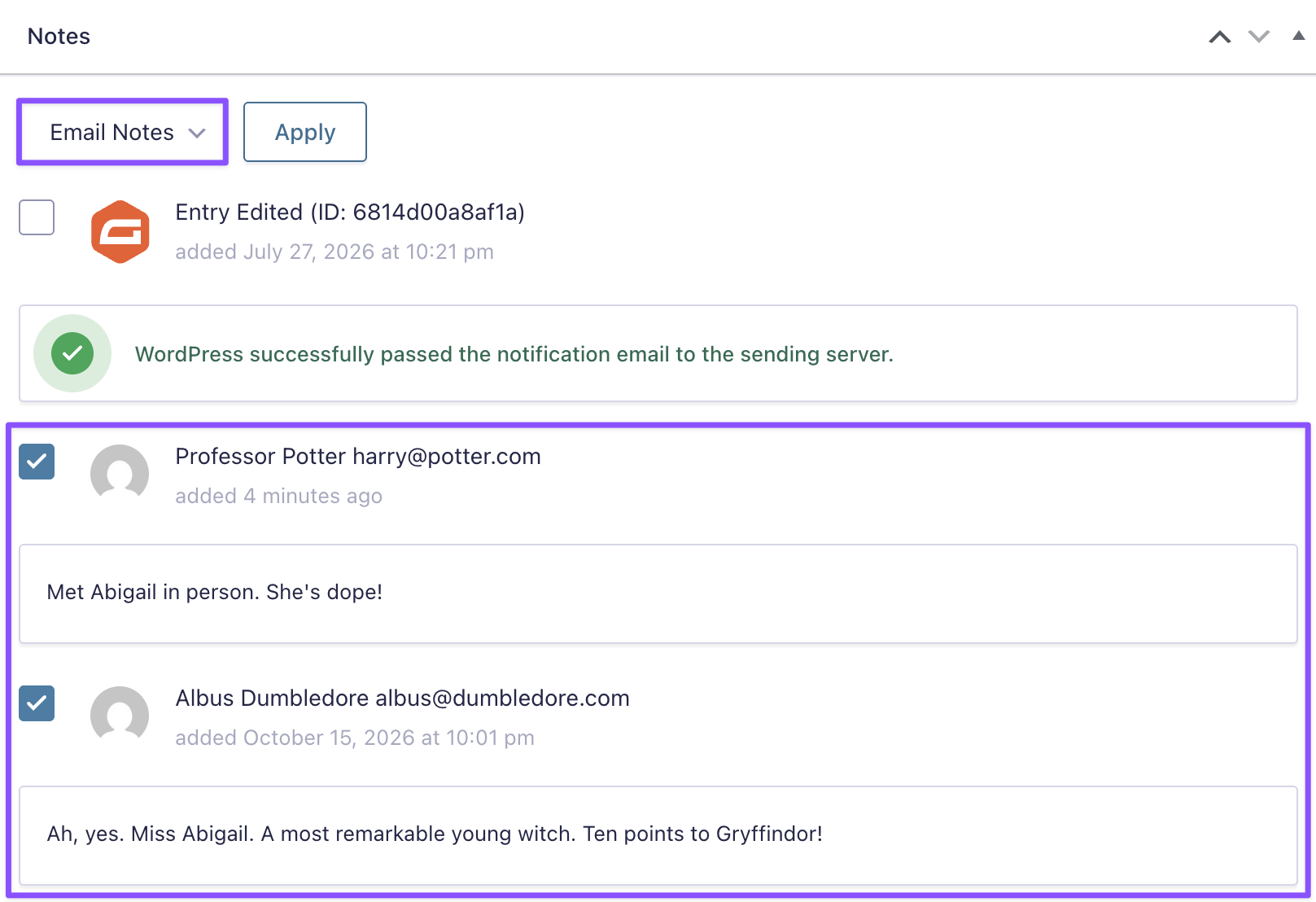
Need to share an entry note? Email it directly from the Entry Detail page! Choose from email addresses on the entry or enter your own recipient.
GP File Upload Pro | Center Initial Crop
A small quality-of-life improvement for image cropping. Instead of starting in the top-left corner, the crop area is automatically centered on the image. Less dragging, happier users.
Previously cropped images retain their existing crop positions.
Product Updates
Gravity Perks
GP Advanced Conditional Logic (v1.0.6)
- Added support for pricing-based conditional logic, including product prices, quantities, and GP eCommerce Fields’ subtotal and tax.
- Added greater-than-or-equal-to (
>=) and less-than-or-equal-to (<=) operators. - Fixed an issue where Date Picker fields using the
yyyy/mm/ddformat could evaluate conditional logic against the wrong date on the frontend.
GP Bookings (v1.0.7)
- Added one-click booking approval and denial links for notification emails via the new
{gpb_approve_booking}and{gpb_deny_booking}merge tags. - Improved the Booking Time calendar’s initial loading experience with a loading skeleton.
- Fixed an incorrect total validation error when an untouched booking field had no selected time.
- Fixed the Booking ID column displaying a View Booking link instead of the booking ID.
- Added the
$dateparameter to thegpb_min_durationandgpb_max_durationfilters. - Fixed an issue where hidden, preselected Service fields could save a service ID instead of an empty value.
- Fixed untranslated ARIA labels.
GP Limit Dates (v1.1.43)
- Added an opt-in setting to automatically open the Gravity Forms 3.0 datepicker when a Date field receives focus.
GP Nested Forms (v1.2.37)
- Fixed an issue where adding a child entry after failed validation in a Gravity Flow User Input step could reload the page, leaving the child entries table blank and the Add Entry button unresponsive.
GP Page Transitions (v1.0.51)
- Fixed an issue where required GP Sliders fields prevented the Next button from working with soft validation enabled.
GP Populate Anything (v2.1.78)
- Fixed plugin version constants causing fatal errors when installed via Composer.
- Fixed default values not being restored when dynamically populated fields had no available dynamic value.
- Fixed Live Merge Tags not updating in calculation product field labels after validation.
- Improved GravityView compatibility, including search field rendering, Multi Select handling, and redundant entry lookups.
GP Post Content Merge Tags (v1.3.24)
- Fixed post content merge tags not being replaced in Page/Redirect confirmations when GP Disable Entry Creation deleted the entry.
Gravity Connect
GC API Alchemist (v1.0.20)
- Fixed plugin version constants causing fatal errors when installed via Composer.
GC Google Sheets (v1.4.15)
- Improved compatibility with the Gravity Forms Dropbox Add-On by ensuring uploads finish before Google Sheets feeds are processed, so Dropbox file URLs are included.
Gravity Shop
GS Product Configurator (v1.0.7)
- Fixed a conflict with Side Cart WooCommerce that prevented Gravity Forms validation errors from displaying on product pages.