Spotlight: Building a Smart Lead Qualification Quiz with Gravity Forms

Robert Fisher used Gravity Perks to build a quiz that automatically qualifies leads and educates mismatches before they ever book.
Spotlight Function
Smart Lead Qualification Quiz
Spells Used
Have you ever wanted to build a quiz that connects leads to the right product or service—and educates the ones who aren’t a fit, instead of just turning them away?
Robert Fisher, founder of LeadCroc, did exactly that. He had a client at a medical spa offering treatments like permanent eyebrow tattoos, and they kept running into the same issue: patients were booking treatments they couldn’t actually receive.
Without a way to screen leads upfront, unqualified patients kept getting through. Robert needed more than a booking form. So he built a multi-page quiz that walks each patient through a series of questions, catches a mismatch the moment it happens, and instead of stopping the quiz right then and there—it quietly guides them toward the right treatment. ✨
How the Quiz Knows When to Stop
Robert built what he calls “Stop Point” logic into the quiz. Each question lives on its own page, and behind the scenes, conditional logic watches every answer as it comes in.
The moment a patient selects something disqualifying—the wrong skin type, tone, or age—the quiz skips ahead to the consent page, ready to show them their results.
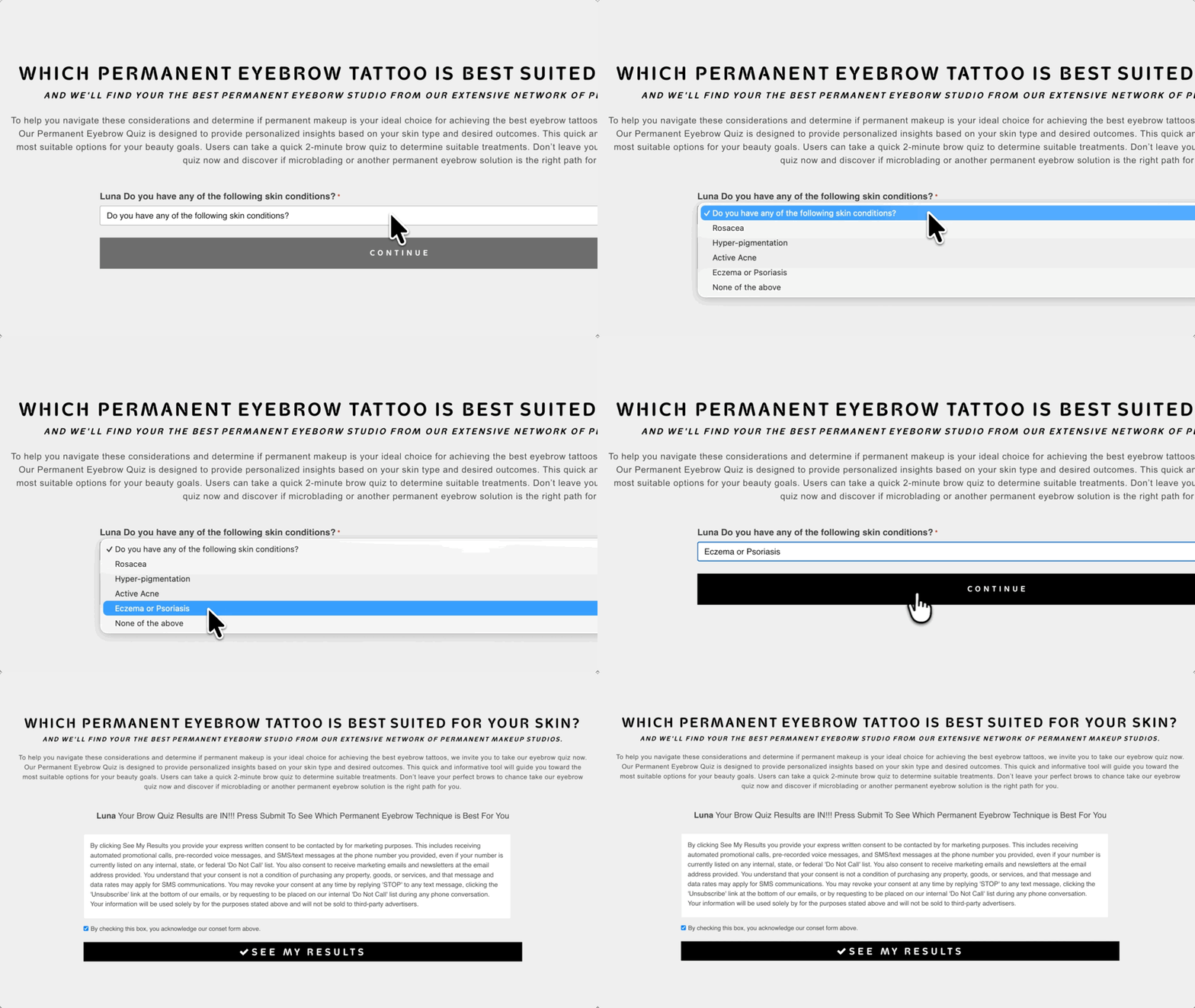
Customers booked treatments they couldn’t receive due to skin type, tone, or age. This wasted clinic time and forced LeadCroc to refund buyers for unqualified leads.
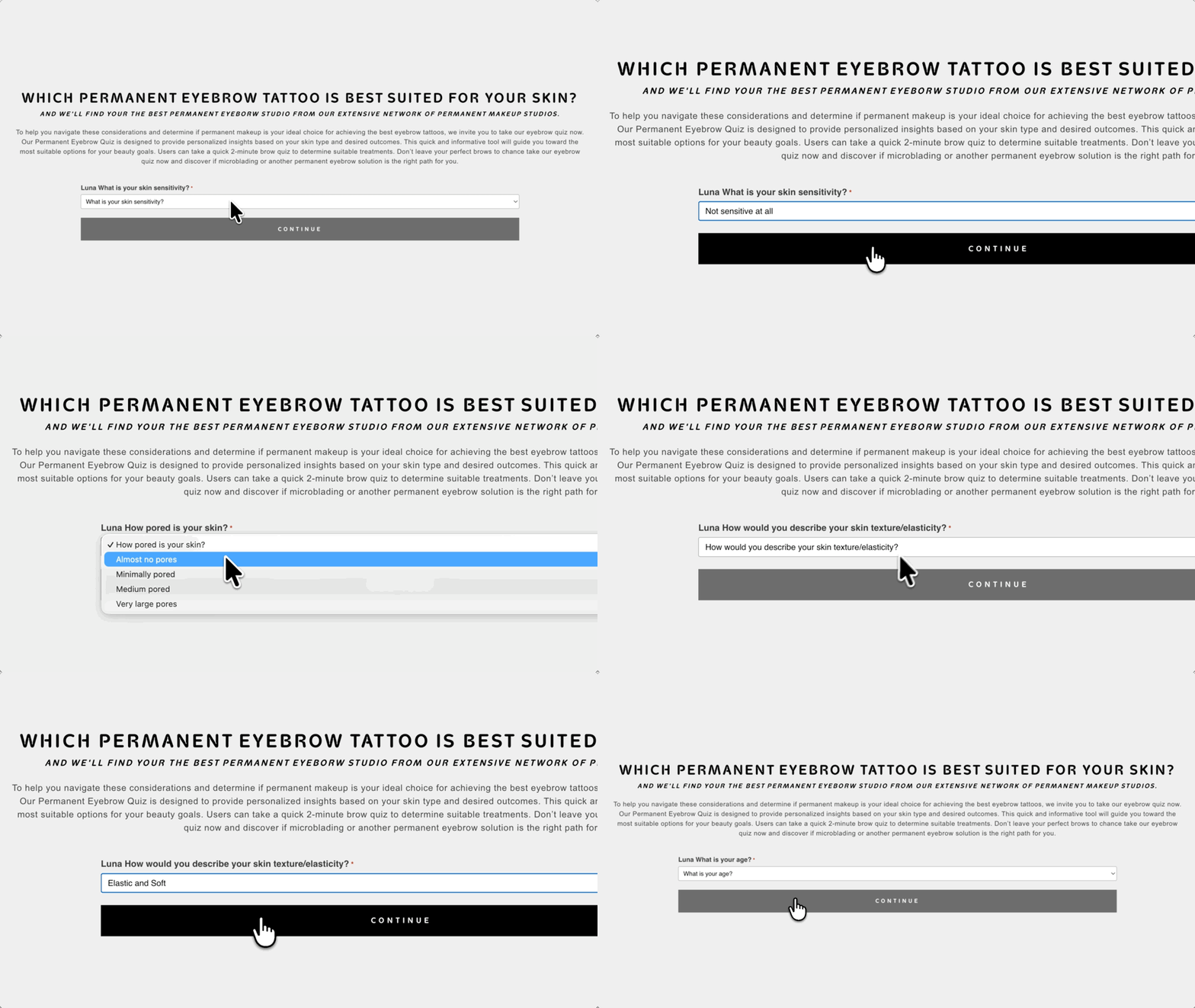
On the patient’s side, GP Page Transitions works behind the scenes to make each question glide into the next, so it feels less like a form and more like a conversation.
A Results Page That Educates
Stopping the quiz at the right moment was only half the spell. The other half was making sure the patient left educated, not just redirected.
To make that happen, Robert built a results page, using GP Post Content Merge Tags to pull each patient’s answers from their Gravity Forms entry into a WordPress page, so the results feel like they were written just for them.
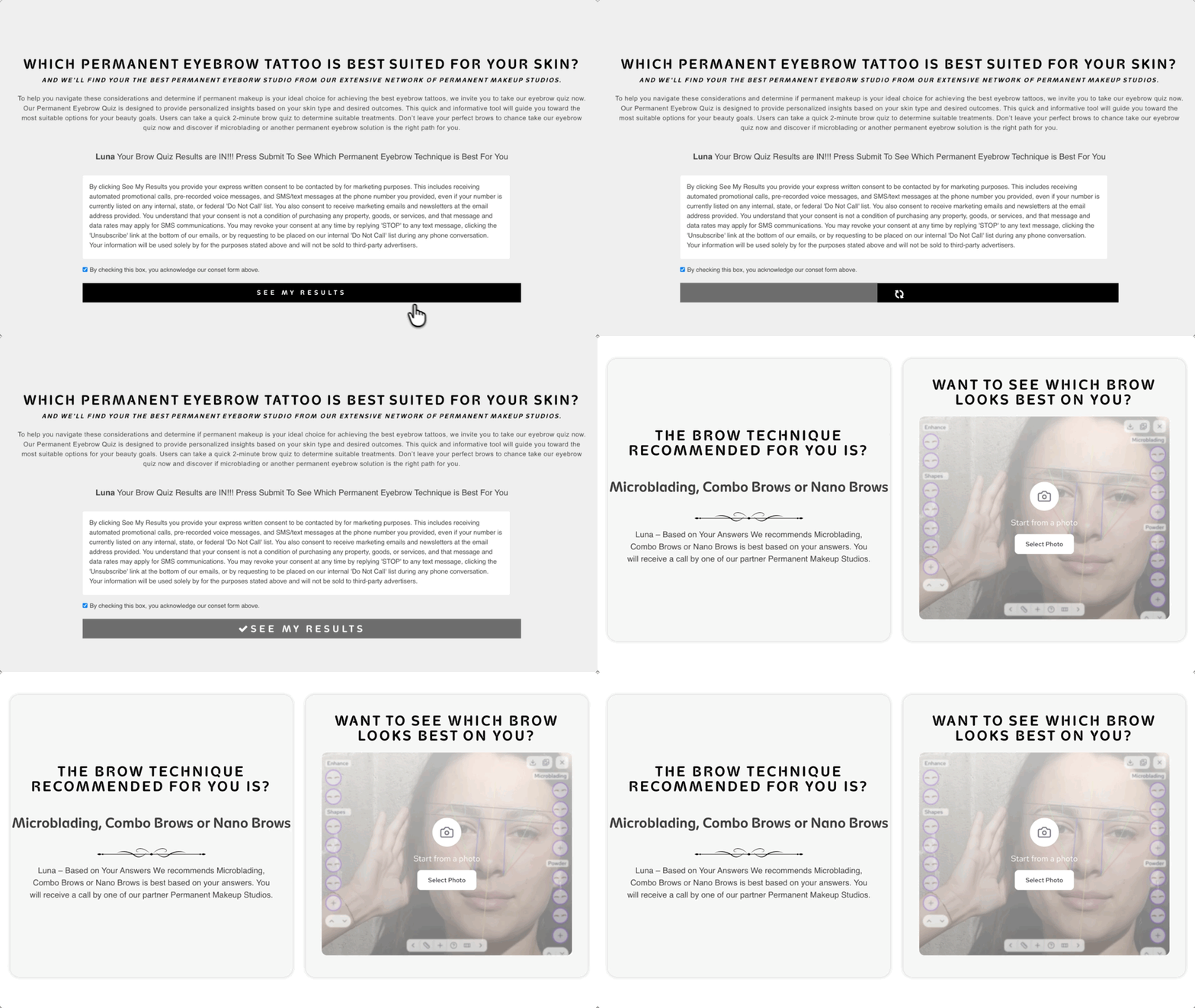
Conditional logic takes care of the rest, displaying only the content that matches each patient’s profile. Whether they qualify or not, they leave knowing exactly what to do next.
Supporting Spells
With the core logic locked in, Robert reached into his Spellbook and added a few more perks to make sure the quiz was ready for real leads:
- GP Populate Anything powers live merge tags in the quiz’s field labels so the label text updates dynamically based on the user’s previous answers.
- GP Unique ID gives every quiz-taker a unique ID for clean tracking through the pipeline.
- GP Email Validator blocks fake and test emails before they ever become a lead.
- GP Limit Submissions stops the same IP from submitting the quiz more than once a day.
- GP Advanced Phone Field swaps the native phone input for a smarter field that validates numbers on the spot.
The Result: Leads That Arrive Ready
The permanent eyebrow quiz is live at permanenteyebrowquiz.com, catching the mismatch before it ever costs a clinic time or a lead. Patients arrive informed, matched, and ready to say yes.
And while Robert built this to screen patients for a med spa, the same approach works for anything where fit matters: a service, a product, or even a program.
I love working with the team at Gravity Wiz, they always find ways to help me with all my complex forms and assist in making them look and work better in every way.
A wizardly thanks to Robert for sharing this build! 🧙