Spotlight: Turning Gravity Forms Into a Complete Hiring Platform

See how David Kendall worked his magic with Gravity Forms and Gravity Perks to build a complete recruiter CRM.

Spotlight Function
Job Board and Applicant Tracking System
Job seekers are tired of generic job ads stuffed with confusing buzzwords. No Nonsense Jobs set out to fix that by building a platform rooted in honesty and clarity, living by the motto: “Fact, not faff.”
But delivering on that promise required more than a simple job board. They needed a full ecosystem—a place for candidates to find roles and a robust Applicant Tracking System (ATS) for recruiters to manage the entire hiring lifecycle, including posting jobs, reviewing applications, and moving candidates through stages.
To bring this vision to life, they reached out to David Kendall of Squarechilli. His challenge? Build a scalable hiring platform without drowning in custom code.
The Magical Stack
David was no stranger to Gravity Forms and Gravity Wiz, but this project was a whole different beast.
To tame it, he opened his Spellbook and stacked perks like a master wizard. He built a complete hiring platform where candidates search and apply for jobs while recruiters manage everything from pricing to pipeline through a frontend dashboard.
Here’s how he built it:
- GP Entry Blocks became the recruiter dashboard—displaying entries to track applications, filter candidates, and manage workflows.
- GP Advanced Calculations tackled the flexible pricing engine.
- GP Populate Anything connected live data to form fields, auto-filling choices based on user selections.
- GP Advanced Select transformed clunky dropdowns into clean, searchable fields.
- Plus, a strategic set of perks tied it all together.
Let’s break down exactly how he used this stack to solve his biggest challenges.
Entry Blocks: The Command Center
The client needed a dashboard where recruiters could track applications, filter candidates, and guide them through each hiring stage—all without using code.
GP Entry Blocks became that solution, powering the entire frontend dashboard. Recruiters can check their posted jobs, see how many applications have come in, filter by position, and move candidates through the hiring process without ever touching the backend.
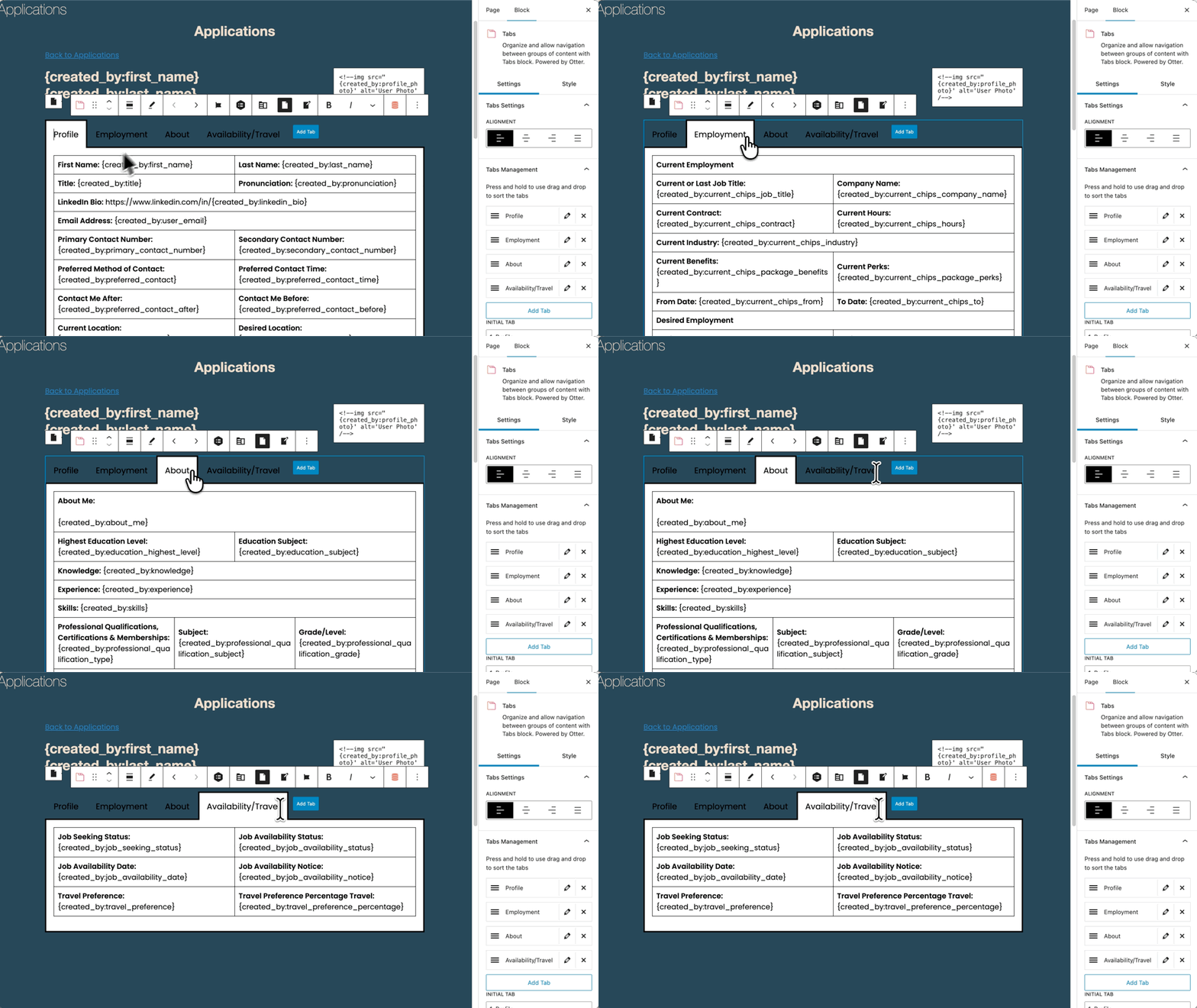
Recruiters move candidates through a workflow… Entry Blocks makes this a simple process.
Advanced Calculations: The Flexible Pricing Engine
Recruiters needed a pricing calculator that updated instantly as they selected job volume and tier (Standard vs. Premium) in the form. David considered JavaScript, but that meant calling a developer every time prices changed.
Instead, David turned to GP Advanced Calculations to handle all the calculations and tier logic right inside the form. Now, when prices shift, updates happen instantly.
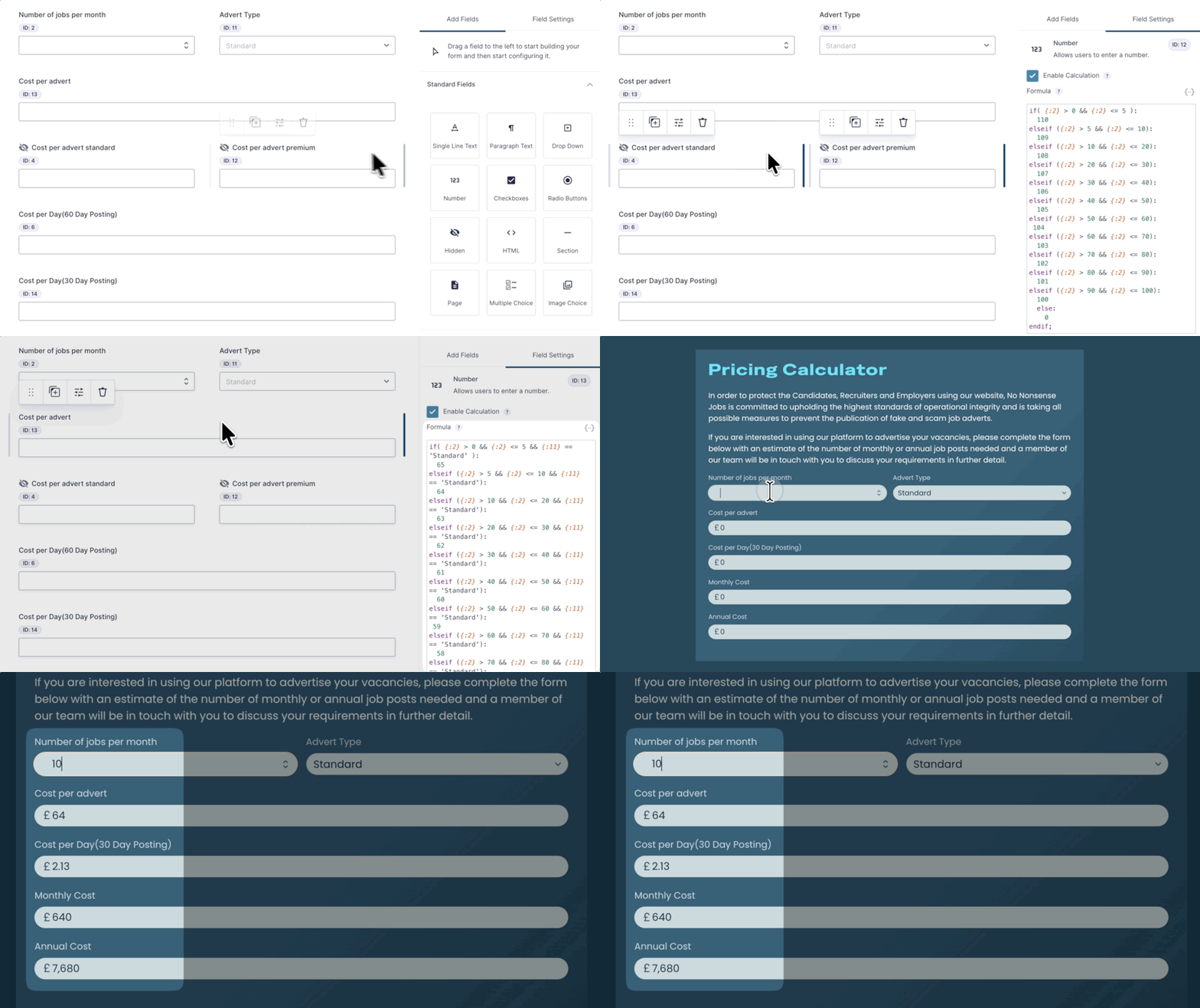
Populate Anything: The Data Backbone
Recruiters needed to select interview stages (Assessment, Demo, Q&A, etc.) and have them appear in the order they occurred.
But standard forms can’t pass live selections between fields.
GP Populate Anything solved this by instantly pulling those selected stages and populating downstream fields so they can be reordered instantly—no reload required.
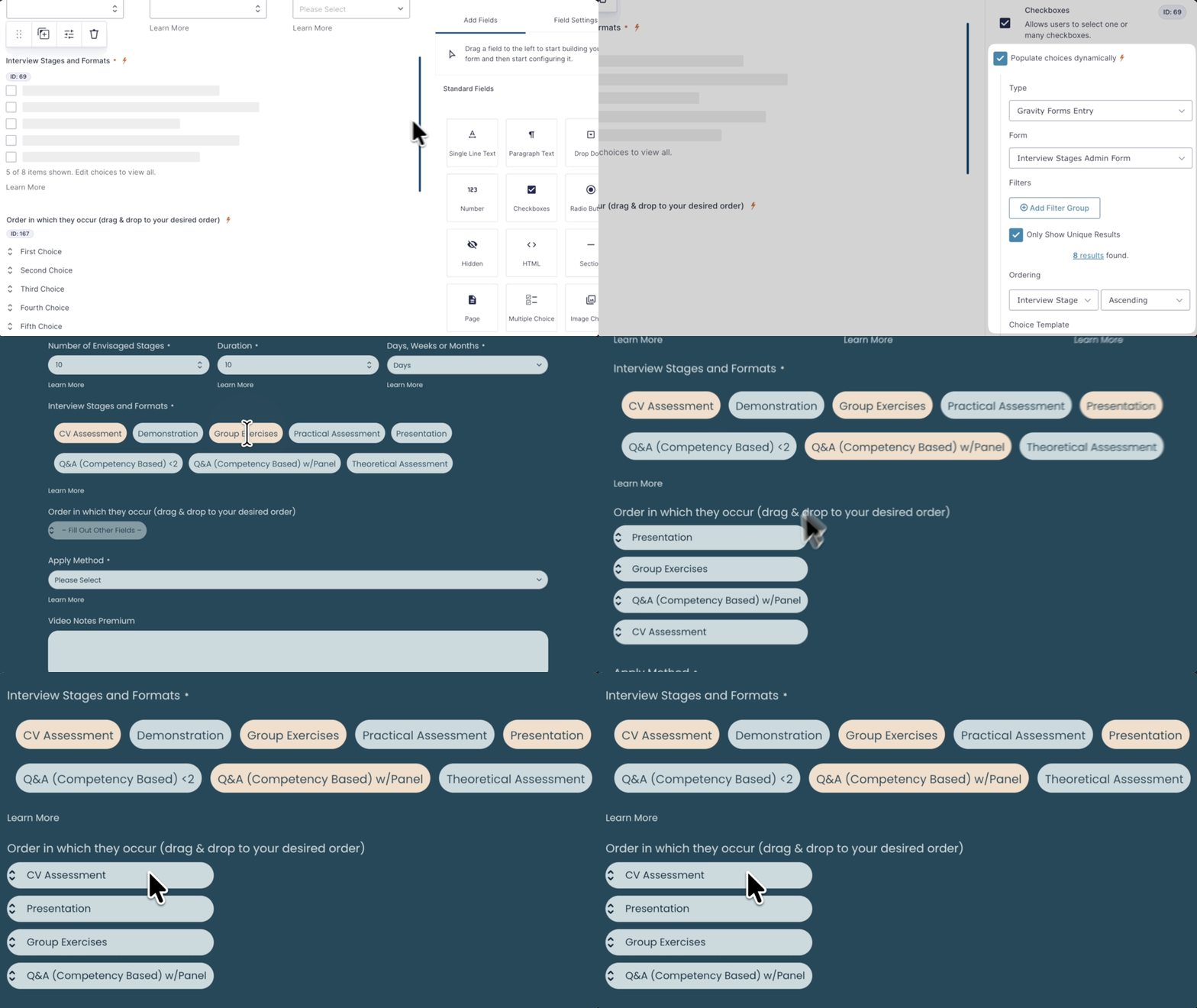
Populate Anything is the standout for anyone needing to create populated front end forms. Need something more complex and you have the database option to literally populate with any stored values.
Advanced Select: Searchable Multi Selects
When job candidates fill out their profiles, they need to list things like coding skills or programming languages.
Instead of scrolling through long, clunky dropdown menus, David used GP Advanced Select so candidates get a clean, searchable field that suggests options as they type.
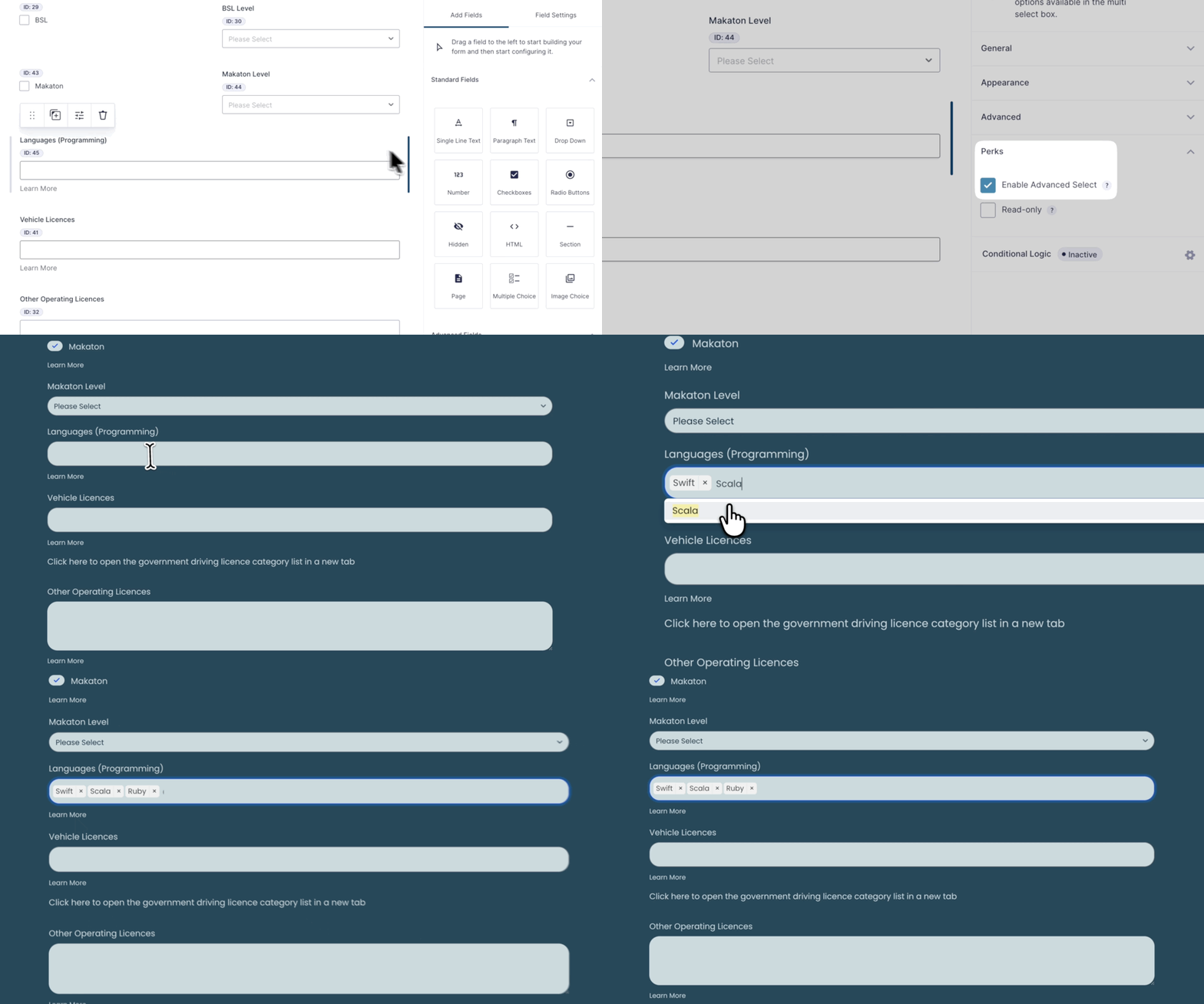
A simple tick of a checkbox and the ever nasty multiselect becomes a beautiful multiselect interface with predictive search.
Supporting Spells
To round out the platform, David deployed a strategic set of perks to keep the data clean and prevent errors:
- GP Limit Submissions stops candidates from applying to the same job twice.
- GP Copy Cat lets users duplicate field values with a click.
- GP Email Validator makes sure all email addresses are legit.
- GP Limit Checkboxes caps how many options someone can pick (skills, etc.).
- GP Limit Dates keeps job posting dates in check.
- GP Read Only locks down fields so users can see data but can’t mess with it.
- GP Word Count keeps job descriptions and responses within set limits.
The No-Nonsense Recruitment Machine
The result? A complete hiring ecosystem that would’ve taken months of custom development—a candidate job board, applicant tracking system, and dynamic pricing engine all rolled into one no-nonsense platform.
Gravity Perks turns an already must-have plugin, Gravity Forms, into an absolute powerhouse of a tool.

Building the recruiter CRM would have meant excessive custom coding; however the perks do the bulk of the heavy lifting now.
David didn’t have to cast these spells alone, though. When he reached the limits of his perk-casting, our support wizards stepped in, rolled up their sleeves, and built custom snippets alongside him, pushing the project further than he thought possible.
I came for the perks, but will stay for the support. The GP team [Gravity Wiz] goes above and beyond to help, even creating custom snippets to extend their perks further… the team has had my back with some simple, and some downright crazy solutions.
Thanks for sharing, David! Curious to see this magical stack in action? Check out the live site here.
No faff, guaranteed. 😉