Spotlight: Building a Self-Quoting Order Form with Gravity Forms

See how Sticker Mates’ husband-and-wife team used Gravity Forms and Gravity Perks to build a custom sticker order form that calculates pricing in real time, so customers never have to wait on a quote.

- When the price depends on… literally everything
- How they built the quote into the form
- The form that quotes itself
Spotlight Function
Self-Quoting Order Form
Spells Used
Tamlyn and her husband run Sticker Mates, an Australian custom sticker and label business. Every order is built to spec, with its own size, quantity, and finish.
And with so many variables in play, every order started the same way: a quote request.
Most sticker printing companies require customers to request quotes manually for custom sizes and quantities, which slows everything down.
They weren’t fans of that. So they set out to change it — using Gravity Forms and Gravity Wiz to build an order form that could handle the quoting itself.
When the price depends on… literally everything
They gave the standard tools a go, but none of them had the chops.
Because sticker pricing depends on multiple variables like width, height, quantity, material type, and finishing, we needed far more advanced pricing logic than standard eCommerce plugins could offer.
That meant building their own engine, one that could run the math in the background while the front end stayed clean.
How they built the quote into the form
Her husband took on the backend: the formulas, the inputs, the pricing logic. Tamlyn shaped the look and feel. Together, they built an order form that does the heavy math on the inside and keeps things easy on the outside.
To build the pricing engine, they opened their Spellbook and reached for two perks.
eCommerce Fields extends Gravity Forms with Discount, Tax, and Subtotal fields, giving them the discount structure their complex tiered pricing needed.
The MVP would be GP eCommerce Fields for our specific needs of calculating complex discount tiered pricing.
Advanced Calculations is the mathemagician that handles calculations that would otherwise live in a spreadsheet. They used it to factor in size, quantity, material, and other selections, then return an accurate total before the customer ever hits submit.
GP Advanced Calculations allowed us to build a true tiered pricing engine directly inside our order forms.
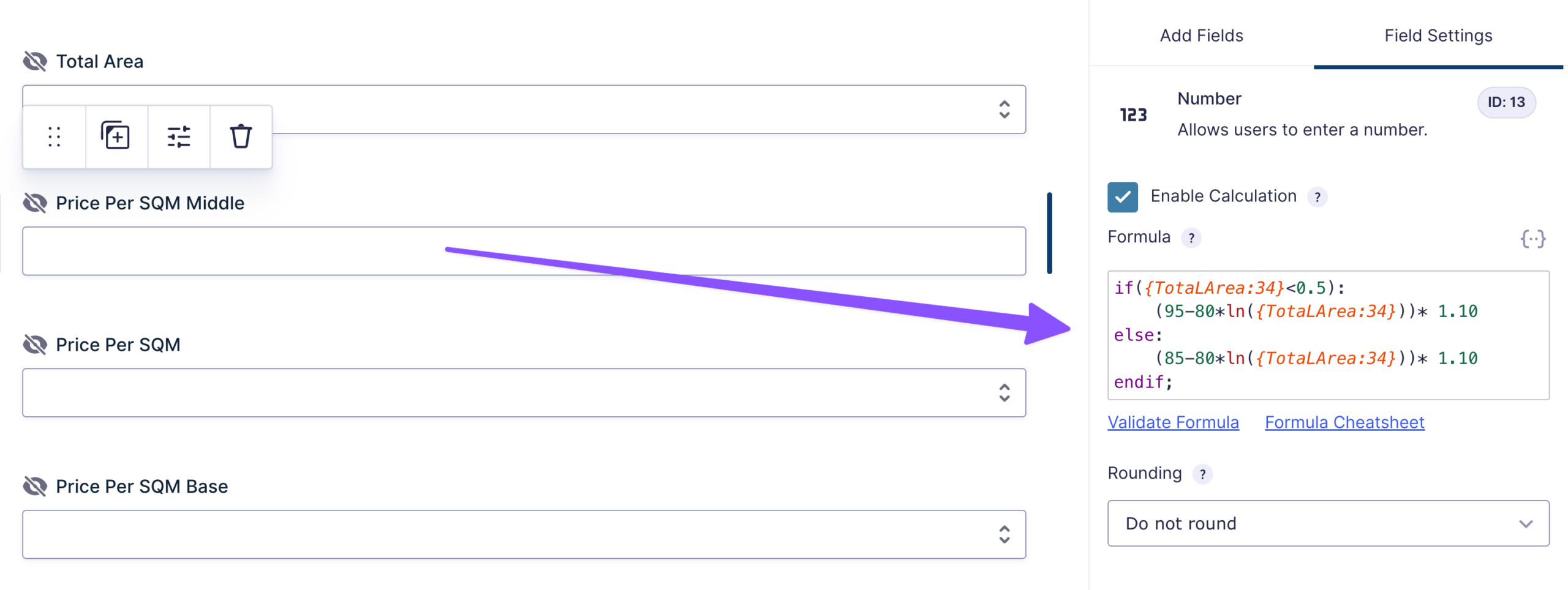
To get it all the way to checkout, they connected the form to their store using Gravity Forms Product Add-Ons for WooCommerce.
The form that quotes itself
Now when a customer lands on Sticker Mates to order, they pick their options and watch the price update on the spot.
They enter their sticker dimensions, select quantities, choose finishes and materials, and instantly receive accurate pricing without needing to wait for a quote.
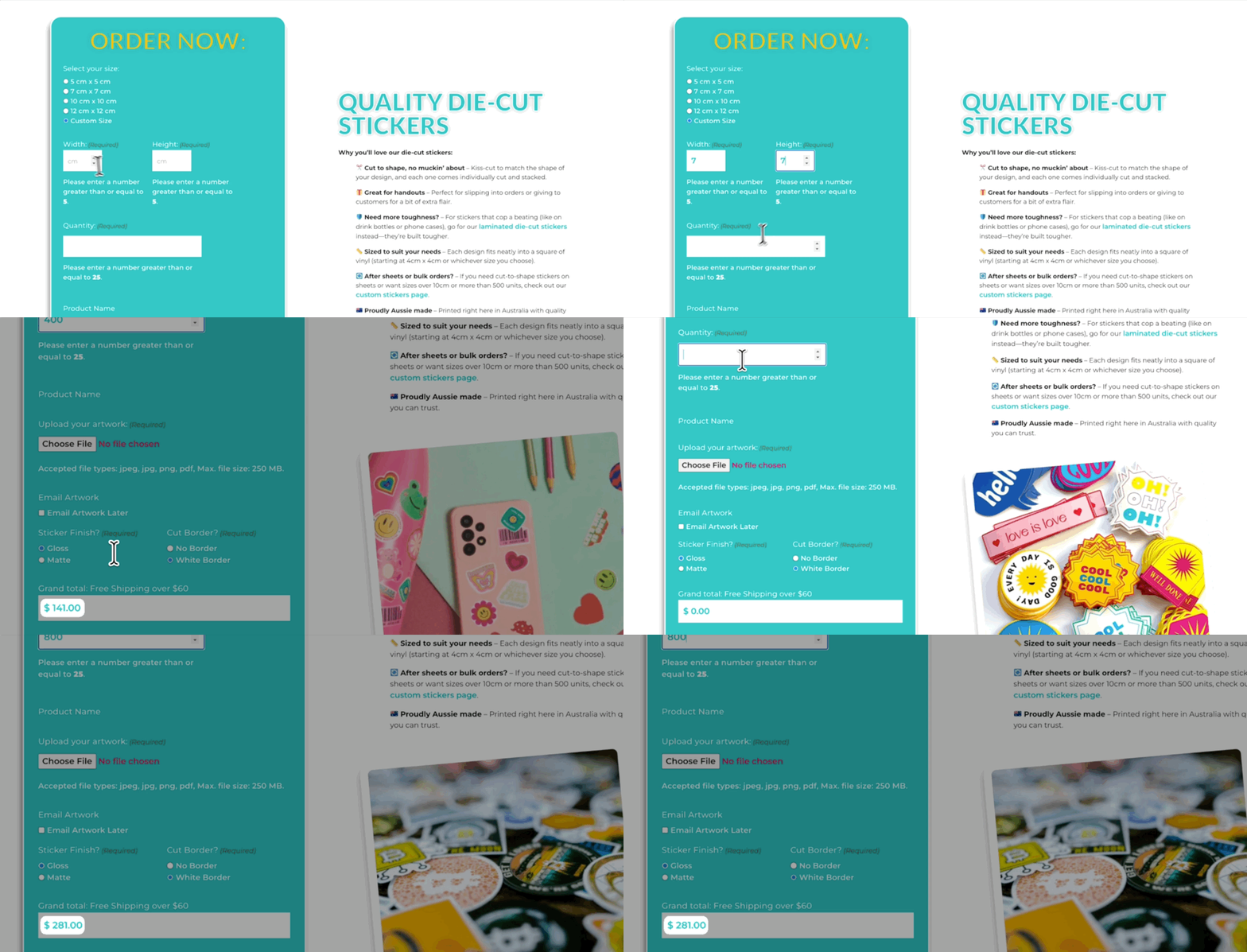
Customers can adjust a size or swap a quantity at any time and see the price update right away.
Overall, it’s made ordering custom stickers a good eCommerce experience instead of a traditional print-shop quoting process.
Thanks to Tamlyn and her husband for showing us how it’s done. 🧙