How to Not Show Hidden Fields When Using the All Fields Merge Tag

Let Gravity Forms hidden fields keep their invisibility cloak in notifications, confirmations, previews, and more with a charming plug-and-play snippet.

The Gravity Forms {all_fields} merge tag is a super useful tool for reviewing form submitted values. It’s the quickest way to give users a convenient bird’s eye view on a given submission in confirmations, notifications, or really anywhere merge tags are supported.
The biggest issue is that this merge tag takes the “all” part a bit too literally and displays hidden fields too. Even its :nohidden modifier only hides the “Hidden” field type, meaning Gravity Forms still spills the beans on:
- Any field that has its visibility set to “Hidden”
- Fields hidden with
gf_hidden - Fields hidden with custom CSS, such as our
make_invisibleclass
Internal IDs, calculations pulling strings behind the scenes, or even data moved from one form to the next can jump right in front of users, creating visual clutter at best or revealing confidential info at worst. Way to ruin a good magic trick!
Still using gf_invisible? This Ready Class is deprecated.
Gravity Forms recommends custom CSS instead.
Our Product-field hiding guide uses make_invisible for the same hiding behavior. See Gravity Forms’ migration guide.
How to fix it
Keep your secrets secret with our trusty Hide All Non-visible Fields via Modifier PHP snippet, which enchants the :nohidden modifier to actually hide everything that should stay hidden.
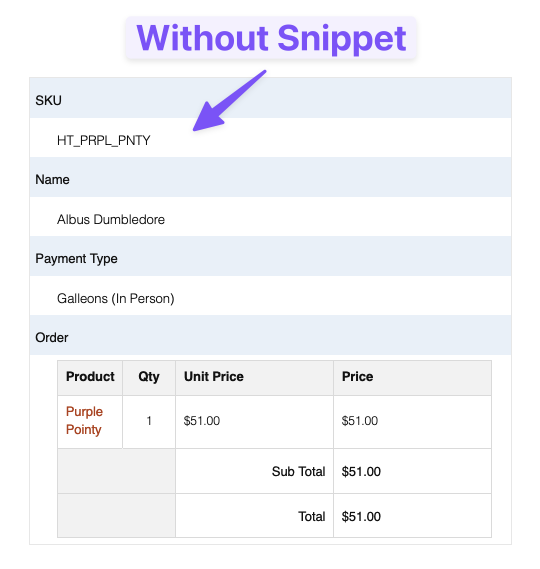

Install it like any other PHP snippet. If you don’t have a preferred method to do so, our “Where do I put snippets?” will guide you in the right direction.
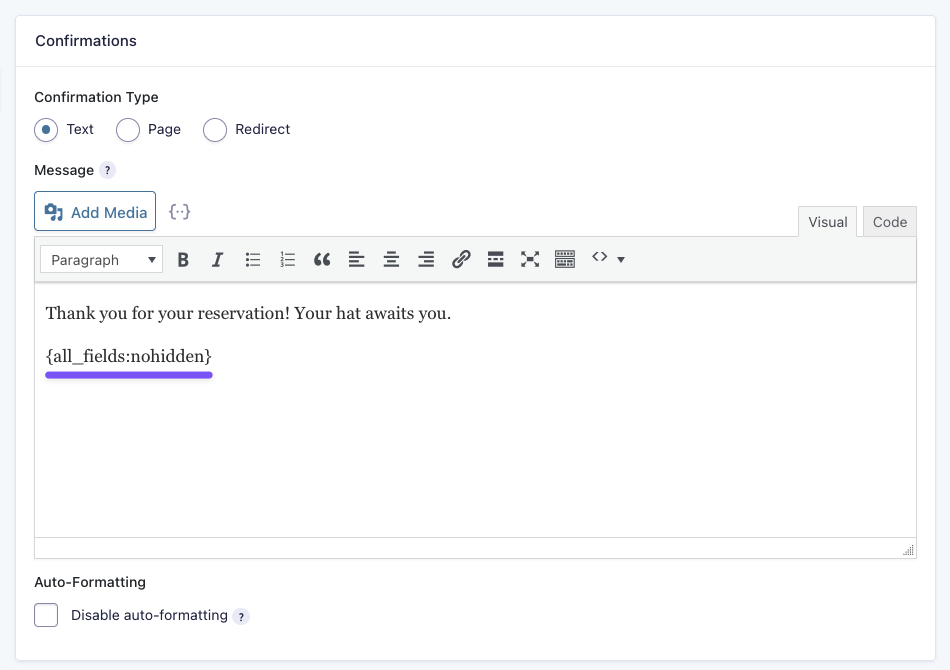
Then, when you use the {all_fields} merge tag, just add the :nohidden modifier and you’re golden.
Where is this useful?
- Email notifications
- Confirmation pages
- Submission previews
- Any other use of the
{all_fields}merge tag
Taking it further
If you want to not only hide hidden fields, but take full control of your {all_fields} output, we have a gnarly free plugin called All Fields Template. It lets you give the {all_fields} merge tag magical makeover and even hide fields that are visible in the form.