How to Stop WordPress Comment Spam Without a CAPTCHA

Learn how Spam Hexer keeps automated spam out of your WordPress comments with an invisible puzzle real people never even see.

- How Spam Hexer Stops Automated Comment Spam
- What You’ll Need
- How to Turn On Spam Hexer for WordPress Comments
Some WordPress comment spam doesn’t even try to be subtle. Random link? Keyboard-smash username? Yeah, we know what you are: a spam bot. 🤖
And that’s exactly what Spam Hexer, our free spam-fighting plugin for Gravity Forms, is built to catch. It keeps automated spam out of your WordPress comments, just like it does for form submissions.
Let me show you how to hex that comment spam.
How Spam Hexer Stops Automated Comment Spam
Spam Hexer’s main defense is Proof of Work (PoW): a small puzzle your visitor’s browser solves before their comment goes through. Real people never see it.
Most spam bots skip the puzzle completely. They submit the comment without solving it, so Spam Hexer can tell the puzzle was never completed.
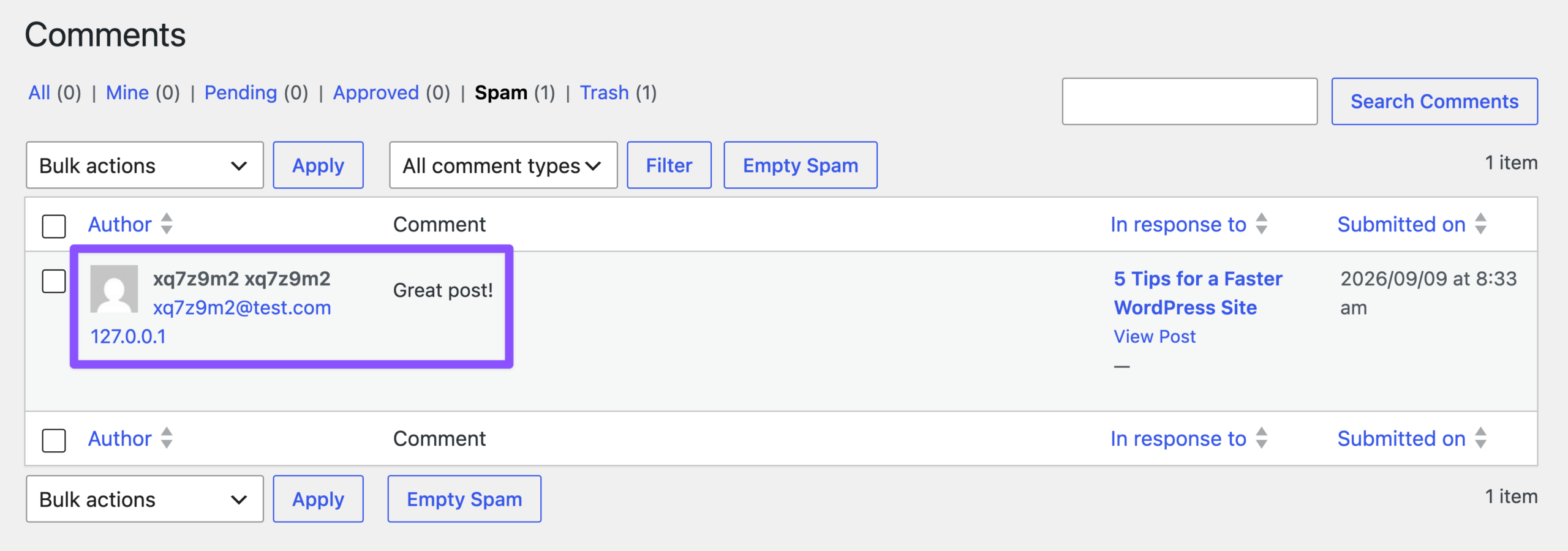
Want to see how Spam Hexer’s Proof of Work puzzle works behind the scenes? Check out our guide to stopping Gravity Forms spam without a CAPTCHA.
What You’ll Need
- Gravity Forms (any license)
- Spam Hexer, installed via Spellbook, Gravity Wiz’s free plugin manager
- To install: open Spellbook › search Spam Hexer › click Install
How to Turn On Spam Hexer for WordPress Comments
Step 1: Open Your Discussion Settings
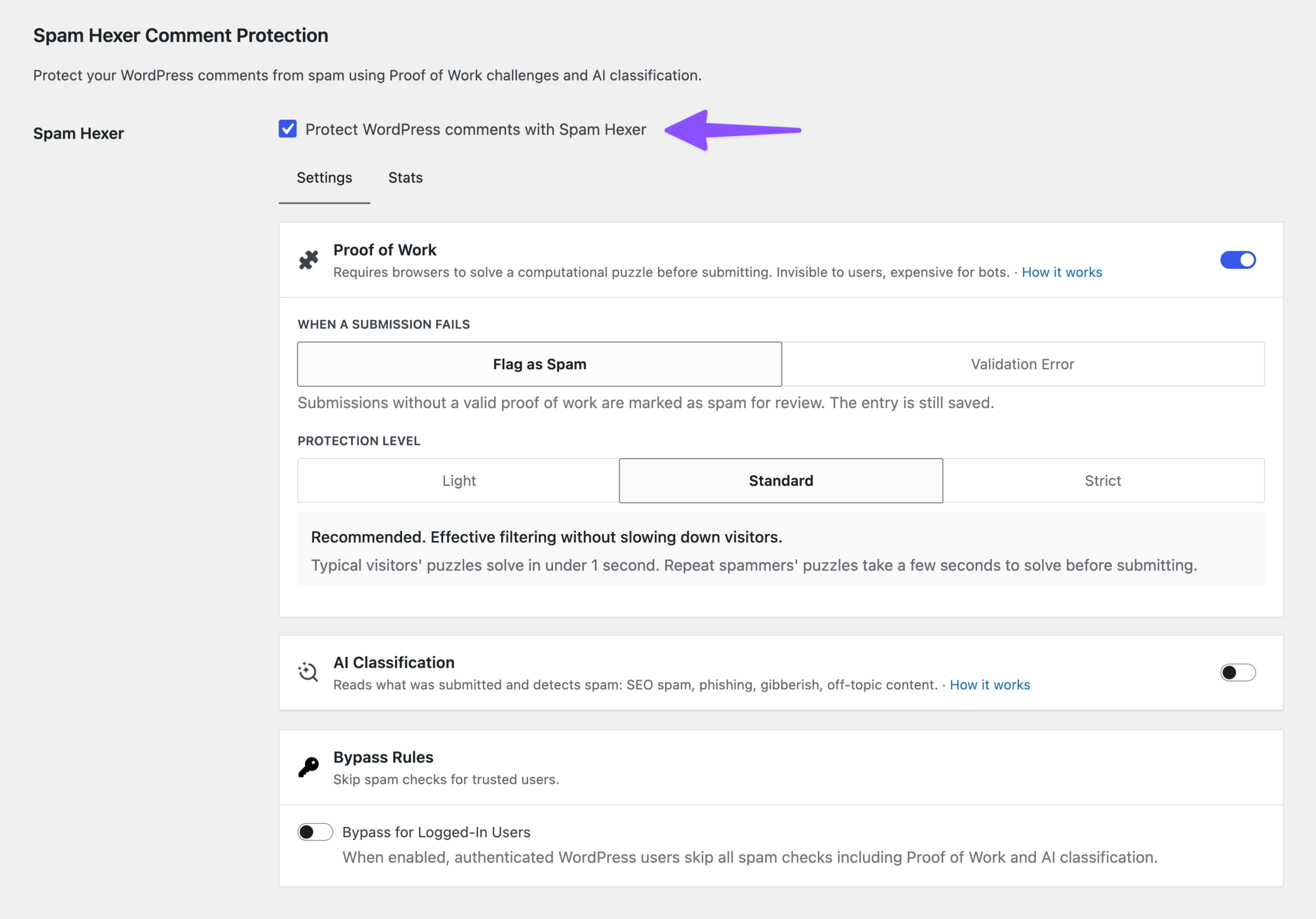
Go to WordPress Settings › Discussion, then scroll down to Spam Hexer Comment Protection.
Step 2: Turn On Comment Protection
Enable Protect WordPress comments with Spam Hexer.
Once enabled, Spam Hexer starts checking new comments with Proof of Work.
Step 3: Adjust Your Comment Protection Settings
You can stick with the defaults or tune how Spam Hexer’s comment protection behaves:
- When a submission fails: choose Flag as Spam to review comments yourself, or Validation Error to let commenters try again.
- Protection Level: We recommend Standard because it balances speed with protection. You can switch to Light or Strict as needed.
- AI Classification (optional): enable AI Classification to catch spam that makes it past Proof of Work. You’ll need to connect an AI provider first. Our guide to filtering Gravity Forms spam with AI walks through the setup.
Already using Akismet on your comments?
This comparison of Spam Hexer, Akismet, reCAPTCHA, and Turnstile shows which ones protect comments natively.
Key Takeaways
- Spam Hexer protects WordPress comments from automated spam with Proof of Work.
- Proof of Work runs an invisible puzzle in the visitor’s browser, so real commenters never see a CAPTCHA.
- Spam Hexer’s comment protection is configurable, with different Protection Levels and actions for comments that fail Proof of Work.
- AI Classification can add a second, optional layer for spam that gets past Proof of Work.
Spam Hexer protects more than forms. It keeps spam out of WordPress comments too, and yep, that includes the ones on this post. Yours can be next. 😉