Spotlight: Building a Registration Form with Conditional Pricing

Jesper Dinesen replaced a conference pricing spreadsheet with a Gravity Forms registration form that handles group sign-ups and dynamic pricing on its own.

Spotlight Function
Conference Registration Form
Spells Used
Jesper Dinesen is a developer at Engine. One of his clients runs an annual conference with a tiered pricing structure: member rates, non-member rates, group sizes, and more. All of it lived in a spreadsheet, managed by whoever was running it that year.
When the client came to Jesper for a new conference website, the ask was simple: build a registration form that could handle all of that automatically, and make the whole process faster for everyone involved.
So Jesper opened his Spellbook and reached for three perks to sort it out.
First, get the groups in
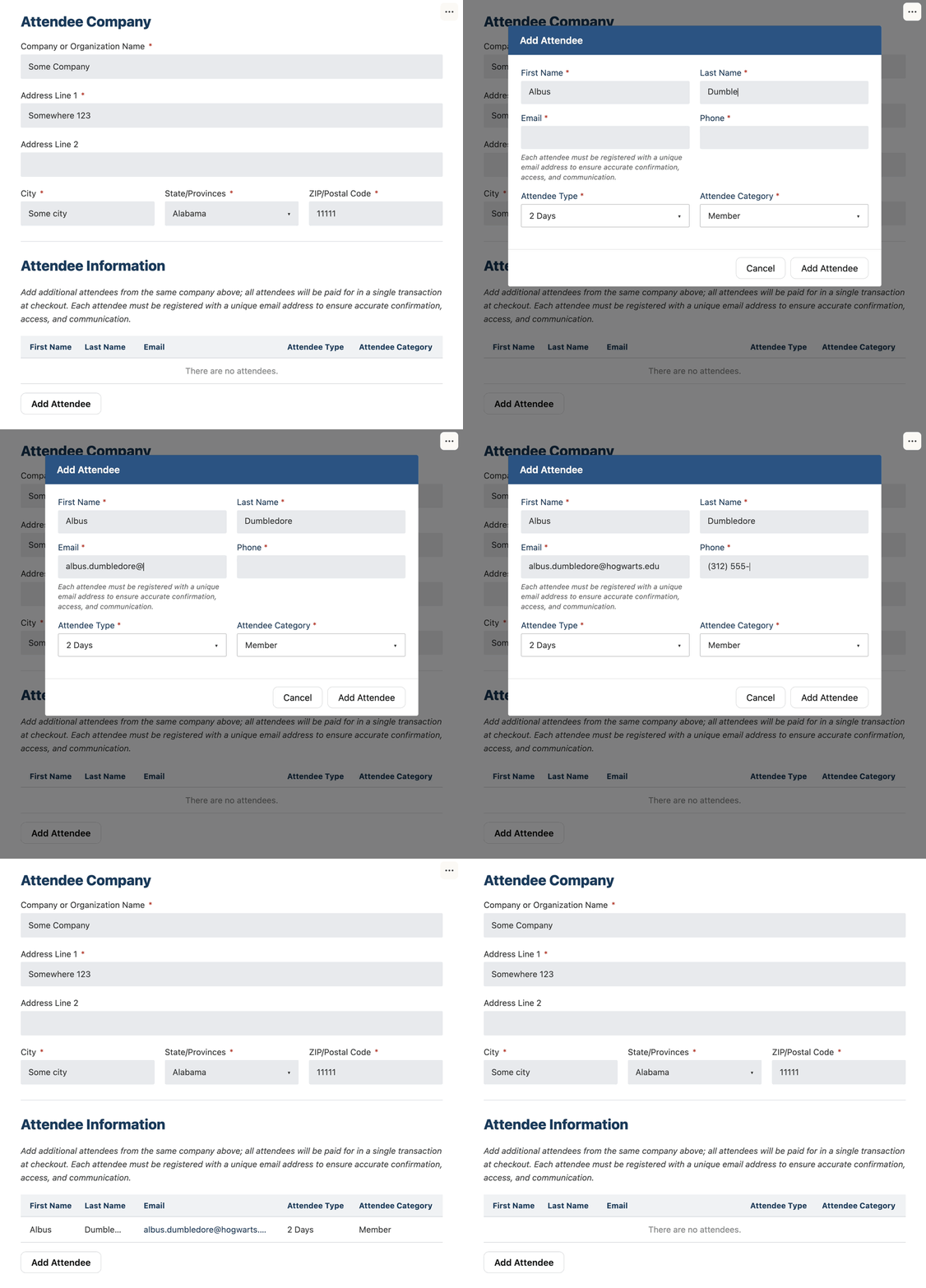
The conference needed a way for multiple attendees to register together in a single submission.
Jesper used GP Nested Forms, which lets you create forms within forms, so each attendee could be added one at a time right inside the main form and everything comes through as one tidy submission.
Then, sort out the pricing
With the group in, the form needed to figure out what each attendee should pay: members pay one rate, non-members another, group sizes too.
To do that, Jesper needed to verify each attendee’s membership status from an external system. His client didn’t want a login system though, and while we’d recommend GC API Alchemist for this kind of membership lookup, Jesper wrote a small piece of custom code behind the scenes to handle it his way.
Once that check was done, GP Conditional Pricing took over. It lets you create different pricing rules for products based on different conditions in the form — in Jesper’s case, the rate shifted based on each attendee’s membership status.
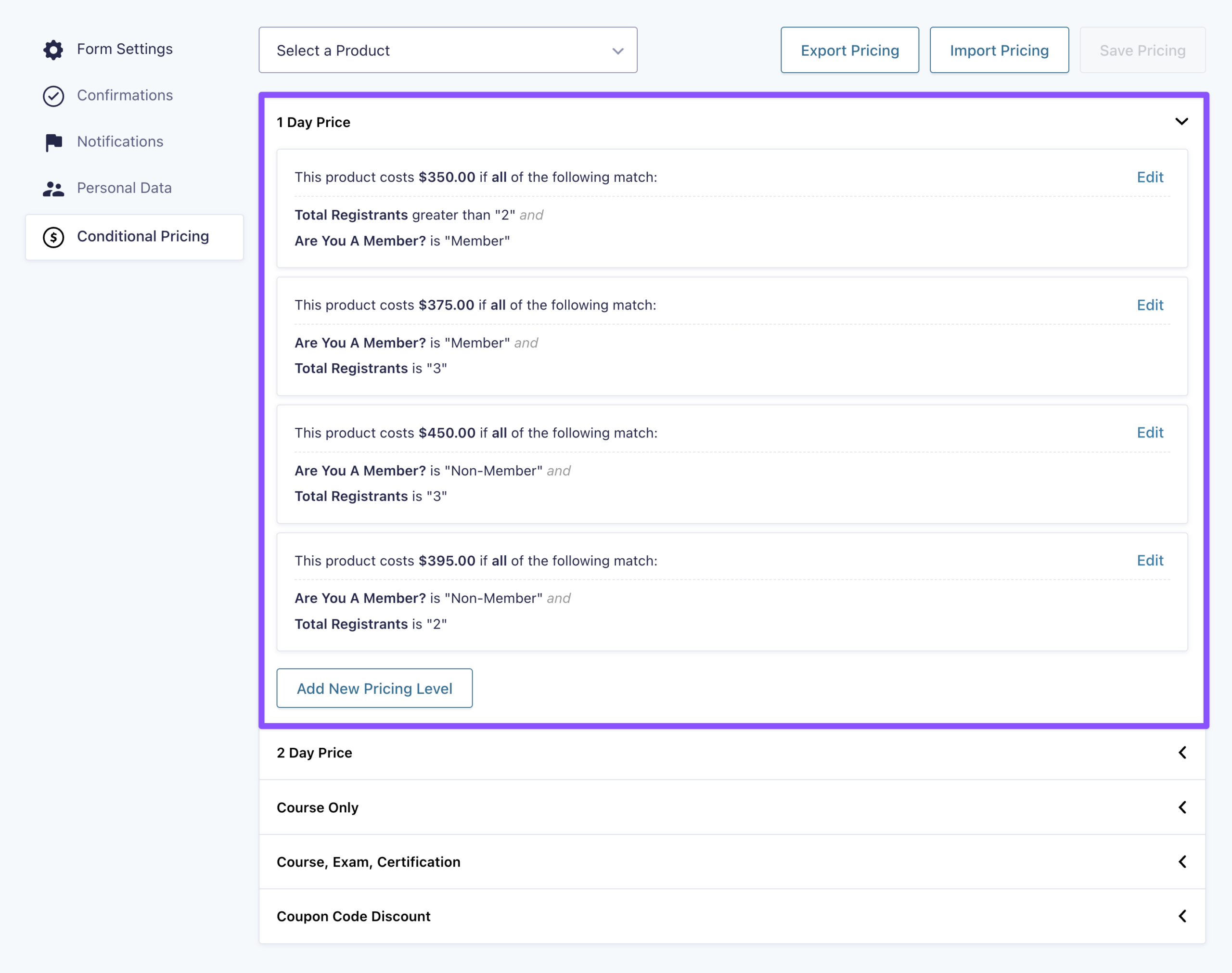
Using Gravity Perks, I was able to create products with different price points based on choices made within the form.
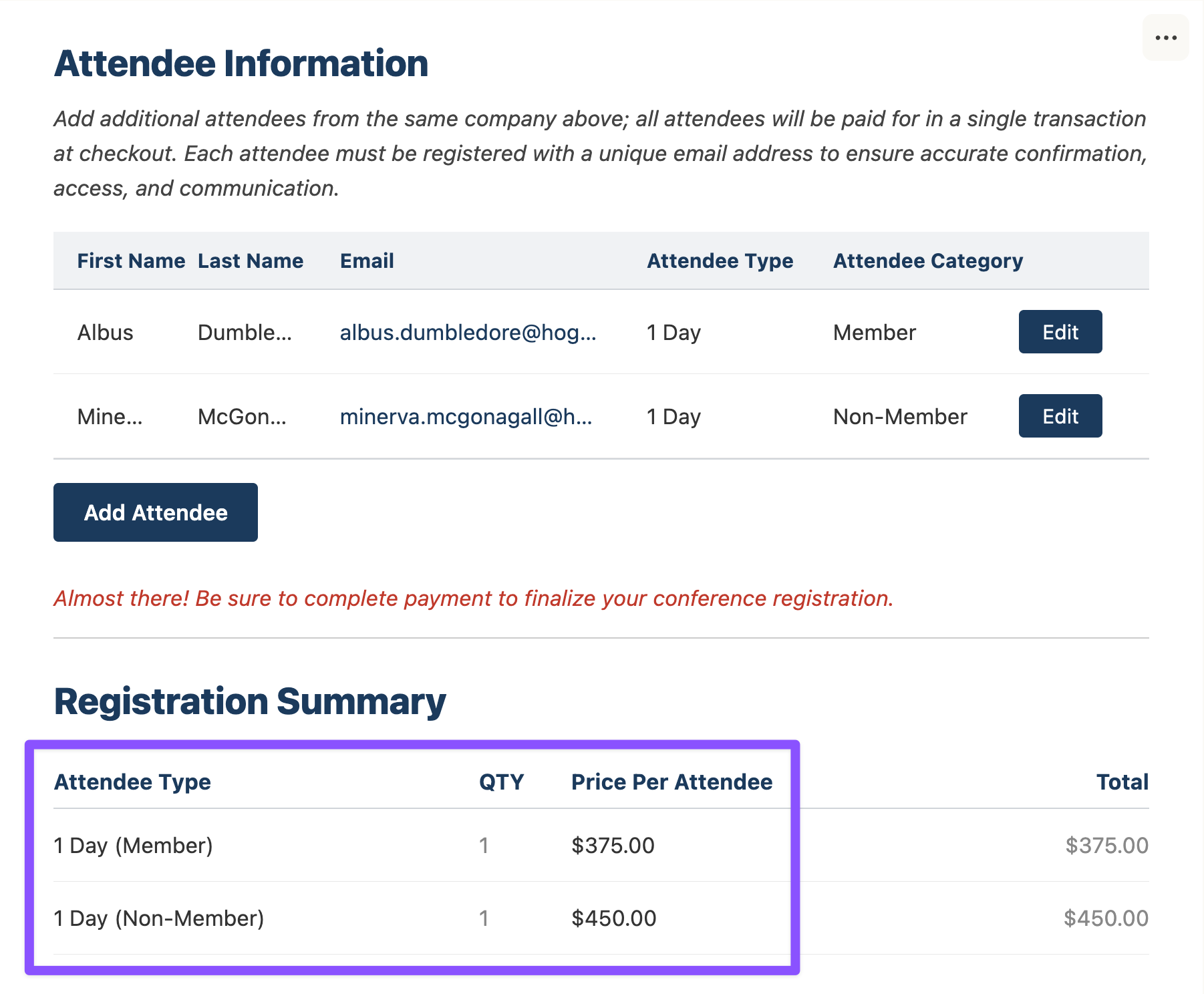
One last thing: Jesper needed the checkout to reflect the exact number of attendees. So he used GP Copy Cat, which copies values from one field to another, to keep the attendee count and checkout quantity in sync.
Finally, one less spreadsheet
It’s a simple build, but Jesper gave a messy manual process a better home. Attendees sign up, add their group, check out. The association gets paid faster too.
I think it has become a pretty cool example of a mesh of your plugins, so I thought you should see it.
And he didn’t do it alone.
I required assistance from the Gravity Wiz Support team, and they were great. They jumped on the issue immediately, listened to the requirements, and helped me create a solution using a mesh of several perks.
Turns out, the spreadsheet should’ve been a form all along. Thanks for sharing your build, Jesper. 🧙