
New Release: GP Bookings Beta 1

This perk transforms Gravity Forms into a booking platform that adapts to your needs — now more than ever. Here are our highlights of this Beta 1 release.
- Not familiar with GP Bookings?
- Feature 1 — Custom dashboard views
- Feature 2 — Occupancy
- Feature 3 — Full booking modification
- Book now!
We’ve been hard at work implementing amazing feedback from customers who explored GP Bookings during its Early Access. With new features that made it more flexible and improvements that made it more robust, GP Bookings is ready for a new era:
Beta 1 — Ready For Production. 🥳
Let’s celebrate by looking at three major features added during Early Access as a direct result of what you shared. May it be an inspiration:
👏 Keep 👏 Feedback 👏 Coming!
And we mean it.
Even though GP Bookings is ready for production, you may run into edge cases that don’t work for your particular requirements. Don’t fear: the plugin is still expanding and we’ll be happy to explore those with you via support.
Not familiar with GP Bookings?
GP Bookings is a customizable booking platform that lets you create bookings from Gravity Forms entries and manage them in WordPress. You can:
- Create your own bookable services and resources.
- Customize availability for those bookables.
- Set flexible pricing rules based on time of day, number of participants, and more.
- Build forms with Booking fields to let users book via Gravity Forms.
- Manage multiple schedules in a robust calendar dashboard inside WordPress.
Feature 1 — Custom dashboard views
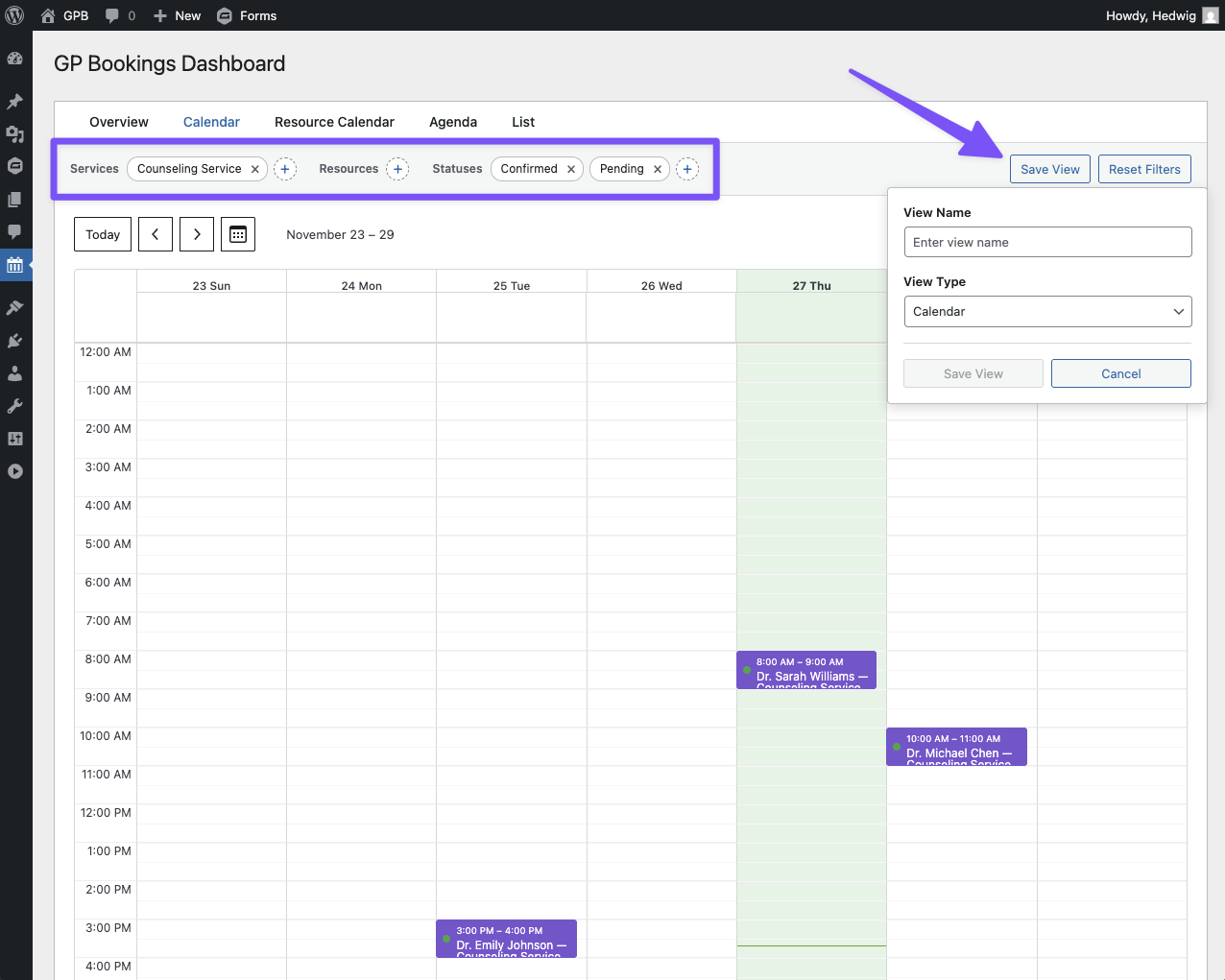
The GP Bookings Dashboard has many view types for schedule management. Choose your favorite or use all of them—they’re in sync.
Each view type can be filtered by bookables and statuses. If there is a filter you use a lot, you can save it as its own custom view to make your life easy-peasy.
Feature 2 — Occupancy
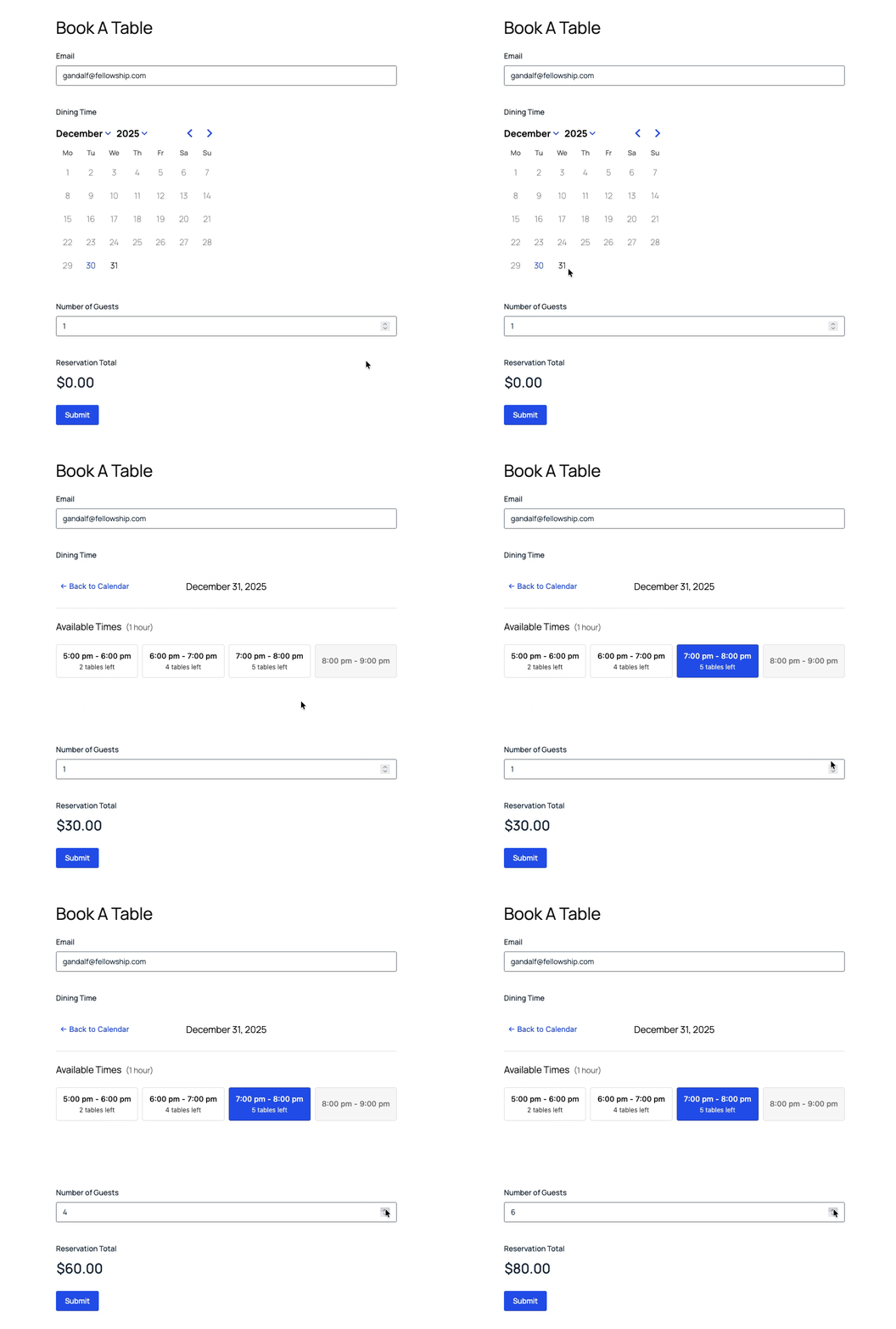
Limit spots, party sizes, and more per time slot with Capacity and its new friend, Occupancy.
- Capacity limits how many separate bookings can exist in a time slot.
- Occupancy limits how many units (e.g. people) can be included within a single booking.
Examples:
- Capacity Example – Movie Theater: Each person needs an individual ticket per time slot. Even if you are allowed to buy multiple tickets, each ticket is individual.
- Occupancy Example – Private Lessons: Each lesson is individual, but it can have a maximum of 5 students.
- Occupancy + Capacity Example – Restaurant Reservations: You have 5 reservable tables per time slot that can seat 10 people each.
What’s more: Both of them can be used to affect pricing rules. 😉
Feature 3 — Full booking modification
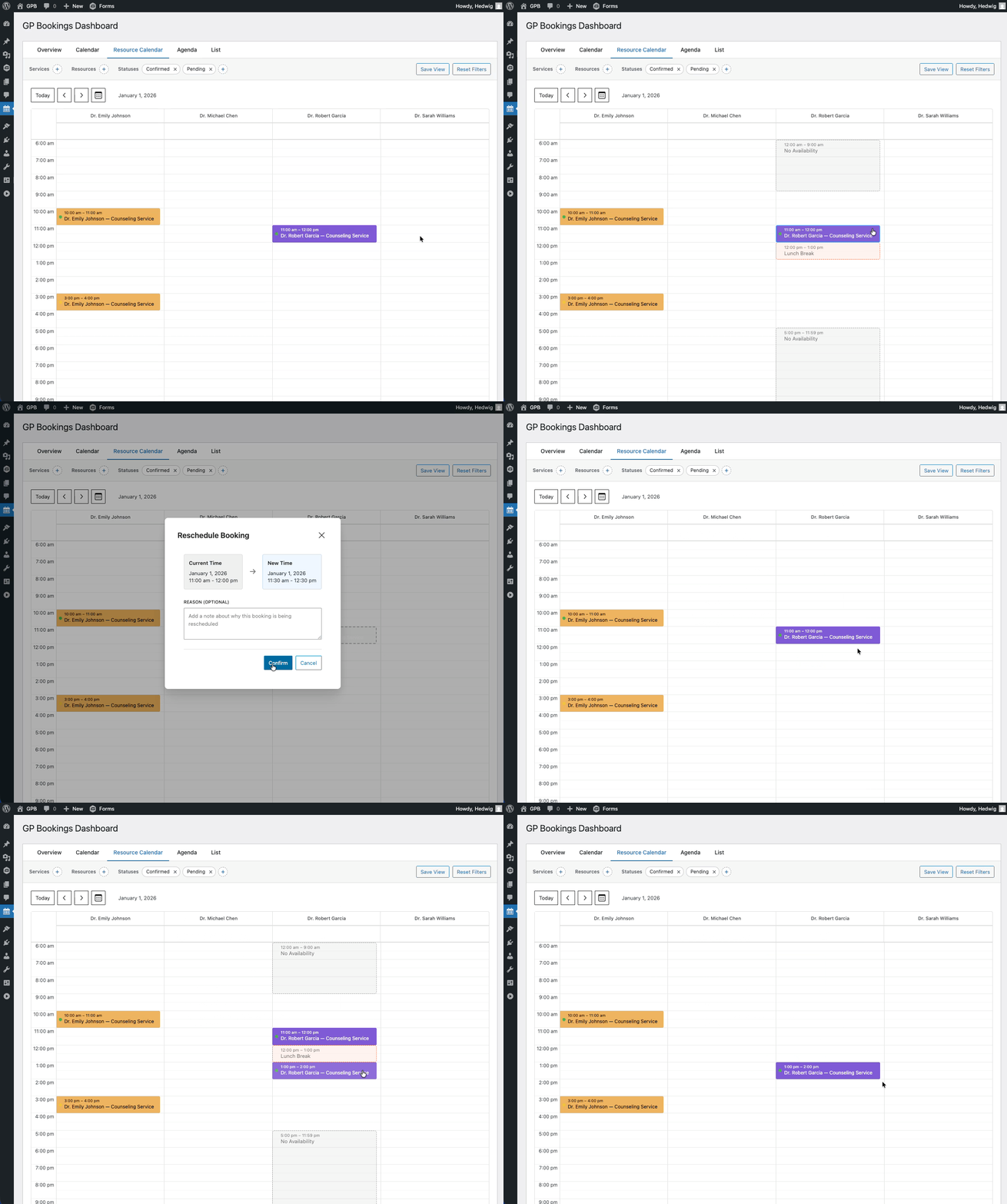
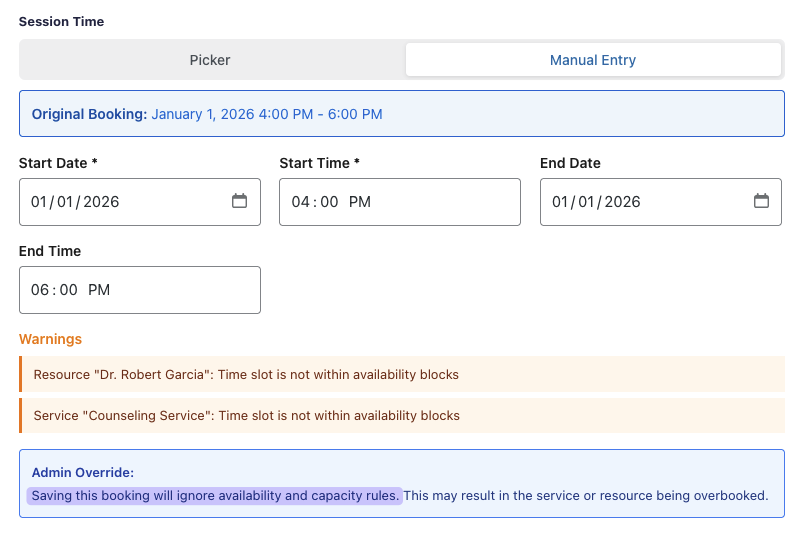
When editing a booking (aka an entry that was used to book something), you can edit almost all the details for that booking after submission, including going beyond limits you have previously set.
Example: You normally offer services until 5pm, but a one-off booking requires extra time, so you extend that booking’s end time to 6pm to allow the service to finish without being cut short.
God Mode: Unlocked.
Book now!
GP Bookings Beta 1 has all of that and so much more to offer. It’s available for download now in your Spellbook(ings). We can’t wait to hear your feedback!
Not a Gravity Perks user yet? Get access to GP Bookings and 48+ other perks right here. 🪄
Do you have the ability to have a gap time. Also do you have the ability to schedule virtual meetings like Zoom.
Hey Dawn,
Both Services and Resources allow for multiple specific availability windows, so you should be able to gap long periods of time with no issues. Unfortunately, Zoom meeting creation is not possible natively, but if you drop us a line via Support, we would be happy to discuss this idea further as a potential feature request!
I’m getting an “Invalid management key” message on my Booking Management page.
Never mind. You can delete this.
Hi Ed,
The “Invalid management key” message happens if you visit the Booking Management page without a management key in the URL. You can read more about this here.
Best,
I just have to say you guys are amazing! I have been a customer for YEARS and what amazing value I get out of my membership! I will be a member for years to come.
Thanks for your kind words, Sterling, we’re really happy to hear how much you like our perks! 😊
Best,