How to Turn Gravity Forms into a Gym Booking Platform

GP Bookings prevents gym class overbooking, automates pricing rules, and gives members self-serve booking management, right inside Gravity Forms.

- Manage Every Schedule From One Dashboard
- Prevent Overbooking with Capacity Limits
- Let Members Manage Their Own Bookings
- Add Buffer Time Between Bookings
- Adjust Pricing Based on Demand
- Let Your Forms Do the Reps 💪
GP Bookings turns Gravity Forms into a booking platform with some serious muscle—scheduling, pricing, and self-serve booking management, all without leaving WordPress.
It keeps appointments from getting double-booked, sends reminders so nobody misses an appointment, lets customers reschedule without calling you, and adjusts prices based on when and how much people are booking.
It works across just about any industry. But for gyms, GP Bookings gets to really flex. 💪
Here are a few ways it handles the heavy lifting:
- Manage every coach, class, and time slot from one dashboard
- Prevent overbooking with automatic capacity limits
- Let members reschedule or cancel their own bookings
- Add buffer time between classes so bookings never overlap
- Adjust pricing automatically between peak and off-peak hours
Here’s how each one works.
This article requires the Gravity Forms Bookings perk.
Buy Gravity Perks to get this perk plus 46 other premium Gravity Forms plugins!
Key Takeaways
- Pricing adjusts automatically based on the rules you set in GP Bookings. Define conditions by time of day or day of the week, and it handles the rest.
- GP Bookings keeps every coach, class, and time slot in one calendar dashboard inside WordPress. Switch between day, week, or month view to stay on top of your full schedule.
- GP Bookings automatically closes gym classes when they hit capacity. Each service has a capacity limit. When it’s reached, that slot becomes unavailable and members pick another time.
- Members can reschedule or cancel through GP Bookings’ self-serve Booking Management Page. They get a personal link in their confirmation email, and you control how far in advance changes are allowed.
Manage Every Schedule From One Dashboard
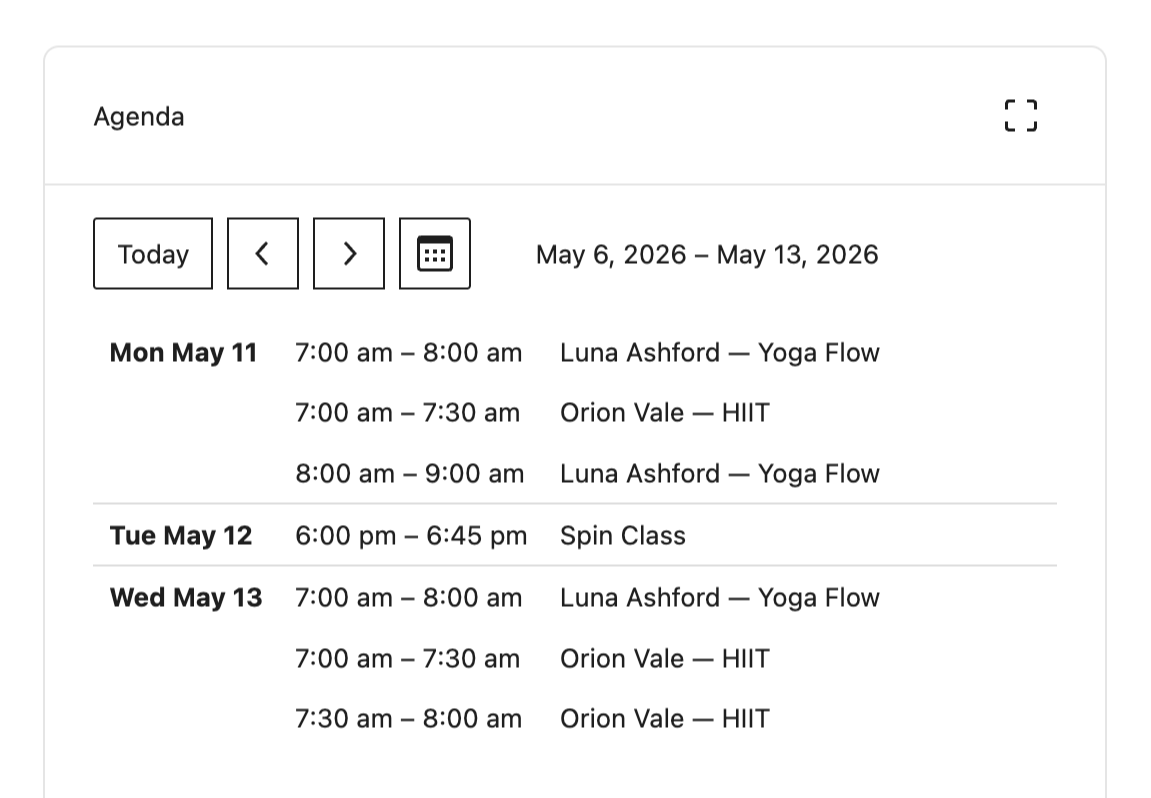
GP Bookings gives you a centralized calendar dashboard inside WordPress where every booking lives. Day view, week view, month view—whatever helps you see your schedule clearly.
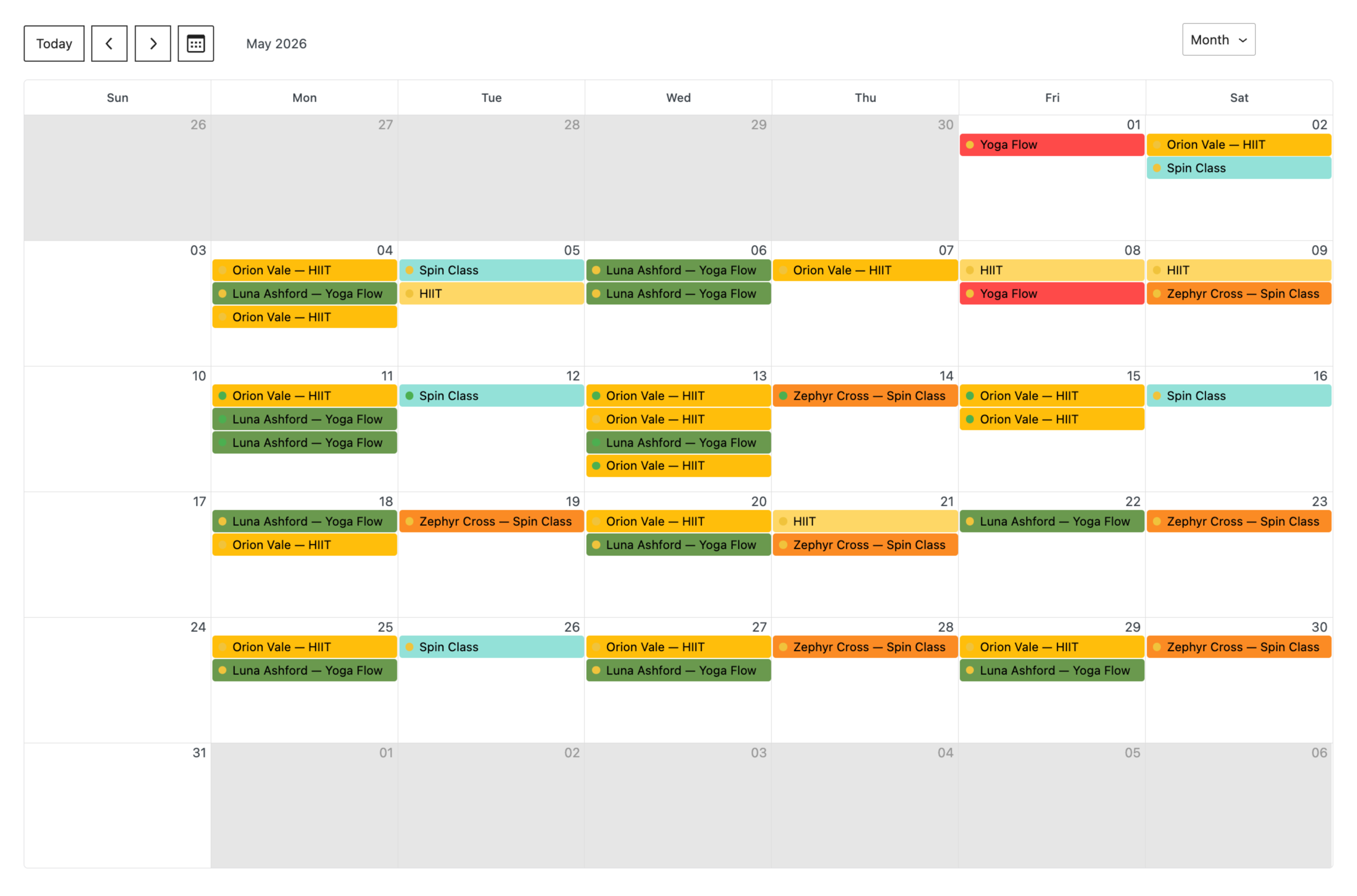
For gyms, that means every coach and class in one place. Need to check what’s on at 6 PM on Tuesday? It’s right there.
Pro Tip
Color-code each coach or class type from their settings. Your dashboard stays readable even on a packed week.
Prevent Overbooking with Capacity Limits
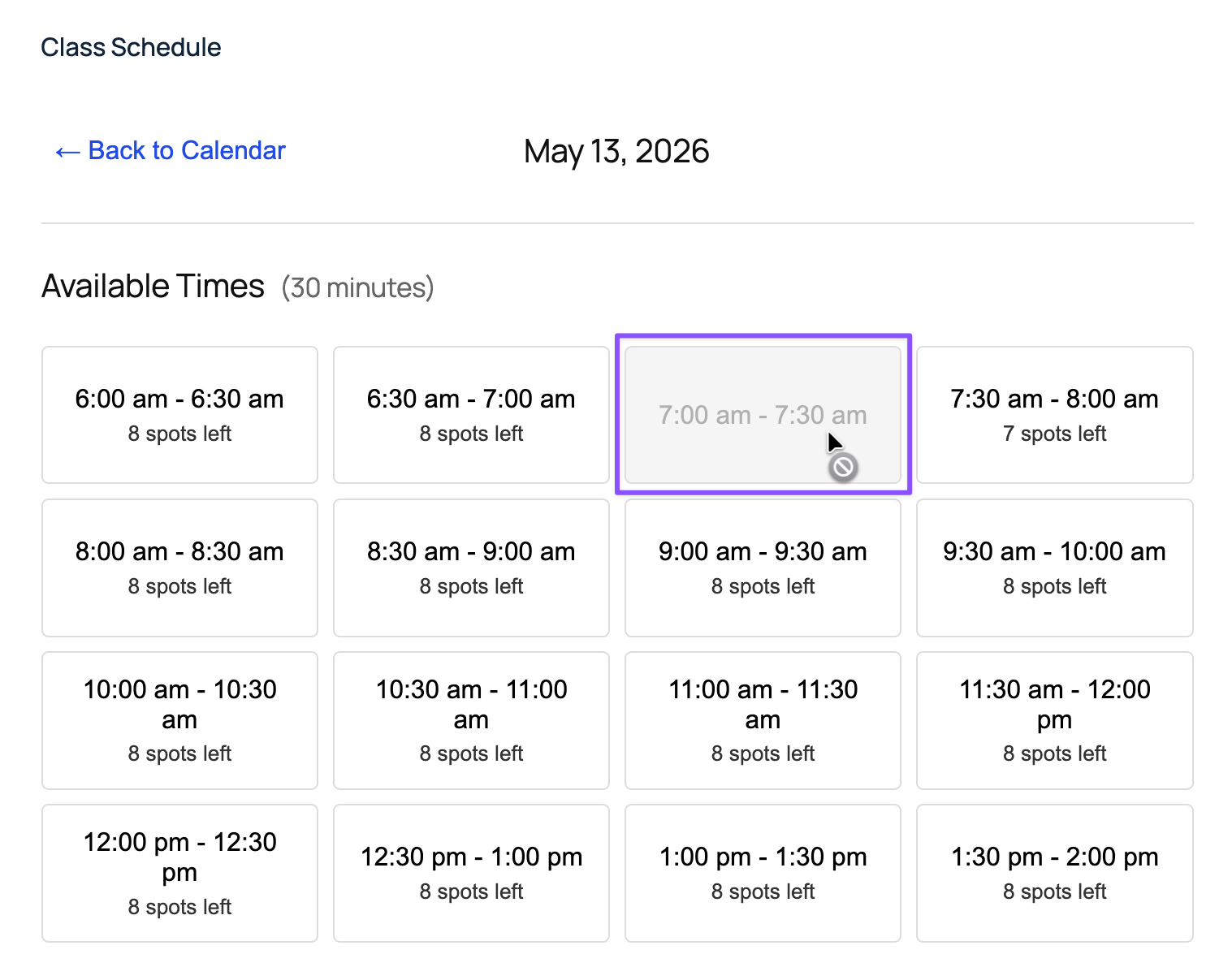
Every service in GP Bookings has a Capacity setting. When the limit is hit, that time slot closes automatically.
Pro Tip
Turn on “Show Spots Left” in your Booking Time field settings so members can see exactly how many spots remain before they book.
Got 8 spots in your HIIT class? Once the 8th person books, the slot goes unavailable. The next member just picks another time.
Wizard’s Note
Occupancy sets the max number of people allowed per booking (not the number of bookings per time slot). If you’re offering multiple groups per bookings, check out our guide on how occupancy works in a group booking setup.
Let Members Manage Their Own Bookings
GP Bookings lets you create a Booking Management Page where members can reschedule or cancel on their own. You set the cancellation deadline—after that, the window closes.
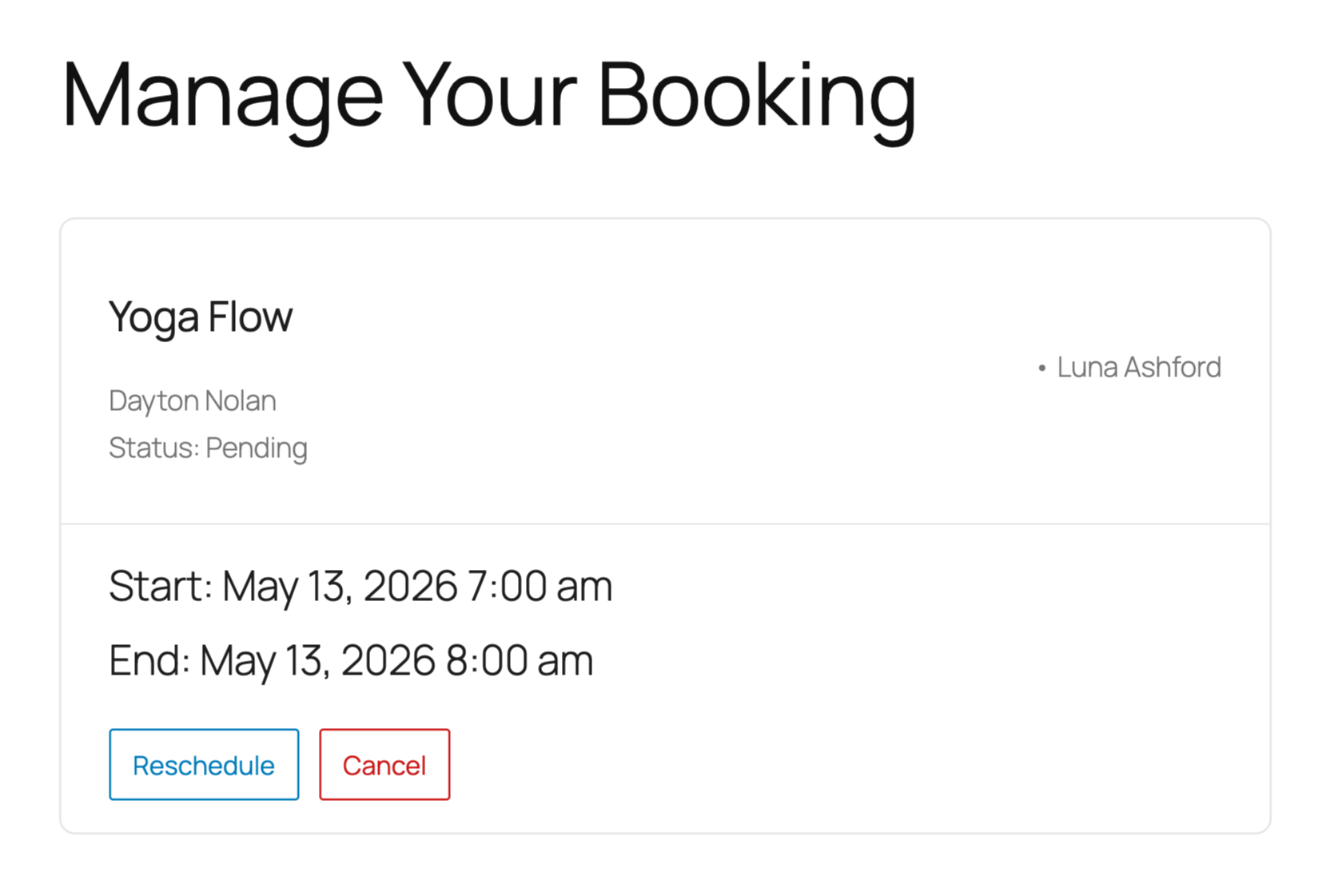
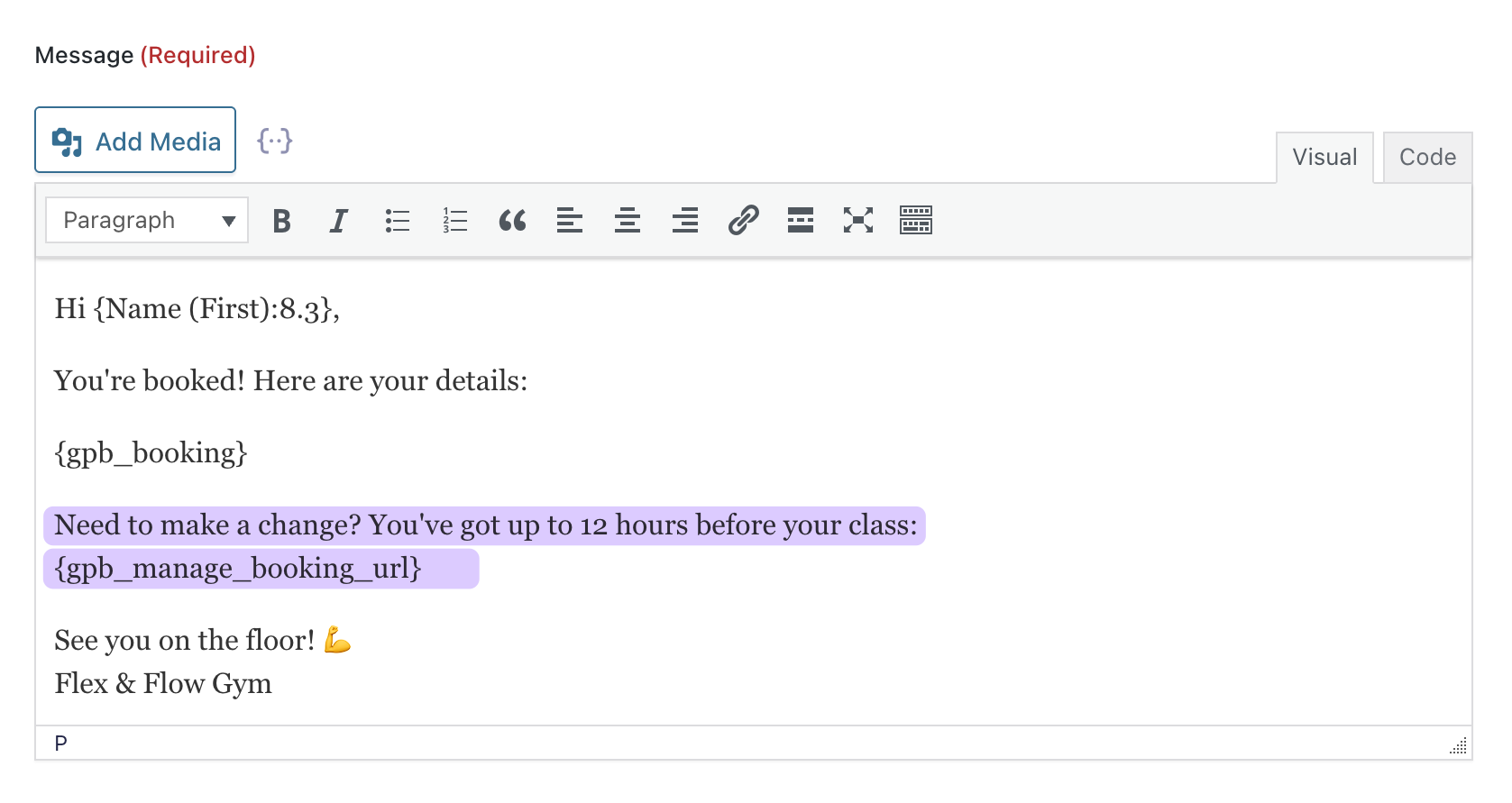
Drop the {gpb_manage_booking_url} merge tag into your confirmation emails and each member gets a unique link to their booking.
Pro Tip
Pair the {gpb_manage_booking_url} merge tag with a Booking Upcoming notification that goes out the day before class. Members get a reminder and a quick way to adjust if plans change.
Add Buffer Time Between Bookings
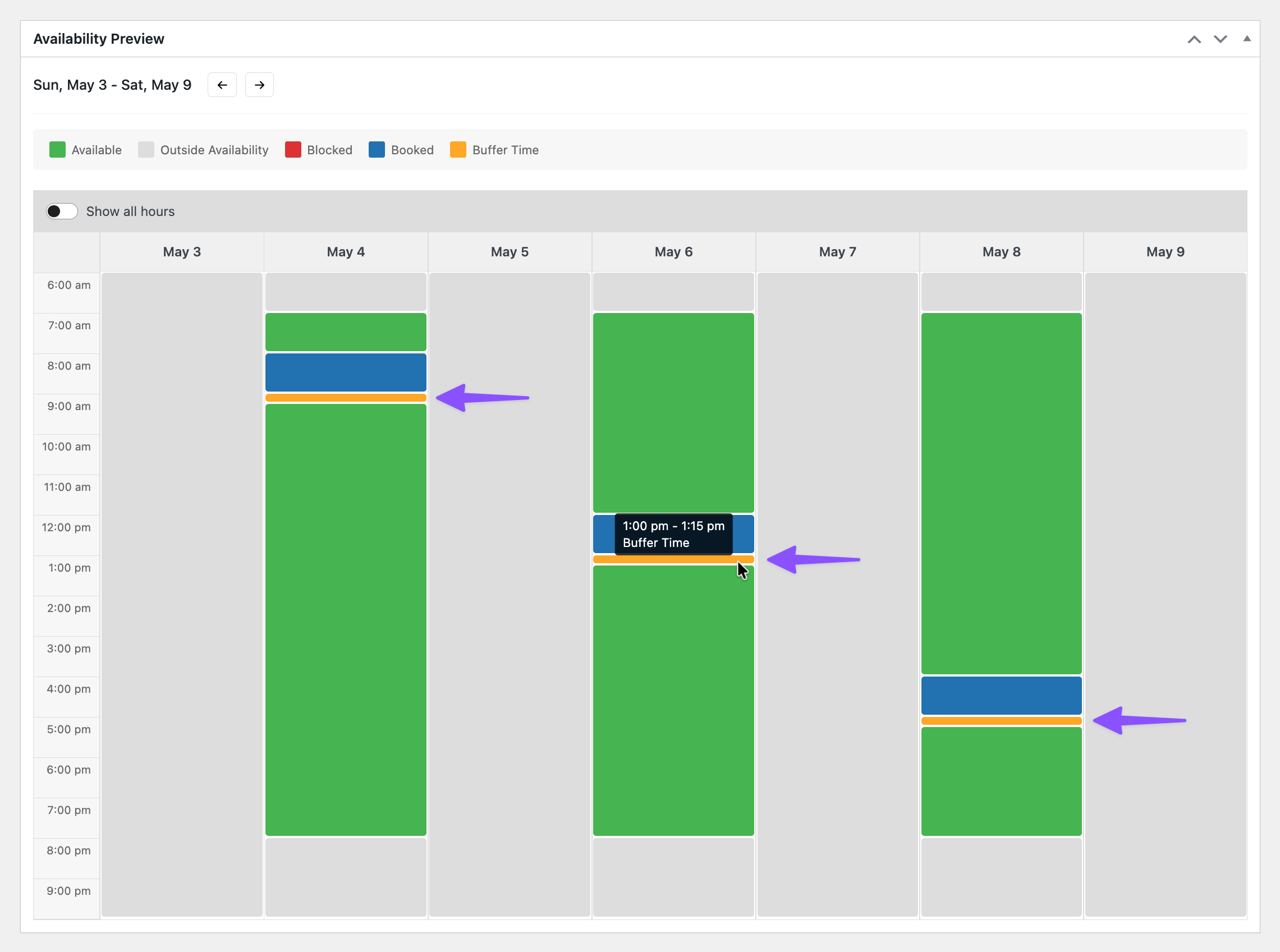
Every service in GP Bookings has a buffer setting. Set it once and the next booking can’t start until that window clears—before or after a session.
Adjust Pricing Based on Demand
GP Bookings lets you set pricing rules based on time of day, day of the week, or both. Rules stack, so you can layer as many conditions as you need.
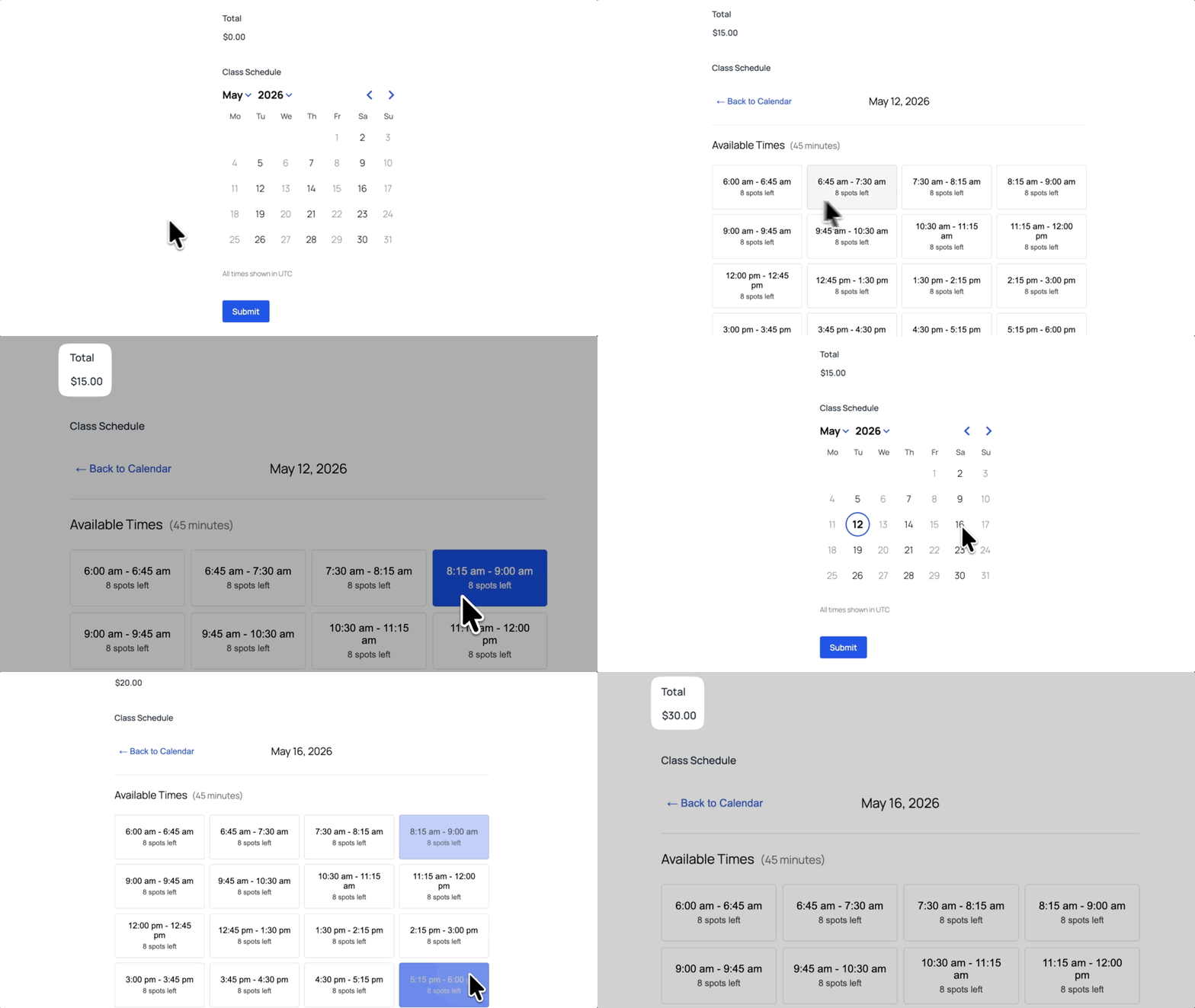
For gyms, that means a quiet weekday morning runs at base price, and a Saturday evening slot charges more automatically. Set the rules once and it runs itself.
Pro Tip
Blocks are the units of time your service is sold in. Set a 60-minute block size, and a two-hour booking automatically charges for two blocks.
Wizard’s Note
Pricing rules can also adjust prices by date range, not just time of day. This is handy for seasonal or limited-time pricing. Check out how date-based pricing works in a hotel example.
Let Your Forms Do the Reps 💪
GP Bookings does a lot on its own, but a few more perks from the Spellbook make it worth even more for gyms.
- GP Nested Forms lets each person in a group booking fill out their own info directly in the main form. For example, name, emergency contact, waiver, etc.
- You can also use Nested Forms to trigger quantity-based pricing discounts for group bookings.
- GP QR Code drops a unique check-in code into every confirmation email.
- Form Notices shows a scheduled message above your booking form for holiday hours or class cancellations, like “We’re closed on Thanksgiving. Classes resume
{next_weekday:l}.”
Want to see what else GP Bookings can handle? The full documentation breaks it all down.
Running something other than a gym? Drop a comment. We might cover yours next. 🧙