How to Archive Gravity Forms Entries Without Deleting Them

Archive Gravity Forms entries instead of deleting them. Move them out of your active list, then bring them back whenever you need them.

Not every Gravity Forms entry is ready to be deleted. Some have done their job but still hold information you may need later, like a job application or your team’s yearly reviews.
At Gravity Wiz, we’ve run into that ourselves. So, like the wizards we are, we built Entry Archive. It’s a free plugin that moves entries out of your active list without deleting them — and back in whenever you need them. 🗃️
What You’ll Need
- Gravity Forms (any license)
- Entry Archive, installed via Spellbook, Gravity Wiz’s free plugin manager
- To install: open Spellbook › search Entry Archive › click Install
How to Archive Gravity Forms Entries
Entry Archive doesn’t come with any settings to configure. You archive entries right from your form’s Entries page.
- Archive an Entry: Go to Forms › Entries and select your form. Hover over the entry and click Archive.
- Archive Multiple Entries at Once: Select the entries › choose Archive from Bulk Actions › click Apply.
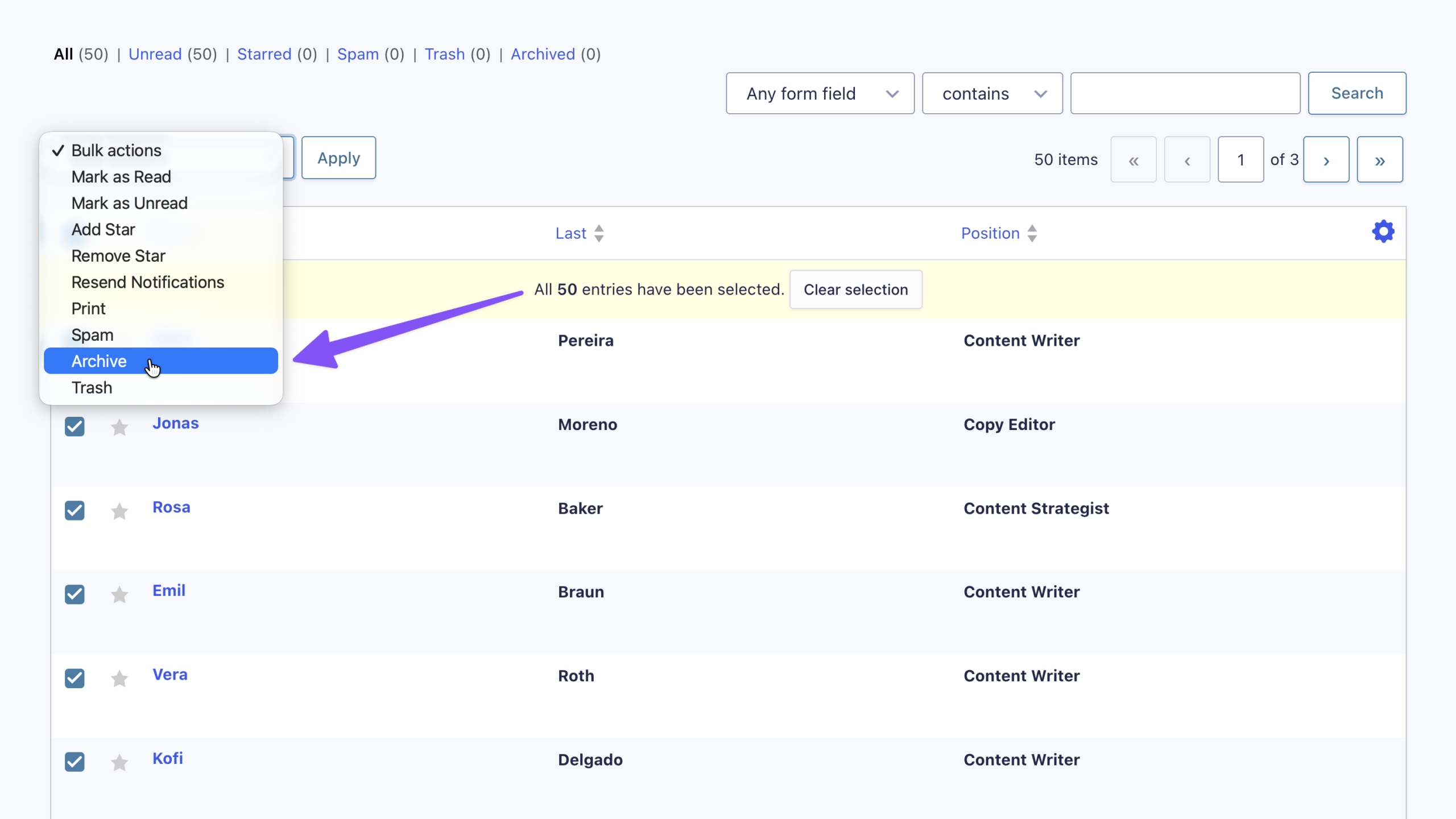
- Find Your Archived Entries: Open the Archived filter to view them.
How to Restore Archived Entries
- Restore an Entry: Open the Archived filter › hover over the entry › click Unarchive.
- Restore Multiple Entries at Once: Select the entries › choose Unarchive from Bulk Actions › click Apply.
Note
Deactivating Entry Archive hides archived entries until you reactivate it. Uninstalling it from Forms › Settings › Uninstall restores them to your active list.
Pro Tip
Don’t need to keep an entry at all? Disable Entry Creation can automatically delete it once processing is complete. You can also use it with conditional logic to choose which entries are kept.
Key Takeaways
- Entry Archive moves Gravity Forms entries out of your active list without deleting them.
- Archived entries live in the Archived filter and can be restored one at a time or in bulk.
- Deactivating Entry Archive keeps archived entries hidden, while uninstalling it restores them to your active list.
So, which entries are you ready to send to the archives? 🗂️