GWW 326: Scroll Call

Generate an image from an image with GC OpenAI. Plus, a school registration flow that saves returning families a ton of retyping, three fresh snippets, and a Question of the Week.
Greetings, wizards!
First, a quick heads up: no weekly next week — we’re heading off to DC for some good old fashioned team building, monument exploring, scooter riding FUN. 🛴
Before we scoot: OpenAI can now generate an image from an image, Cory Robbins built a registration flow that saves returning families a small mountain of retyping, and I’ve got three snippets from the library to share.
And don’t skim past the Question of the Week! It’s been a minute, and I really do want your answer. 🙏
Top Picks: Product Updates
GC OpenAI
✦ Enhance your forms with the magic of AI — text, images, audio, and more!
The OpenAI Image field has a new Source Image setting, which means you can generate an image from an image — one your user just uploaded or one already sitting in your Media Library.
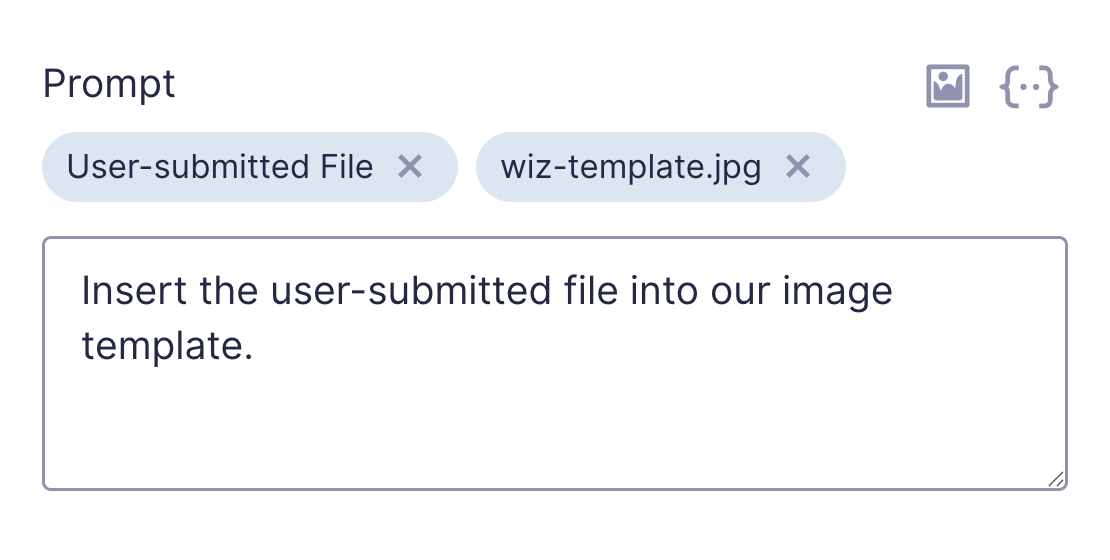
Restyle a submitted photo, drop a product shot into a new scene, turn a headshot into something a little more wizardly. 🎨
GP Limit Dates
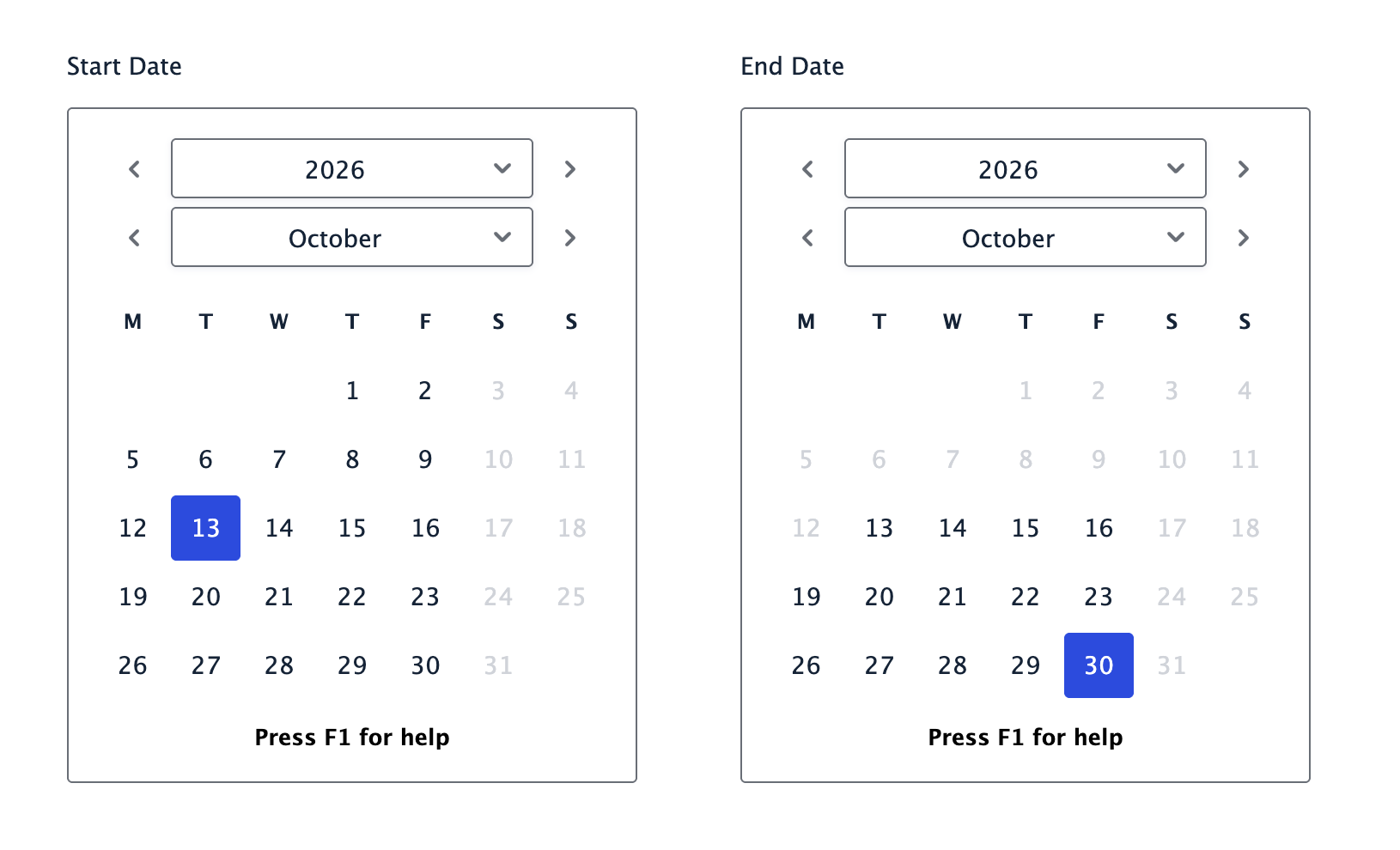
✦ Restrict Date fields by date ranges, days of the week, or linked fields.
If you’re on Gravity Forms 3.0, Limit Dates is now completely free of the old jQuery Datepicker. We’d already updated the standard Date field to use Gravity Forms’ new WhatSock datepicker, but inline date pickers were the last holdout. Now they use it too. 📆
GP Terms of Service
✦ Add terms to your form and require users to scroll before agreeing.
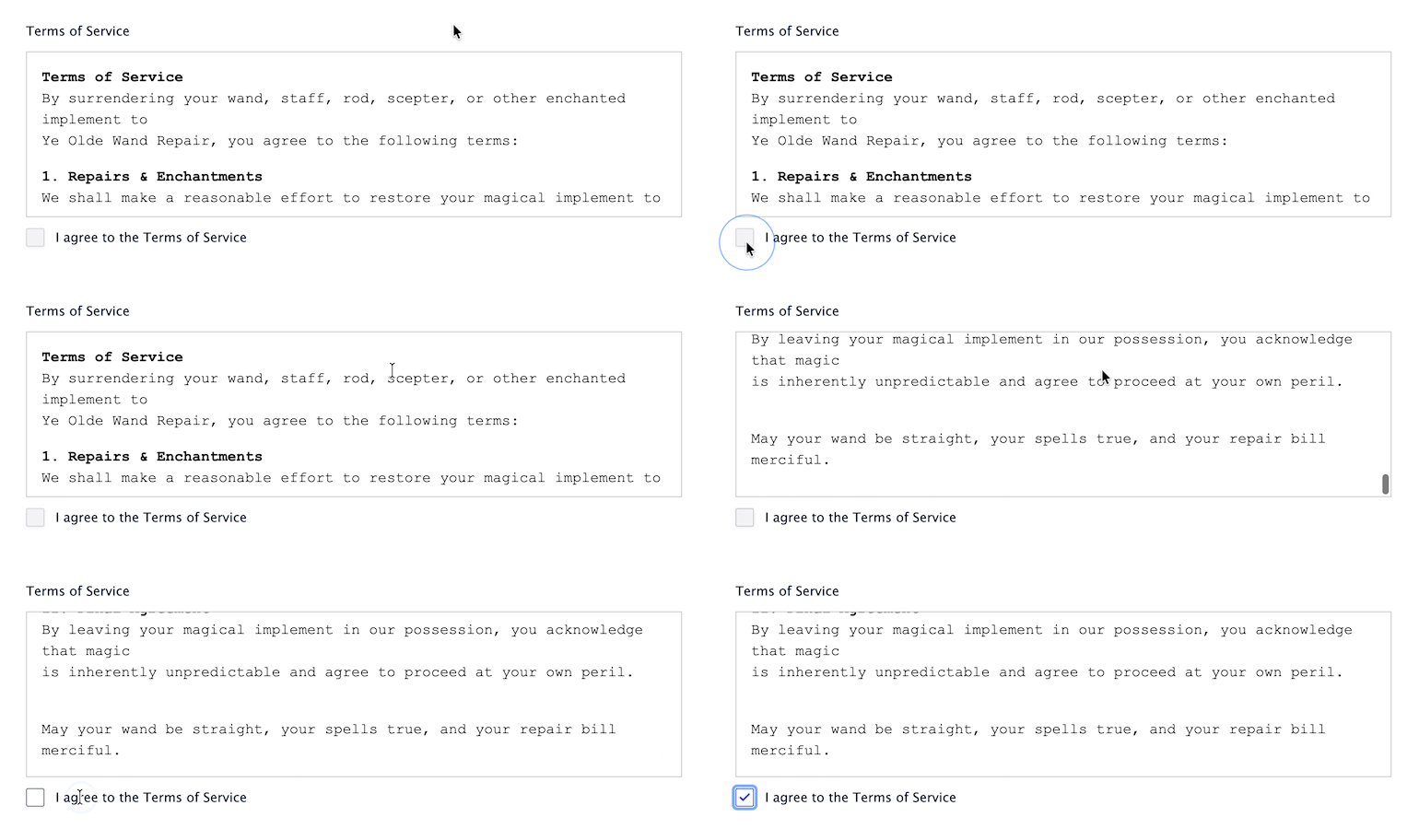
We fixed a bug with Require Full Scroll this week, which is a great excuse to talk about Require Full Scroll. If you can’t tell, I love excuses to talk about our products. 🤭
Switch it on and the agreement checkbox stays locked until the user has actually scrolled to the end of your terms — no more checking “I agree” from the top of a 4,000-word document nobody laid eyes on. 📜
Spotlight: Simplifying Student Registration with Gravity Forms
Returning families shouldn’t have to retype info the school already has.
So Cory Robbins at West Fork Schools built a smarter registration flow with Gravity Forms and Populate Anything. That setup pulls current student data from the school’s student information system and puts it right into the registration form — ready for parents to review.
A smoother way to come back each year. 📝
Question: Are you using Gravity MCP yet?
Whoa! We haven’t done a Question of the Week in a hot minute. But I gotta ask…
Are you using Gravity MCP yet?
Just click the answer that fits best. We’ll share the results next week — er, the week after next. 😅
How To: Embed Images in Your Notifications
Can’t believe I’ve never shared this one in the weekly. We touched up the underlying snippet this week, and it reminded me how useful it is.
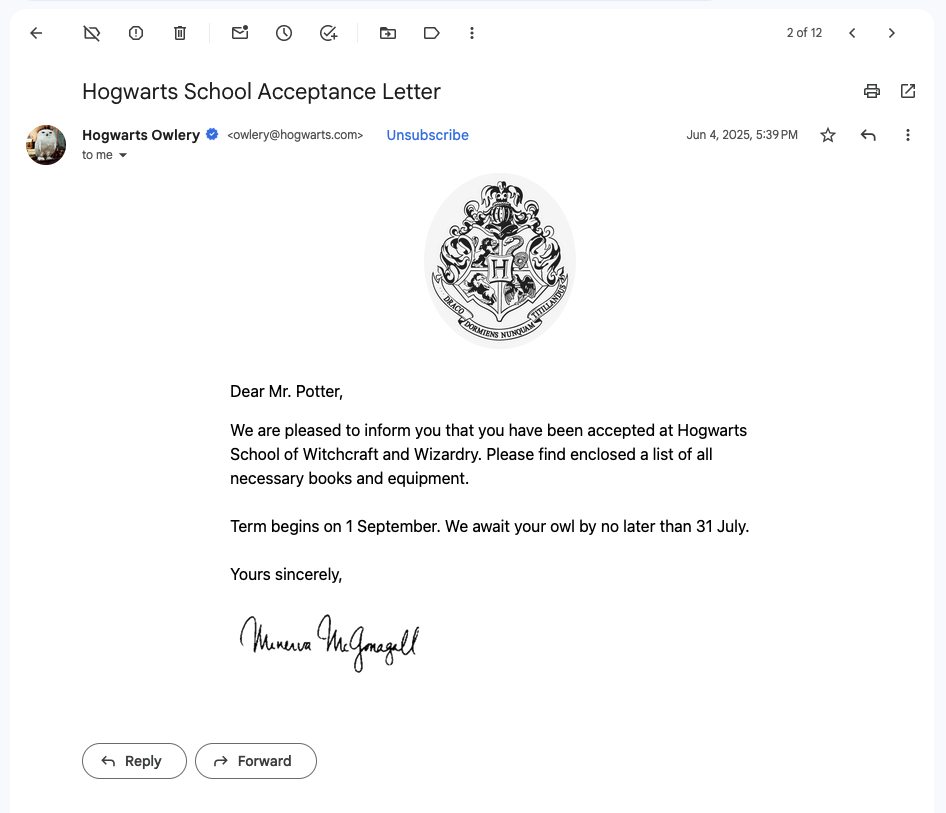
Here’s why you’d want it: plenty of email clients block remote images by default, so your logo, your header, the photo you actually needed them to see — all gray boxes until someone clicks “load images.” Embedding the images directly in the email with a CID handler fixes that, and Dani walks you through it. 🖼️
✦ Sorcerous Snippets
We add new snippets (and updates) to our Snippet Library every week — ready-made solutions that often beat prompting AI, or give you a solid head start on your next vibe-coded build.
—
GP Bookings: Filter Resource Fields by Resource Type
Limits individual Resource fields to configured Resource Types when the connected Service field uses Manual Selection.
GP Email Validator: Allow Invalid Submissions
Let submissions through even when an email fails validation, while still recording the validation result on the entry. Handy when you’d rather capture a lead with a questionable email than lose it outright — or when you’re rolling validation out on a live form and want to see what it would have blocked before you start blocking.
GP Limit Submissions: Limit by Paid Entries Only
Count only paid entries toward your submission limits, so someone whose payment failed can come back and try again instead of being locked out.
Product Updates
Gravity Perks
GP Advanced Calculations (v2.0.6)
- Fixed initial calculations using GP eCommerce Fields merge tags.
GP Advanced Phone Field (v1.1.13)
- Fixed an issue where autofill on iPhones was skipping the Phone field when progressing through a form with GP Advanced Phone Field.
GP Advanced Save & Continue (v1.0.40)
- Fixed an issue where draft Nested Form entries could be incorrectly attached to another entry on a Gravity Flow Workflow step.
GP Bookings (v1.0.5)
- Fixed duplicate Booking Confirmed notifications after payment.
- Fixed issue where a booking’s occupancy was dropped when a multi-page form changed page, pricing the booking without it and leaving the Total short.
- Fixed issue where superseded price requests could overwrite the latest booking price.
- Fixed issue where one Booking field’s price calculation cancelled another’s on the same form, leaving that booking’s price at zero and the Total short.
- Fixed issue where the Next button on a multi-page form stayed clickable while a booking’s price was being calculated, carrying a stale total to the following page.
- Fixed issue where the Booking field’s calculated price was dropped when a form was re-rendered, leaving the Total short and failing its validation on submit.
- Fixed issue where a Resource field lost its selection when a form was re-rendered after a page change or a validation error.
- Fixed issue where a manually selected resource was dropped from the Booking Time calendar’s availability check when an automatic Resource field preceded it.
- Fixed issue where a Resource field filtered by Resource Type did not apply its resource’s unavailability windows to the Booking Time calendar.
- Fixed issue where all-day services with resources did not correctly gray out dates in the Booking Time field when confirmed bookings existed.
- Fixed issue where deleted calendar connections and trashed or deleted services and resources left scheduled calendar sync actions running indefinitely.
- Fixed issue where the available booking times kept the previous service’s duration after changing the selected service.
GP Conditional Pricing (v2.0.32)
- Fixed an issue where GP Conditional Pricing could cause GP Populate Anything-populated product choices to be reset to $0.
- Fixed an issue where coupons could not be removed and Stripe fields were unresponsive when GPCP was enabled.
GP eCommerce Fields (v1.2.44)
- Fixed issue where the {subtotal} merge tag could resolve to 0 in a calculation on form render with Gravity Forms 3.0.
GP File Upload Pro (v1.5.15)
- Fixed an issue where some image uploads could fail silently and not be saved to the entry.
GP Limit Dates (v1.1.41)
- Updated the Inline Date Picker to use Gravity Forms 3.0’s WhatSock datepicker.
GP Media Library (v1.2.41)
- Fixed an issue where files uploaded to the media library are not deleted when their associated entry is permanently removed.
GP Page Transitions (v1.0.50)
- Fixed an issue where the Gravity Forms 3.0+ date picker was being cut off when used with GP Page Transitions.
- Fixed Form Progression automatically advancing when GP Conditional Pricing updates a Product Radio Button field.
GP Populate Anything (v2.1.76)
- Added “Menu Order” property to the Post object type.
- Added support for taxonomy Term Names when using the
is inconditional logic operator (in addition to Term IDs). - Fixed an issue where GP Populate Anything could cause a fatal error when viewing Gravity Flow approval steps with product calculation fields.
- Fixed an issue where merge tags for dynamically populated fields output the value instead of the label in Gravity Flow Workflow Steps.
- Fixed an issue where GPPA batch hydration requests could get stuck in a loading/navigation state when requests fail or are superseded.
- Fixed Field Value Object population when a source value contains special character like &.
- Fixed deprecation notices being triggered by GPPA when used with Gravity Forms 3.0+.
- Fixed an issue where Live Merge Tags did not work when referencing a Date field that had a default value set.
- Fixed an issue where GPPA Field Value Object population did not work correctly on multi-page forms when conditional logic was applied to the Next button.
GP Popups (v1.0.20)
- Fixed an issue where touch input could trigger mouse proximity preloading and prevent popups from opening on the first tap.
GP Terms of Service (v1.4.10)
- Fixed an issue where multi-page navigation, particularly with AJAX enabled, became progressively slower on forms with multiple Terms of Service fields using “Require Full Scroll”.
Gravity Connect
GC OpenAI (v1.1.2)
- Added a Source Image setting to the OpenAI Image field, allowing an image to be generated from an uploaded or Media Library image.
- Fixed issue where GPT-4o and GPT-5.2 were incorrectly listed as deprecated and hidden from the model list.
Free Plugins
GF Dev Tools (v1.0.12)
- Fixed plugin activation/deactivation notices not displaying consistently across WordPress and Gravity Forms admin pages.