GWW 305: Dogfood Season

Back from PressConf 2026, Camelback conquered! Plus, fresh Popups & Bookings updates, how to build a conditional pricing form, and a handful of new snippets.
Greetings, wizards!
I missed y’all last week while I was off connecting with a delightful collection of WordPress peers at PressConf. Great conference, even better people. 👌
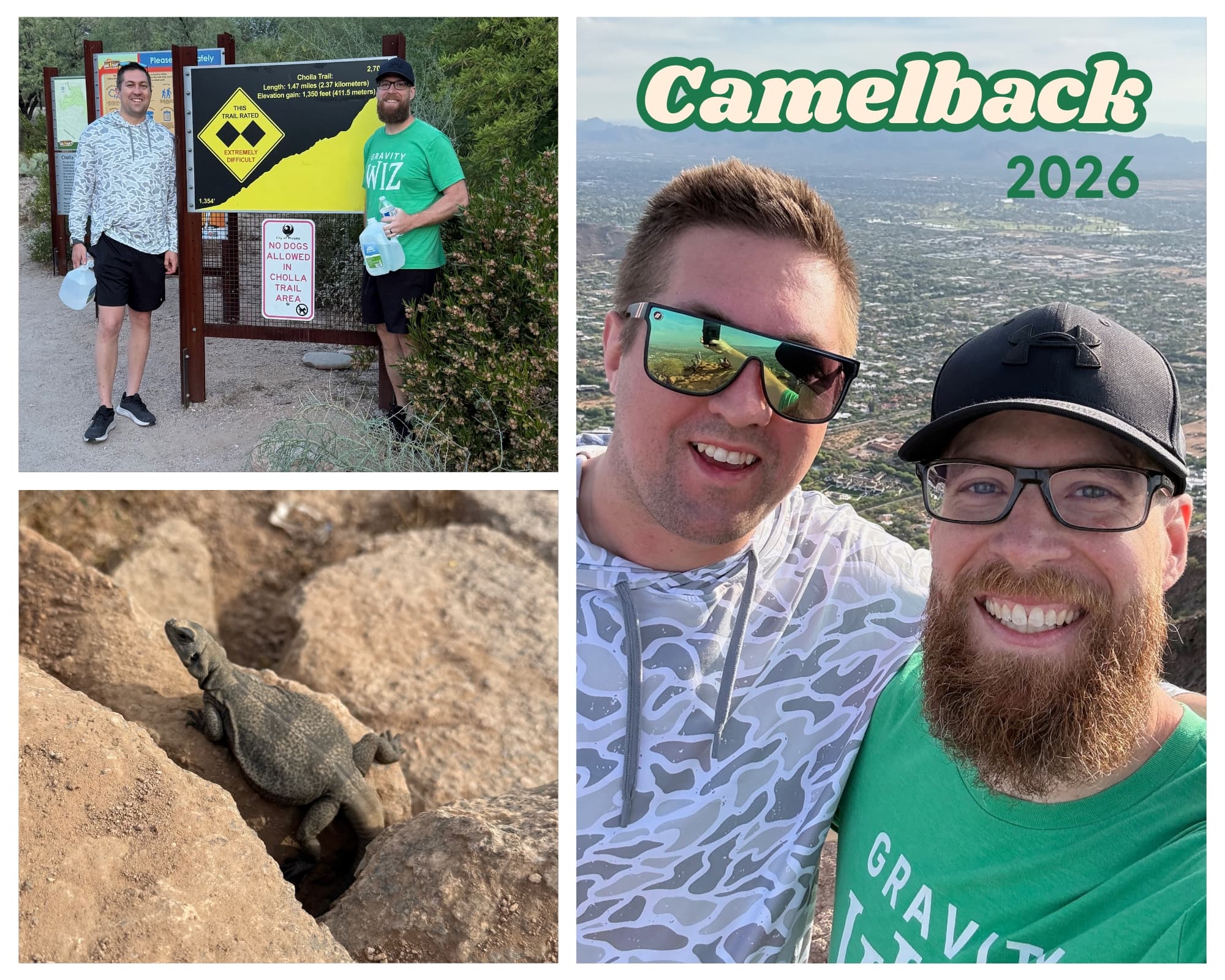
While we were in Phoenix, Clay and I made a point to trek back to the top of Camelback Mountain. It’s a tradition that started back when I attended PressNomics each year during my Rocketgenius days. This was the first time we made it to the top as partners — hit different. 🫂
GP Popups: Transparent backgrounds + formless popups
✦ Turn your forms into smart, targeted popups.
There’s only one thing we’re eating these days at Gravity Wiz. Our own dogfood. 🐶
Both of this week’s GP Popups highlights originated from the new “See Pricing” button on the GS Product Configurator product page. Previously, we had a little pricing widget in the sidebar. It was just too easy to overlook, and the low conversion rates confirmed our suspicions.
Click “See Pricing” and a tasty pricing table popup appears — made possible by two clutch improvements in GP Popups.
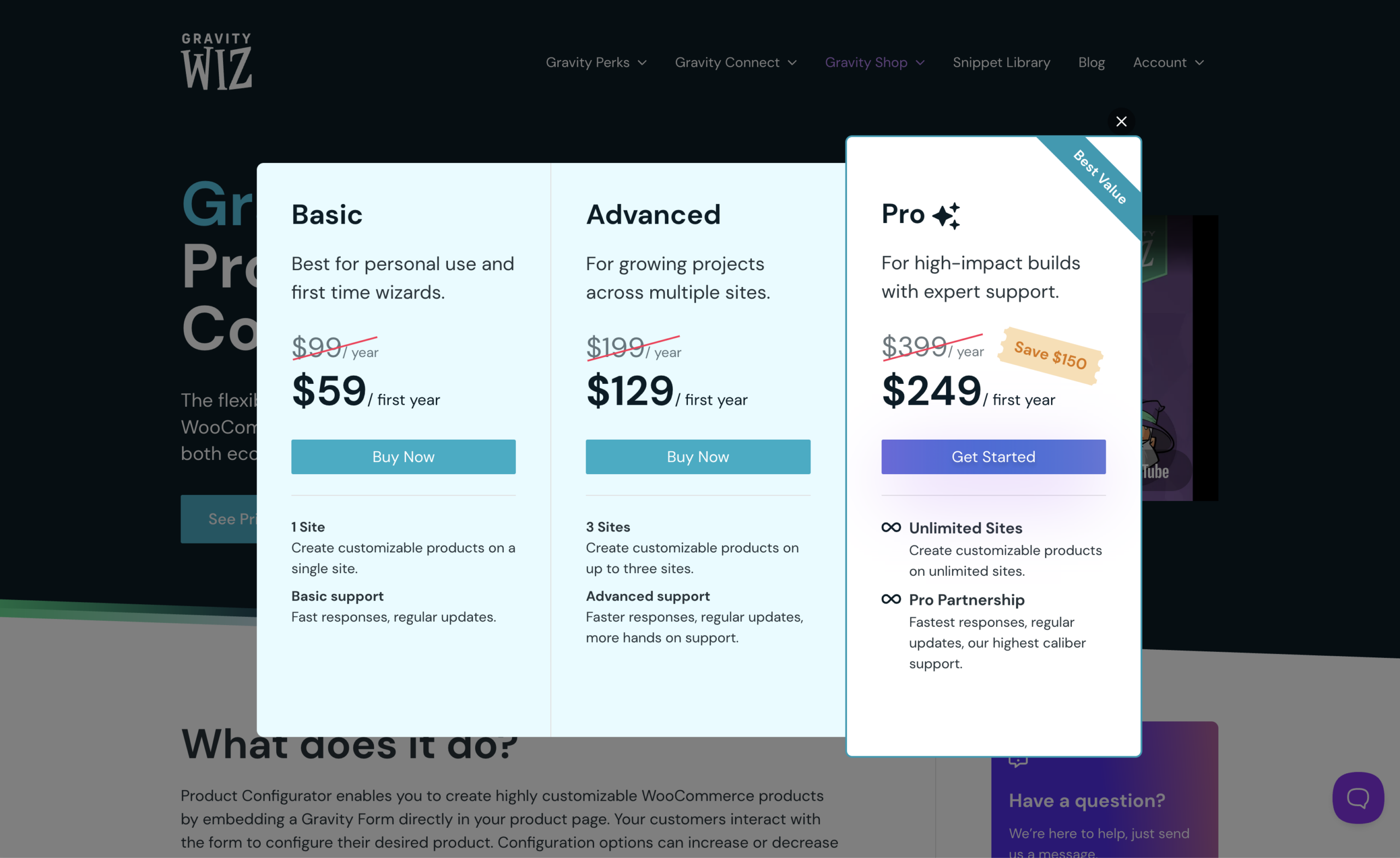
Transparent Backgrounds: We added a new setting under the Appearance tab that will make Popups entirely transparent, allowing for more styling possibilities!
Form-free Popups: The new “No Form (Custom Content Only)” option allows you to create popups that don’t include a form at all. This was perfect for our pricing table!
GP Bookings: Dynamic, flexible, integrated, beautiful
✦ Turn Gravity Forms into your complete WordPress booking platform.
I couldn’t come up with a better headline so I just added an adjective that best summarized each of this week’s highlighted updates for GP Bookings (GPB). 😄
Dynamic Population: You can now dynamically populate Service fields. Very helpful if you’re linking to your booking field from a service-specific context (e.g., a landing page for a specific type of service).
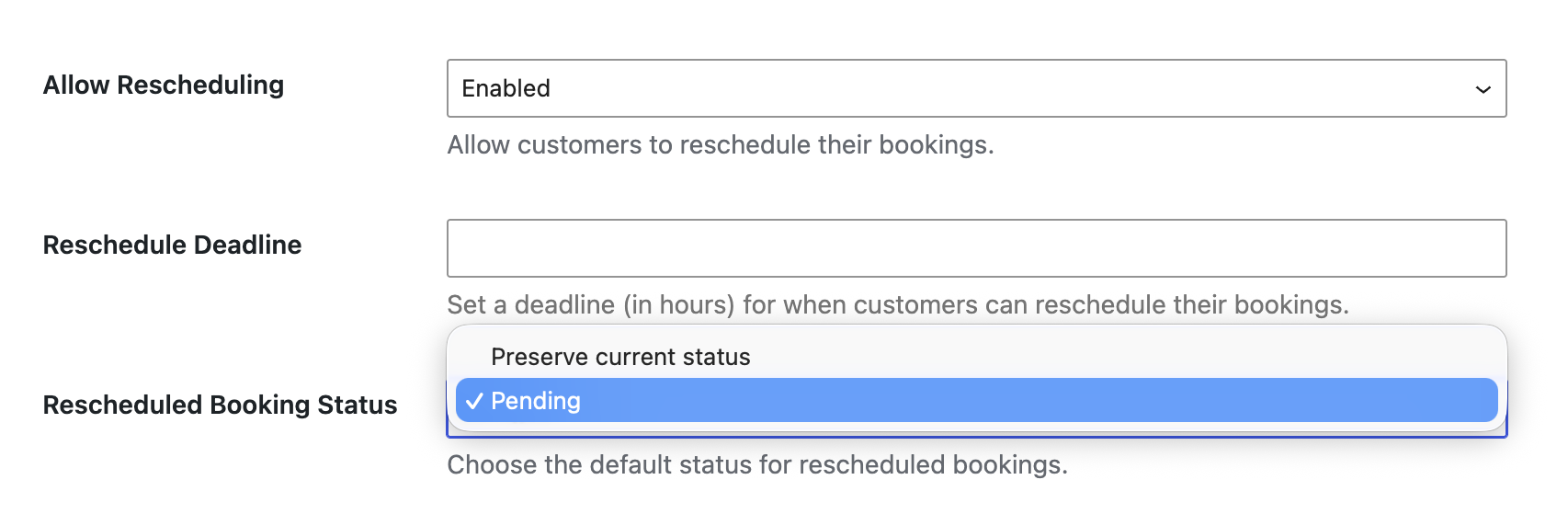
Rescheduled Booking Status: The status of rescheduled bookings can now be set via a setting of the same name. Defaults to “Preserve current status” but can be configured to set the booking status to pending, giving you the opportunity to re-confirm the booking’s new time.
Auto List Field Integration: Occupancy fields can now be configured as triggers for GP Auto List Field, automatically expanding the number of rows in a List field based on the number of occupants in a booking. Handy!
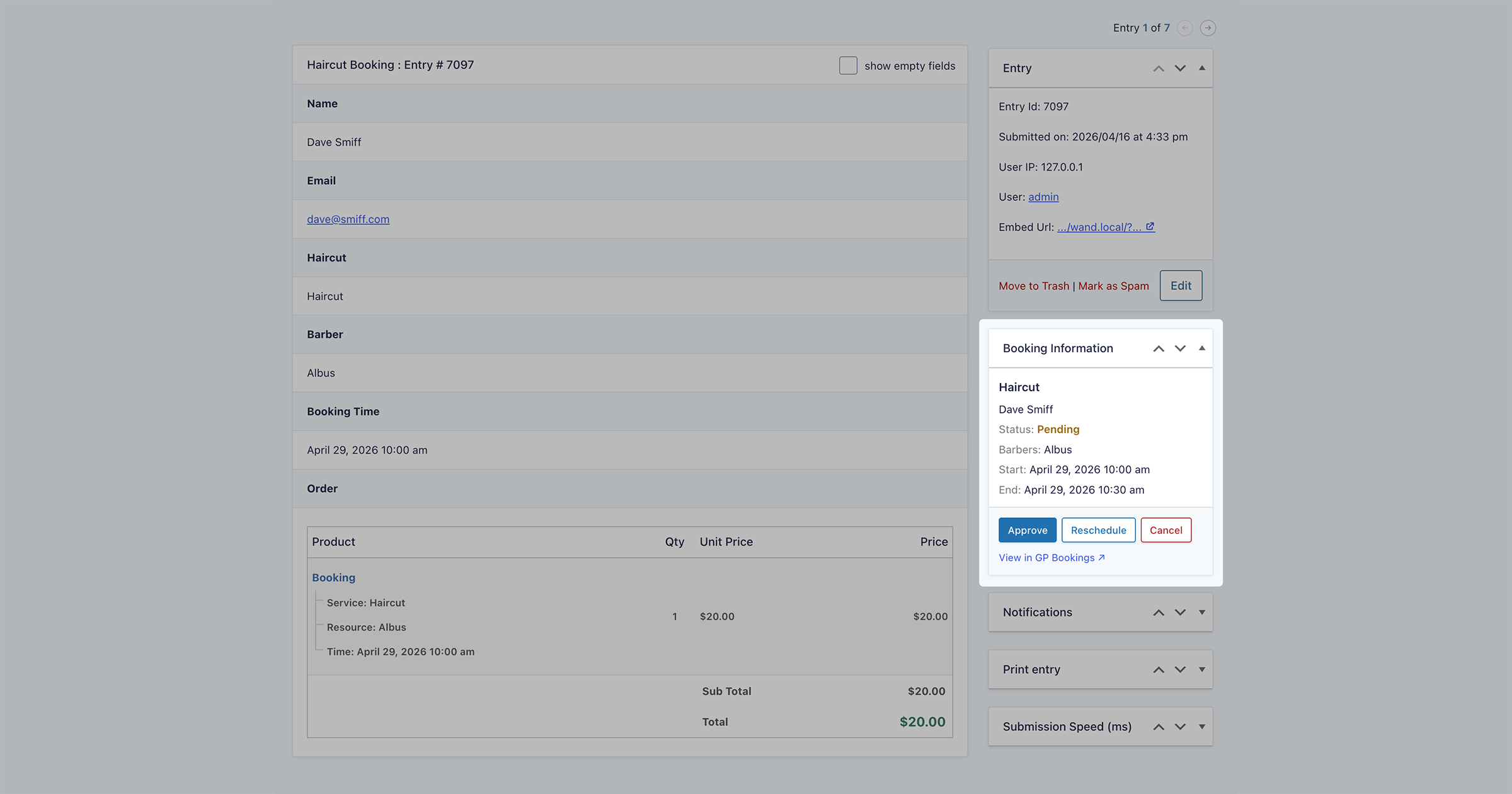
Booking Information Overhaul: The Booking Information meta box got a full facelift — cleaner design and action buttons right in the Entry Detail view.
If you’re not booking with GPB, it’s high time you booked a date with this beast of a bookings solution.
Spotlight: Building a Registration Form with Conditional Pricing
Jesper Dinesen of Engine had a client running an annual conference with a pricing structure so detailed it lived in a spreadsheet. Members, non-members, group sizes, and more had to be manually wrangled by someone every single year.
So Jesper combined GP Nested Forms and GP Conditional Pricing to build a registration form that just… handles it. Attendees show up, add their group, check out, and the right price figures itself out. One less spreadsheet. One less headache.
Magical Mentions
- Query Monitor 4 is out. Did you know GF Dev Tools can capture GF logs directly in Query Monitor so you don’t have to go back and forth from the frontend to the backend? 🪵
- Complex Notification Routing: Our friend Gui wrote another banger plugin that makes importing complex notification routing from CSV, XLSX, or Google Sheets (integrated with our GC Google Sheets connection) a breeze. 🪁
- The Acronym Game: Ok, I can’t resist a little teaser for those of you who read every little nugget of this newsletter. Here are the acronyms for all the new products we’re planning to release this quarter: GFA, GPACL, GFSH, GCZ, GFEA. 😉
Sorcerous Snippets
Three brand new snippets to help you squeeze every drop of usefulness out of your Spellbook.
Feed Forge | Auto-Queue Nested Forms Child Entries: When using Feed Forge to bulk-process parent entries, this snippet automatically queues each parent’s Nested Forms child entries immediately after, preserving parent→child ordering — critical for integrations like Google Sheets where row sequence matters.
GC Google Calendar | Create Recurring Events: Extends GC Google Calendar to support recurring events by injecting standard RRULE recurrence rules (e.g. weekly, monthly, with count or until limits) into events created or updated by a specific feed.
GP Bookings | Dynamic Capacity by Time of Day: Allows booking capacity to vary by time range, day of week, and optional date window — so you can, for example, accept 4 bookings per slot on weekdays but only 2 on weekends, or apply reduced capacity during a specific seasonal date range.
Product Updates
Gravity Perks
GP Bookings (1.0-beta-2.2)
- Added support for using dynamic population with Service fields.
- Added “Rescheduled Booking Status” setting to control status of rescheduled bookings.
- Added
gpb_block_sizefilter hook enabling dynamic block sizes depending on dates. - Added support for using Occupancy fields as GP Auto List Field Trigger Fields.
- Updated entry detail Booking Information metabox with new design and action buttons.
- Improved booking history to show date ranges for multi-day bookings instead of only the start dates.
- Fixed issue with unsaved changes warnings showing too frequently when editing Services and Resources.
- Fixed the Default Value setting for Resource field not working as expected.
- Fixed issue where Google Calendar Working Location events blocked availability.
GP Populate Anything (v2.1.66)
- Updated Spellbook bootstrap.
- Fixed an issue where PHP autoloading would sometimes register
gp_populate_anything()twice and throw a fatal error.
GP Popups (v1.0.13)
- Added new “Transparent Background” setting under the Appearance tab that makes Popups entirely transparent, allowing for more styling possibilities!
- Added support for creating popups without associated forms.
GP Sliders (v1.0.4)
- Updated Spellbook bootstrap.
Gravity Connect
GC Google Calendar (v1.0.2)
- Updated Spellbook bootstrap.
Gravity Shop
GS Product Configurator (1.0-beta-2.53)
- Updated Spellbook bootstrap.
- Fixed a conflict with GP Bookings that caused PHP warnings when adding products to the cart.
Free Plugins
GF Code Chest (v1.0.11)
- Updated Spellbook bootstrap.
GF Feed Forge (v1.1.16)
- Updated Spellbook bootstrap.
Spellbook (v3.0.22)
- Fixed an issue where installing or uninstalling plugins in Spellbook on multisite installations could trigger fatal errors.