Spotlight: Building a Self-Service Directory with Gravity Forms

Julian Connett ditched pre-built WordPress directory themes and built his own from scratch using Gravity Perks. The best part? It’s fully managed by its users.

Spotlight Function
Self-Service Directory
Julian Connett, Co-founder & CEO of The Allied Health Hub, was building Local Therapist Directory, a WordPress-based therapist directory, when he faced a familiar question — start with a pre-built theme, or build something from scratch?
WordPress themes can be a great starting point, but they don’t always grow as your build does. Take it from Julian:
“We burnt through two dedicated ‘Directory Themes’ before circling back to building a custom one on our framework from scratch. Mostly due to these ‘set and forget’ themes lacking custom functionality, proper SE [search engine] implementation and poor performance.
Going custom gave him the room to build exactly that, with Gravity Perks helping him pull it together. Let’s dig in.
How the self-serve directory works
Julian’s directory is built around two types of therapists.
- For those already out there, their business info is often publicly listed, and Julian taps into that by scraping and importing their profiles from public sources, so their profile is already on the directory before they even know it exists — they just need to claim it.
- For those who aren’t in the directory yet, they can create a profile directly from scratch.
Either way, every therapist walks away with a profile that’s completely their own to manage.
Let’s walk through the claiming flow, from a therapist finding their profile to fully owning it, and how Julian used his Spellbook to make it happen.
Making sure the right user claims the right listing
Without a verification step, anyone could claim any listing. Julian needed a way to confirm ownership automatically, without his team having to manually check every time.
Populate Anything does the legwork: when a user enters their email into the claim form, it checks it against the email already on file for that listing. If the two match, the claim moves forward. If they don’t, the form stops them there.
Getting users signed up and logged in
Whether a therapist is claiming an existing profile or creating a new one, they still need to do two things: create an account on the directory and get logged in. Without the right setup, that usually means a separate registration page and a few extra steps in between.
The Gravity Forms User Registration Add-on takes care of the first part, creating their WordPress account as soon as they submit the claim form. Auto Login handles the second, logging them in automatically.
From there, Better User Activation brings them full circle, redirecting them straight back to the listing they just claimed, ready to take ownership of it.
Letting users manage their listing
The last piece of the puzzle is giving therapists control over their own listings, without ever needing to touch the backend.
Once logged in, Entry Blocks turns their listing into an editable interface right on the page, so therapists can update their info on the spot.
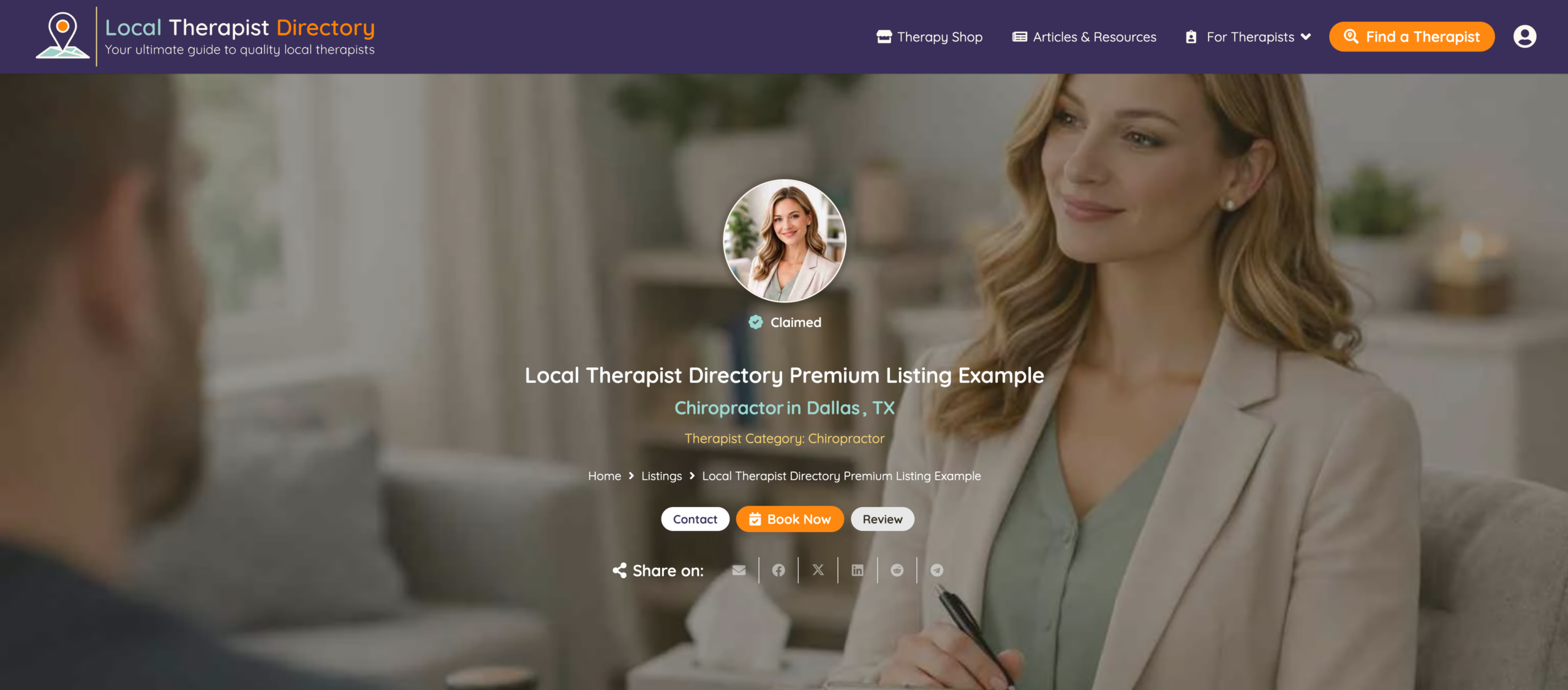
Seamless. One form, on their listing (accessible once claimed and verified) and the claiming/editing process takes 3 minutes. Without the need for hand holding or support.
Supporting spells
Julian added a handful of perks that kept the directory running smoothly behind the scenes.
- Email Validator catches bad email addresses before they enter the directory.
- Address Autocomplete fills in location details automatically as the user types.
- File Upload Pro and GP Media Library let users upload and manage their own profile photos.
- Multi-Page Navigation and Page Transitions keep the multi-step claim flow feeling seamless from start to finish.
The experience could not be any different with Gravity Wiz. A true stand out in terms of standards, execution, knowledge and support.
The result: A directory that runs itself
Julian now has a directory that handles claims and lets therapists manage their own listings, largely on its own.
We got our first organic claim off just 130 clicks and a few weeks after indexation without the need for any support!
Julian built this for therapists, but the same setup could work for lawyers, real estate agents, local businesses, really any directory where the people listed in it take care of their own listings.
I wish I had a team like Gravity Wiz behind me in the earlier days. Would have made my life much easier. A+++ 5 Stars and then some!
A wizardly thanks to Julian for sharing this build and for showing us what a truly self-serve directory looks like. 🪄