

Getting Started
What Is Flowcrafter?
A visual workflow builder for Gravity Forms that connects triggers, decisions, waits, and actions on one canvas.
Flowcrafter is a visual workflow builder for Gravity Forms. It lets you connect a trigger to a series of steps, then see each execution of a workflow from start to finish.
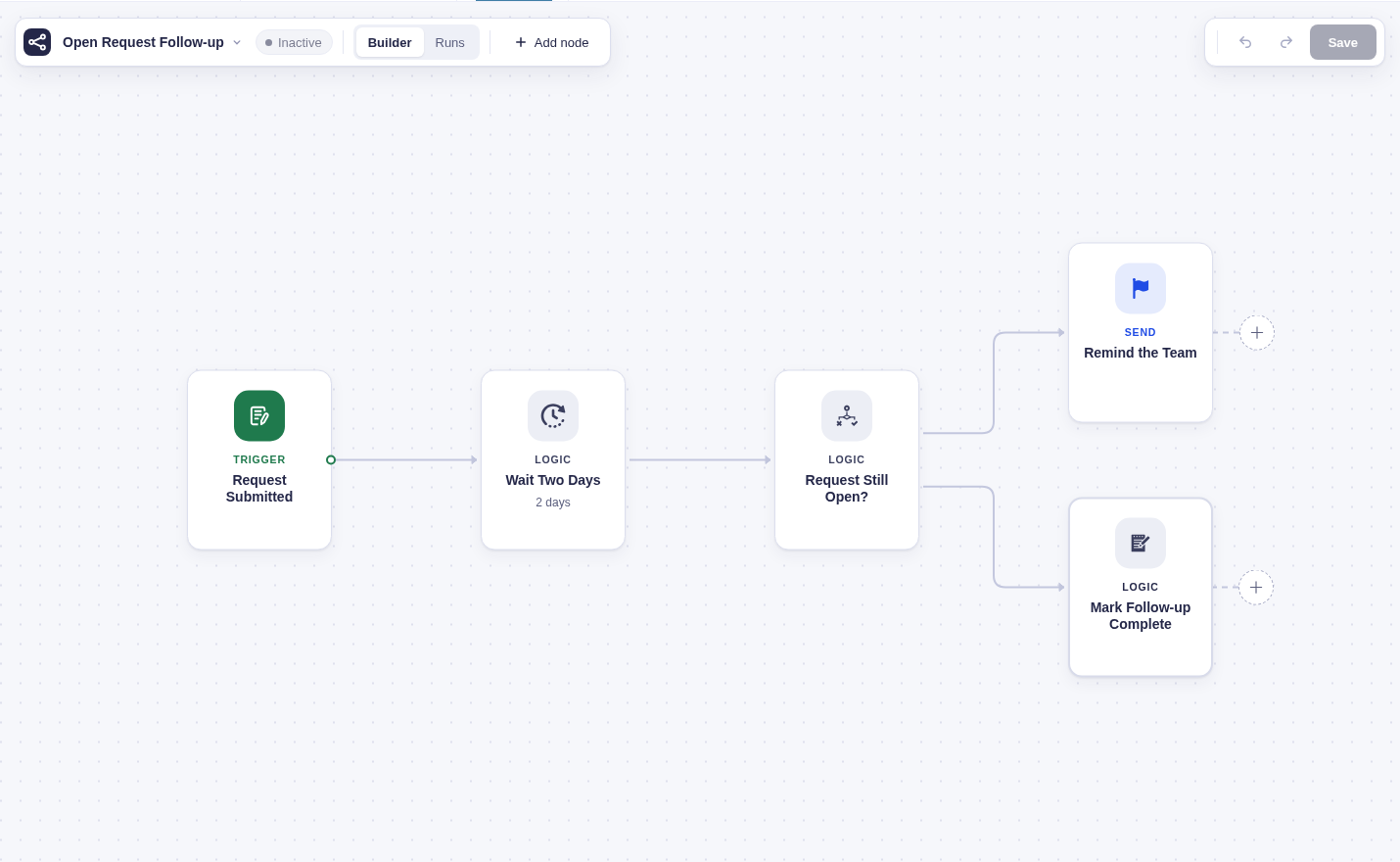
Use it when a form needs to do more than run several independent feeds at submission time. For example, a workflow can wait a day, check the entry’s current status, choose a path, and then send an email or run an existing feed.
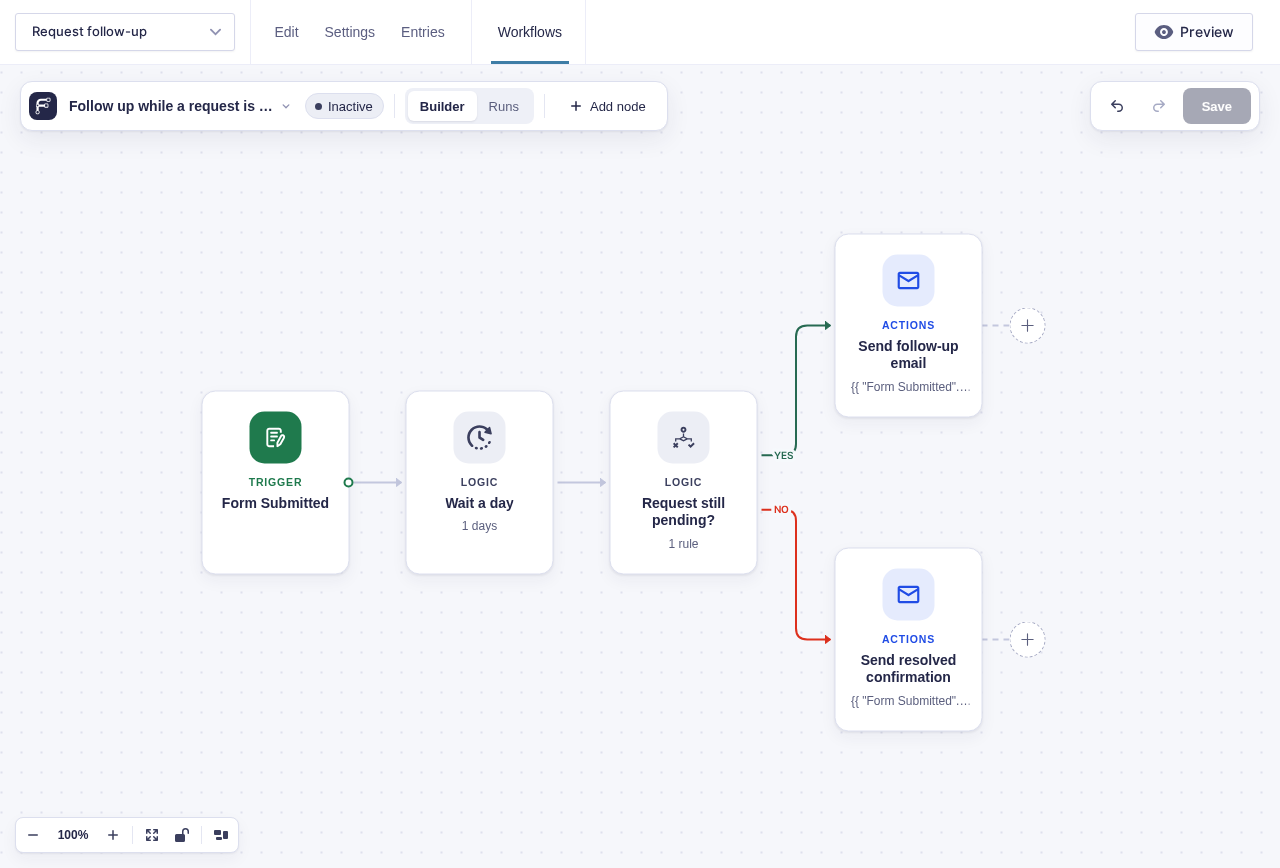
The basic idea
Section titled “The basic idea”A Flowcrafter workflow has three parts:
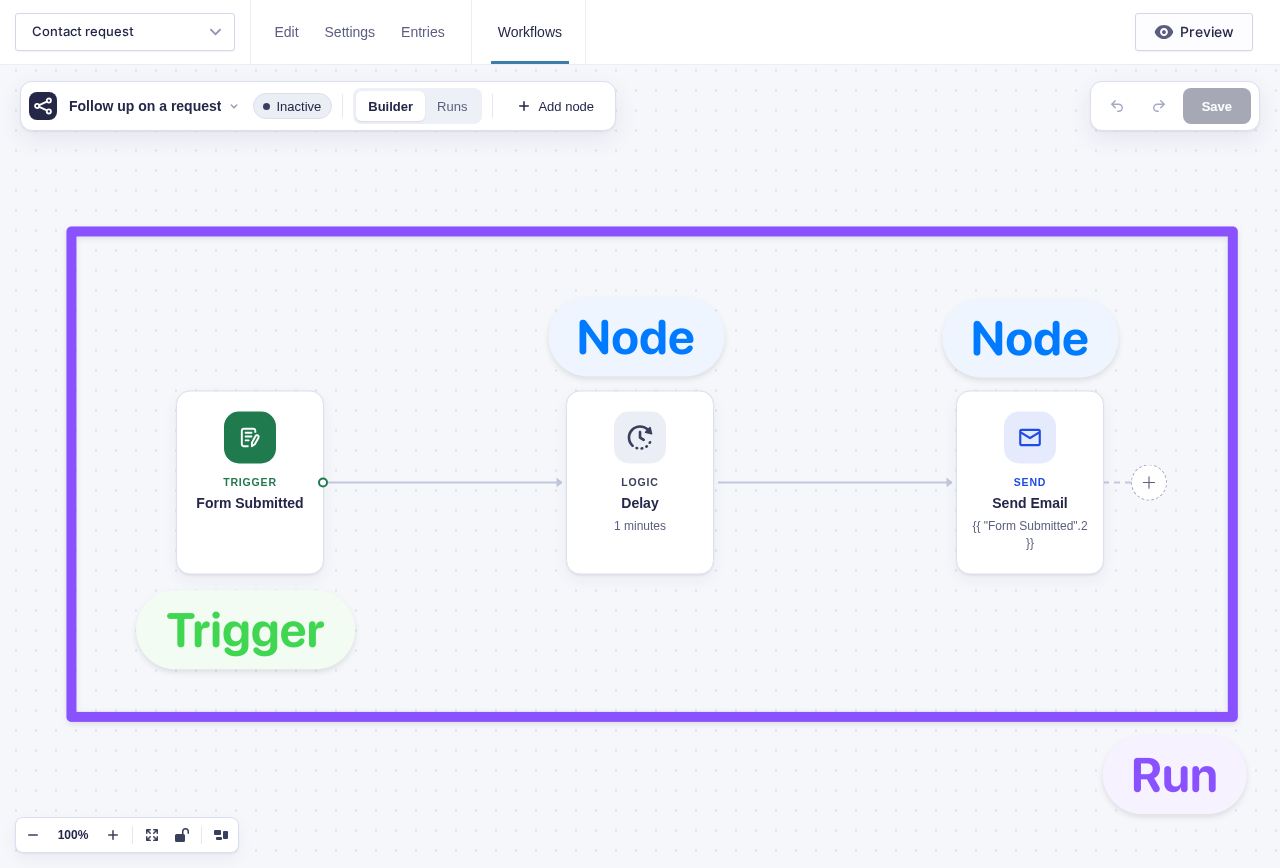
- A trigger decides when the workflow starts. It can be a form submission, schedule, incoming webhook, or manual start.
- Nodes are the connected steps that do the work. Nodes can update an entry, wait, make a decision, call an API, send a message, run a Gravity Forms feed, and more.
- A run is one execution of the workflow. Run history records the path taken and what happened at each node.
When Flowcrafter is useful
Section titled “When Flowcrafter is useful”| You need to… | Useful nodes or features |
|---|---|
| Follow up after a delay | Delay, Send Email, Send Notification |
| Choose what happens in different situations | Condition, Switch |
| Wait for a person or event | Wait for Approval, Wait for Payment, Wait for Form Submission |
| Update an entry as the workflow runs | Update Entry Field, Update Entry Status, Set Entry Meta |
| Find and act on multiple entries | Get Entries, Filter, For Each |
| Connect to another service | HTTP Request, Webhook Trigger |
| Run an existing feed at a specific point | GF Feed |
| Generate text or images | OpenAI Text, OpenAI Image (GC OpenAI) |
See the node reference for the full catalog.
How it fits with Gravity Forms
Section titled “How it fits with Gravity Forms”Flowcrafter does not replace forms, entries, notifications, or add-on feeds. It adds ordering and shared context around them — an “orchestration layer,” as we like to call it.
Read How Flowcrafter Extends Gravity Forms for a direct comparison.
Start here
Section titled “Start here”- Install and set up Flowcrafter.
- Build your first workflow.
- Use A Tour of the Builder to learn the controls.
- Read How Workflows Work before building longer or delayed workflows.