Logic
Switch
Route a run to the first matching set of conditions.
Switch lets you create cases with conditional logic, checks them as an ordered list, and follows exactly one branch. It stops at the first match; if none match, it uses Default.
When to use it
Section titled “When to use it”Use Switch instead of stacking several conditions when one value can lead to three or more outcomes, such as plan tier, region, or API status.
Settings
Section titled “Settings”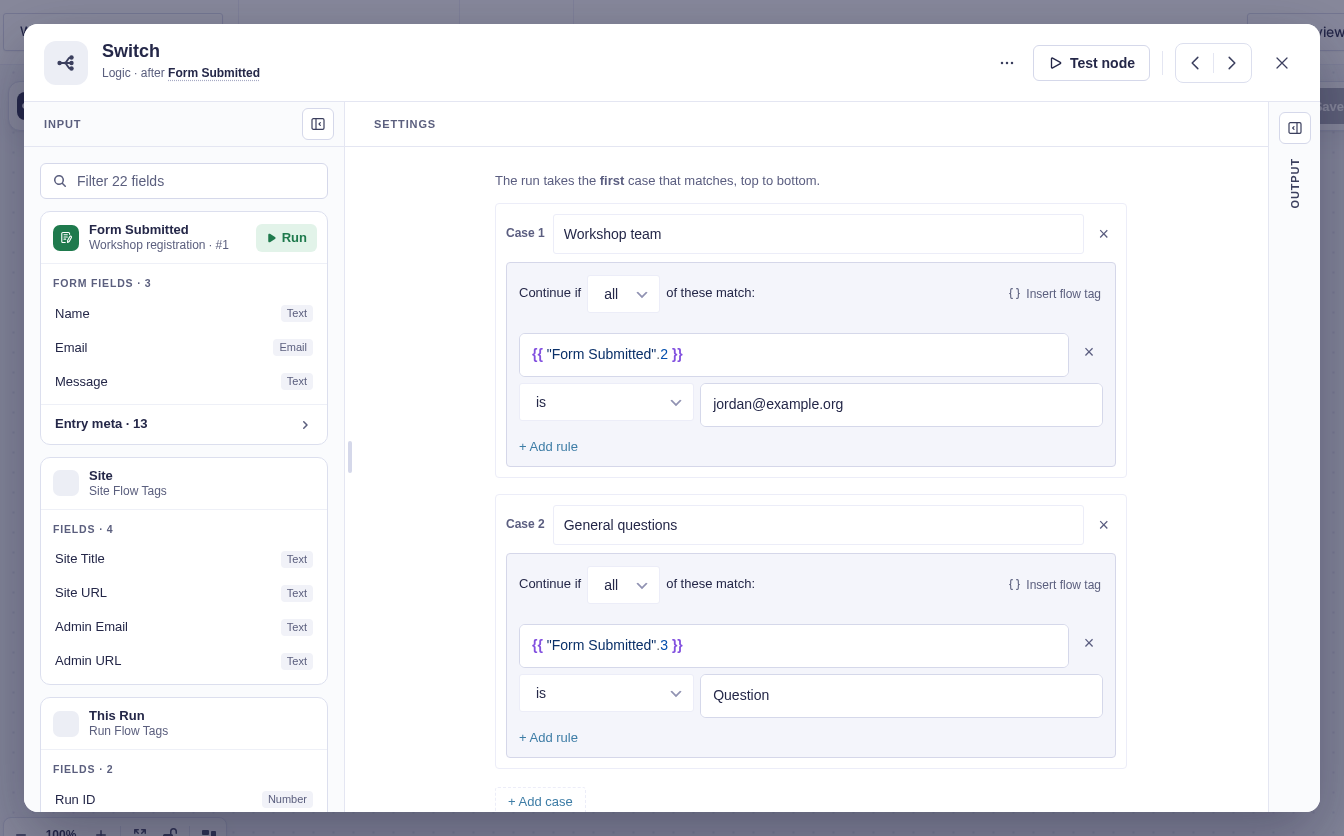
Add cases in the order they should be tested.
| Setting | What it controls |
|---|---|
| Label | Name shown on the case’s branch. A blank label falls back to Case N. |
| Conditions | Flow tag or literal comparisons for that case. Each case may require all rules or any rule. |
| Default | Permanent fallback used when no case matches. |
Output and branches
Section titled “Output and branches”Each case has its own branch. Only the chosen branch runs.
| Output | Meaning |
|---|---|
matched |
Internal branch ID, such as case_0 or default. |
matched_case |
Matching label, or Case N; null on Default. |
Good-to-knows
Section titled “Good-to-knows”- Order matters. Put narrow cases before broad ones.
- A case with no rules is treated as a match and prevents later cases from running.
- Cases compare upstream data; use Condition (entry) when you want a Gravity Forms field picker.
Example
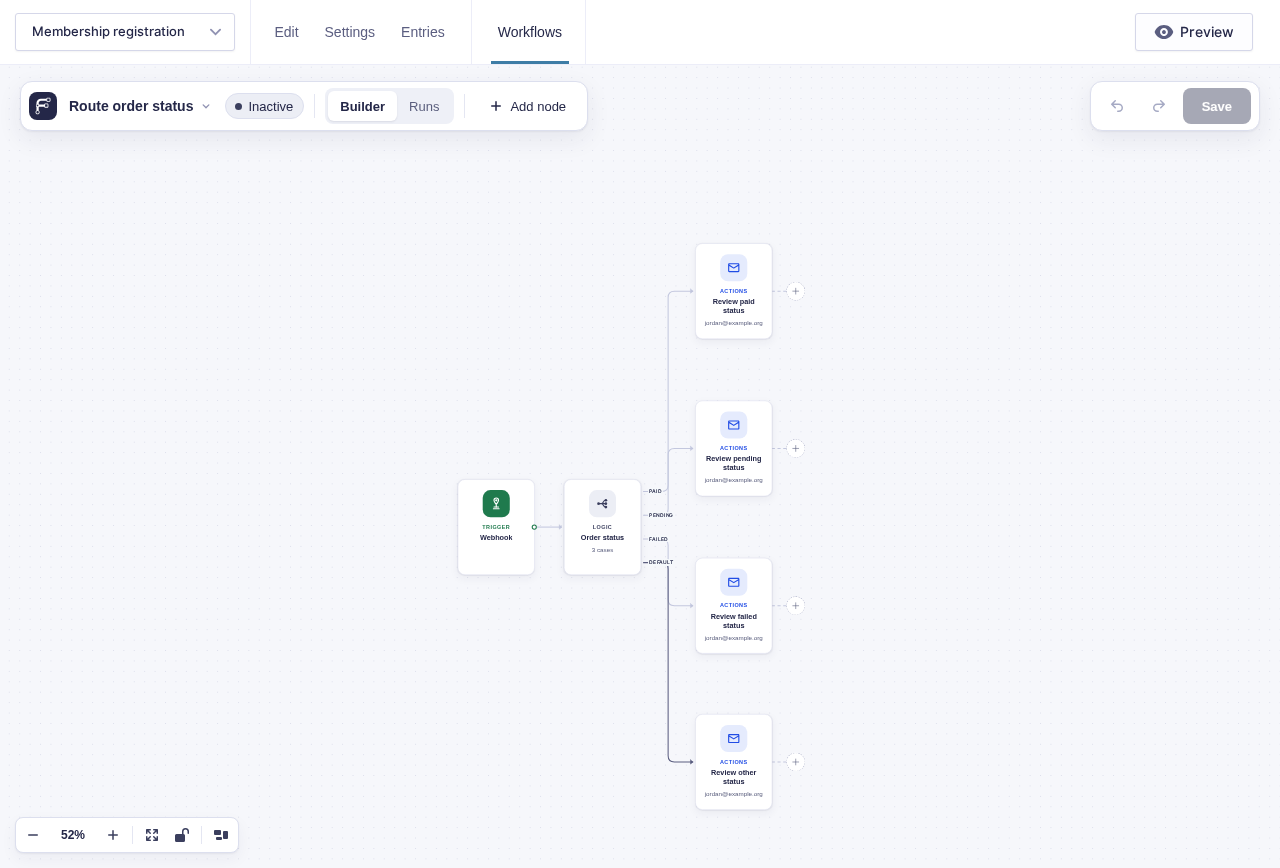
Section titled “Example”Route a webhook by its status field: add cases labeled Paid, Pending, and Failed, comparing the body status flow tag with paid, pending, and failed respectively. Connect each case to its own review email, and connect Default to a review email for unexpected statuses.