

Extending Flowcrafter
Extending Flowcrafter
The front door to Flowcrafter's extension API — the seams, the two registries, and how gating works.
Flowcrafter is a visual workflow builder for Gravity Forms, and almost everything it does is open to extension.
The whole surface hangs off a handful of WordPress hooks and one JavaScript global (window.flowcrafter). Attach your hooks at file-load time and your callbacks simply never fire when Flowcrafter is absent.
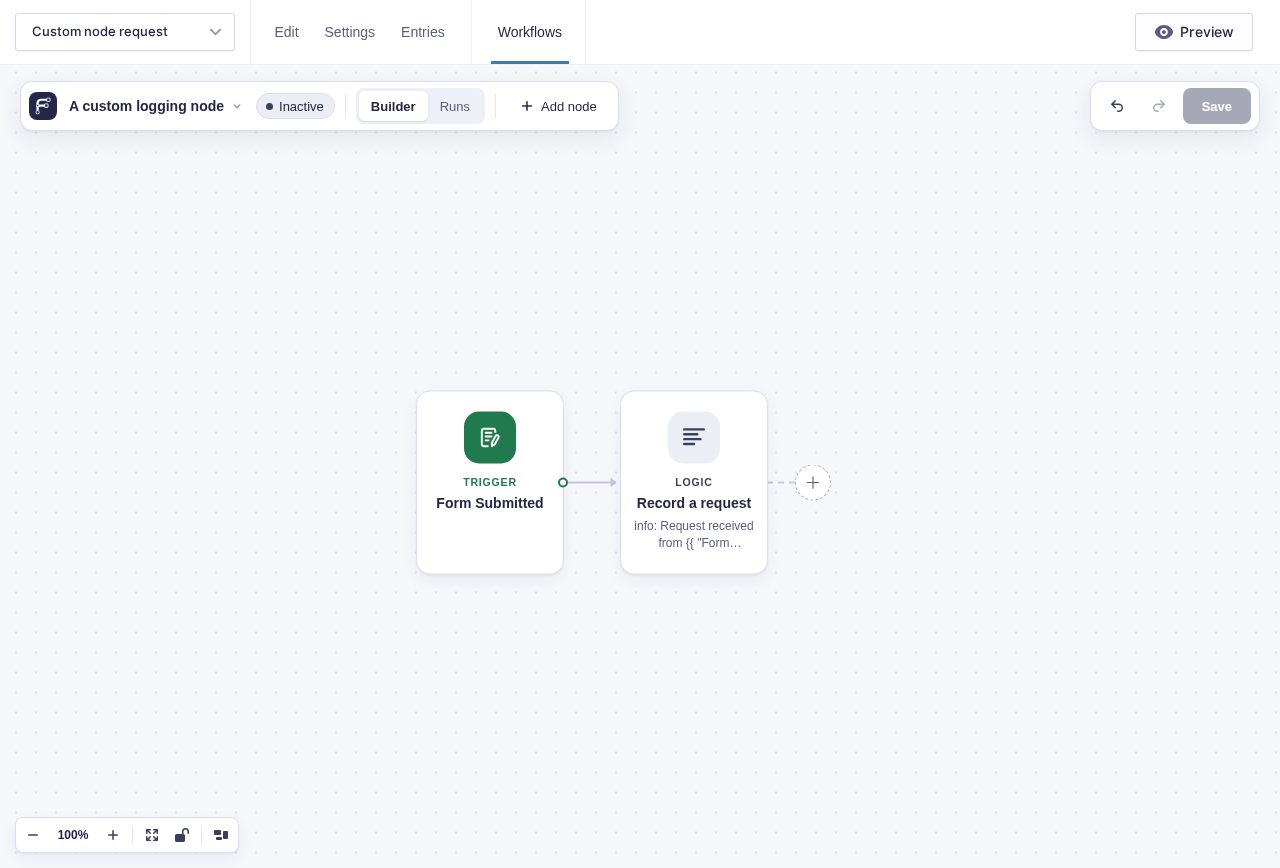
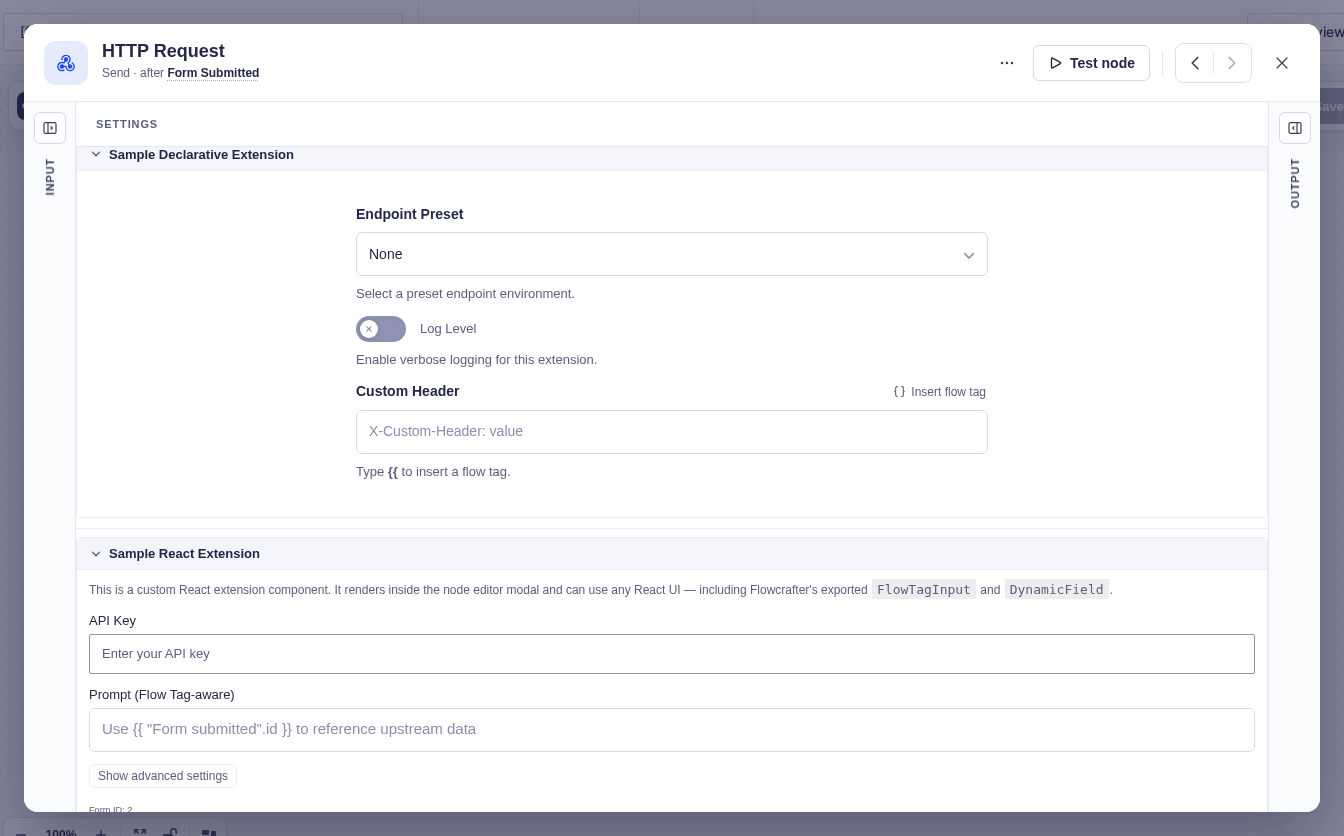
These reference samples show two different seams: a new node type on the canvas, and extra fields added to an existing node. They now live under docs/examples/extension-samples/ and are not loaded by core; the screenshots show them copied into a development integration plugin.
The seams
Section titled “The seams”Every way in is a hook or filter. The registration hooks each hand you the relevant registry class name as a string, and you call its static ::register().
| Seam | Hook | Type | When it fires | What you do |
|---|---|---|---|---|
| Add a new node type | flowcrafter_register_nodes |
action | During init, after core nodes register | $registry_class::register( 'MyNodeType', My_Handler::class ) |
| Advertise an offer on a built-in node | flowcrafter_register_node_extensions |
action | Right after flowcrafter_register_nodes |
$registry_class::register( 'HTTPRequestNode', 'my-slug', [ ...offer... ] ) |
| Activate an extension provider | flowcrafter_register_node_extension_providers |
action | Right after the offers hook | $registry_class::register( new My_Provider() ) |
| Register a template / recipe | flowcrafter_templates |
filter | When the templates list is read | Return $templates with your recipe appended |
| Enqueue a builder bundle | flowcrafter_editor_scripts |
action | After the builder script is enqueued | wp_enqueue_script() depending on flowcrafter-editor |
| Advertise a locked node in the picker | flowcrafter_advertised_node_types |
filter | On the node-types discovery call | Return $advertised with a locked node row (push only while your plugin is inactive) |
| Add capability strings for a node | flowcrafter_node_capabilities |
filter | When node capabilities are gathered | Return $caps with custom strings |
| Feed-addon compatibility opt-in | flowcrafter_addon_is_compatible |
filter | Feed discovery | Return a bool for whether a GF feed add-on works as a feed node (payment add-ons default to false) |
| Add builder localize data | flowcrafter_editor_localize_data |
filter | When the builder JS global is built | Add data (e.g. node icons) to the flowcrafterEditor global |
The three registration actions fire in a fixed order, and each passes you a class name:
do_action( 'flowcrafter_register_nodes', Flowcrafter\Node_Registry::class );do_action( 'flowcrafter_register_node_extensions', Node_Extension_Registry::class );do_action( 'flowcrafter_register_node_extension_providers', Node_Extension_Provider_Registry::class );Beyond these builder-time seams, there’s a family of per-node execution filters named flowcrafter_node_{node_type}_{event} that fire during a run — the place to change what a node actually does at runtime (replace an HTTP request, swap out an entry query, override a condition’s yes/no). Those live with the execution model.
Some of them let an extension take over a node’s work: flowcrafter_node_http_request_node_request adopts your HTTP request in place of the one the node built, and flowcrafter_node_get_entries_node_entry_ids and flowcrafter_node_get_entries_node_entries supply a Get Entries node’s matches instead of its built-in query.
Hooks lists every action and filter, each linking to its parameters and examples.
The two registries at a glance
Section titled “The two registries at a glance”Adding a node and extending a node are different jobs, backed by different registries. Pick the one that matches your intent.
| You want to… | Registry | You register | Result |
|---|---|---|---|
| Ship a brand-new capability that stands alone | Node_Registry |
A Node_Handler class under a type_key |
A new node in the palette |
| Make an existing node do more | Node_Extension_Registry + Node_Extension_Provider_Registry |
An offer (metadata) plus a provider (fields/schema/validation/execution) | Extra settings and behavior grafted onto a core node |
A rough rule: if a user would think of it as its own step on the canvas, it’s a node. If it’s “the HTTP Request node, but with OAuth,” it’s an extension.
flowchart TD
  A[Third-party plugin loads] --> B{New capability or enhance existing?}
  B -->|Stands alone| C[flowcrafter_register_nodes]
  C --> D[Node_Registry Node_Handler]
  B -->|Enhance a core node| E[flowcrafter_register_node_extensions]
  E --> F[Node_Extension_Registry offer]
  F --> G[flowcrafter_register_node_extension_providers]
  G --> H[Node_Extension_Provider_Registry provider]
Gating — product-lock vs capability-lock
Section titled “Gating — product-lock vs capability-lock”Flowcrafter shows locked capabilities in the builder even when the plugin that powers them isn’t there yet. That’s how the upsell works. There are two flavors of lock, and they answer different questions.
Product-lock — “you need to install/activate a product.” An offer registered in Node_Extension_Registry is metadata only; it’s seeded available: false. The moment a matching provider is registered in Node_Extension_Provider_Registry for the same (base_node_type, slug) pair, the offer flips to available and its real settings render. No provider means the node stays in upsell mode. Whole node types work the same way through flowcrafter_advertised_node_types — advertised as locked while your plugin is inactive, replaced by the real handler the moment it activates.
Capability-lock — “you need a WordPress permission.” A handler that implements Requires_Capability is gated at every REST entry point. The node shows as locked to users who can’t manage it (the PHP Code node is the built-in example), and its real settings fields are hidden from the wire until the permission check passes.
| Lock kind | Trigger | On the wire |
|---|---|---|
| Product-lock (extension) | No provider for (base_node_type, slug) |
extensions[i].available = false |
| Product-lock (whole node) | Advertised via flowcrafter_advertised_node_types |
node-level available: false + requires + product_url + upsell, and an optional tone (ai, actions, logic …) so the card and picker show its category before the add-on is on |
| Capability-lock | Handler implements Requires_Capability and the user can’t manage it |
node-level available: false + requires: "{label} permission" |
The offer model, briefly
Section titled “The offer model, briefly”An offer is the metadata behind a product-lock upsell — the add-on upsell card in a base node’s settings and the upsell modal when the product isn’t active. You register it against a (base_node_type, slug) pair with a handful of keys:
| Key | Meaning |
|---|---|
slug |
Stable extension slug; must match the provider’s get_slug() |
base_node_type |
The node being enhanced |
label |
Product / enhancement display name |
plugin_slug |
WordPress plugin slug for install / activate |
product_line |
gravity_connect or gravity_perks — routes the upsell to the right pricing |
product_url |
Product documentation URL. Destination for missing-pricing fallback links and product-information links. |
value_prop |
One-line “what you get” for the callout |
pitch |
Longer paragraph for the upsell modal |
features |
Bulleted feature list in the upsell |
When a provider is active, Flowcrafter also folds render_mode, settings_fields, settings_schema, and output_schema onto the offer from that provider — so the same record drives both the locked pitch and the live settings. See React extensions for the provider-and-panel side of this.
Prices aren’t Flowcrafter’s to filter. They come live from the Gravity Wiz store by way of Spellbook, so the hooks that change them (spellbook_pricing, spellbook_pricing_endpoint) belong to Spellbook.
What’s in this section
Section titled “What’s in this section”- Writing a Node Type — register a handler, return the result array, wire the shared
type_key, and opt into the contract interfaces that grant powers like triggers, entry resolution, and collections. - Settings fields — the declarative field-type system most extensions author against.
- React extensions —
window.flowcrafterexports,registerNodeExtension, theNodeExtensionSettingsPropscontract, and composition claims. - Examples — real integration walkthroughs from the shipping siblings.
- The execution model — the runtime contract nodes and filters run under.