

Use Cases
Use Cases
Practical Flowcrafter recipes for work that continues after a form is submitted.
This section is a set of real workflows, focusing on the moments where a normal notification or feed stops being enough: wait and check again, make several decisions in order, work through a list, use an API response, or wait for a human decision.
None of these need code. A few point out where a Gravity Wiz plugin makes a node easier to use, but every recipe works with core Flowcrafter nodes.
New here? Start with one of these
Section titled “New here? Start with one of these”- Follow up when a request is still open — the smallest useful example of adding a wait and rechecking the live entry for updates.
- Enrich and route a lead before it reaches your CRM — use an API response to update the entry and choose what happens next.
- Approve an expense claim by amount — park a run until each approver acts, rejects with a note, or misses the deadline.
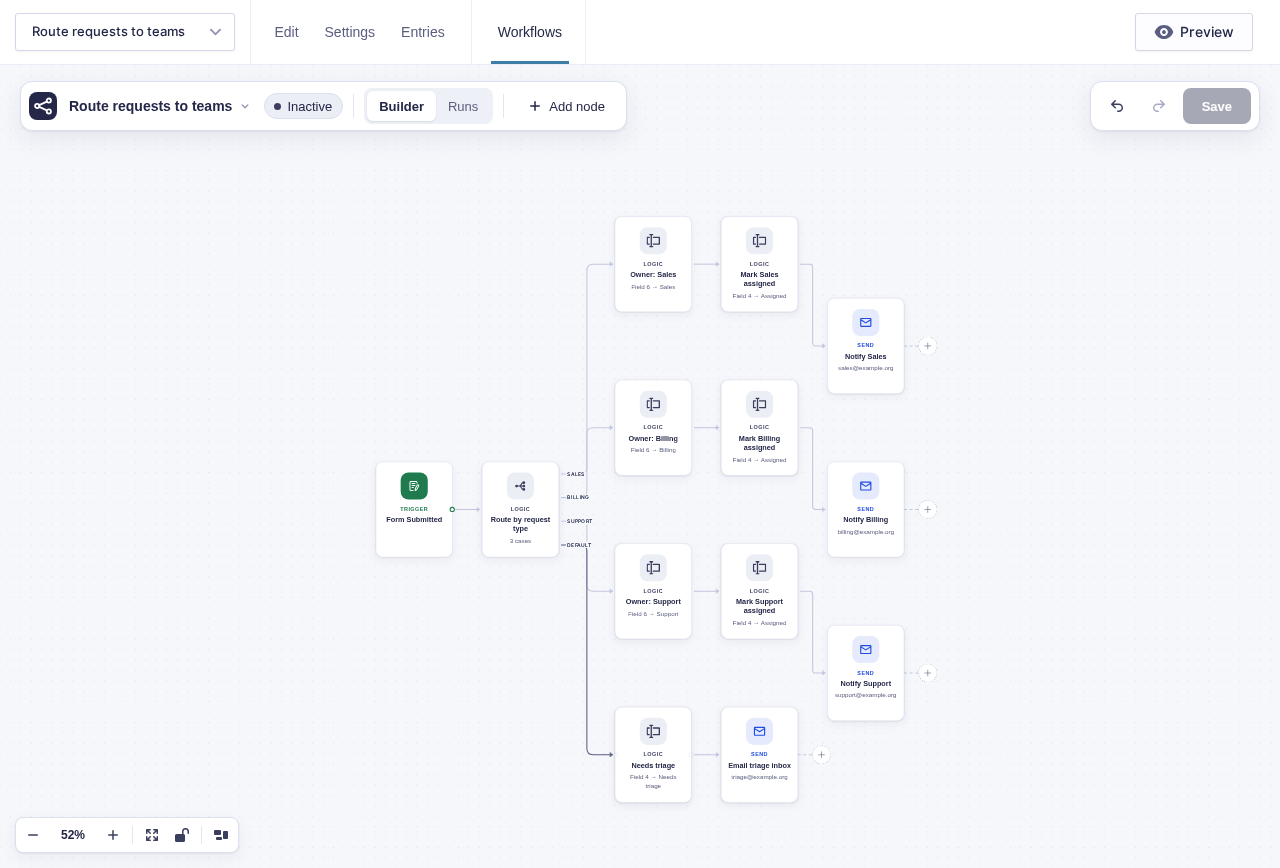
Two examples in the builder
Section titled “Two examples in the builder”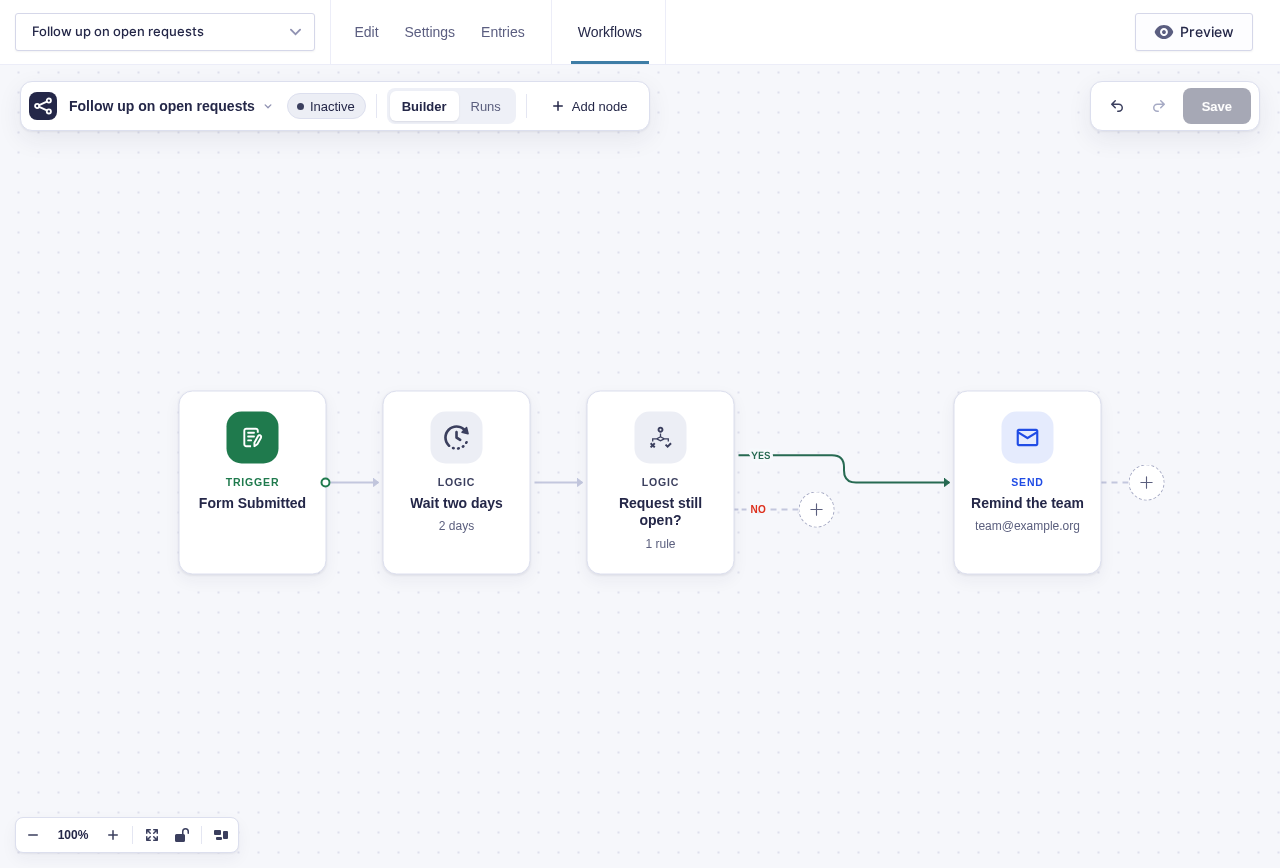
Every use case
Section titled “Every use case”| Use case | What it shows | Level |
|---|---|---|
| Follow up when a request is still open | Delay, then re-check live entry data | Starter |
| Route each request to the right team | One routing decision, entry updates, and a fallback | Starter |
| Approve an expense claim by amount | Threshold routing, chained approvals, and expiry escalation | Intermediate |
| Draft a reply with AI, then approve it | AI output with human review before sending | Intermediate |
| Send new-hire paperwork and team handoffs | Wait for returned paperwork, then notify each team in order | Advanced |
| Approve a booking, collect payment, then confirm it | Approval, a second payment form, and paid or overdue outcomes | Advanced |
| Request missing application information, then finish review | A correction form, controlled write-back, and final review | Advanced |
| Enrich and route a lead before it reaches your CRM | API response, routing, entry updates, and a delayed feed | Advanced |
| Triage an incident report and close it with sign-off | Severity routing, reminders, and closure approval | Advanced |
Before you build
Section titled “Before you build”For recipes tied to a form, open that form and click Workflows in its toolbar, then New Workflow. If a workflow is already open, choose New Workflow from the workflow menu at the top left.
New workflows start Inactive. Build and test every branch with safe test entries, recipients, and API accounts. Activate only after restoring production delays and deadlines, then watch the first live runs.
These pages assume you know how to place and connect nodes. Keep these guides nearby:
- Build Your First Workflow — create, test, and activate a small workflow
- Passing Data Between Nodes — use values from the submission and earlier nodes
- Branching & Conditional Logic — build Yes/No and multi-way paths
- Pausing & Waiting — understand delays and event-driven waits
- HTTP Request — send data to an API and use the response
- Node Reference — check every setting and output