

Extending Flowcrafter
Writing a Node Type
Register a new Flowcrafter node end-to-end — the PHP handler, the shared type_key, frontend registration, and the contract interfaces that grant powers.
A node type is two halves that bind by a shared string key — a PHP handler that runs at execution time, and (optionally) a TypeScript component that draws the node on the canvas. Both halves use the exact same type_key (PascalCase, e.g. SampleLogNode). Get that key matched and the two sides find each other; the rest is filling in behavior.
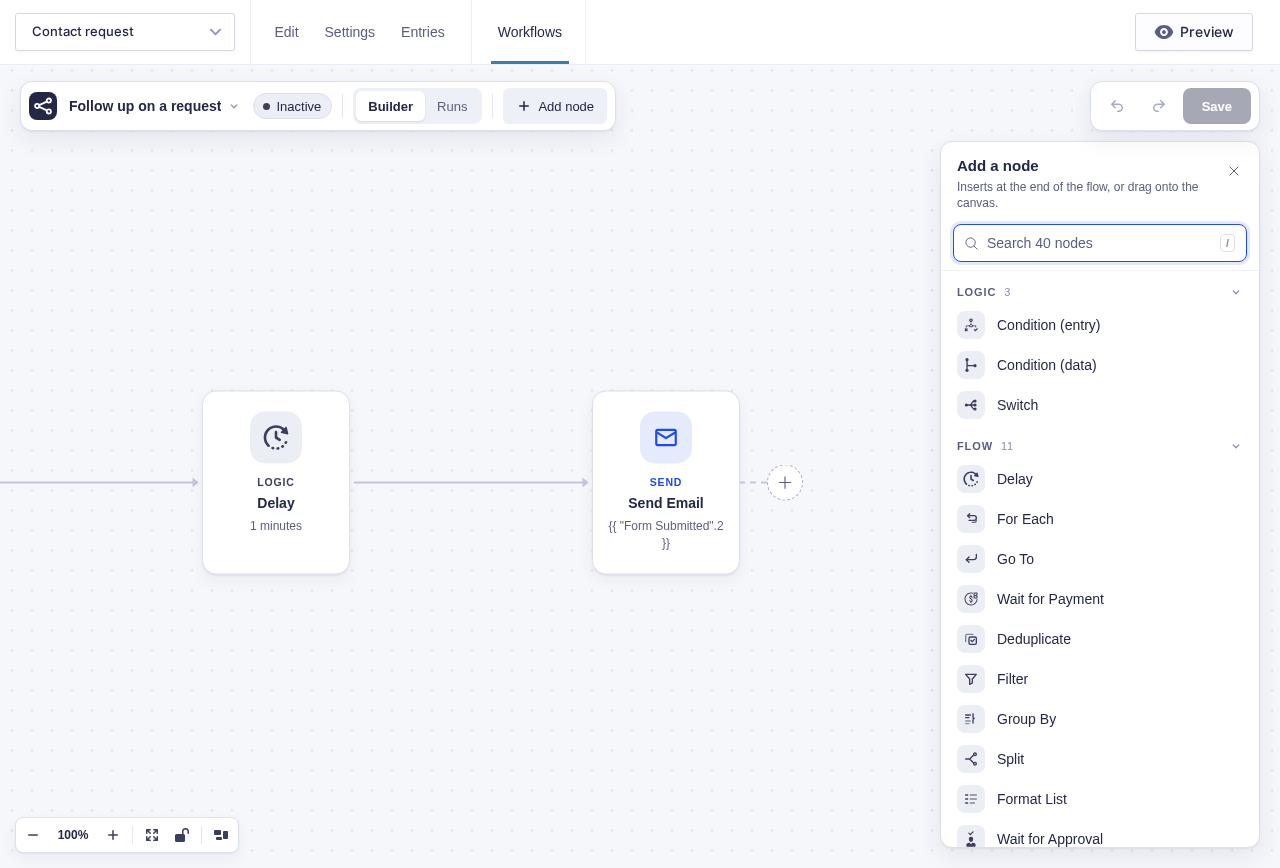
You can ship a PHP-only node with no TypeScript at all — Flowcrafter renders it from PHP metadata. You write a component only when you want a custom canvas look or a bespoke settings panel.
Register the handler
Section titled “Register the handler”Attach flowcrafter_register_nodes at file-load time, unconditionally. The hook hands you the Node_Registry class name; call its static register().
add_action( 'flowcrafter_register_nodes', function ( string $registry_class ): void { $registry_class::register( 'SampleLogNode', Sample_Log_Node::class );} );The callback simply never fires if Flowcrafter isn’t installed, so no active-check is needed.
The PHP handler
Section titled “The PHP handler”A handler implements Flowcrafter\Node_Handler. In practice you extends Abstract_Node_Handler (which fills in the boilerplate) and then add whichever contracts and traits your node needs.
These are the methods Node_Handler asks for:
| Method | Returns | Notes |
|---|---|---|
get_label() |
string | Palette label |
get_category() |
string | 'trigger', 'logic', 'flow', or 'action' |
get_description() |
string | Palette tooltip |
execute( $node, $run, $form ) |
result array or WP_Error |
The work. Stateless — the engine owns all scheduling |
get_output_schema() |
map | key => { label, type, items?, field_type? } — drives the flow tag picker. Use field_type for Gravity Forms values so the builder can say Email or Choice instead of a generic scalar type |
get_output_ports() |
string[] | e.g. ['default'], ['yes','no'], ['each','done'] |
get_settings_fields( int $form_id ) |
field[] | Declarative settings (see settings fields) |
get_settings_schema( $form_id, $form ) |
JSON Schema | Derived from your fields for free by the base class; override only for a custom React panel |
get_icon() |
string (SVG) | Base class reads a co-located icon.svg by default |
Abstract_Node_Handler gives you a lot for free: get_settings() (reads the node’s saved settings), get_next_nodes( $node, $port ) (reads the node’s edges for a port), a success() helper, the SVG icon lookup, the auto-injected source-field helpers, and a derived get_settings_schema() that wraps your properties in a tolerant envelope with an always-open extensions slot — so extension-owned settings can never get rejected by validation.
The result array
Section titled “The result array”execute() returns an array. Only next_nodes is required; the rest are optional and shape how the run continues.
| Key | Required | Purpose |
|---|---|---|
next_nodes |
yes | Which downstream nodes to run next (usually from get_next_nodes()) |
output |
no | The node’s output, exposed to the flow tag picker downstream |
delay_seconds |
no | Ask the engine to wait before continuing |
park_state |
no | Pause the node in a named waiting state (e.g. awaiting an inbound event) |
park_data |
no | Data to stash alongside a parked state |
Return a WP_Error instead to fail the node.
For a parking node, the engine adds scope_key and a fresh park_id UUID to park_data. Any external callback must return both to the resolver, so an old event cannot answer a new request at the same step. If the handler sends a signed callback link before returning, create and return that identity first. See Resolve the request that actually parked.
These keys are the whole contract: the engine rebuilds your result from this exact list before it decides what to do next, so returning a key that isn’t here is the same as not returning it at all.
A minimal handler
Section titled “A minimal handler”use Flowcrafter\Nodes\Abstract_Node_Handler;use Flowcrafter\Nodes\Contracts\Resolves_Flow_Tags as Resolves_Flow_Tags_Contract;use Flowcrafter\Nodes\Traits\Resolves_Flow_Tags;
class Sample_Log_Node extends Abstract_Node_Handler implements Resolves_Flow_Tags_Contract { use Resolves_Flow_Tags;
public function get_label(): string { return 'Sample Log'; } public function get_category(): string { return 'action'; } public function get_description(): string { return 'Writes a message to the run log.'; }
public function get_output_ports(): array { return [ 'default' ]; }
public function get_output_schema(): array { return [ 'logged_at' => [ 'label' => 'Logged At', 'type' => 'string' ], ]; }
public function get_settings_fields( int $form_id ): array { return [ [ 'name' => 'message', 'label' => 'Message', 'type' => 'textarea', 'supports_flow_tags' => true, ], ]; }
public function execute( $node, $run, $form ) { $settings = $this->get_settings( $node ); $message = $this->resolve_run_flow_tags( (string) ( $settings['message'] ?? '' ), $form, $run );
// ...do the work with $message...
return [ 'next_nodes' => $this->get_next_nodes( $node, 'default' ), 'output' => [ 'logged_at' => current_time( 'mysql' ) ], ]; }}The reference source in docs/examples/extension-samples/ demonstrates the result. The samples are not loaded by core; the screenshots show them copied into a development integration plugin.
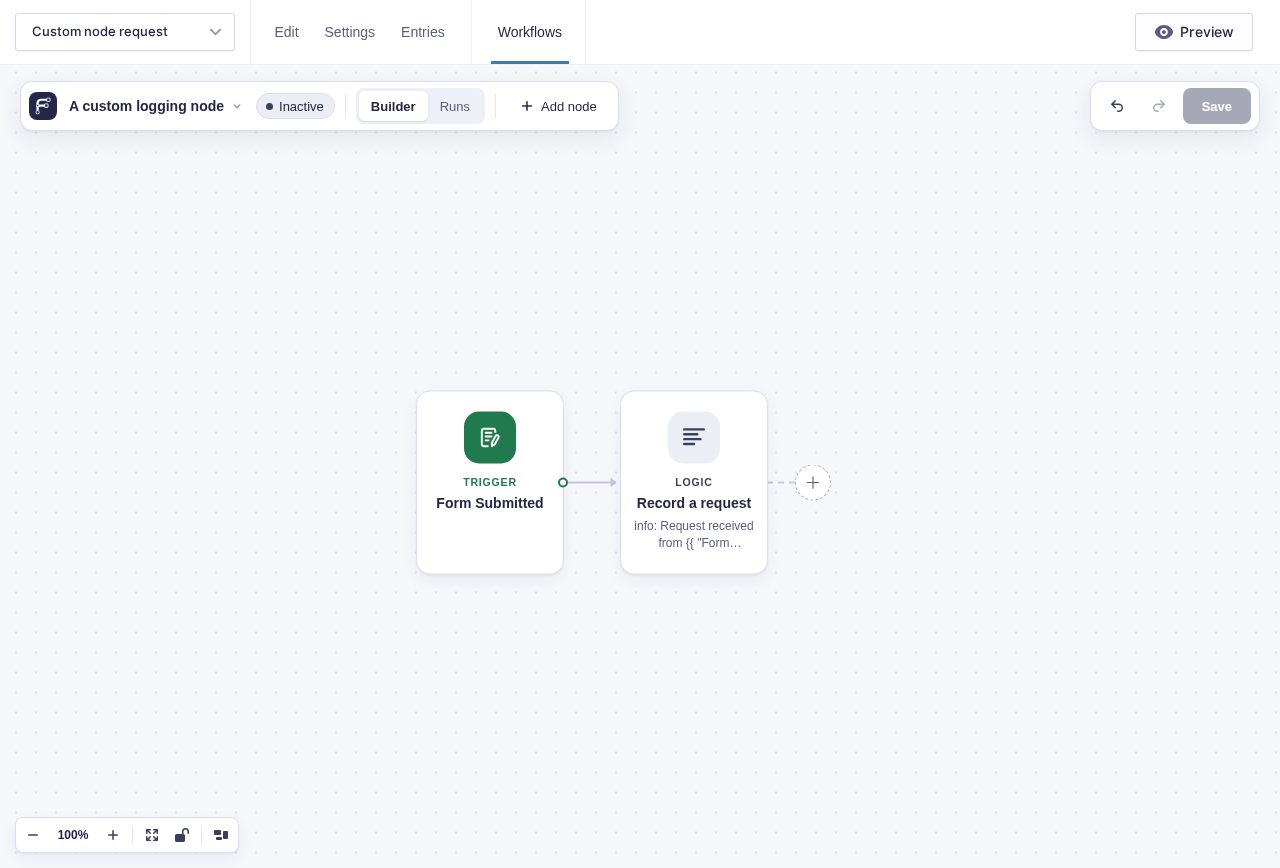
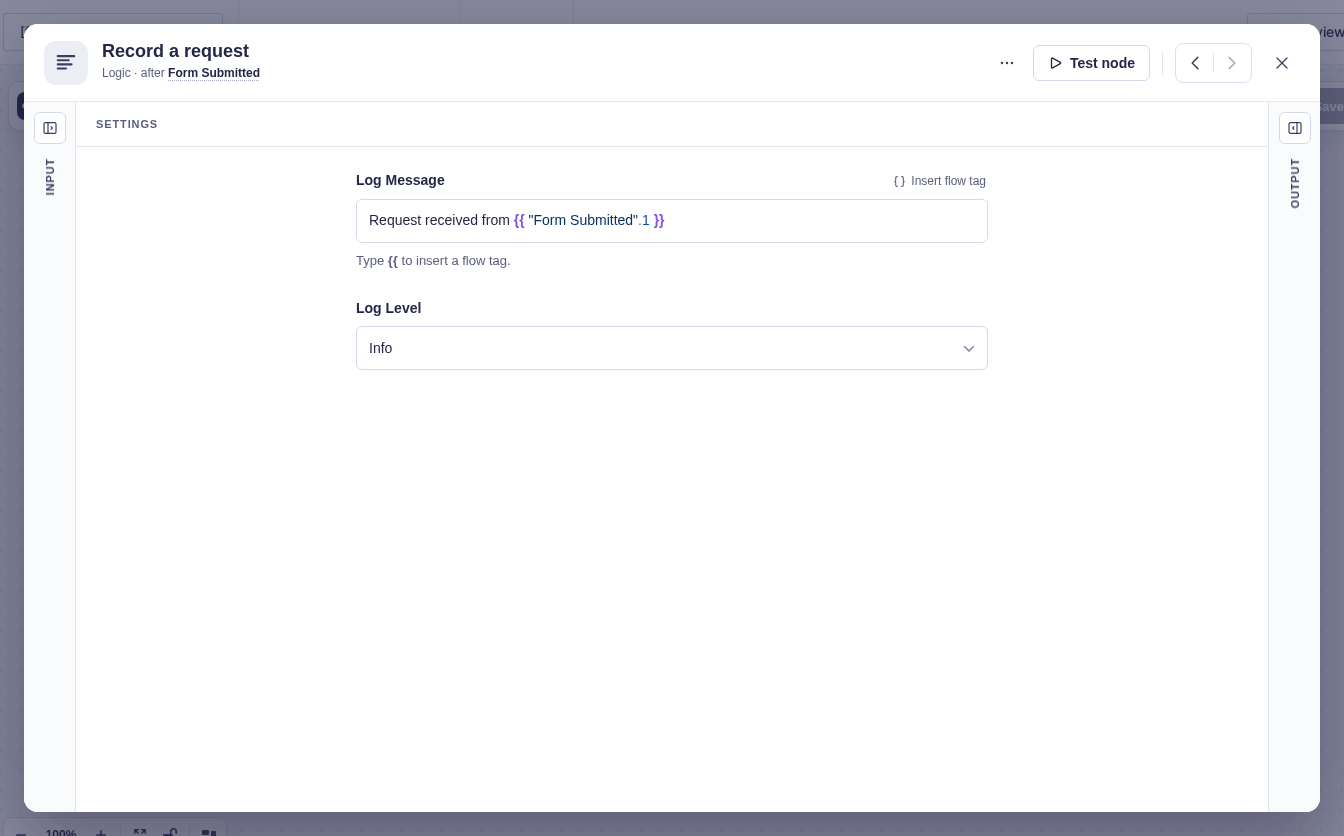
The shared type_key
Section titled “The shared type_key”The one rule that ties the halves together: the key you pass to Node_Registry::register() in PHP must equal the type you pass to registerNodeType() in TypeScript. They’re the same node; a mismatch means the frontend never binds to your handler.
One guard worth knowing: Node_Registry::get() throws at instantiation if a handler declares flow-tag-capable fields but doesn’t implement Resolves_Flow_Tags. That catches a whole class of “why won’t my flow tags resolve?” mistakes before a run ever starts.
The frontend half
Section titled “The frontend half”Register the canvas component from a bundle you enqueue on flowcrafter_editor_scripts (with flowcrafter-editor as a dependency). The registration is a side effect — the import runs, the node registers.
window.flowcrafter.registerNodeType({ type: 'SampleLogNode', // MUST equal the PHP key category: 'action', component: SampleLogNodeComponent, icon: iconSvg, getHint: (data) => data.settings?.message ?? null,});registerNodeType accepts:
| Prop | Type | Purpose |
|---|---|---|
type |
string | The binding key |
category |
'trigger' | 'logic' | 'flow' | 'action' |
What kind of node it is; drives picker grouping and trigger behavior |
tone? |
'trigger' | 'confirmation' | 'ai' | 'actions' | 'logic' |
Canvas color family. Defaults to trigger for triggers and logic otherwise. The old names 'feedback' and 'send' still work and read as 'confirmation' and 'actions' |
toneLabel? |
string |
Small label above the title when the tone name is too broad, such as AI · Text |
component |
ComponentType<NodeProps> |
The React Flow canvas node |
settingsComponent? |
ComponentType<NodeSettingsProps> |
Custom settings panel; omit to auto-render your PHP-declared fields |
autoInjectSettingsSections? |
string[] |
Named composition sections to auto-host |
icon |
string (SVG) | Palette + header icon |
getHint? |
(data) => string | null |
Subtitle text under the node title |
remapNodeIds? |
(settings, idMap) => object | null |
Rewrite settings that store another node’s id — see below |
sourceHandleIds? |
string[] |
Static multi-branch handles |
handleColors? |
Record<string,string> |
Per-handle arrow colors |
handleLabels? |
Record<string,string> |
Static per-handle labels |
getSourceHandles? |
(data) => string[] |
Dynamic per-node handles (e.g. Switch / Split) |
getHandleLabel? |
(data, handleId) => string | undefined |
Data-derived branch labels |
providesWorkflowFormEntry? |
boolean | Marks the node as a form/entry context provider for downstream nodes |
If you skip the frontend entirely, Flowcrafter still renders the node from PHP metadata: the palette reads it from the node-types discovery call, the icon falls back to the one PHP hands over through the builder’s localized data, and the settings panel auto-renders straight from your get_settings_fields() array. This is “declarative” render mode — no bundle to build, no React to write. The reference-only Sample Declarative extension demonstrates it: it needs no frontend settings bundle and lets Flowcrafter draw the whole panel from its PHP-declared fields (docs/examples/extension-samples/includes/extensions/sample-declarative/class-sample-declarative-provider.php). None of the samples are loaded by core; adapt them in your own plugin, or use Real Integrations for maintained production examples.
Contracts — opt-in powers
Section titled “Contracts — opt-in powers”Beyond the required methods, a handler grows abilities by implementing contract interfaces (and, where one exists, use-ing the matching trait for a default implementation). There are 20 contracts and 7 traits. Implement the interface, get the power. Some of these surface a capability string the frontend reads to light up UI affordances.
| # | Contract | Marker? | Implement it to… | Capability string |
|---|---|---|---|---|
| 1 | Is_Trigger |
yes | Declare the node a workflow entry point; show it in the trigger palette | is_trigger |
| 2 | Requires_Form |
yes | Auto-inject a form_source field and get GF form context |
requires_form |
| 3 | Requires_Entry |
no | Auto-inject entry_source; declare the node needs an upstream GF entry (pair with Resolves_Entry) |
requires_entry |
| 4 | Provides_Entry |
yes | Declare the node’s output is a GF entry (must carry id + form_id) |
provides_entry |
| 5 | Provides_Form |
no | Resolve a GF form for the entry (cross-form workflows) | provides_form |
| 6 | Resolves_Flow_Tags |
no | Resolve {{ }} flow tags and merge tags in settings; show the flow tag picker on flow tag fields |
resolves_flow_tags |
| 7 | Has_Test_Mode_Override |
no | Run execute_in_test_mode() instead of execute() in test runs |
has_test_mode_override |
| 8 | Has_Inbound_Token |
no | Make the node routable by a unique token stored in its settings | has_inbound_token |
| 9 | Handles_Inbound_Request |
no | Take over inbound request validation + payload capture | handles_inbound_request |
| 10 | Supports_Test_Listen |
no | Open and close test listeners; return generic session metadata plus provider display data | supports_test_listen |
| 11 | Is_Scheduled_Trigger |
no | Let the engine manage the node’s schedule from a Schedule_Plan |
is_scheduled_trigger |
| 12 | Validates_Node_Settings |
no | Get called during workflow validation with node/settings/form context | validates_node_settings |
| 13 | Provides_Collection |
no | Persist item IDs for later processing; append a “Results” section | provides_collection |
| 14 | Consumes_Collection |
yes | Accept one incoming Collection source | consumes_collection |
| 15 | Iterates_Collection |
yes | Run the body once per saved item, resumable and time-budgeted (Loop) | iterates_collection |
| 16 | Pauses_Run |
yes | Declare that the node can wait for an outside event or a clock; keep it out of a For Each body | pauses_run |
| 17 | Requires_Capability |
no | Gate the node behind a WordPress capability at every REST entry point | — (drives available) |
| 18 | Has_Dynamic_Ports |
no | Compute output ports per-node from settings instead of a fixed list (Switch) | — |
| 19 | Manages_GF_Feed |
no | Expose which GF feed IDs a workflow owns (GF Feed node) | — |
| 20 | Manages_Notification |
no | Expose which GF notification IDs a workflow owns (Send Notification node) | — |
A few of these chain: Requires_Entry extends Requires_Form, and Iterates_Collection extends Consumes_Collection. Four contracts (Requires_Capability, Has_Dynamic_Ports, Manages_GF_Feed, Manages_Notification) are behavioral-only — Flowcrafter reads them via instanceof rather than emitting a capability string.
The 7 traits
Section titled “The 7 traits”Traits carry the default implementation so you don’t hand-write it. Add the trait alongside the contract it pairs with.
| Trait | Pairs with | Provides |
|---|---|---|
Resolves_Flow_Tags |
Resolves_Flow_Tags |
Default resolve_flow_tags() delegating to the flow tag resolver |
Resolves_Entry |
Requires_Entry |
Find the selected upstream entry ID, reload its current Gravity Forms data, and provide an entry_source helper |
Resolves_Form |
Provides_Form |
Form resolution helper |
Resolves_Form_Source |
Requires_Form |
Resolves the form_source field to a concrete form |
Resolves_Flow_Tag_Items |
(loop item context) | Per-item flow tag resolution inside loop bodies |
Resolves_Site_Time |
— | Site-timezone-aware time helpers |
Normalizes_Key_Value_Settings |
— | Normalizes key_value repeater settings into a map |
Where to go next
Section titled “Where to go next”- Settings fields — the full field-type reference for
get_settings_fields(), including which types take a flow tag picker. - The execution model — the runtime contract
execute()runs under, plus the per-nodeflowcrafter_node_{node_type}_{event}filters for changing behavior without a new node.