Actions
Get Users
Use GP Populate Anything to find WordPress users for later workflow steps.
Use GP Populate Anything to find WordPress users and return them as a list.
When to use it
Section titled “When to use it”Use this to find accounts by role or user data, look up one related user, or process a group of users with For Each.
Settings
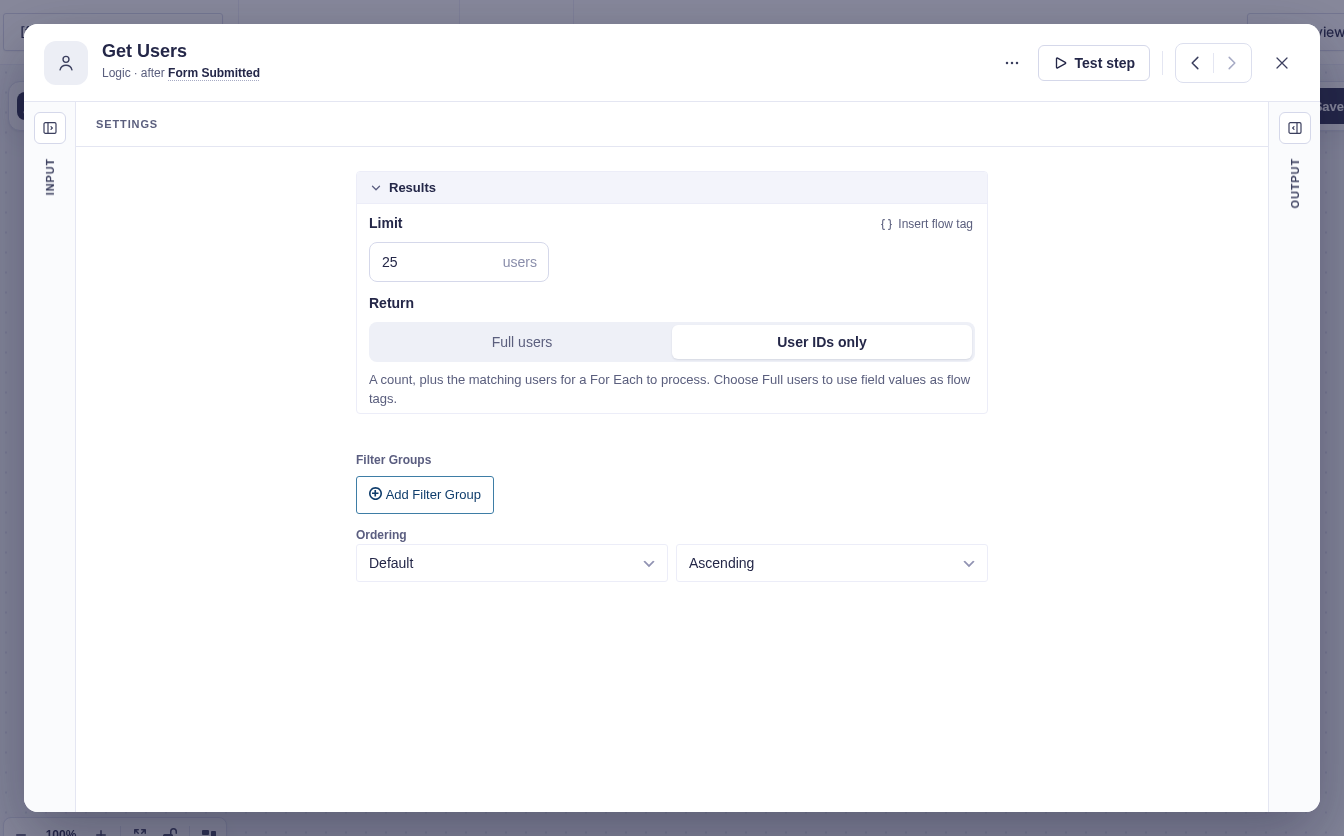
Section titled “Settings”With GP Populate Anything active, configure which users to find and how to return them.
| Setting | What it does |
|---|---|
| Limit | Sets the maximum number of users to return. Defaults to 25 and accepts flow tags. |
| Return | User IDs only returns summary data while For Each processes the saved collection. Choose Full users to add the users to items for other list-processing steps. |
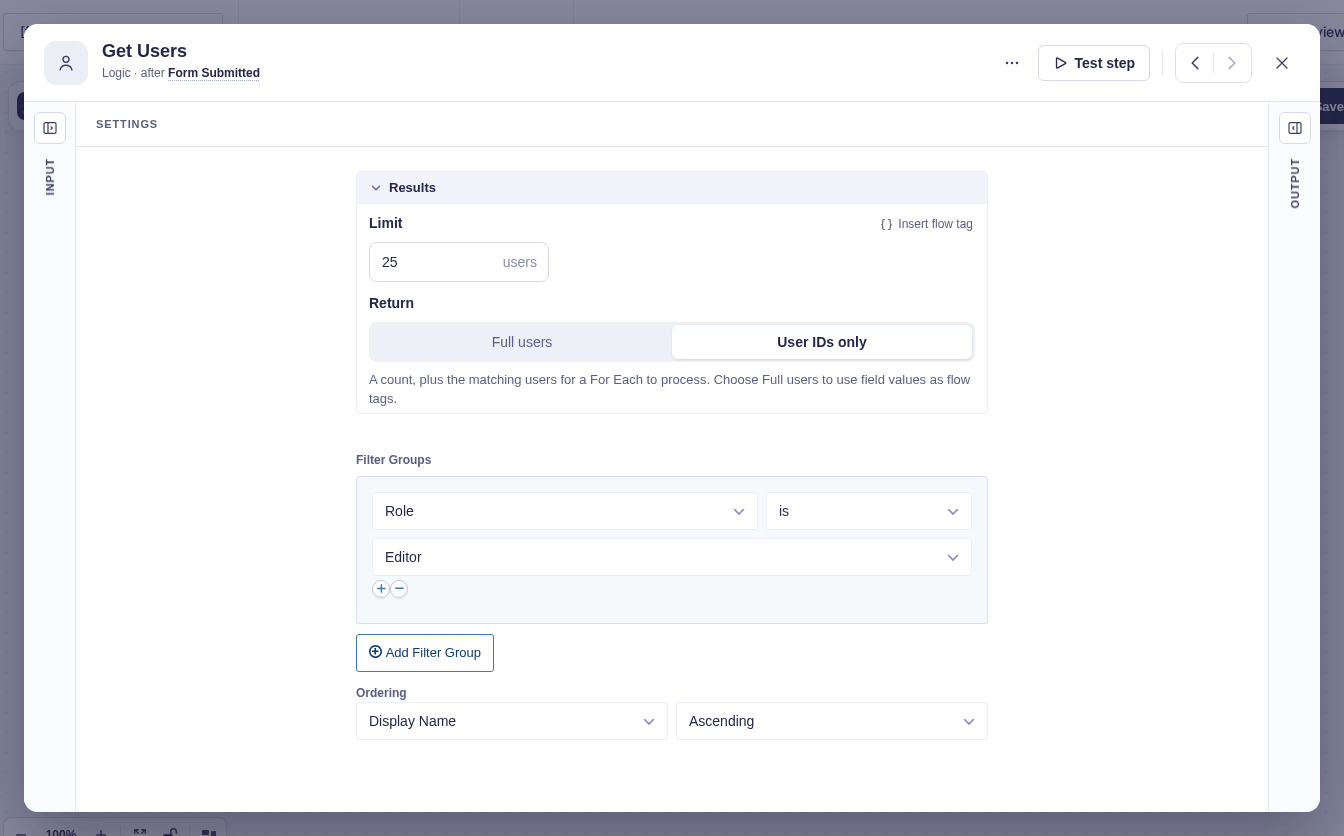
| Filter Groups | Narrows the results by Role, Display Name, User Email, user meta, or other available properties. Conditions within a group use AND; separate groups use OR. |
| Ordering | Chooses the property to sort by and the order: Ascending, Descending, or Random. |
See the GP Populate Anything documentation for all available user filters.
Output and branches
Section titled “Output and branches”The step exposes Output and Error branches. Successful queries continue through Output. Matching users are stored as a collection so For Each can load each account and expose values such as {{item.ID}}, {{item.display_name}}, and {{item.user_email}}.
There is no separate “no results” branch; no matches produce an empty collection and continue through Output. Set Return to Full users when another list-processing step needs the complete list.
Treat user fields as personal data and pass only what later steps need.
Example
Section titled “Example”Find the site’s editors and send each one a reminder:
- Add a filter group with Role is Editor.
- Leave Limit at
25, or raise it if more editors should be included. - Set Ordering to Display Name, Ascending.
- Connect For Each to process the users and send each
{{item.user_email}}a reminder.