

Under the Hood (Developers)
Architecture Overview
The big picture for developers and agents — how Flowcrafter's layers fit together and how a change flows from the canvas down to a background job.
Flowcrafter is a WordPress plugin layered on Gravity Forms and Action Scheduler. There is no long-running process and no daemon to babysit. You build a workflow in a visual builder, a trigger fires, and Action Scheduler runs each top-level step and continuation in the background. A For Each body is the exception: its steps run inline while the iterator handles a batch. That’s the whole shape of it.
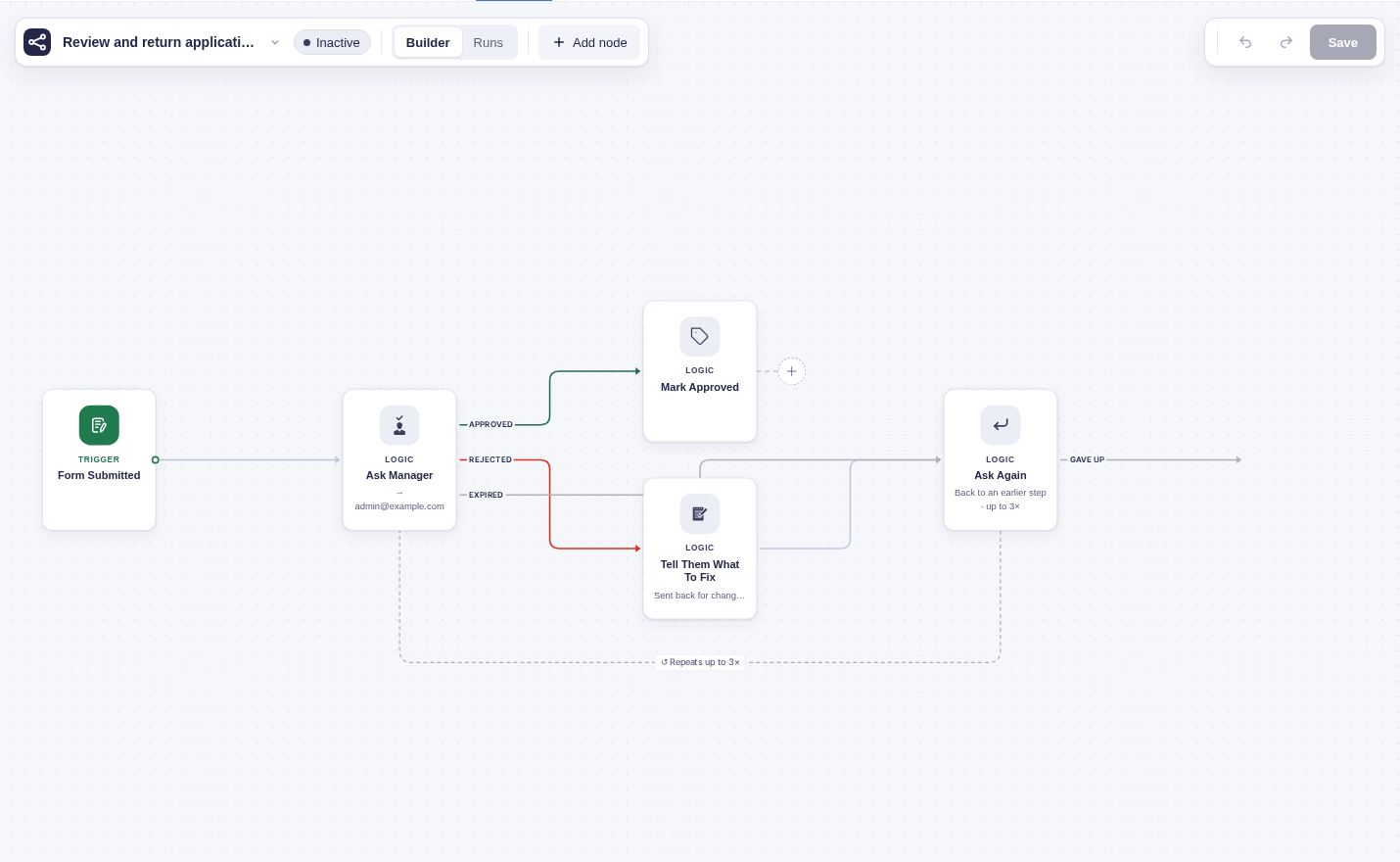
This page is the map. It names the layers, shows how they stack, and traces a single change from “builder edits the canvas” down to “a node runs in the background.” Once you have the layout, the execution model goes deep on the run loop itself.
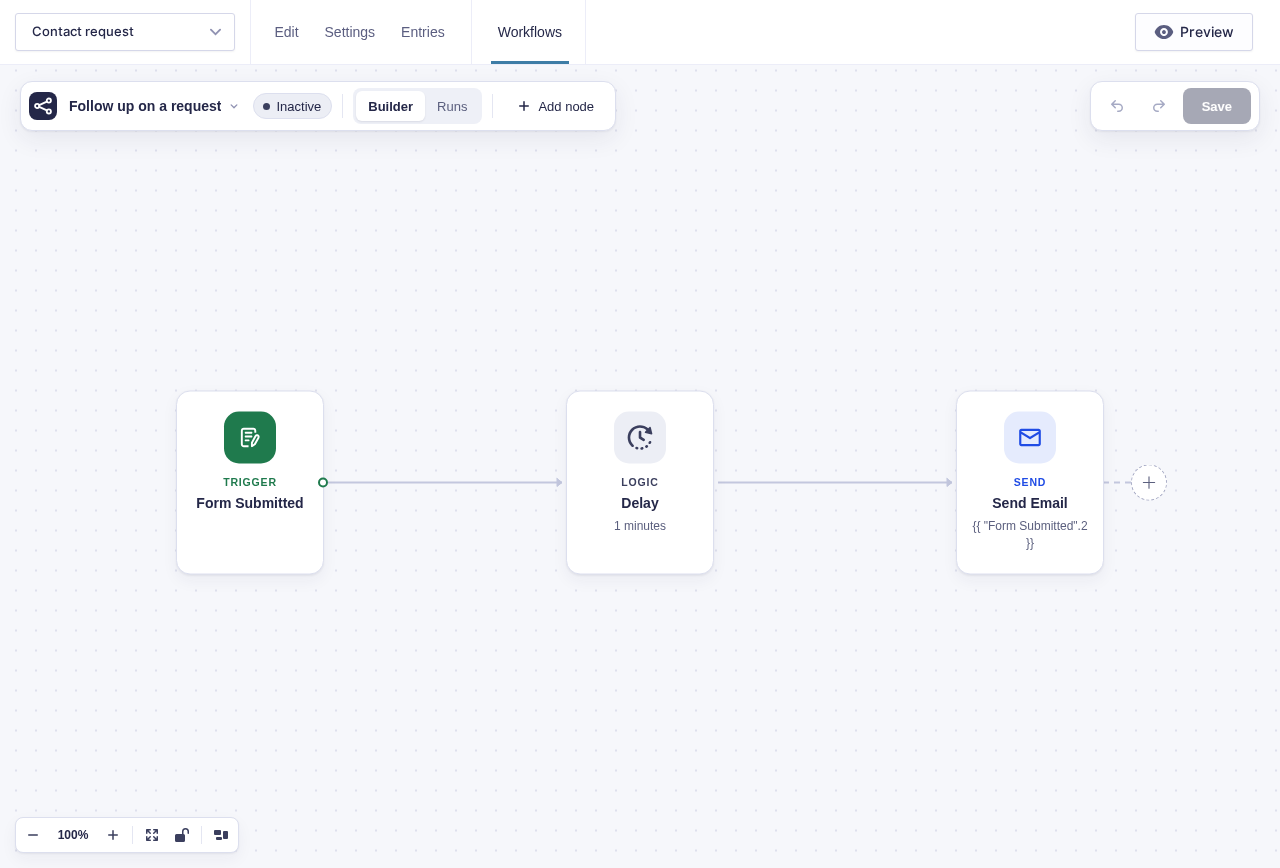
The builder is the visible starting point. This small workflow becomes the saved workflow and background work described below.
The layers
Section titled “The layers”Read top to bottom: the builder talks to REST, REST reads and writes through the models, a trigger hands off to the engine, and the engine schedules each node handler as an Action Scheduler job on top of Gravity Forms and WordPress.
| Layer | Owns |
|---|---|
| Builder | The canvas, the test runner, the run-history overlay. Runs in the browser; talks to the REST API. |
REST (flowcrafter/v1) |
Workflow CRUD, run history, node types, test execution, the inbound webhook. |
| Models | Persist workflows, runs, logs, and dispatches: the workflow, the run, the run’s logs, flow tag resolution, and the dispatch outbox. |
| Engine | Owns every scheduling decision: fan-out, delay, park, retry, run lifecycle, maintenance. |
| Node handlers | Per-node business logic. Each returns a result array and never touches Action Scheduler (see the execution model). |
| Action Scheduler | WordPress’s background job runner. Claims and runs queued actions, and owns the real time-based waits — delays and schedules. |
| Gravity Forms / WordPress | The platform: form submissions, payment hooks, entries, capabilities. |
The two boundaries that matter most: the engine is the only thing that schedules work, and the workflow is frozen the moment a run starts. Everything else follows from those two rules.
flowchart TD
    subgraph Platform["WordPress / Gravity Forms"]
        GF["Gravity Forms<br/>gform_entry_created, payment hooks"]
        AS["Action Scheduler<br/>background job runner"]
        WP["WordPress REST API"]
    end

    subgraph Bootstrap["Plugin Bootstrap"]
        FC["Plugin bootstrap<br/>wires the runtime at init"]
    end

    subgraph Backend
        Engine["Execution Engine"]
        Models["Data Models<br/>Workflow definitions, runs,<br/>the run's logs, the dispatch outbox"]
        Nodes["Node Handlers<br/>one folder per node type"]
        REST["REST Controllers<br/>flowcrafter/v1"]
    end

    subgraph Frontend
        Builder["Visual Builder<br/>(browser)"]
        Store["Builder state"]
    end

    GF --> FC
    FC --> Engine
    FC --> Models
    FC --> Nodes
    FC --> REST
    AS -->|"runs the node job"| Engine
    WP --> REST
    REST --> Builder
    Builder --> Store
    Engine -->|"records intent"| Models
    Engine -->|"hands the job to Action Scheduler"| AS
    Nodes -->|"result array"| Engine
How a change flows through the layers
Section titled “How a change flows through the layers”Follow one workflow from “build it” to “it ran”:
- A builder edits the workflow on the canvas in the browser.
- Save goes over REST (
flowcrafter/v1), and the workflow model persists the workflow as a JSON blob (plus a projection lookup for fast routing). Nodes are not normalized into their own table — the workflow stays a JSON blob by design. - A trigger fires. The engine creates a run and freezes the current workflow into a
graph_snapshoton the run row. From here the engine reads only the snapshot, never the live workflow. - The engine records a durable dispatch intent in the outbox, then hands it to Action Scheduler.
- Action Scheduler picks up the queued job, and the engine runs the corresponding node. The node handler returns a result array, the engine reads it, and schedules the next job(s). Repeat until the run completes.
What boots it all
Section titled “What boots it all”The plugin’s bootstrap wires the runtime at init, on every request before Gravity Forms processes a submission. In order, it creates the custom tables, registers the built-in node types, fires flowcrafter_register_nodes so third-party nodes can register, initializes the engine (which registers the Action Scheduler and Gravity Forms hooks), sets up the file-download proxy, injects confirmation polling, registers the REST controllers, and — on WordPress 6.9+ — registers the AI Abilities.
Service instances — the engine, the validator, the test runner, the scheduled-trigger machinery, and friends — are created once at init and shared everywhere, so every caller works against the same live instance rather than spinning up its own.
The subsystem map
Section titled “The subsystem map”The layers above are the shape; these are the actual pieces. Trimmed to the parts you’ll reach for most.
| Subsystem | What it does |
|---|---|
| Nodes | The co-located node handlers (PHP handler + frontend registration + settings UI, one folder per node type). Each returns a result array. |
| Node extension system | Lets other plugins add node types, extend built-in nodes, and gate a node behind an active integration. |
| Engine | Schedules top-level steps and continuations as Action Scheduler jobs, and runs For Each body steps inline. Orchestrates dispatch, fan-out/fan-in, loops, parks, scheduled triggers, cleanup, feed suppression, and test runs. |
| Models / persistence | Workflows, runs, node logs, the frozen graph_snapshot, collections, the dispatch outbox, flow tag resolution. |
| REST API | flowcrafter/v1 — workflow CRUD, runs, tasks, test mode, inventory, node types, templates, webhooks. |
| Validation | Pre-activation and pre-launch workflow checks; a write guard; collection type compatibility between producer and consumer nodes. |
| WP-CLI | Terminal wp flowcrafter commands for seeding, resetting, and inspecting or replaying runs. |
| AI Abilities | Registers Flowcrafter operations with the WordPress 6.9+ Abilities API (wp-abilities/v1) — the AI-agent / MCP surface. |
| OpenAI nodes | OpenAI Text and OpenAI Image are supplied by GC OpenAI through Flowcrafter’s external node API. Flowcrafter advertises them when the connector is missing. |
| Templates / recipes | Bundled starter workflows the builder’s template picker offers. Extensible via flowcrafter_templates. |
| Logging | Structured per-run and per-node logs, surfaced in the run monitor and CLI. |
| Run report | Correlates a run’s node states, logs, loops, collections, dispatch outbox, and pending Action Scheduler jobs into one object. Oracle for CLI run inspect and integration tests. |
| Node projection | A fast lookup table mapping active forms to managed feed/node IDs, so submit-time suppression and trigger routing don’t parse every workflow. |
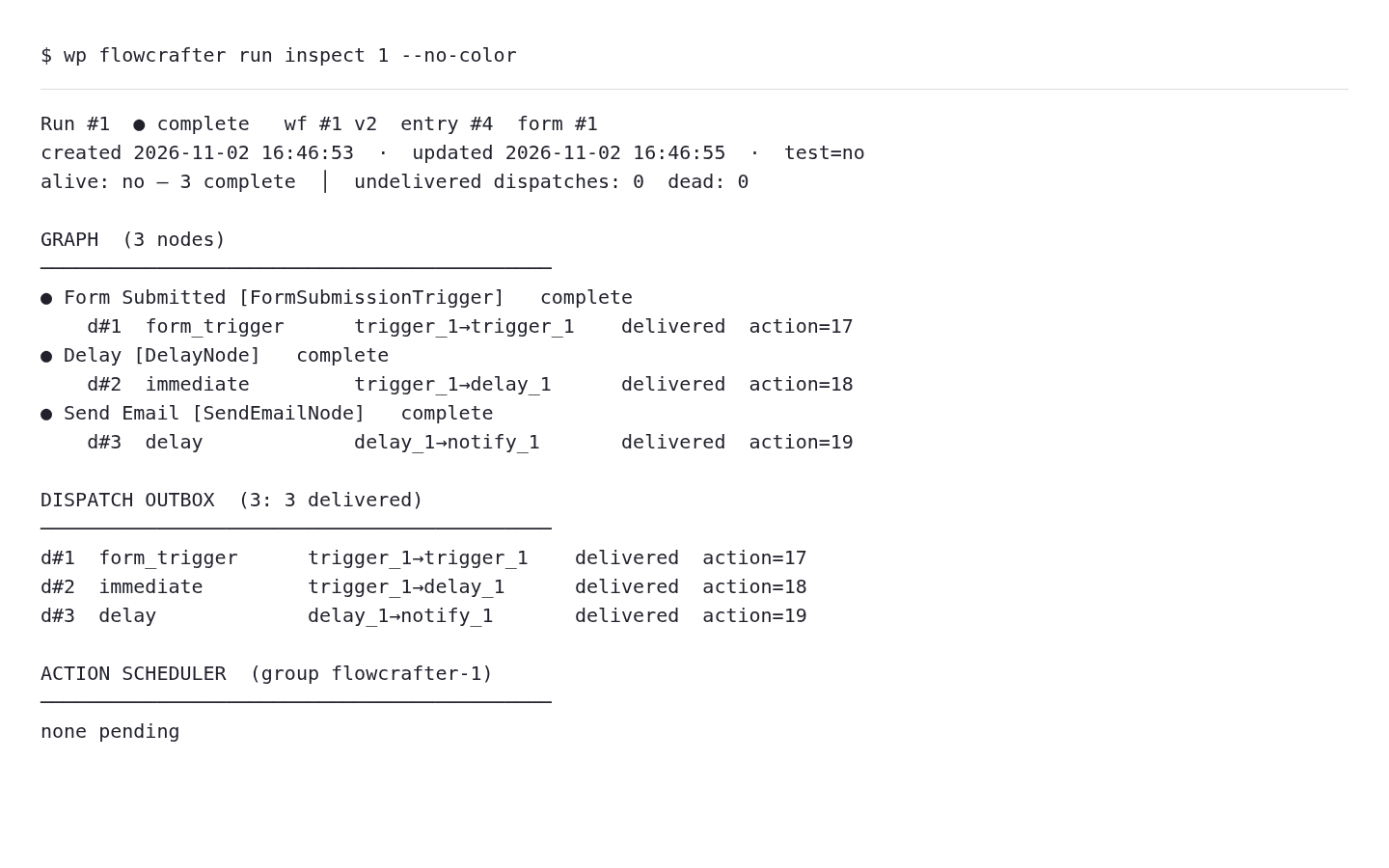
The run inspector exposes the background side of that same shape: node states, dispatches, and Action Scheduler work. This is actual sandbox command output rendered as text.
Where to go next
Section titled “Where to go next”- The Execution Model — the run lifecycle step by step, the result-array contract, the run and node state machines, and the four triggers. Start here if you want to understand how a run actually moves.
- WP-CLI, REST API, and Abilities — drive Flowcrafter from the terminal, over HTTP, or from an AI agent.
- Nodes — the node catalog, and how to build or extend one.