Flow
Group By
Collect list items into groups that share a value.
Group By reshapes one list into groups based on a shared value.
When to use it
Section titled “When to use it”Use it for one digest per manager, one invoice per customer, or any job that needs repeated items kept together. Use Deduplicate when you want to only keep one item.
Settings
Section titled “Settings”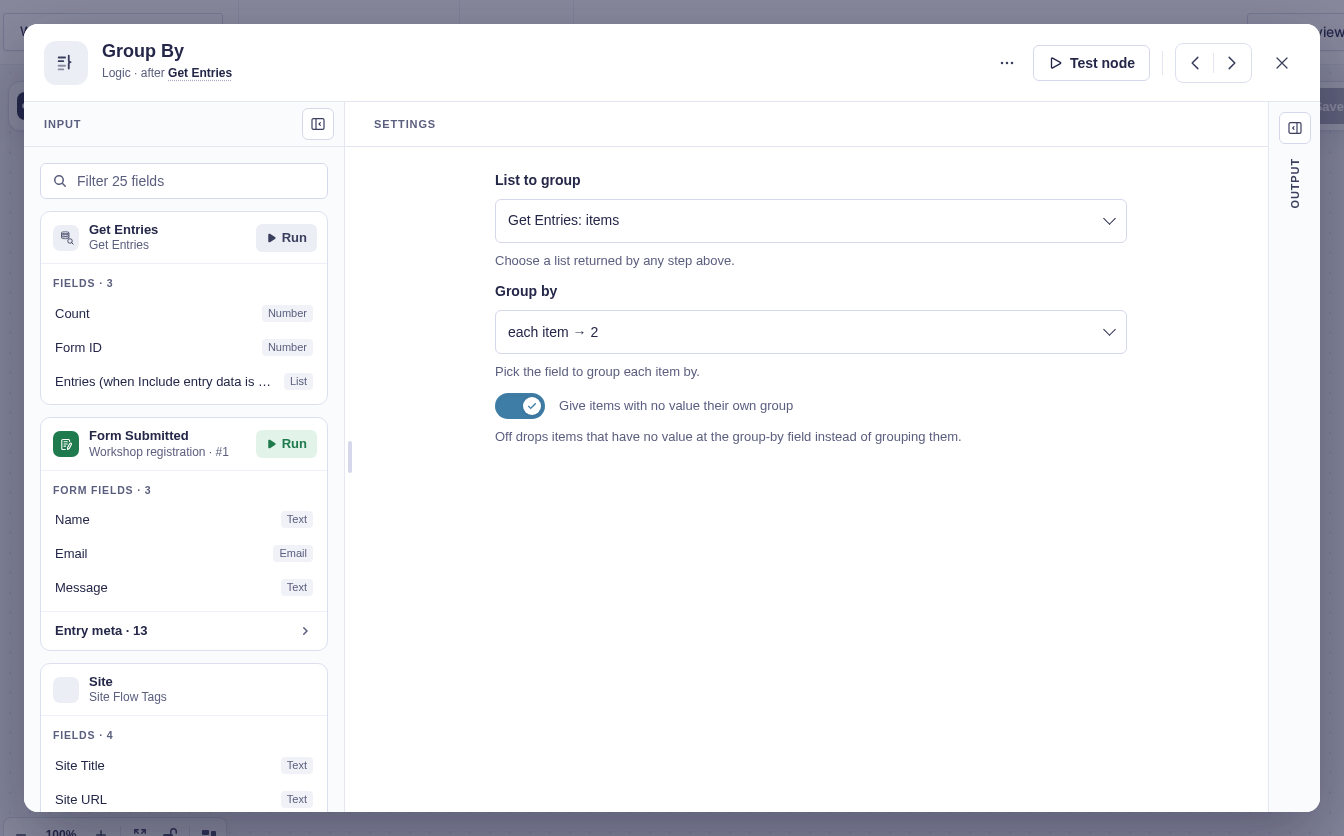
| Setting | What it does |
|---|---|
| List to group | Chooses a list from any earlier step. Test the source step first if no list appears. |
| Group by | Chooses a field such as email, 3, or customer.region. Empty compares whole items. |
| Give items with no value their own group | On by default. Off drops items where the chosen field is missing. |
Output and branches
Section titled “Output and branches”Group By has one output path and provides:
| Flow tag | Value |
|---|---|
{{ "Group By".groups }} | The list of groups. |
{{ "Group By".group_count }} | The number of groups. |
{{ "Group By".count }} | The number of input items, including missing-value items that may be dropped. |
Good-to-knows
Section titled “Good-to-knows”- Group By does not run a branch per group; connect it to a For Each node to do that.
- In a For Each over
groups, use{{ item.key }}for the shared value,{{ item.count }}for the group size, and{{ item.items }}for its items. - Group order follows the first appearance of each value.
- Complex object or list keys are returned as hashes, so group by a single value when the key must be readable.
- With Get Entries, set Return to Full entries.
Example
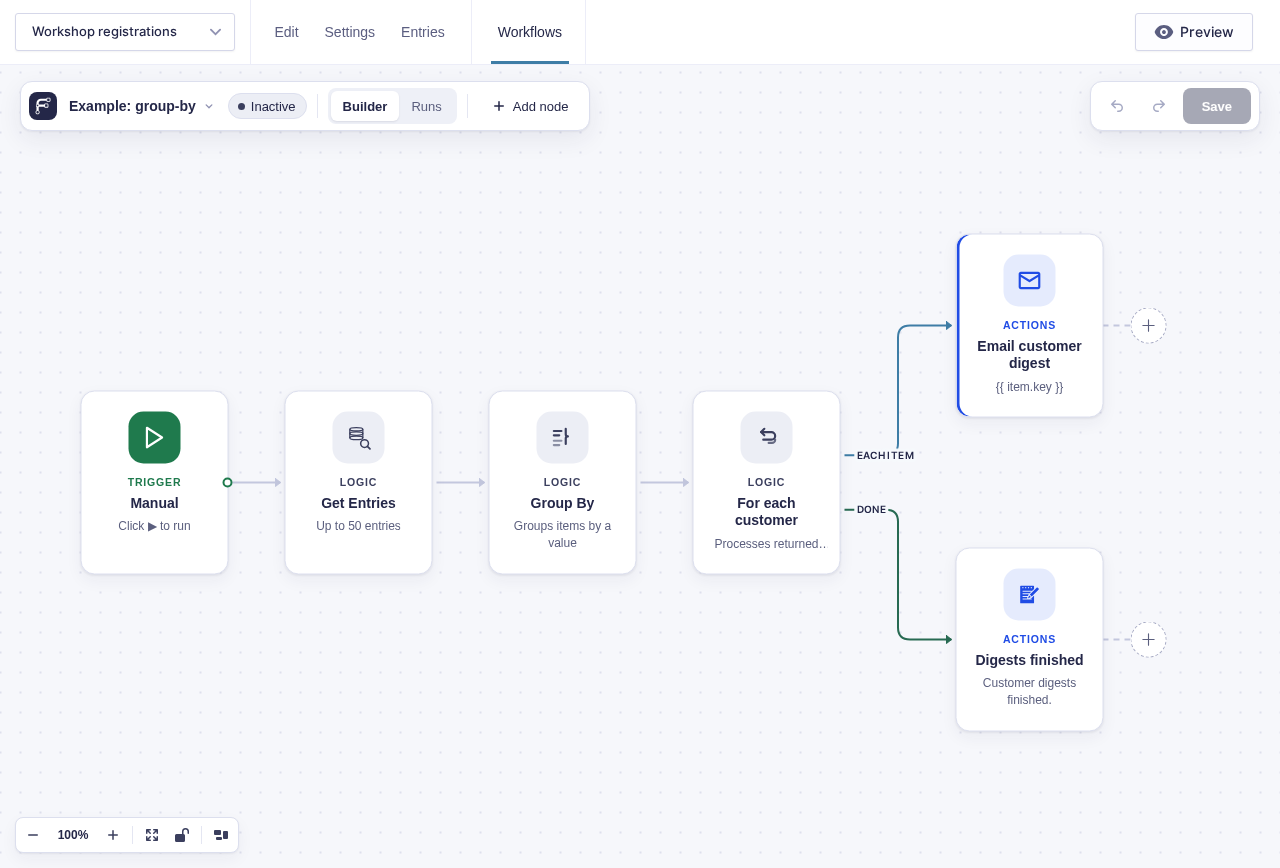
Section titled “Example”Group six order entries by customer email. If they belong to three customers, the output has three groups and an input count of 6. Connect For Each directly and select Groups to send one email per customer.
This example connects Group By to For each customer. Its Each item branch emails {{ item.key }} and uses {{ item.count }} in the digest; Done continues after all groups.