

Nodes
Premium Nodes & Upgrades
A concise catalog of product-powered nodes and optional enhancements.
Most of Flowcrafter works on its own, but there are certain capabilities that are unlocked by plugins:
- A locked node cannot be added until its source plugin is active.
- An enhancement leaves the core node usable and adds optional settings or behavior when its product is active.
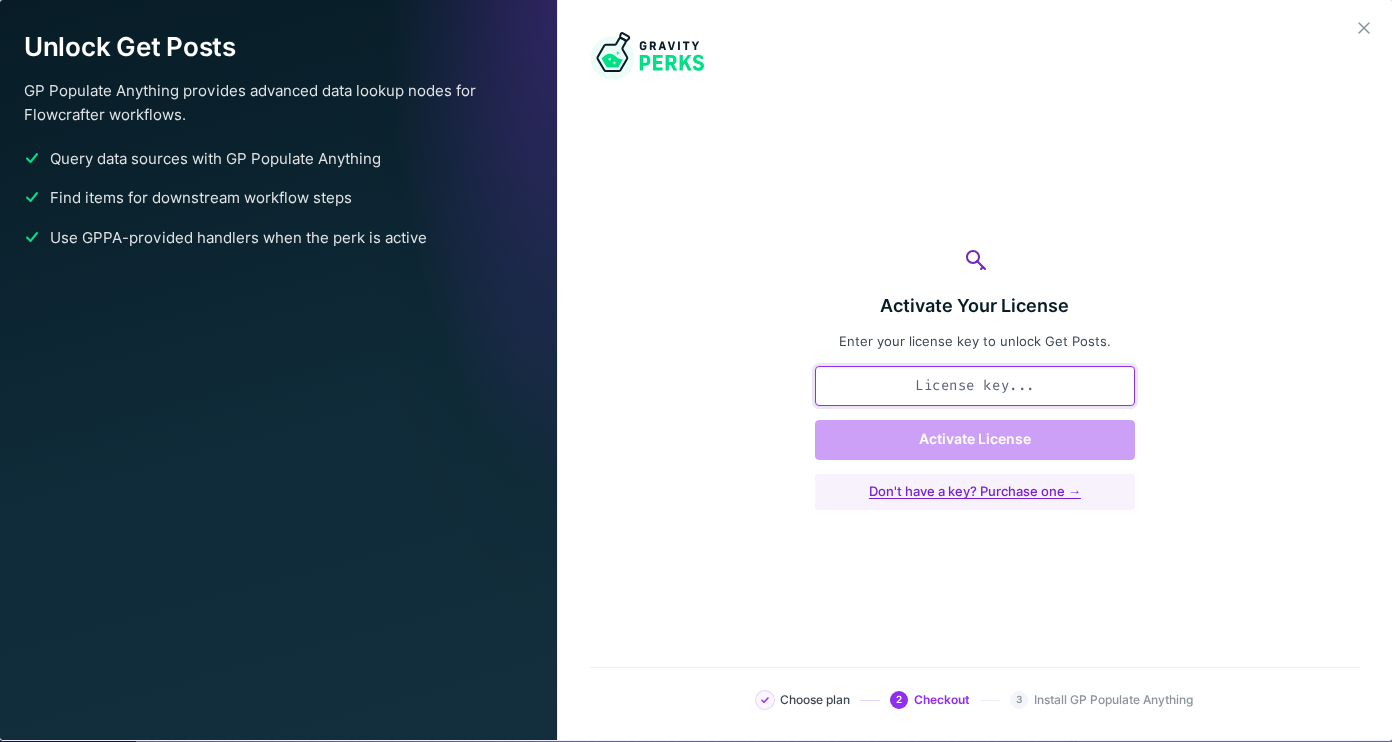
When Spellbook supports in-plugin pricing, product offers can show plans inside Flowcrafter. With older Spellbook, selecting a locked node or an enhancement’s Learn More link opens the product documentation in a new tab instead.
Locked query nodes
Section titled “Locked query nodes”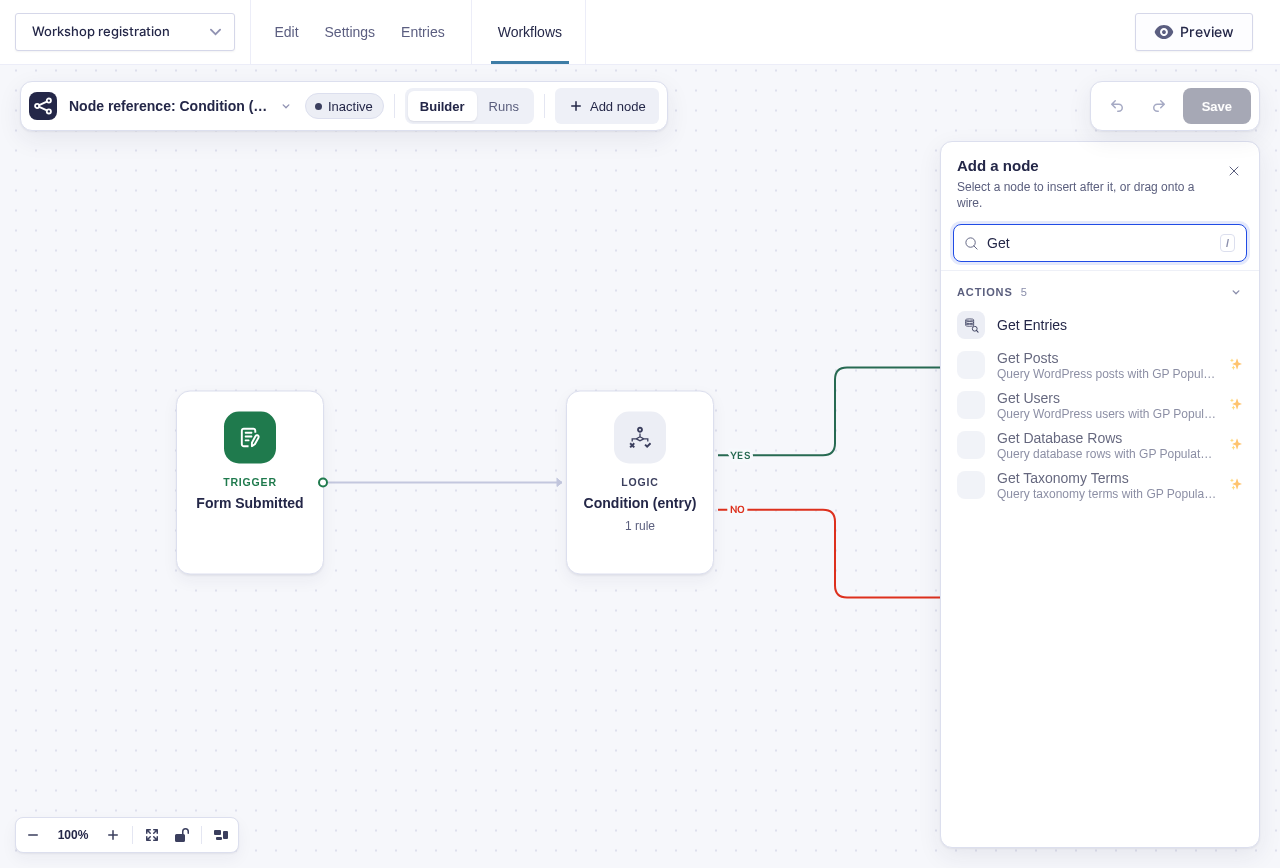
These nodes are provided by GP Populate Anything.
| Node | Purpose |
|---|---|
| Get Posts | Query WordPress posts. |
| Get Users | Query WordPress users. |
| Get Database Rows | Query database rows. |
| Get Taxonomy Terms | Query taxonomy terms. |
The add-node picker shows these nodes as locked when the product is unavailable. Selecting one shows what the node does and which product it comes with, with a Learn more link to that product’s documentation; activating the provider makes its real settings and handler available.

Locked OpenAI nodes
Section titled “Locked OpenAI nodes”GC OpenAI provides OpenAI Text and OpenAI Image. Flowcrafter advertises both in the node picker when GC OpenAI is missing. Activate GC OpenAI and configure its OpenAI secret key to generate workflow text and images.
Optional enhancements
Section titled “Optional enhancements”| Core node | Product | Added capability |
|---|---|---|
| HTTP Request | GC API Alchemist | Auth presets, retry with backoff, and response mapping. |
| Get Entries | GP Populate Anything | Advanced filters, dynamic sources, and related-entry queries. |
| Condition (entry) | GP Advanced Conditional Logic | Nested groups, date/time rules, user-aware rules, formulas, and extra operators. |
| Condition (data) | GP Advanced Conditional Logic | Nested groups over step output and extra string operators. |
These four core nodes are fully operational on their own — the plugins sprinkle additional magic.
PHP Code is permission-locked
Section titled “PHP Code is permission-locked”PHP Code may also appear unavailable, but that’s not related to a plugin. By default, only users with the WordPress edit_plugins capability may configure it.