

Building Workflows
Branching & Conditional Logic
Choose between Condition and Switch for routing, use Filter to trim a list, and understand what happens to untaken branches.
Flowcrafter comes with nodes that let you branch off or do the same action for multiple items.
Pick the right node
Section titled “Pick the right node”| Goal | Node | Result |
|---|---|---|
| Choose between two paths | Condition | Takes Yes or No |
| Choose one of several paths | Switch | Takes the first matching case, or Default |
| Keep matching items from a list | Filter | Returns one shorter list; it does not route the run |
Condition: a two-way decision
Section titled “Condition: a two-way decision”There are two condition nodes:
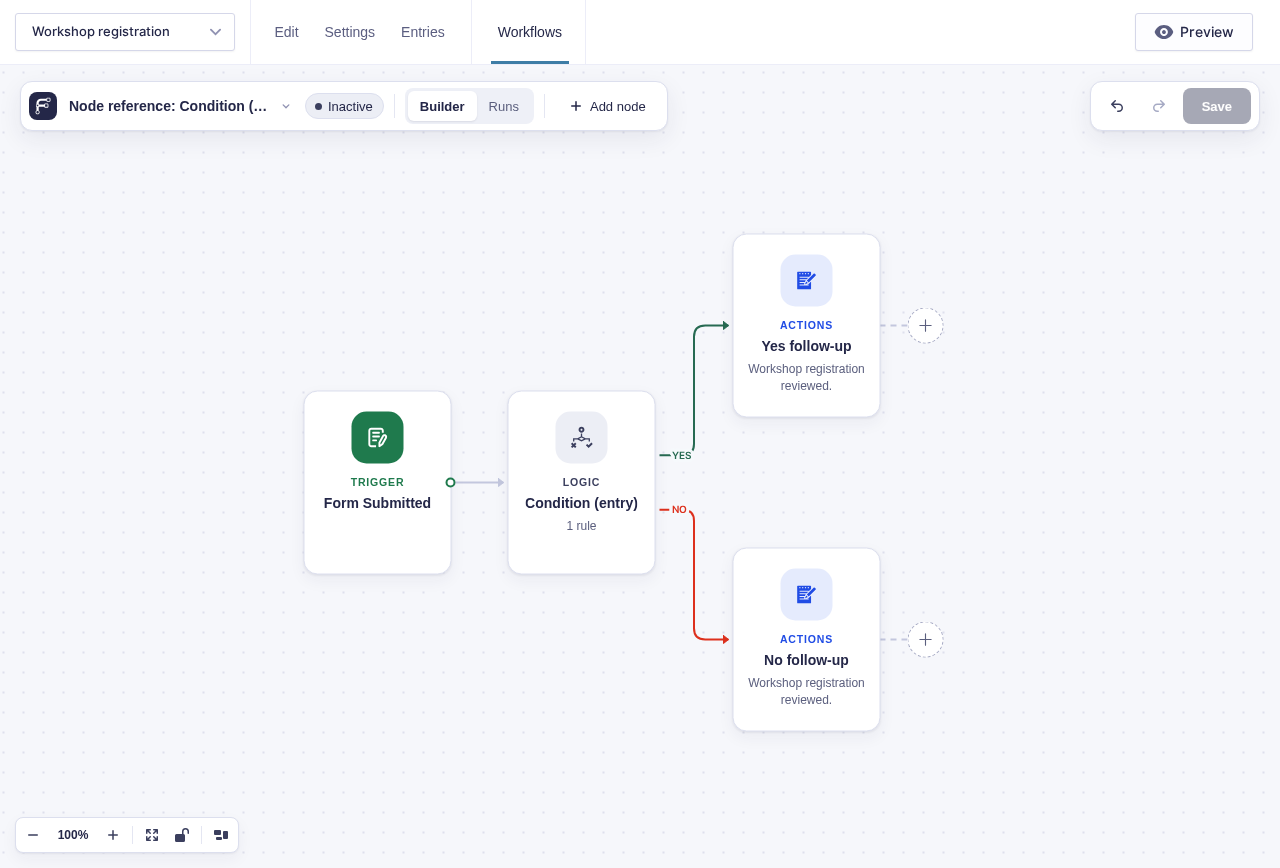
- Use Condition (entry) for rules about the current Gravity Forms entry.
- Use Condition (data) for values from earlier nodes, such as an API response.
A condition evaluates its rules once and takes exactly one branch. If it takes Yes, the No branch is skipped. If it takes No, the Yes branch is skipped.
Switch: one path of several
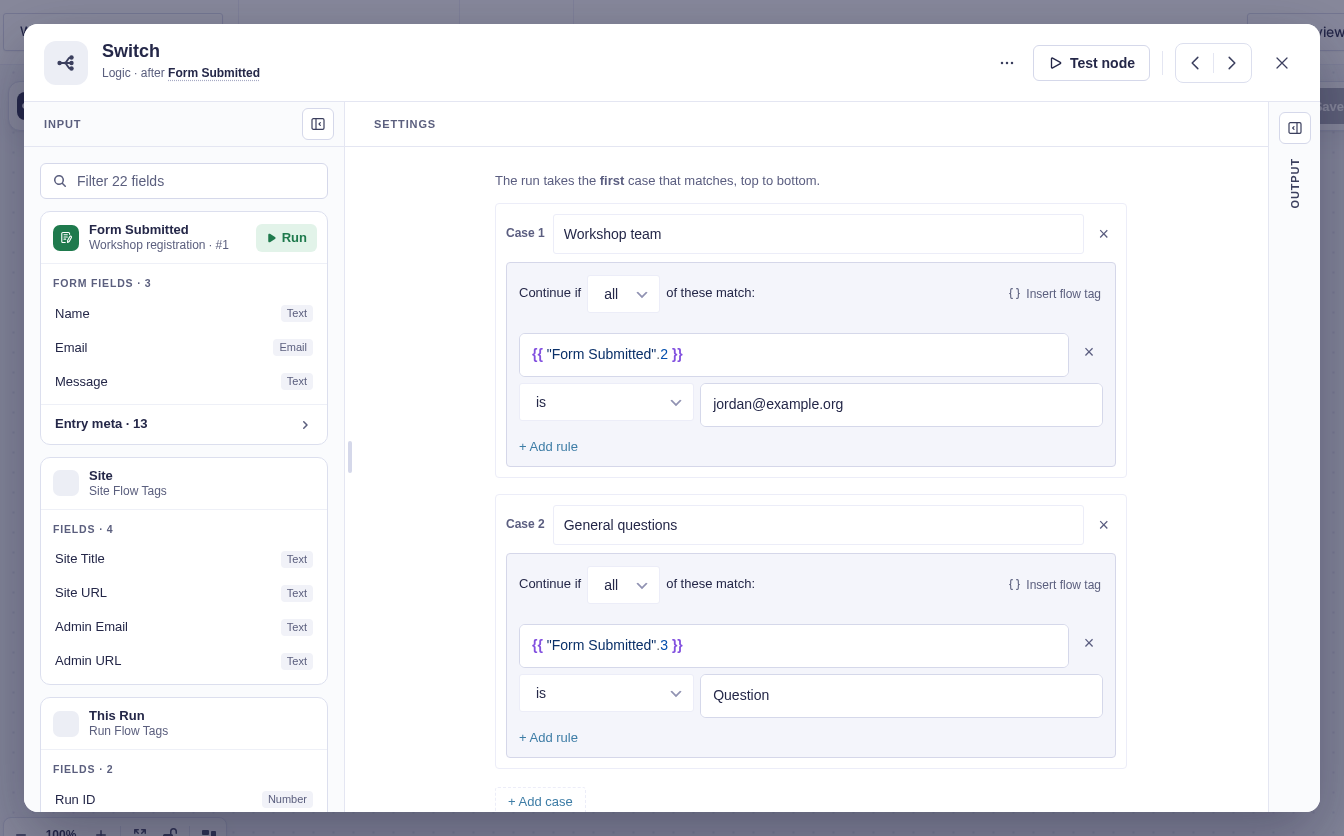
Section titled “Switch: one path of several”The Switch node checks its cases (AKA named sets of conditions) from top to bottom and stops at the first match. Put specific cases before broader ones.
It comes with a default branch that is always present. It runs only when no case matches, which gives unexpected or empty values somewhere safe to go. Connect the default to a fallback action, alert, or review step.
Filter: change a list, not the route
Section titled “Filter: change a list, not the route”The Filter node checks every item in a list and returns only the ones that match its conditions. The workflow still continues through one output, even when the filtered list is empty.
Nodes that pair well with the List node:
- For Each: Add it after the Filter when later nodes should run once per remaining item
- Split: Use it when matching and non-matching items must continue down separate branches.
These examples show a two-way Condition and a multi-route Switch.
Parallel branches and joins
Section titled “Parallel branches and joins”A regular node can connect to several next nodes. Those branches all run. If they later connect to one shared node, that node waits for every branch that actually started.
flowchart TD
    S[One node] --> A[Branch A]
    S --> B[Branch B]
    A --> J[Shared node]
    B --> J
    J --> N[Continue once]
An untaken Condition or Switch branch does not hold up the join. Flowcrafter treats that branch as skipped, so the shared node can continue after the active branches finish.
Related pages
Section titled “Related pages”- Adding & Connecting Nodes — draw branches and reconnect nodes
- Processing Lists — compare Filter, Split, and For Each
- Run & Node Statuses — understand skipped nodes
- Node reference — settings for each logic node