

Building Workflows
Processing Lists
Learn how to filter, organize, format, or repeat actions for the items in a list.
A list is a collection of items, such as form entries, database rows, orders, users, or results returned by an API.
Flowcrafter can narrow a list, organize its items, turn it into text, or run an action for every item. Start by deciding what you want the workflow to produce.
Choose what to do with the list
Section titled “Choose what to do with the list”| If you want to… | Use | Result |
|---|---|---|
| Run one or more nodes for every item | For Each | Each item repeats; Done runs once afterward |
| Keep only the items that meet certain conditions | Filter | One shorter list; no routing branch |
| Remove repeated items | Deduplicate | One list with duplicates removed |
| Organize items by a shared value | Group By | One group per value, with all matching items preserved |
| Send known categories down different paths | Split | One branch per non-empty bucket |
| Combine all the items into one block of text | Format List | One string for an email or another text field |
These nodes can also be combined. For example, you could filter a list of registrations, remove duplicate email addresses, and then use For Each to contact every remaining person.
Decide whether the next action runs once or once per item
Section titled “Decide whether the next action runs once or once per item”This is the most important choice when working with a list.
Use For Each when an action needs to happen separately for every item. For example:
- Send a separate email to every registrant;
- Make one API request for every order; or
- Update every matching entry.
Use the other list nodes when you want to produce a new list or one combined result. The next node then runs once with that result.
For example:
- Filter → Format List → Send Email creates one email containing the matching items.
- Filter → For Each → Send Email sends a separate email for every matching item.
- Group By → For Each lets you process each group separately.
- Split sends different categories of items down different branches.
Start with a list
Section titled “Start with a list”Lists can come from many places in a workflow, including:
- Query nodes such as Get Entries, Get Users, or Get Database Rows;
- A Webhook payload;
- An HTTP Request response; or
- An AI or other node that returns several items.
For Each processes a list from the node connected directly before it. Filter, Deduplicate, Group By, Split, and Format List can select a list from any earlier node.
Common patterns
Section titled “Common patterns”Send one summary containing every item
Section titled “Send one summary containing every item”Use Format List to turn the items into readable text, then insert that text into an email, notification, or API request.
Perform the same action for every item
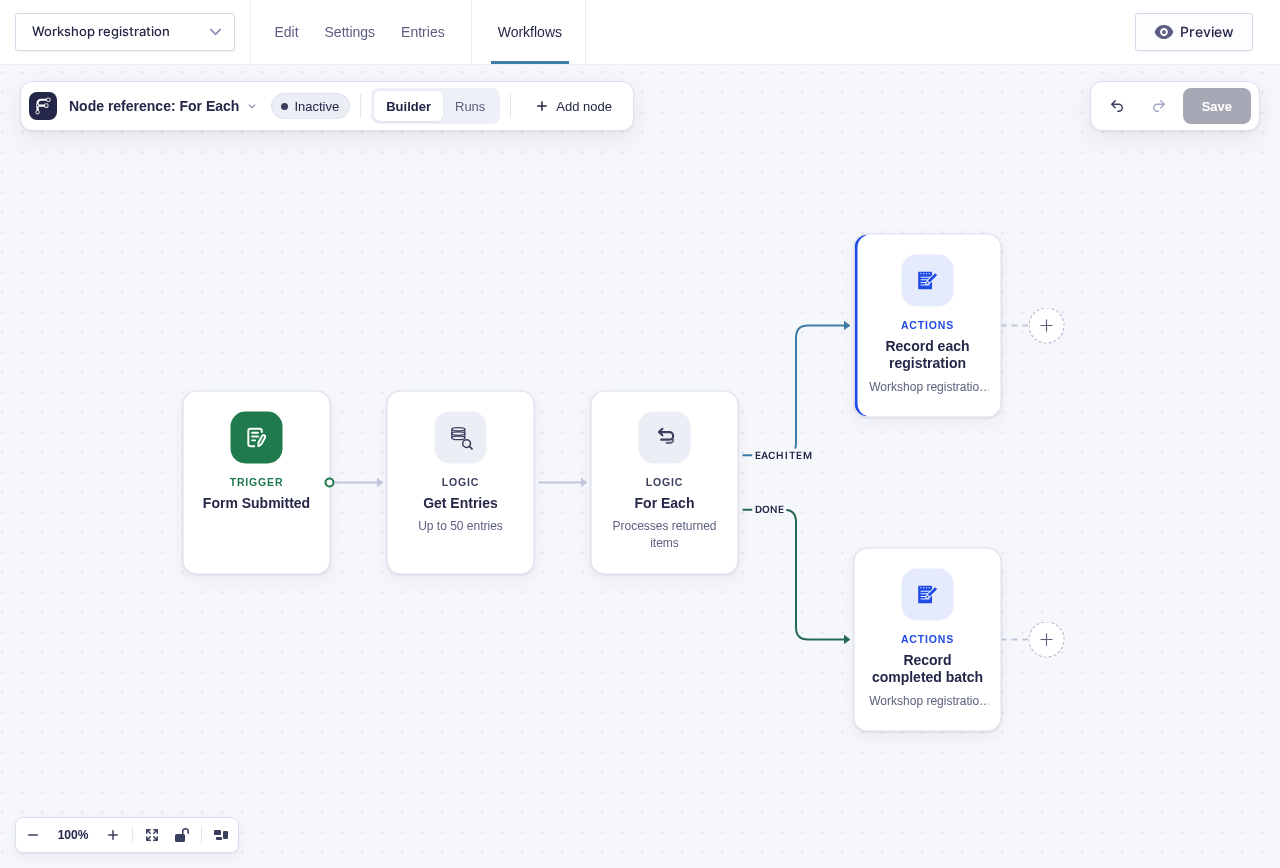
Section titled “Perform the same action for every item”Use For Each and place the repeated nodes on its Each item branch. Work that should happen only after every item has been processed belongs on Done.
⚙️ Read the current item with flow tags
Inside Each item, the picker offers runtime flow tags:
| Flow tag | Result |
|---|---|
{{ item }} |
Whole current item |
{{ item.email }} |
One property from the current item |
{{ loop_1.index }} |
Zero-based position |
{{ loop_1.number }} |
One-based position |
{{ loop_1.count }} |
Total item count |
{{ loop_1.remaining }} |
Items remaining after this one |
The For Each runtime ID varies. Use Insert flow tag instead of typing loop_1 yourself. Outside the Each item branch, {{ item.* }} is unavailable.
A named node in the same branch returns the result for the current item. A named node from before For Each returns its single earlier result.
Work with only part of a list
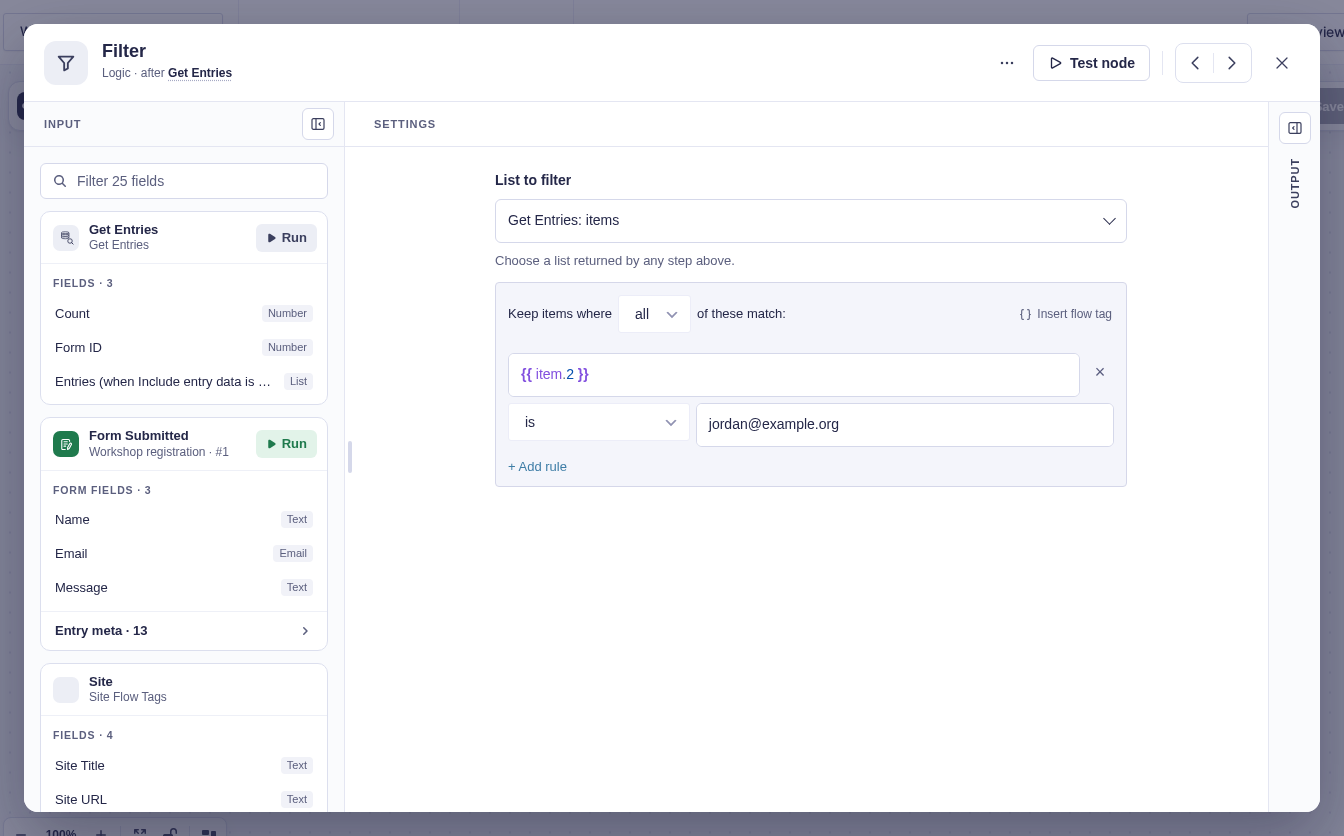
Section titled “Work with only part of a list”Use Filter when you need the matching items and can discard everything else.
Use Split when different categories need different workflow branches.
Handle repeated or related items
Section titled “Handle repeated or related items”Use Deduplicate when you want to keep only the first item with a particular value, such as the first entry for each email address.
Use Group By when you want to preserve all the items but collect those with a shared value, such as orders belonging to the same customer.
Unsupported shapes
Section titled “Unsupported shapes”Flowcrafter blocks these workflows during activation:
| Shape | Why |
|---|---|
| For Each inside another For Each’s Each item branch | Nested iteration cannot keep a safe independent cursor |
| Delay or Wait inside Each item | The item batch cannot park halfway through |
Two For Each nodes in sequence are supported when the second starts from the first node’s Done output.
Item failures
Section titled “Item failures”The On Error setting controls what happens when one item fails:
- Continue records the failed item, processes the rest, marks the result
partial, and takes Done. - Stop ends on the first failure and does not take Done.
Learn more
Section titled “Learn more”Each node page explains its settings, output, limitations, and examples. Start with the links in the table above, or try these guides: