

Extending Flowcrafter
Building Collection Nodes
How a third-party node saves record references with Provides_Collection, registers a hydrator, and lets a downstream loop or consumer process items one at a time.
New to the extension API? Start with Extending Flowcrafter and Writing a Node Type — this page assumes you already know how to register a handler and match its type_key on the frontend.
How Collections work
Section titled “How Collections work”A Collection is run-scoped storage for small record references. A producer might save post IDs now, then a consumer can load current post data later without placing every post in run output.
sequenceDiagram
    participant Producer as Query node
    participant Store as Collection storage
    participant Consumer as Consumer or iterator
    participant Hydrator as Item hydrator

    Producer->>Store: Insert one row with JSON-safe refs
    Producer-->>Consumer: Output count, optionally items[]
    Consumer->>Store: Find row by run ID + source node ID
    loop Each saved ref
        Consumer->>Hydrator: Hydrate item_type + ref
        Hydrator-->>Consumer: Current record data
    end
Internal refs do not appear in node output. Consumers find them with the workflow run ID and producer node ID.
Collection refs snapshot identity, not record contents:
| Value | Fixed for the run? | Meaning |
|---|---|---|
| Ref list, order, and count | Yes | Record identities selected by the producer. |
| Hydrated record fields | No | Current data loaded when a consumer or loop item runs. |
| Workflow definition | Yes | Frozen nodes and connections used by the run. |
| Normal array output | Yes | Complete values returned by that node execution. |
Choose the right pattern
Section titled “Choose the right pattern”| Need | Pattern | Contract | What runs items |
|---|---|---|---|
| Return records for normal downstream flow tags only | Normal array output | None | Your node |
| Save stable refs for another node | Collection producer | Provides_Collection |
Later consumer |
| Read all saved refs in one node execution | Ordinary consumer | Consumes_Collection |
Your node |
| Run a branch once per item with resumable progress | Core For Each node | Connect producer to the built-in For Each node | Flowcrafter engine |
Choose an ordinary consumer unless users need a visible each branch. For visible iteration, connect the producer to Flowcrafter’s core For Each node. Iterates_Collection is engine-coupled and is not yet a complete third-party extension API.
Build a producer
Section titled “Build a producer”A producer implements Provides_Collection, returns a short singular item name, saves one Collection row, and returns the public result shape. Because Flowcrafter injects a flow tag-aware Limit field, every producer must also implement the Resolves_Flow_Tags contract and use its matching trait.
Flowcrafter appends these fields to the node’s own settings automatically — you do not declare them yourself:
| Setting | Stored key | Behavior |
|---|---|---|
| Limit | limit |
Defaults to 25; flow tags resolve before numeric validation; non-numeric values fall back to 25; values below 1 become 1. |
| Return (Full <items> | <Item> IDs only) | include_item_data |
Off (<Item> IDs only, the default) returns only count; on (Full <items>) adds every complete item under items[]. |
The item noun comes from get_collection_item_name(). Returning post produces the choices Full posts and Post IDs only, and the Limit unit “posts”. Flowcrafter’s Node_Settings_Fields::declared_with_collection() merges the shared Results section onto your fields whenever the handler implements Provides_Collection, so returning an empty get_settings_fields() still gets Limit and Include Data.
Complete producer and registration example
This example queries WordPress posts. Replace the query and serializer with your own stable record type, but keep the Collection and output rules unchanged.
<?php
namespace Acme\Flowcrafter;
use Flowcrafter\Collection;use Flowcrafter\Collection_Results;use Flowcrafter\Loop_Hydrator_Registry;use Flowcrafter\Nodes\Abstract_Node_Handler;use Flowcrafter\Nodes\Contracts\Provides_Collection;use Flowcrafter\Nodes\Contracts\Resolves_Flow_Tags as Resolves_Flow_Tags_Contract;use Flowcrafter\Nodes\Traits\Resolves_Flow_Tags;use Flowcrafter\Workflow_Run;
class Get_Posts_Node extends Abstract_Node_Handler implements Provides_Collection, Resolves_Flow_Tags_Contract {    use Resolves_Flow_Tags;
    public function get_label(): string {        return 'Get Posts';    }
    public function get_category(): string {        return 'action';    }
    public function get_description(): string {        return 'Find WordPress posts.';    }
    public function get_collection_item_name(): string {        return 'post';    }
    public function execute( array $node, Workflow_Run $run, array $form ) {        $settings = $this->get_settings( $node );        $limit    = Collection_Results::resolve_limit(            $settings,            fn( string $value ): string => $this->resolve_run_flow_tags( $value, $form, $run )        );        $include_data = Collection_Results::includes_item_data( $settings );
        $query_args = [            'post_type'      => 'post',            'post_status'    => 'publish',            'posts_per_page' => $limit,            'orderby'        => 'ID',            'order'          => 'ASC',        ];
        if ( ! $include_data ) {            $query_args['fields'] = 'ids';        }
        $results = get_posts( $query_args );        $refs    = [];
        foreach ( $results as $result ) {            $post_id = $result instanceof \WP_Post ? $result->ID : (int) $result;            if ( $post_id <= 0 ) {                continue;            }
            $refs[] = [ 'id' => (string) $post_id ];        }
        $collection_id = Collection::insert( [            'run_id'         => $run->id,            'source_node_id' => $node['id'],            'item_type'      => 'acme_post',            'refs'           => $refs,        ] );
        if ( $collection_id <= 0 ) {            return new \WP_Error( 'collection_save_failed', 'Could not save the post Collection.' );        }
        $output = self::build_output( $refs, $include_data );
        return is_wp_error( $output ) ? $output : $this->success( $node, $output );    }
    public function get_output_ports(): array {        return [ 'default' ];    }
    public function get_output_schema(): array {        return [            'count' => [ 'label' => 'Count', 'type' => 'number' ],            'items' => [                'label' => 'Posts (when Include post data is on)',                'type'  => 'array',                'items' => [                    'id'     => [ 'label' => 'Post ID', 'type' => 'number' ],                    'title'  => [ 'label' => 'Title', 'type' => 'string' ],                    'status' => [ 'label' => 'Status', 'type' => 'string' ],                ],            ],        ];    }
    public function get_settings_fields( int $form_id ): array {        // Empty is fine — Flowcrafter appends the Limit and Include Data fields        // because this handler implements Provides_Collection.        return [];    }
    public static function serialize_post( \WP_Post $post ): array {        return [            'id'     => $post->ID,            'title'  => get_the_title( $post ),            'status' => $post->post_status,        ];    }
    private static function build_output( array $refs, bool $include_data ) {        $output = [ 'count' => count( $refs ) ];        if ( ! $include_data ) {            return $output;        }
        $output['items'] = [];        foreach ( $refs as $ref ) {            $post = get_post( (int) ( $ref['id'] ?? 0 ) );            if ( ! $post instanceof \WP_Post ) {                return new \WP_Error( 'collection_item_not_found', 'A saved post could not be loaded.' );            }            $output['items'][] = self::serialize_post( $post );        }
        return $output;    }}
add_action( 'flowcrafter_register_nodes', function ( string $registry_class ): void {    $registry_class::register( 'AcmeGetPostsNode', Get_Posts_Node::class );
    Loop_Hydrator_Registry::register( 'acme_post', static function ( array $ref ): array {        $post = get_post( (int) ( $ref['id'] ?? 0 ) );
        return $post instanceof \WP_Post ? Get_Posts_Node::serialize_post( $post ) : [];    } );} );
Register the same type key, AcmeGetPostsNode, in the frontend as described in Writing a Node Type. The PHP contracts automatically advertise provides_collection through Node_Registry::get_capabilities(); do not invent a matching TypeScript capability flag.
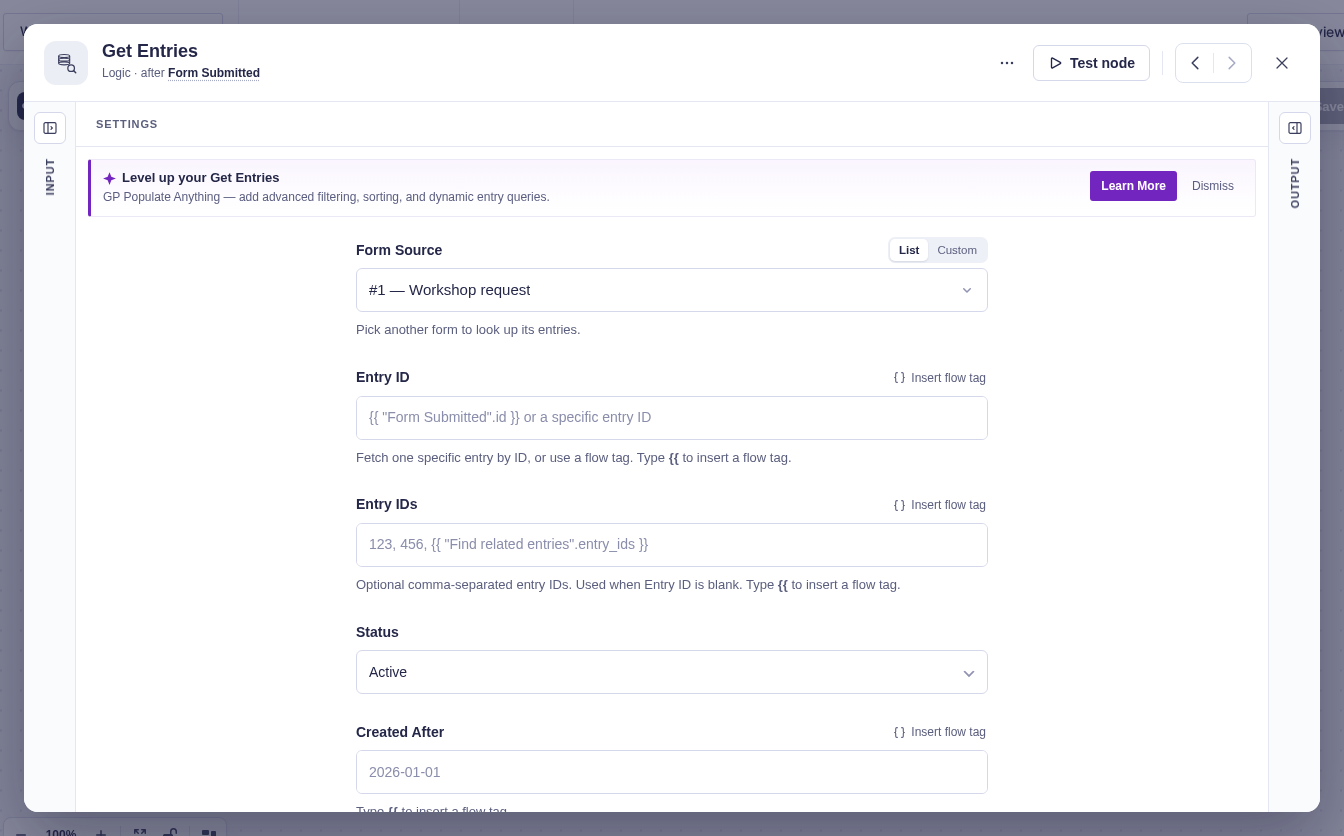
Get Entries is a built-in example of a producer: its query settings choose the form and records to collect. The screenshot shows the top of its settings; the collection controls appear farther down.
Save references correctly
Section titled “Save references correctly”Collection::insert() accepts these fields:
| Field | Required | Meaning |
|---|---|---|
run_id |
Yes | Current Workflow_Run::$id. |
source_node_id |
Yes | Current workflow node’s $node['id']. |
item_type |
Yes | Stable key used to find a hydrator. |
refs |
In practice | Ordered list of JSON-safe reference arrays. Defaults to [] if omitted. |
created_at |
No | UTC MySQL timestamp. Defaults to current_time( 'mysql', true ). |
count is calculated from refs inside insert(). Do not pass it. id is generated by the database.
Collection::insert() returns the Collection row ID, whether inserted or updated, or 0 when the JSON encode or database write fails. Treat 0 as a node error; do not return successful output that points consumers at a missing Collection.
Refs pass through wp_json_encode() and later json_decode(..., true). Keep them to arrays, strings, integers, floats, booleans, and null. Do not save WordPress objects, resources, closures, or live service responses.
Use one ref shape for one item_type:
$refs = array_map( static fn( int $post_id ): array => [ 'id' => (string) $post_id ], $post_ids);The public items[] data should describe those same records in the same order. Refs may stay small while items[] contains the full JSON-safe shape promised by get_output_schema().
For a remote Collection, plan how Include Data replays after the Collection row already exists. Rehydrating one ref per request can turn a safe producer into hundreds of serial calls on retry. Use a bounded batch endpoint, cap Include Data to a worst-case request budget, or return a clear error when complete item data cannot be rebuilt safely. Never report a partial items[] array as complete.
Return useful output
Section titled “Return useful output”| Include Data | Required output |
|---|---|
| Off | [ 'count' => count( $refs ) ] |
| On | [ 'count' => count( $refs ), 'items' => $complete_items ] |
Include Data controls public run output only. It does not control whether an iterator can load its current item; Collection-backed iterators hydrate refs when each item runs.
Declare count and the optional items array in get_output_schema(). Put known item fields in the array field’s items map. This gives ordinary downstream nodes a useful picker when Include Data is on, and gives loop-body authors {{ item.* }} choices before a test has run.
Inside a loop’s each branch:
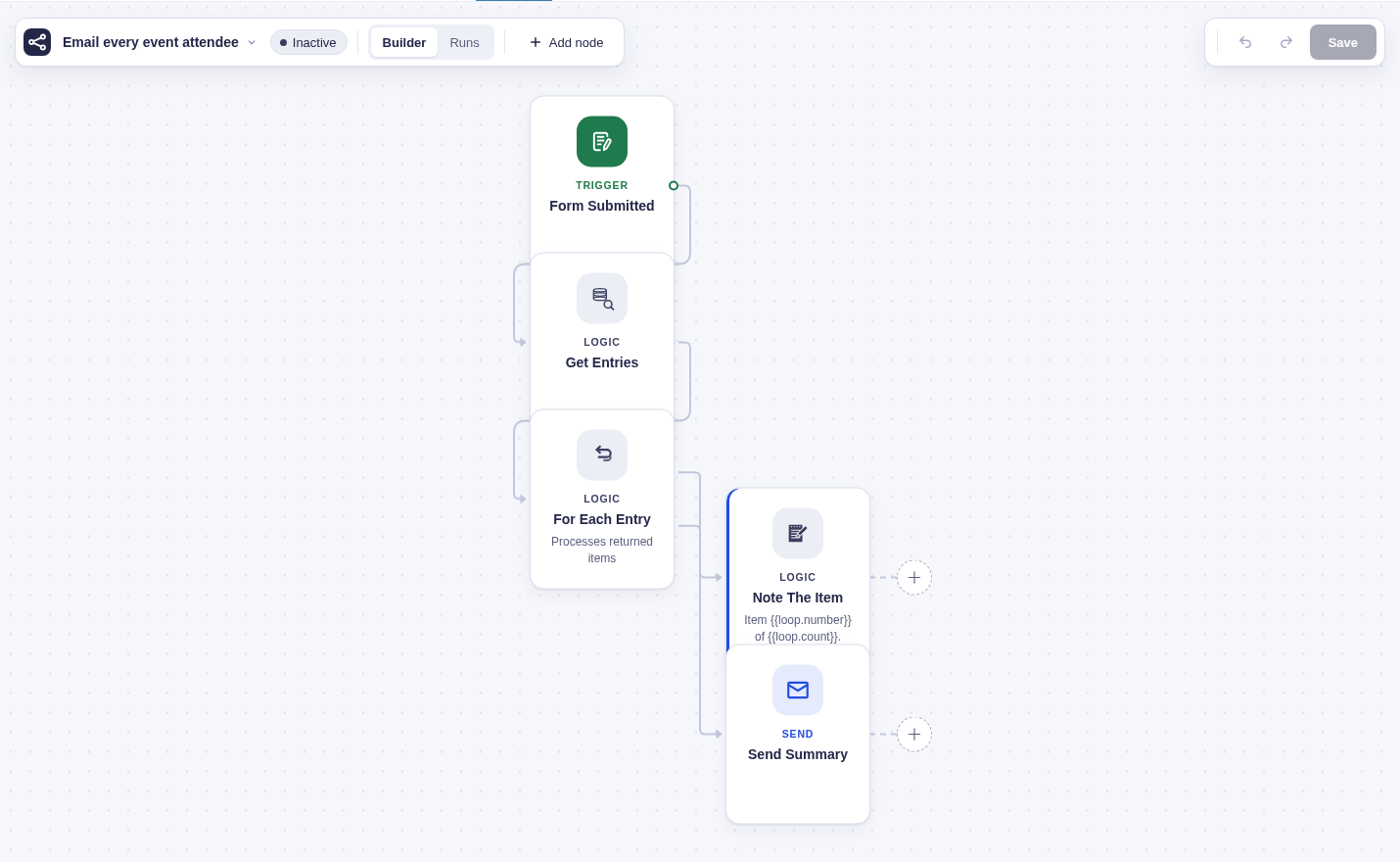
{{ item.id }}reads the hydrated current item.{{ loop_1.index }}is zero-based.{{ loop_1.number }}is one-based.{{ loop_1.count }}is total items for this execution.{{ loop_1.remaining }}is items after the current one.
loop_1 is the loop node’s workflow ID. Runtime item context exists only while a body node runs and is cleared afterward. See the flow tag syntax reference for the full grammar.
Register a hydrator
Section titled “Register a hydrator”Loop_Hydrator_Registry::register( $item_type, $callable ) maps the producer’s item_type to a loader. Third-party plugins normally register it during flowcrafter_register_nodes, alongside their node type.
The callable receives one raw decoded ref and must return a JSON-safe item array:
Loop_Hydrator_Registry::register( 'acme_post', static function ( array $ref ): array {    $post = get_post( (int) ( $ref['id'] ?? 0 ) );
return $post instanceof \WP_Post ? [ 'id' => $post->ID, 'title' => get_the_title( $post ), 'status' => $post->post_status ] : [];} );| Situation | Registry behavior | Iterator behavior |
|---|---|---|
| Registered type, record found | hydrate() returns the hydrated array. |
Uses that array as {{ item }}. |
Registered type, loader returns [] |
hydrate() returns []. |
Item fails before body execution and follows Continue or Stop. |
| No registered hydrator | hydrate() returns []; has() returns false. |
Engine passes the raw ref through as the current item. |
hydrate_batch() sees empty results |
Skips them. | Caller receives fewer items, so use per-ref hydration when cardinality must stay exact. |
The hydrator contract cannot return WP_Error. A timeout, rate limit, or temporary upstream outage must also become [], so the loop does not schedule an automatic backoff retry: Continue counts that item as failed and moves on; Stop fails immediately. If temporary hydration failures must retry, do not fetch live remote data in the hydrator. Save enough non-secret snapshot data in the ref, or perform retryable fetching in a normal run-level node before iteration.
Build an ordinary consumer
Section titled “Build an ordinary consumer”An ordinary consumer implements Consumes_Collection but not Iterates_Collection. Flowcrafter validates that its incoming source provides a Collection, but your handler owns lookup, cardinality, hydration, errors, and output.
Manual lookup, cardinality, and hydration pattern
Use this pattern when one execution should summarize, export, or batch-process every saved record:
public function execute( array $node, Workflow_Run $run, array $form ) {    $incoming = $run->get_graph()->get_incoming_node_ids( $node['id'] );    if ( count( $incoming ) !== 1 ) {        return new \WP_Error( 'invalid_collection_source', 'Connect exactly one Collection source.' );    }
    $collection = Collection::get_for_source( $run->id, $incoming[0] );    if ( ! $collection ) {        return new \WP_Error( 'missing_collection', 'The connected source has not produced its Collection.' );    }
    if ( $collection->item_type !== 'acme_post' ) {        return new \WP_Error( 'incompatible_collection_type', 'Connect an Acme Posts Collection.' );    }
    if ( ! Loop_Hydrator_Registry::has( $collection->item_type ) ) {        return new \WP_Error( 'missing_collection_hydrator', 'No loader is registered for this item type.' );    }
    $items = [];    foreach ( $collection->get_refs() as $ref ) {        $item = Loop_Hydrator_Registry::hydrate( $collection->item_type, $ref );        if ( ! $item ) {            return new \WP_Error( 'collection_item_not_found', 'A saved item could not be loaded.' );        }        $items[] = $item;    }
    return $this->success( $node, [        'count' => count( $items ),        'items' => $items,    ] );}
This strict version first rejects a Collection whose item_type does not match the consumer’s expected ref and item shape, then keeps one hydrated item per ref. Consumes_Collection proves only that an incoming Collection exists; it does not prove type compatibility. If your consumer accepts several types, use an explicit allowlist and branch to the matching schema. If missing records are acceptable, skip them deliberately and document that output cardinality can be lower than Collection::$count. If your consumer needs refs rather than records, call get_refs() directly and do not register a fake hydrator.
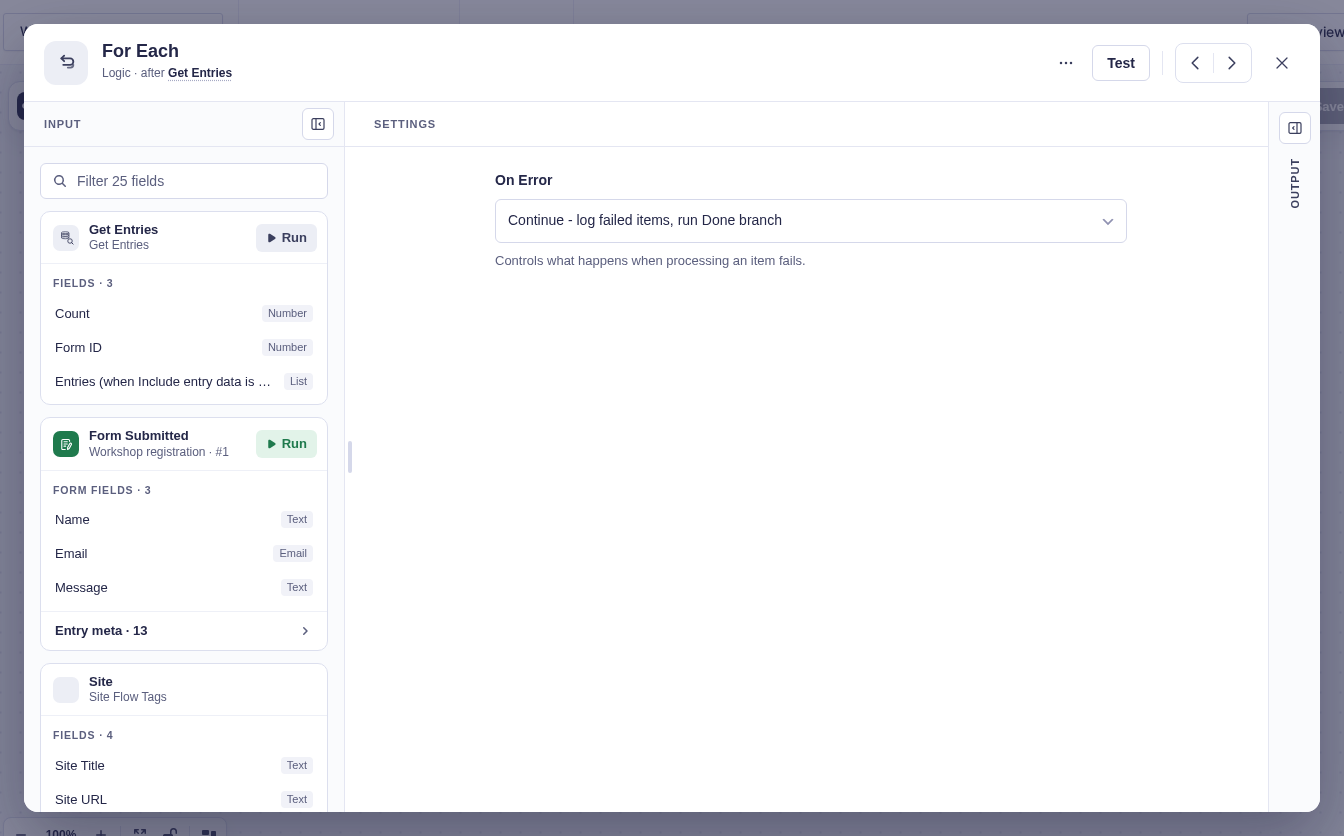
For Each is an iterator consumer. Its window shows the upstream collection context and the error policy for per-item work, while the engine handles the execution described in the developer guide.
Understand custom iterator limits
Section titled “Understand custom iterator limits”Iterates_Collection extends Consumes_Collection and opts the handler into engine-managed item execution. The current third-party API does not expose everything needed for a complete custom iterator settings panel: the core picker reads private workflow/store hooks, custom types lack full body-label rename support, and the PHP marker alone does not create each / done canvas handles.
Fixed ports and initial result
Section titled “Fixed ports and initial result”Custom iterators must return exactly each and done ports:
public function get_output_ports(): array { return [ 'each', 'done' ];}They must also reject anything other than exactly one incoming source. Core workflow validation does not currently enforce that cardinality for custom types.
Their initial output must provide the counters the engine updates:
$output = [ 'count' => $count, 'processed' => 0, 'succeeded' => 0, 'failed' => 0, 'status' => 'pending',];Return next_nodes => []. The engine runs each_nodes itself and sends only the final callback to done_nodes.
Continuations and context
Section titled “Continuations and context”Production runs complete whole items until the callback budget approaches, persist next_index and counters, then resume the same iterator through a durable continuation. Keep these inputs stable for the life of the run:
- Collection ID, source node ID, item type, ref order, and ref count.
eachanddoneworkflow scopes from the run’s frozen workflow snapshot.
Collection refs naturally stay fixed in their one stored row. Never query a changing external list again during continuation.
Each body execution receives item_type, raw item_ref, hydrated item, and loop counters in runtime context. Body state and logs use scope_type = loop_iteration and scope_key = {iterator_node_id}:{zero_based_index}, so one canvas node can run once per item without overwriting earlier state.
Errors, aggregation, and tests
Section titled “Errors, aggregation, and tests”The engine reads on_error from iterator settings:
| Value | Result |
|---|---|
continue or omitted |
Count the failed item, process remaining items, run Done, and finish with partial. |
stop |
Halt on first failed item, mark iterator and run failed, and skip Done. |
Body outputs stay iteration-scoped unless a body node sets loop_result_include_output. Opted-in records are collected under the body node’s reference name in iterator output results. Records include index, raw item ref, status, and output or error. Because keys use body labels, rename support matters.
Testing checklist
Section titled “Testing checklist”Producer
Section titled “Producer”- Handler advertises both
provides_collectionandresolves_flow_tagsthrough PHP contracts. - Limit defaults to
25, resolves flow tag values, falls back on invalid values, and floors non-positive values to1. - Include Data off queries or keeps only stable IDs and returns exactly
count. - Refs contain stable identities, not full remote records or personal-data snapshots.
- Include Data on returns complete JSON-safe
items[]in ref order. - Include Data replay uses bounded batch work instead of one unbounded remote request per ref.
- Zero results still insert one Collection row with empty refs.
- A failed Collection insert fails the node instead of returning successful output.
- A retry either replays saved refs or safely upserts new refs without changing the Collection ID.
- Exactly one row exists for each run/source pair.
- Remote pagination fits a documented safe bound and does not report known truncation as complete.
-
Collection::$count, decoded refs, outputcount, and optionalitems[]agree. - Output schema declares
count,items, and known item fields.
Hydrator and ordinary consumer
Section titled “Hydrator and ordinary consumer”- Hydrator registration uses the exact producer
item_type. - Every typed consumer rejects an unexpected Collection
item_typebefore reading refs. - Valid refs return the same public item shape promised by output schema.
- Missing, deleted, and malformed refs return
[]and receive deliberate handling. - Temporary hydrator outages have a deliberate policy; they do not rely on run-level backoff retries.
- Consumer rejects zero or multiple incoming sources if it requires exactly one.
- Consumer reports a missing Collection instead of treating it as an empty result.
- Tests cover whether missing hydrated items fail, skip, or preserve raw refs.
For contract registration and the full contract catalog, see Writing a Node Type. For the token grammar loop bodies use, see the flow tag syntax reference, and for the registration actions, Hooks.