Logic
Condition (entry)
Send a run down a Yes or No branch by checking a Gravity Forms entry.
Condition (entry) checks a Gravity Forms entry and routes the run to Yes or No based on whether its conditions were met.
When to use it
Section titled “When to use it”Use it when the next step depends on an entry value, such as plan, approval status, delivery method, or payment choice.
Settings
Section titled “Settings”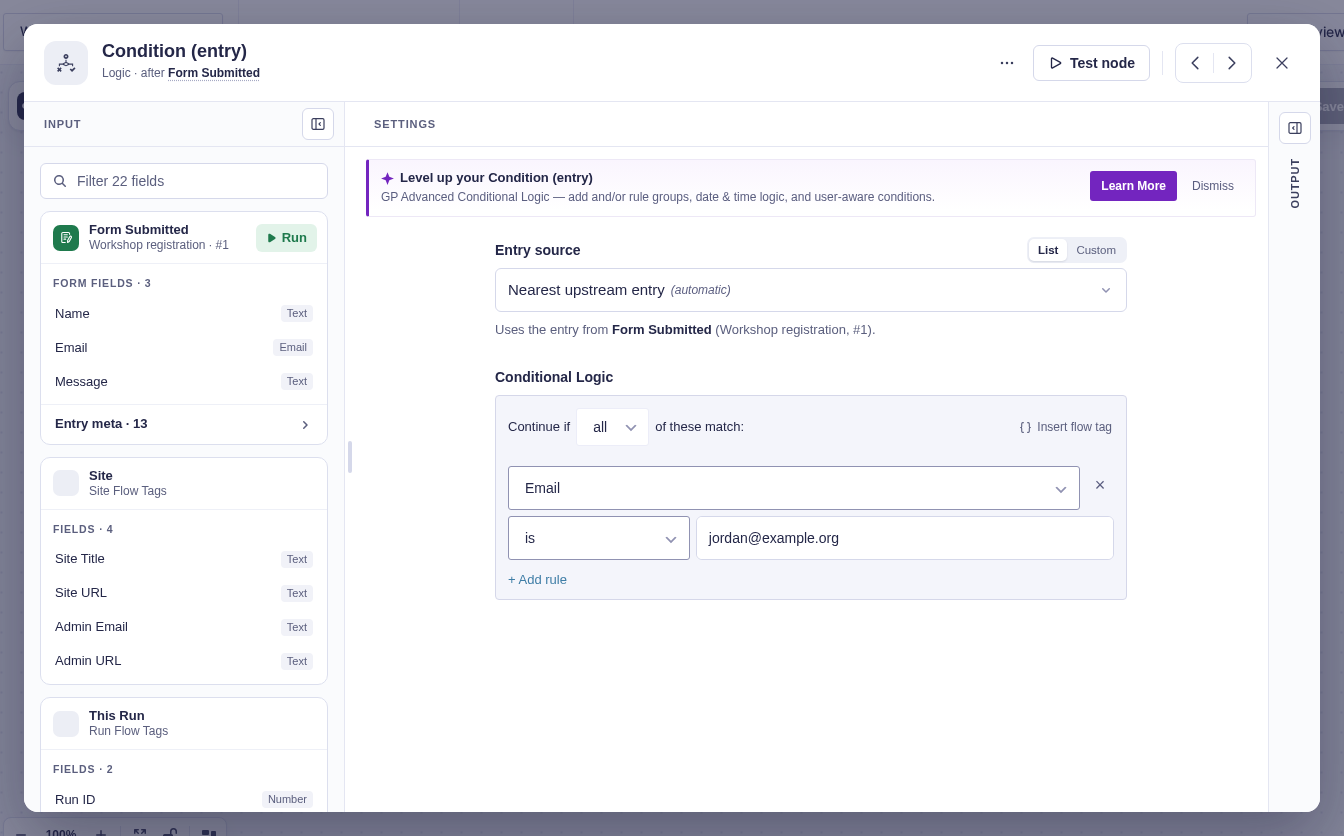
| Setting | What it controls |
|---|---|
| Form source | The form whose fields appear in the rule builder. This is usually detected automatically. |
| Entry source | The upstream entry to check. $input uses the current entry; a flow tag or query-result selector can choose another. |
| Conditional logic | One or more field rules. Choose whether all rules or any rule must match. |
Output and branches
Section titled “Output and branches”- Yes runs when the configured logic matches.
- No runs when it does not.
resultisyesorno.logic_typeisallorany.rulesrecords each field, operator, expected value, current value, and result.
Good-to-knows
Section titled “Good-to-knows”- Entry source selects which entry to check. When this node runs, it fetches that entry again and checks its latest saved field values, not an older copy passed along by another node.
- Changes made while a workflow is queued or paused affect the decision. For example, an updated approval status determines the branch when the run reaches this node.
- If the entry has been deleted or can no longer be loaded, the node stops with an error rather than deciding from outdated data.
Example
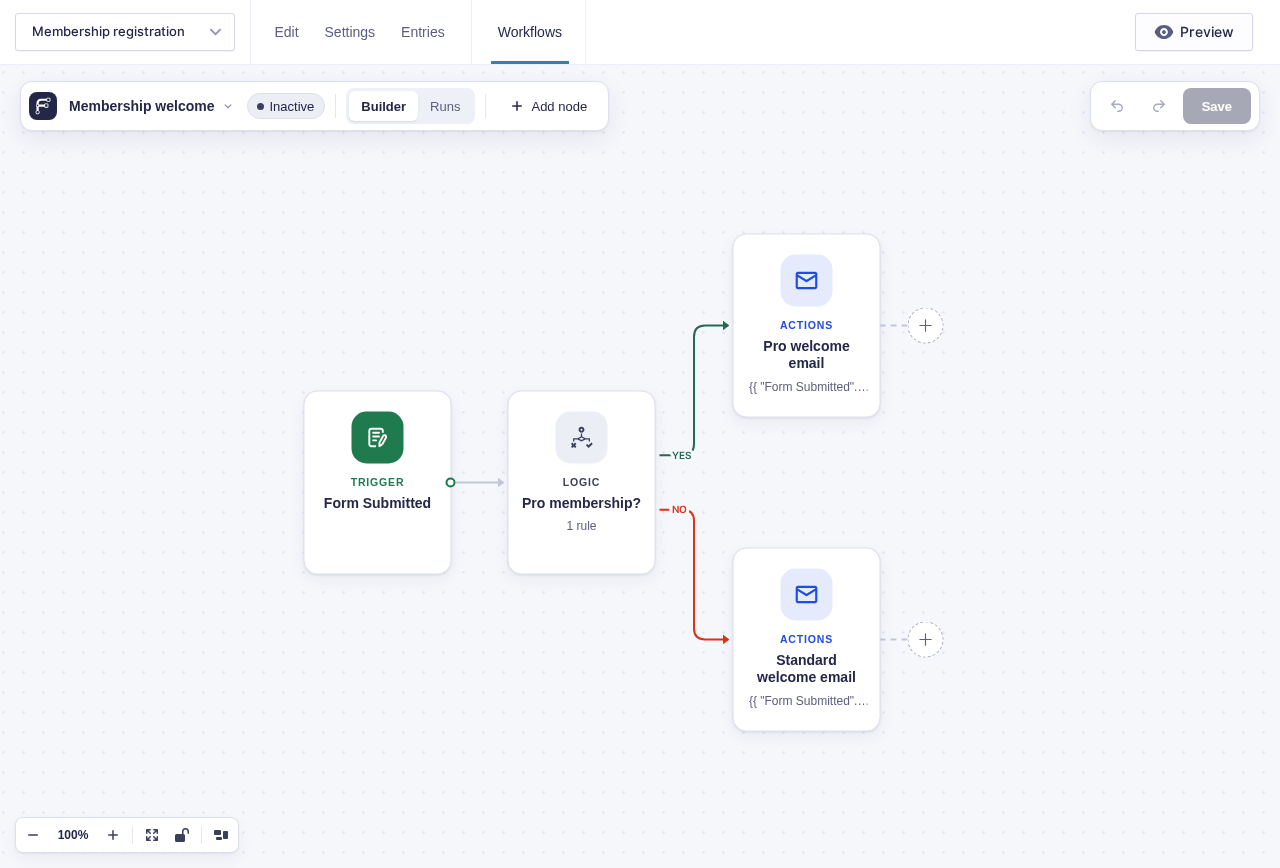
Section titled “Example”After Form Submitted, add a rule where Membership is Pro. Connect Yes to the Pro welcome email and No to the standard welcome email.