Flow
Wait for Payment
Pause until the entry is paid or the payment becomes overdue.
Wait for Payment watches a Gravity Forms entry. It takes Paid when the current payment status is Paid or Active; otherwise it waits and can become Overdue.
When to use it
Section titled “When to use it”Place it before fulfillment, access, downloads, or confirmation messages that require a successful payment.
Settings
Section titled “Settings”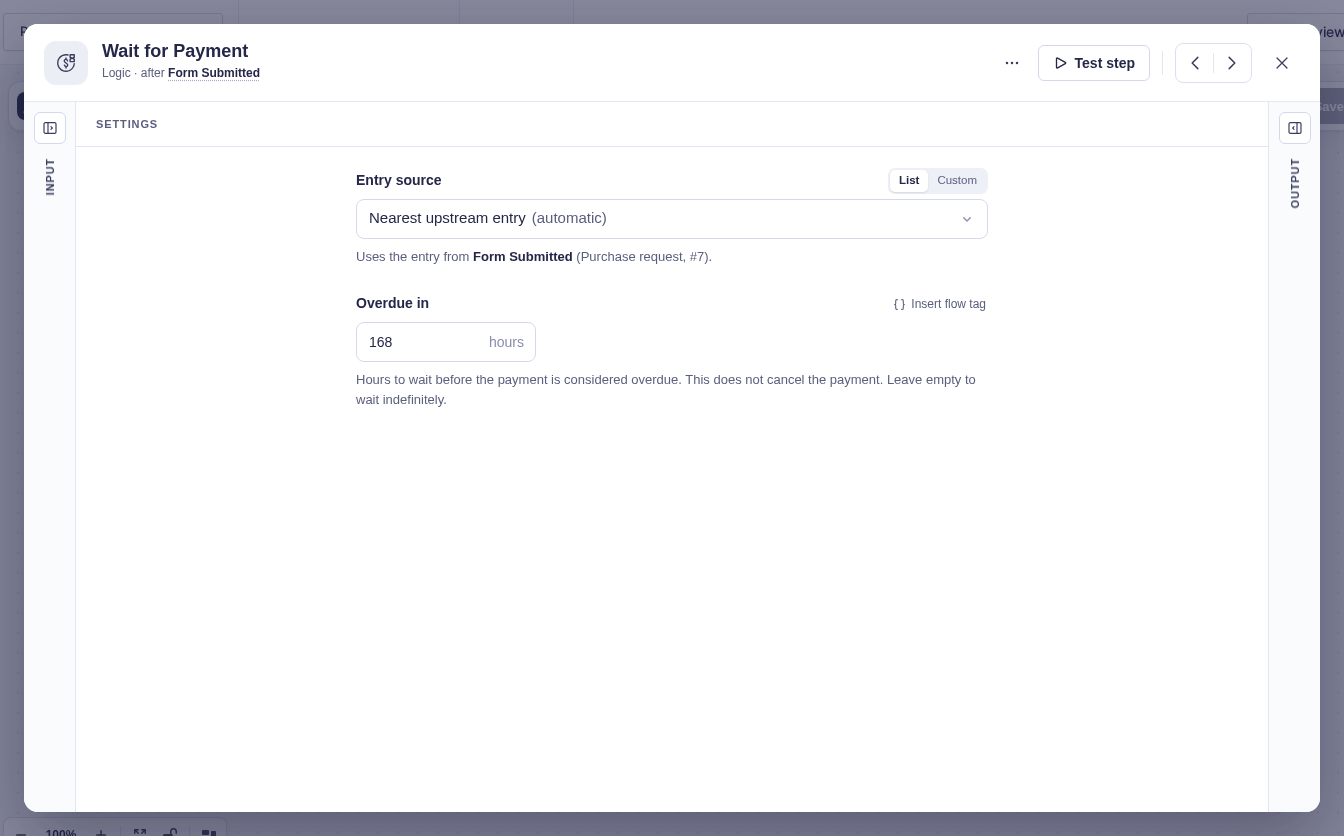
| Setting | What it does |
|---|---|
| Form Source / Entry Source | Selects the entry to watch. These are usually detected automatically. |
| Overdue in (hours) | Sets the waiting window. It accepts flow tags and defaults to 168 (seven days). Clear it to wait indefinitely. |
Branches and output
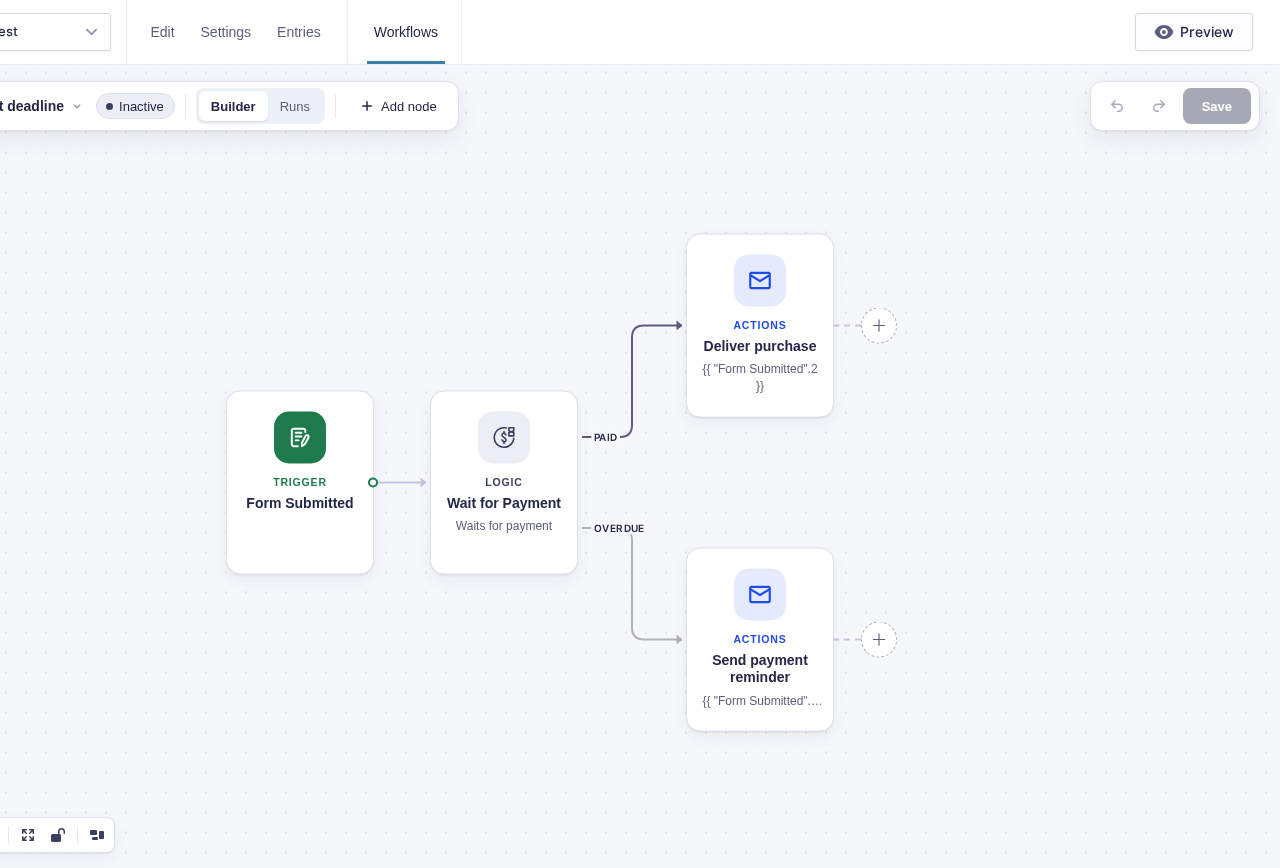
Section titled “Branches and output”The visible branches are Paid and Overdue. Their editor handles are output and expired, respectively. The execution engine calls the Paid port default; saving translates it to output so the connection still appears after reloading.
| Branch | When it runs |
|---|---|
| Paid | The latest entry status is Paid or Active. |
| Overdue | The timer expires and the latest status is still not paid. |
The Paid result provides Transaction ID, Payment status, and Payment amount as flow tags.
When it checks for payment
Section titled “When it checks for payment”The node reloads the current entry when it starts. An already-paid entry takes Paid immediately. While parked, either Gravity Forms’ delayed-payment hook (gform_trigger_payment_delayed_feeds) or payment-status-change hook (gform_post_payment_status_change) can resume it. Once the Overdue timer ends, it checks the entry one last time so a payment completed just before expiry still takes Paid.
When Go To visits this step again
Section titled “When Go To visits this step again”A payment callback resolves the matching wait active when it arrives. The same transaction ID can satisfy this step only once in a run, so delivering that callback again cannot pay a later visit. A new transaction ID may satisfy a later visit. The payment provider does not identify which visit it intended: a delayed, previously unseen callback is treated as an event for the active wait.
Good-to-knows
Section titled “Good-to-knows”- If the selected entry is missing when the step starts or is reloaded, the step and run fail rather than taking either branch.
- Wait steps are not allowed inside a For Each Each item branch.
- Test mode reloads the entry and reports whether production would continue or wait; it does not park.
Example
Section titled “Example”Leave Overdue in (hours) at 168. Connect Paid to deliver the purchase and Overdue to send a payment reminder. If the entry becomes paid on day three, only Paid runs.