

Building Workflows
Testing Before You Go Live
Try your workflow with real test data, inspect each step, and verify every path before turning on automatic triggers.
You can test the workflow on your current canvas, including unsaved changes, without activating it. Start with a form entry or webhook request, then work through the workflow one node at a time. A new workflow remains Inactive while you test, so automatic triggers cannot start production runs.
This lets you:
- See the data each node receives and produces.
- Check confirmations, conditions, and other results.
- Try different branches and fallback paths.
- Find errors before the workflow starts running automatically.
Test with a form entry
Section titled “Test with a form entry”To test a workflow that starts when a form is submitted:
- Open the Form Submitted trigger and select Test step.
- Search for a Gravity Forms entry in the popover anchored to the test button. It starts with the six latest entries; search by a field value or entry ID to find another.
- Select an entry. The trigger test starts immediately; there is no separate Run confirmation.
- Review its Output, then open the next step and select Test step.
- Continue through every route you need to verify.
Flowcrafter uses the selected entry as the starting data for the test. When an entry-aware node runs, it reloads the latest version of that entry. If you update the entry between steps, later nodes will use those changes.
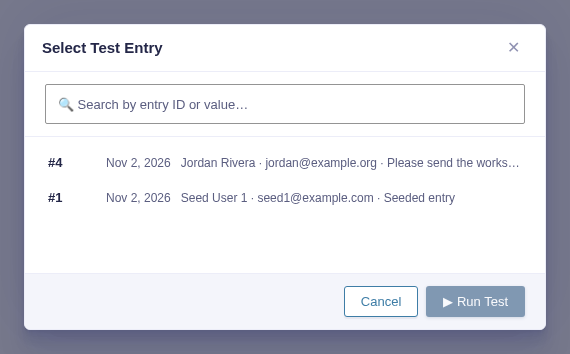
See what each node does
Section titled “See what each node does”Starting a test opens the Output rail automatically. For each tested node, you can inspect:
- Preview for an easy-to-read summary of the result, status, duration, and any error.
- Raw for the complete data returned by the node.
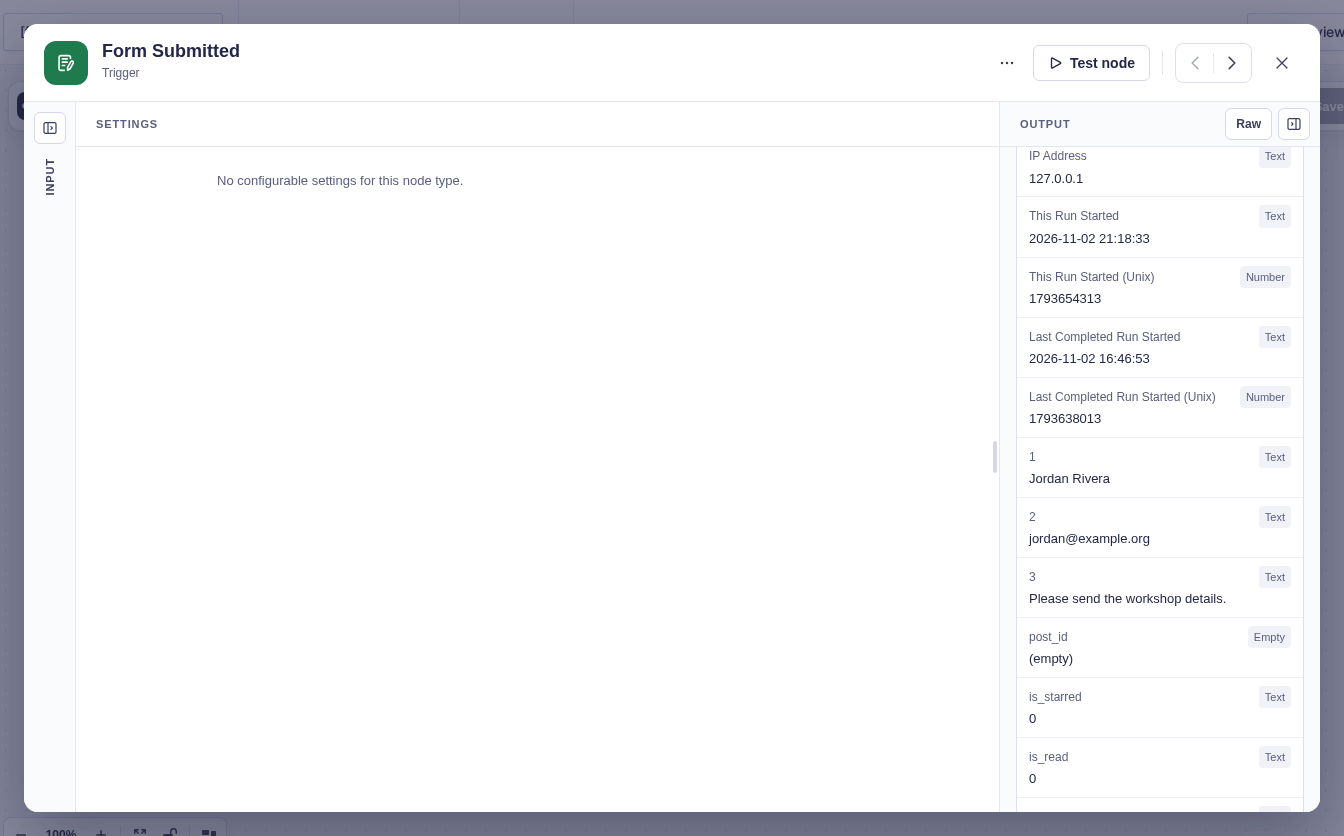
Confirmations appear as they would to the person submitting the form.
The Input view shows where the node’s data came from, with one card for each earlier node. If some input is not ready, use Run on its source card. You can also test the current node and let Flowcrafter prepare the upstream data it needs.
Before a downstream node can run, the Output rail guides you through the required steps: run the trigger, then test the node.
Try every possible route
Section titled “Try every possible route”You can test different inputs to see how data moves through conditions and branches.
For a Condition node, try data that produces both outcomes. For a Switch node, check:
- Each route you expect to match.
- The order of routes when more than one could match.
- A value that reaches Default.
Only nodes on the selected route will run. Nodes on other routes are skipped, just as they would be in a production run.
To try another entry or restart from the beginning, select Clear test data.
Send a test webhook
Section titled “Send a test webhook”For a workflow that starts with a webhook:
- Open the Webhook trigger.
- Select Listen.
- Copy the temporary listener URL.
- Send a request to that URL within five minutes.
- Review the captured method, headers, query values, and body.
- Continue testing the downstream nodes.
The listener stops after it receives a request or after five minutes. Select Listen again whenever you need a new testing window. Requests sent after the window closes will not be captured by that test session.
The temporary listener tests the workflow on your current canvas. It does not replace the workflow’s production URL or change the saved workflow.
If the workflow is already Active, requests sent to its production URL can still start a normal run using the saved version of the workflow.
Check what happens at a Wait node
Section titled “Check what happens at a Wait node”Testing a Wait node does not leave the builder paused for hours. Instead, each Wait node provides a safe way to check what production would do.
For example:
- Wait for Approval lets you choose Approve or Reject without sending an email.
- Wait for Payment reloads the entry and tells you whether the workflow would continue or keep waiting.
The exact test behavior depends on the type of Wait node. See that node’s reference page for details.