Actions
Confirmation
Update the confirmation message the visitor sees while the workflow runs.
Replace or extend the message on the form’s confirmation page while its workflow is running. The latest completed Confirmation step controls what the visitor sees.
When to use it
Section titled “When to use it”Use this for progress messages in workflows that continue after submission, such as “Reviewing your request…” followed by a final approval message. It only helps when the visitor remains on Flowcrafter’s polled confirmation page.
Settings
Section titled “Settings”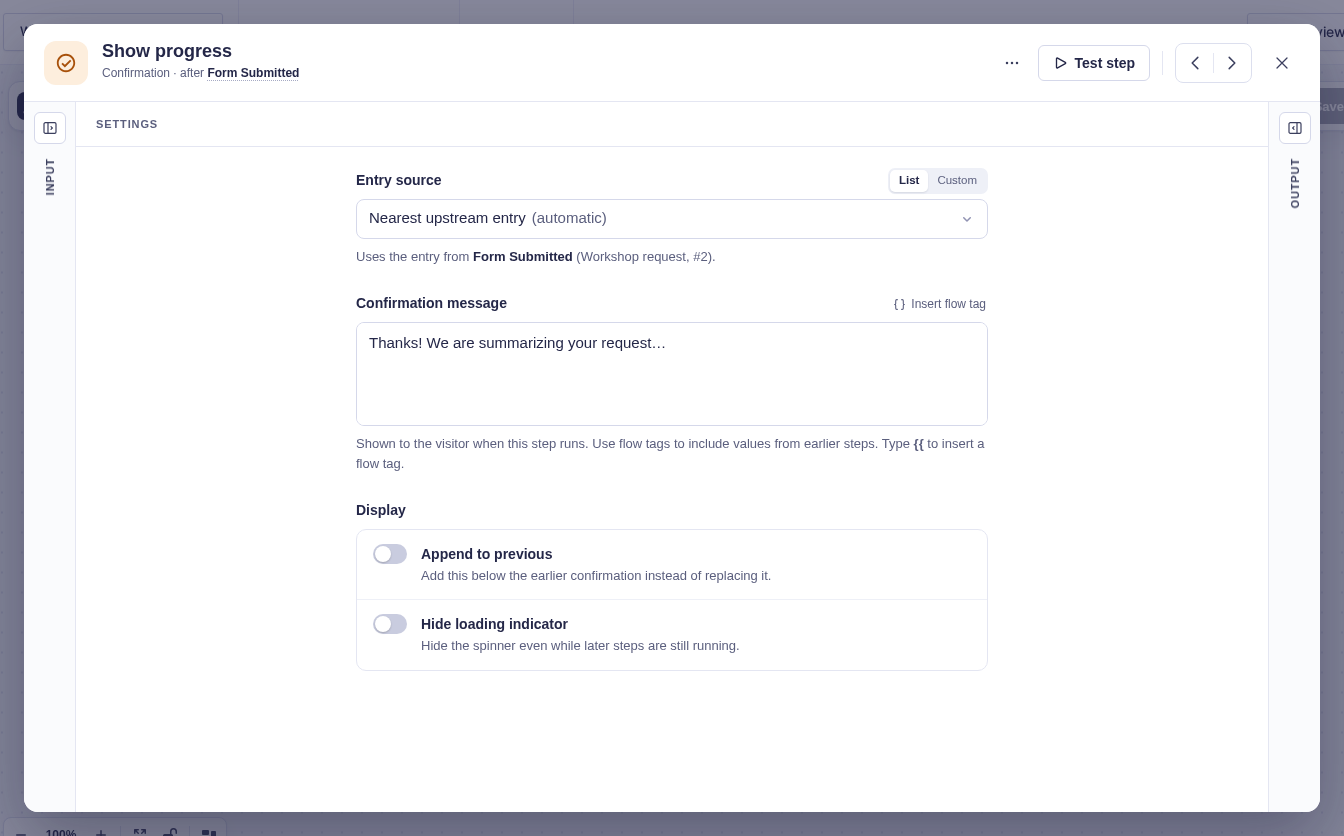
| Setting | What it controls |
|---|---|
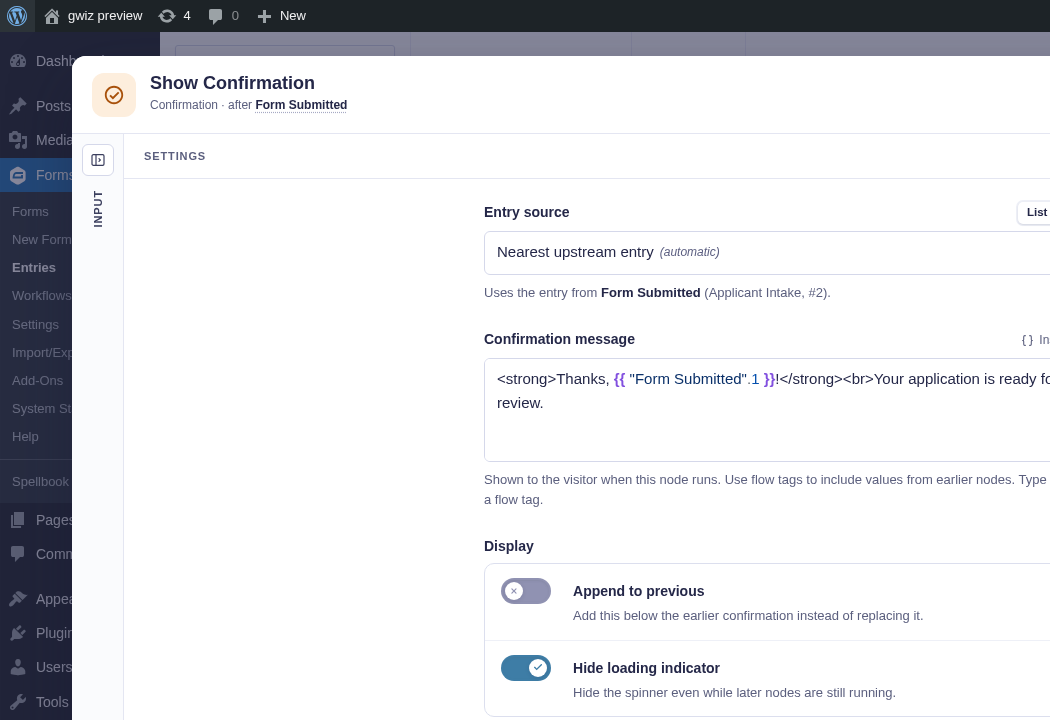
| Form Source | The form associated with the confirmation. Usually detected automatically. |
| Entry Source | The entry used for Gravity Forms merge tags and form context. The message still belongs to the current run. |
| Confirmation Message | The message to display. Supports flow tags and Gravity Forms merge tags; allowed HTML is sanitized. |
| Append to Previous | Adds this message below the previous confirmation instead of replacing it. Off by default. |
| Hide Loading Indicator | Hides the progress indicator even if more confirmation updates are expected. Off by default. |
| Attachments | File URL, data URI, path under WordPress uploads, or an earlier step’s file value. The optional key sets the displayed filename. |
Output and branches
Section titled “Output and branches”The step continues through one output and provides Resolved message, after flow tags and merge tags have been replaced.
A later Confirmation step can replace this message. Append to Previous preserves the earlier content but does not create a separate workflow branch.
Example
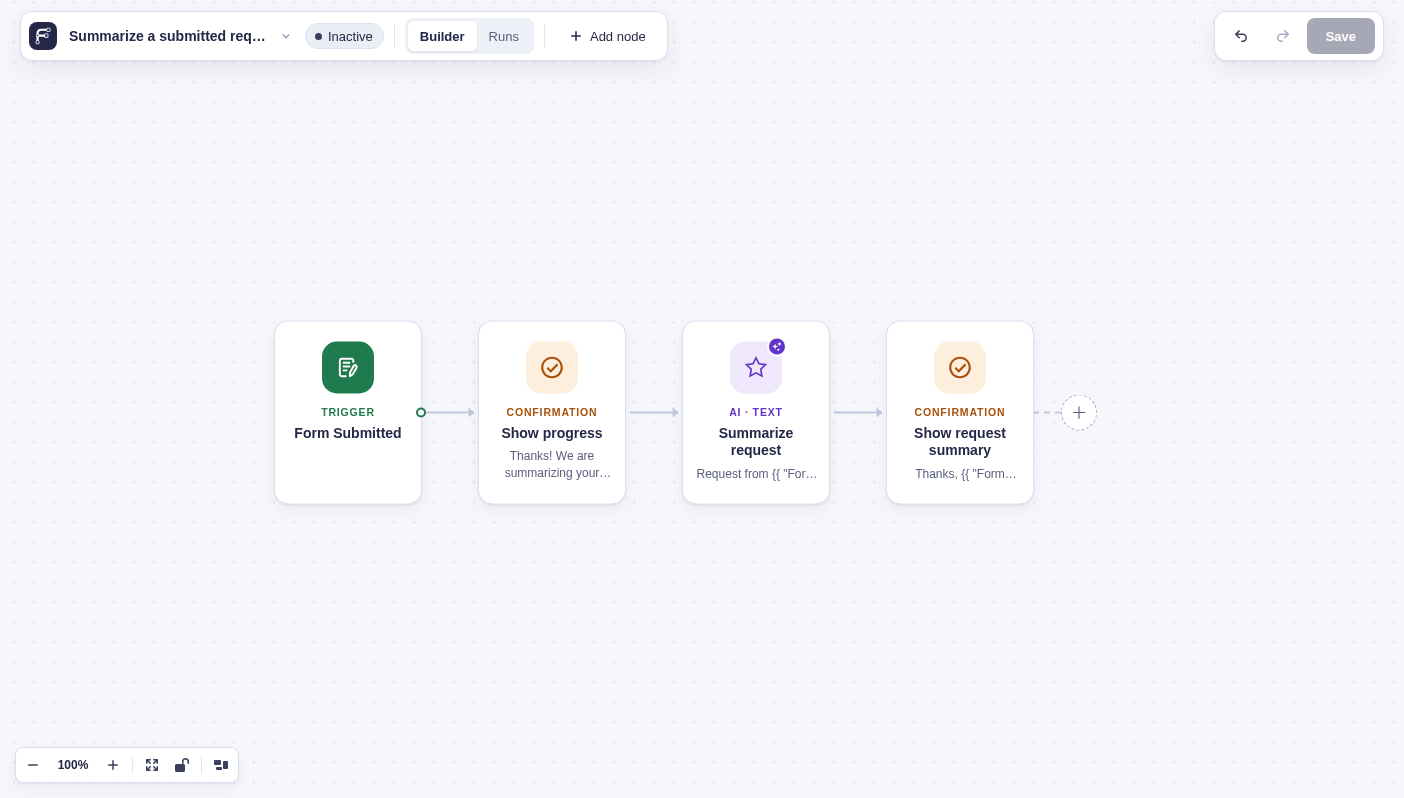
Section titled “Example”Show a progress message, summarize the submitted request with OpenAI Text, then display that summary on the confirmation page:
- Add a Confirmation named Show progress with
Thanks! We are summarizing your request…. Leave Hide Loading Indicator disabled while more updates are expected. - Name the OpenAI Text node Summarize request. Ask for one short sentence using
Request from {{ "Form Submitted".1 }}: {{ "Form Submitted".3 }}as its prompt. - In a final Confirmation, set Confirmation Message to
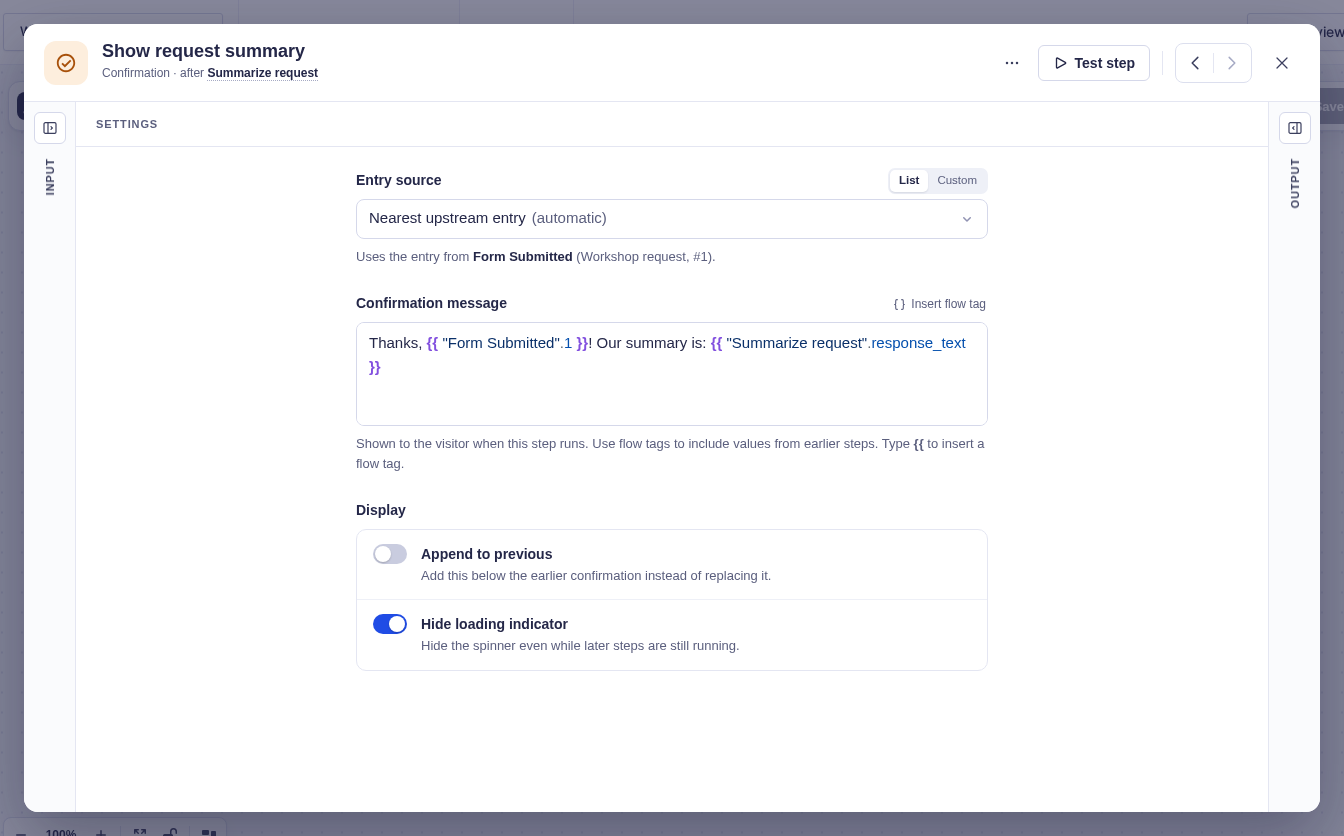
Thanks, {{ "Form Submitted".1 }}! Our summary is: {{ "Summarize request".response_text }}. Enable Hide Loading Indicator because this is the final visitor-facing update.
If the AI reply can contain Markdown headings or lists, use {{ "Summarize request".response_text | markdown }} instead. The markdown filter formats them as HTML rather than showing plain # and - characters.
Summarize the request
Section titled “Summarize the request”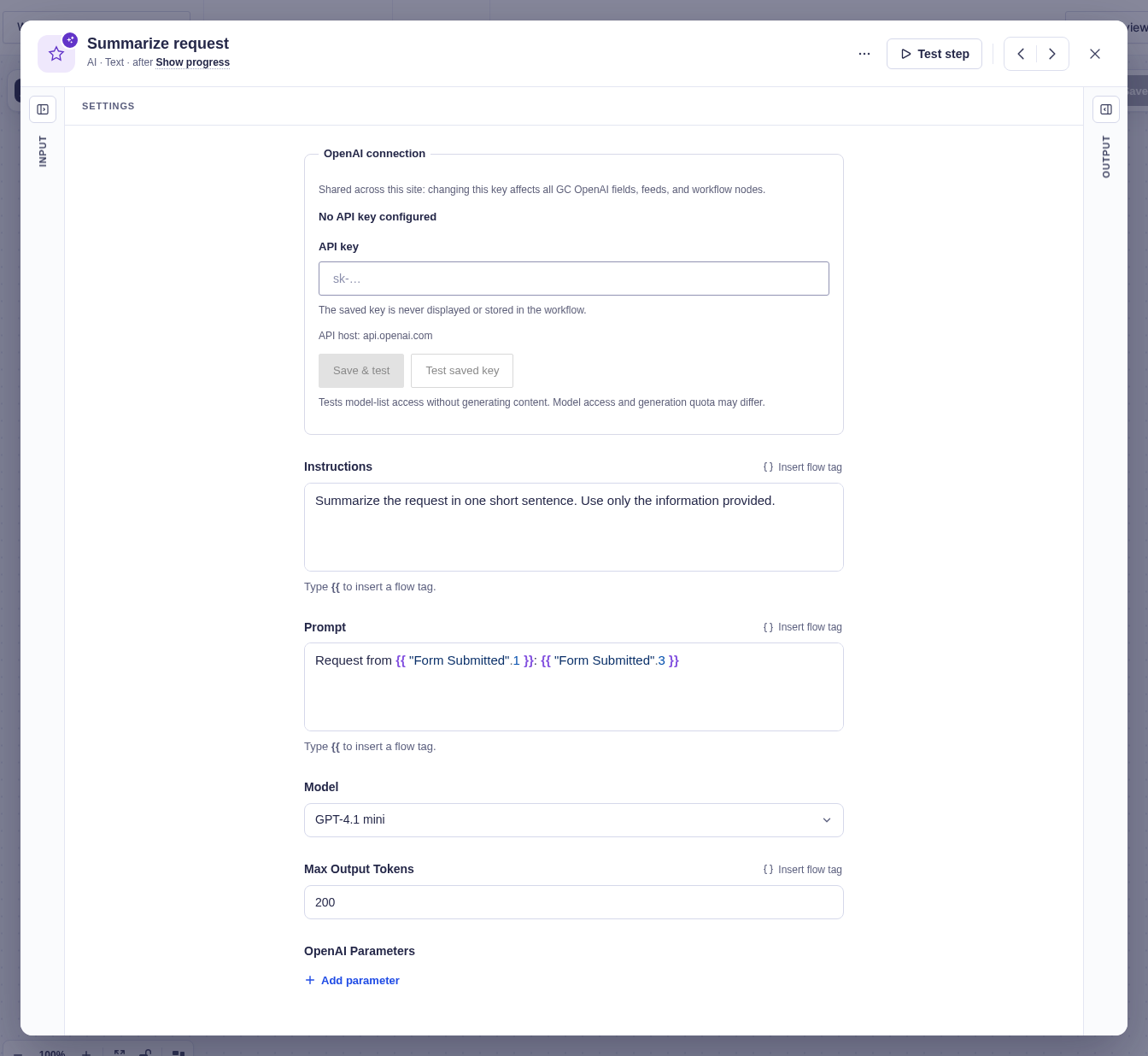
Display the summary
Section titled “Display the summary”