

Under the Hood (Developers)
How For Each Executes
The inner workings of the For Each node — collections, per-item execution in batches, loop-scoped flow tags, result aggregation, and the partial status.
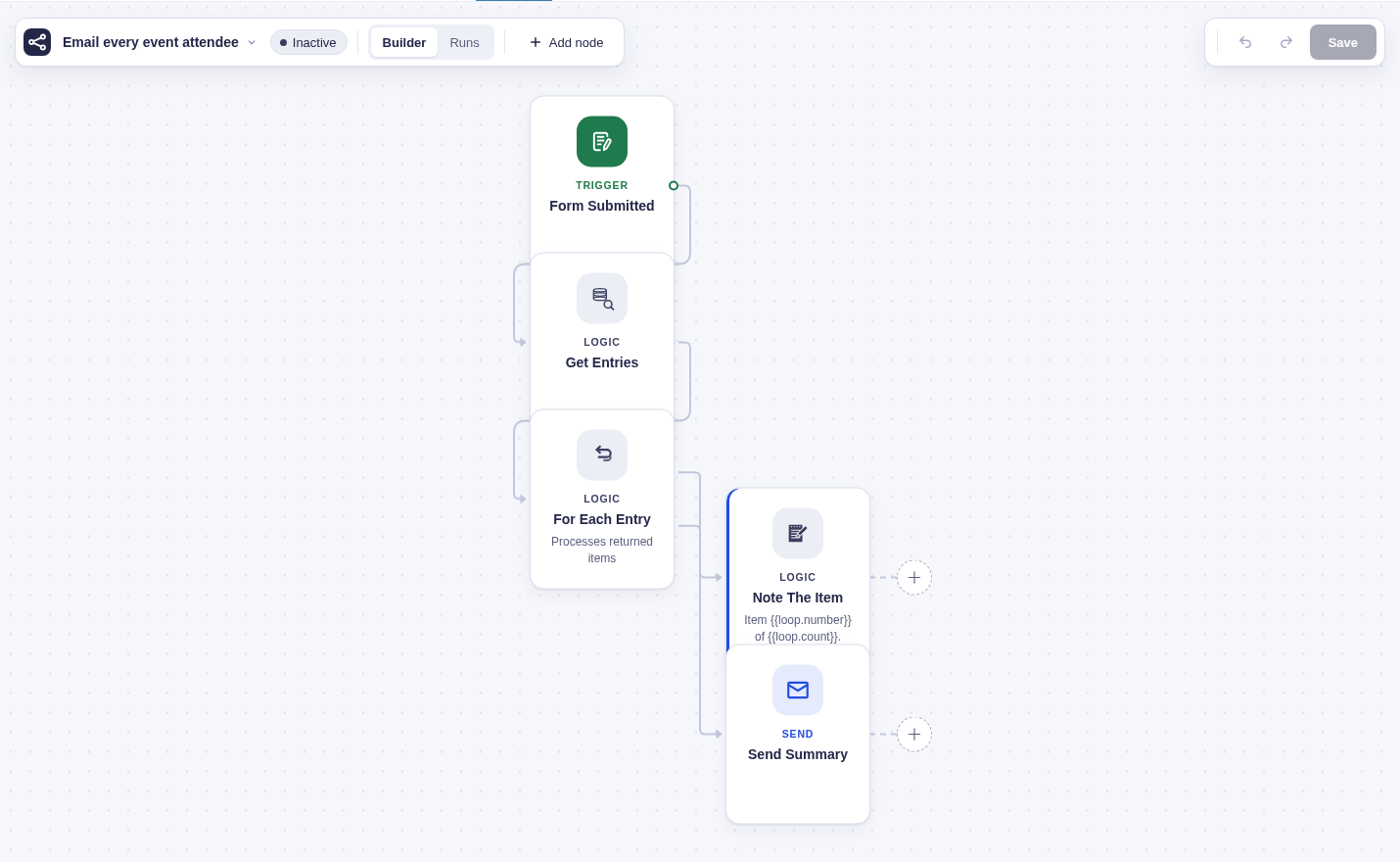
Loops look simple on the canvas — a For Each node runs its branch once per item in a list. Underneath there’s more going on: where the list comes from, how the engine runs thousands of items without timing out, how each item’s data reaches the nodes inside, and what “partial” really means. This page is the under-the-hood tour. For the plain how-to, see Processing Lists.
What a collection is
Section titled “What a collection is”A collection is the list a loop iterates. It comes in two shapes, and the For Each node handles both:
- Saved references (from query nodes). A list-producing node like Get Entries doesn’t send its whole result down the wire. It saves lightweight references — usually just an id per item — into internal run storage and passes on only a count. Those references never appear in flow tags, output, or logs; the loop rehydrates each item (loads the real entry) only when it processes it. This keeps a 10,000-entry list from ballooning your run data.
- A direct array (from ordinary output). Nodes with no stable ids — an HTTP response, an AI result, a database read — have nothing to save as a reference. The loop instead reads a chosen path straight out of the upstream node’s output. It checks that the value really is a list (not a single value or an object) and errors clearly if not. This is the same “which upstream array” logic the list-transform nodes (Filter, Deduplicate, Group By, Split) use, so it resolves identically everywhere.
How a loop runs, in batches
Section titled “How a loop runs, in batches”Top-level steps normally execute as separate background jobs. For Each is different: instead of dispatching a job for every body step and item, the engine runs the body inline, in batches, within the iterator’s job.
When the For Each node runs, it returns a small descriptor naming its two branches (the per-item body and the after-loop branch) and its source (a saved collection or a resolved array). The engine recognizes that descriptor and drives the iteration itself:
- It resolves the list and picks up where it left off (first pass starts at item 0).
- It processes items one at a time, inline — hydrating the item, exposing it to the body, and running the body branch for that item.
- After each item it updates counters and persists progress (how far it got, how many succeeded/failed) onto the loop node.
- It keeps going until it hits a budget — a per-batch item cap (100 by default) or a time budget (~20s) — then yields: it records a durable “continue this loop” job and lets the background queue pick it back up. A single item’s work is never split across batches.
- The continuation job re-enters the loop and resumes from the saved position, skipping items already done. Repeat until the list is exhausted.
That batching is why a loop over a huge list finishes reliably instead of blowing the request’s time limit — it does as much as fits, saves its place, and continues.
sequenceDiagram
    participant Q as Background queue
    participant E as Engine
    participant L as For Each node
    participant S as Collection or array
    participant B as Loop body

    Q->>E: run the For Each node
    E->>L: execute
    L->>S: resolve the list (saved refs or upstream array)
    L-->>E: descriptor (per-item branch, after branch, source)
    loop items, until the batch budget is hit
        E->>B: run the body for this item (item hydrated and in scope)
        B-->>E: ok or failed
        E->>E: update counters, save progress on the loop node
    end
    alt items remain
        E->>Q: record a continue-loop job, resume later
    else stopped on an error
        E->>E: mark the loop failed, skip the after branch
    else all items done
        E->>E: run the after branch once
    end
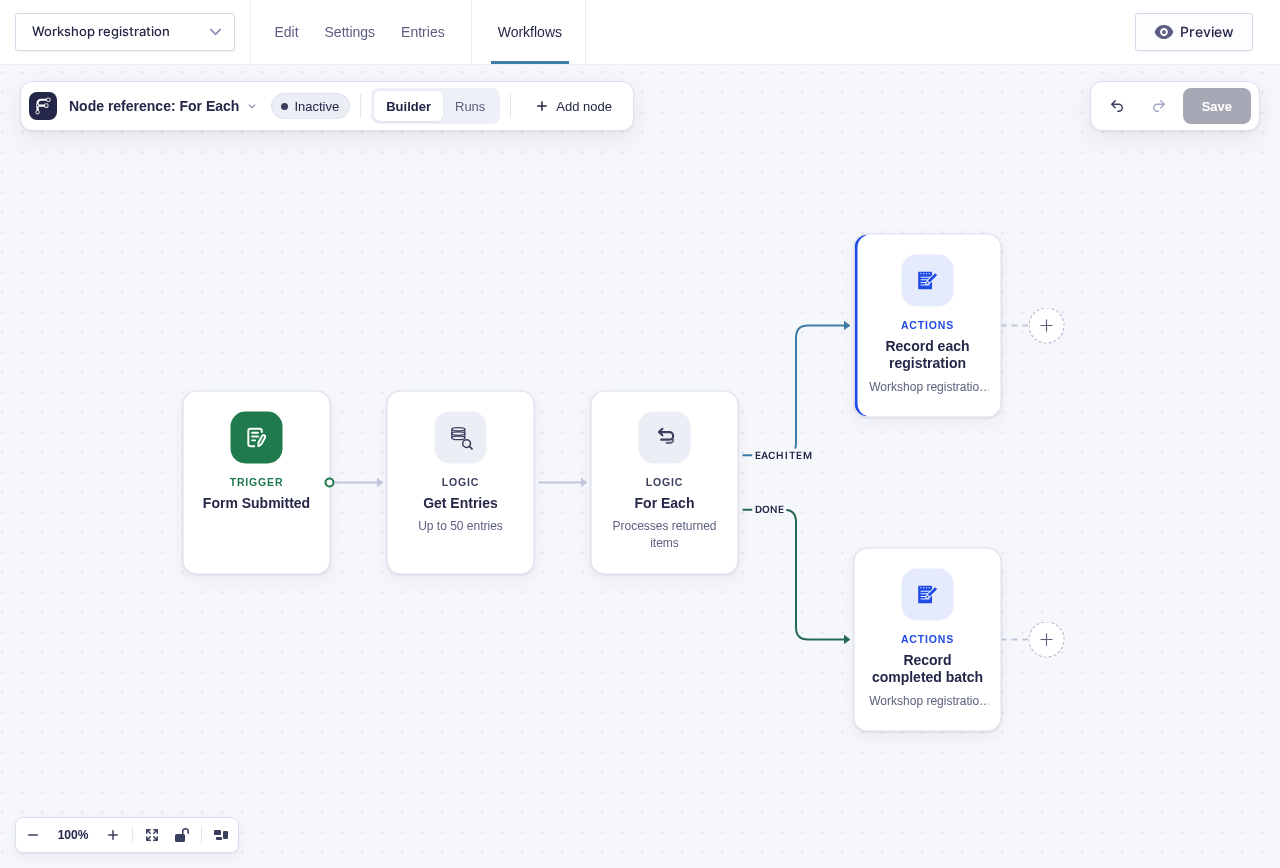
The canvas makes the two execution paths visible: per-item work and a separate continuation.
Per-item vs. after-loop
Section titled “Per-item vs. after-loop”The For Each node has two output ports:
- Per-item branch — the loop body. It’s every node reachable from that port, run once for each item. The engine keeps this branch scoped: body nodes can only reach other body nodes, so an item’s work can never spill over into the after-loop branch.
- After-loop branch — runs once, after every item is done. It only fires on full completion, dispatched like any normal downstream node. Stopping on an error or cancelling the run skips the after branch entirely.
Wiring a node into both branches is a validation error — the two are meant to be distinct.
Loop-scoped flow tags
Section titled “Loop-scoped flow tags”Inside the loop body, two families of flow tag become available, and a third behaves differently:
-
The current item —
{{ item }}for the whole item, and{{ item.<key> }}for a field (for a Gravity Forms entry, that includes the entry’s field ids, e.g.{{ item.2 }}). The item is set fresh before each iteration and cleared right after, so one item’s data can never leak into the next. -
Loop position — from the loop node: the current index (0-based), number (1-based), the total count, and how many remaining. Handy for “item 3 of 50” messaging or throttling.
-
Other nodes — a plain
{{ "Node Name".field }}still works inside the body. Pointing it at another body node gives you that node’s result for the item being processed right now. Pointing it at a node from before the loop gives you that node’s single result, same as anywhere else.
In the builder’s flow tag picker, the item’s fields show up before you’ve run anything when the source declares them (a form’s labeled fields), and get enriched with real keys after a test run samples an actual item. Each item’s body output is stored under that iteration only, so one item can never read another item’s results.
Aggregating results, and the partial status
Section titled “Aggregating results, and the partial status”By default, what the body produces stays iteration-scoped and isn’t surfaced — a loop over 500 items doesn’t dump 500 outputs into your run. When you do want the results, turn on Include this step’s output in the For Each result on a body node. Those get rolled up into the loop’s results, keyed by the body node’s name, and you select them downstream like:
{{ "Loop".results["Call shipping API"] }}The loop reports a status on its output that sums up how it went:
| Loop output status | Meaning |
|---|---|
complete |
Every item succeeded. |
partial |
Some items failed, but the loop was set to keep going, so it finished the rest. |
halted |
The loop was set to stop on the first failure, and one failed. |
pending |
Still mid-flight (between batches). |
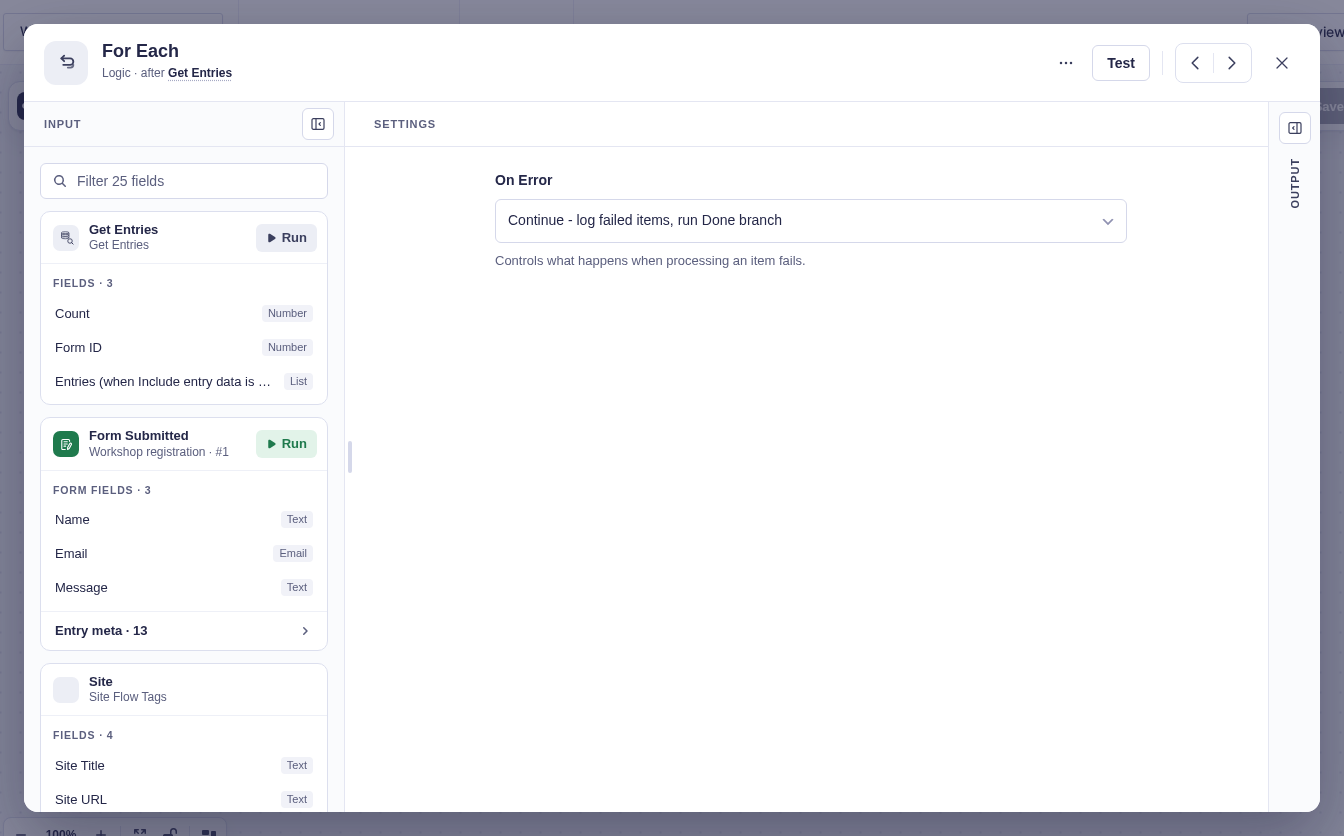
On-error policy is a node setting: continue (the default — count the failure, keep going, end up partial) or stop (first failure halts the loop and fails the run). An item “fails” if its saved reference can’t be loaded, or if a body node returns an error — both routed through the same path.
The loop persists live counters (processed / succeeded / failed, plus a rolling average item duration) onto the node, which is how the Runs mode shows loop progress without loading every body output. Body nodes in the overlay show an iteration count; top-level nodes show an attempt count.
Nesting and limits
Section titled “Nesting and limits”- No nested loops. A loop inside another loop’s Each branch is rejected at validation, and the builder won’t let you wire one Loop straight into another. Keep iteration one level deep.
- Loops in a row are fine. A second loop on the Done branch isn’t nested — it only starts once the first loop has finished every item.
- Batch caps are safeguards, not stops. The per-batch item cap (100) and the time budget (~20s, derived from the background queue’s own time limit) only make the loop yield and continue — they never drop items. Both are adjustable via filters (
flowcrafter_loop_max_items_per_callback,flowcrafter_loop_time_budget_seconds) for extension authors. - Test runs bypass the caps so a quick test finishes in one go; the in-builder Loop quick-test also clamps to a handful of items without touching your saved settings.
- Direct-array loops re-read the upstream output on each continuation, so that array must be stable for the run. Saved-reference collections don’t have this concern — the references are frozen when they’re saved.
- Built-in item loading covers Gravity Forms entries. Loading posts, users, or taxonomy terms as loop items comes from GP Populate Anything; without it, those item types have no loader.
Where to go next
Section titled “Where to go next”- For Each — the node and its settings.
- Looping Over Lists — the plain how-to.
- The Execution Model — the run loop the batching plugs into.