Flow
For Each
Run the same steps once for every item in a list, then continue when all iterations finish.
For Each takes a list—such as a group of entries, orders, or people—and runs the same steps for every item in that list.
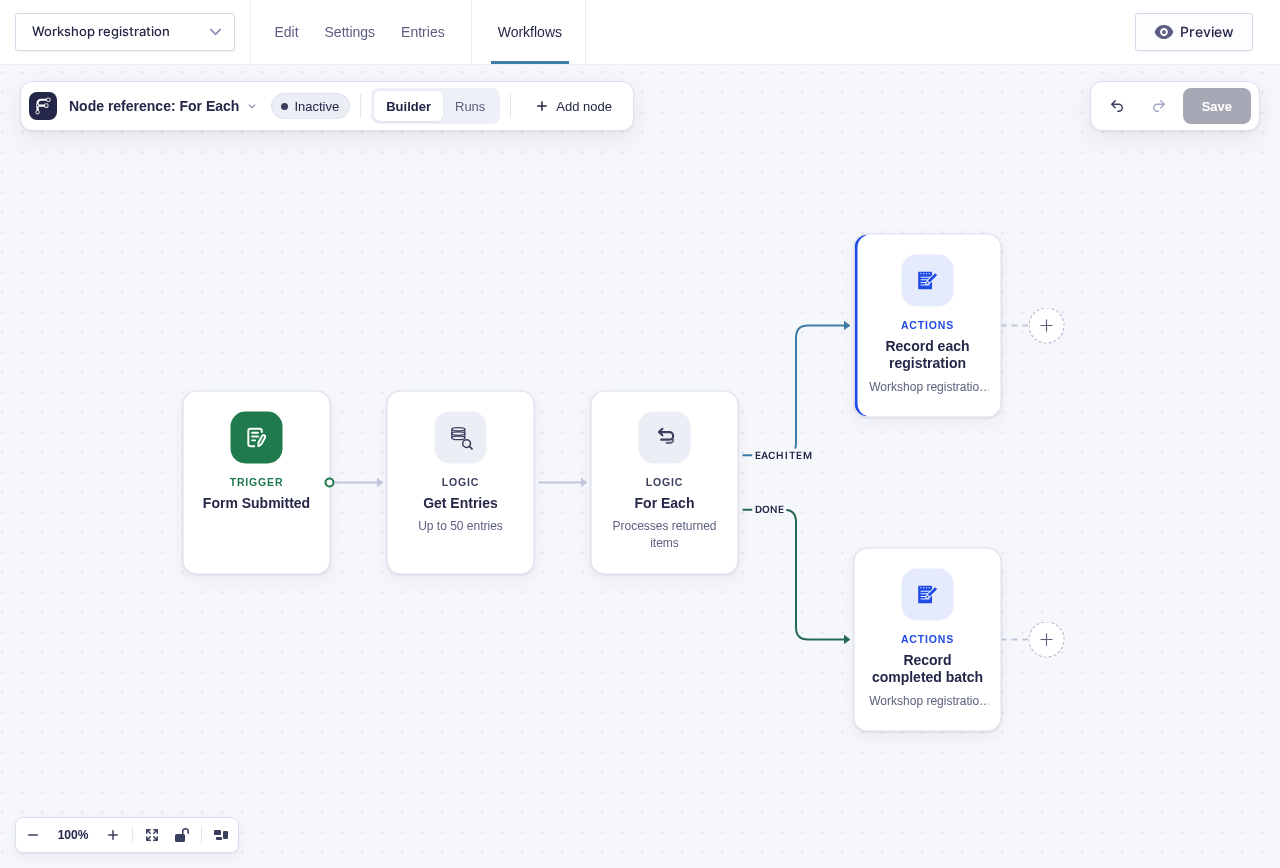
The steps that repeat belong on the Each item branch (the path leaving the For Each step). One trip through that branch is called an iteration. After the list is finished, the Done branch runs once.
When to use it
Section titled “When to use it”Use For Each when every item needs a separate action. For example, you could send one email to each event registrant or make one API request for each order.
If you want one action that includes the entire list, do not use For Each. Use Format List to turn the items into one block of text instead.
Use Go To when you need to repeat a section of the workflow rather than process a list.
Settings
Section titled “Settings”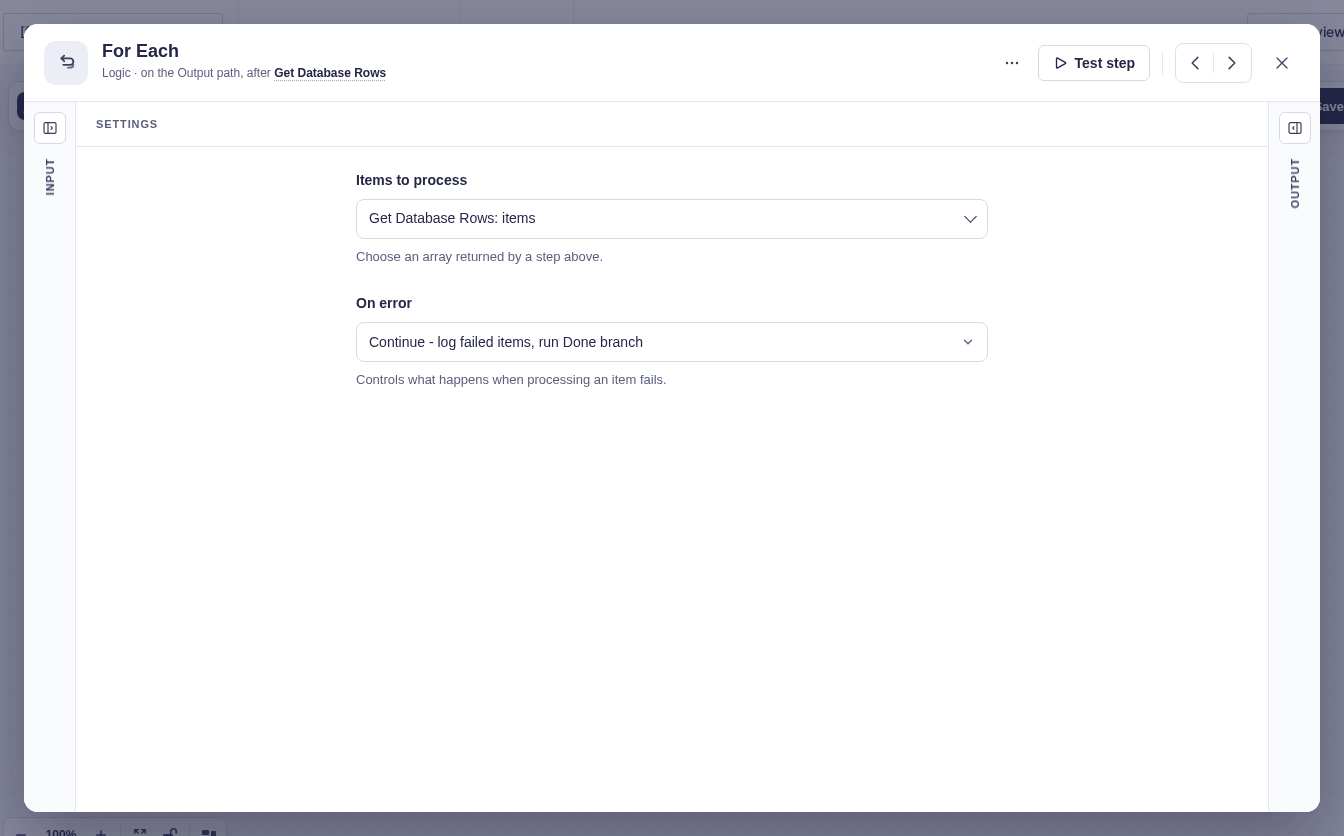
| Setting | What it does | Details |
|---|---|---|
| Items to process | Chooses the list from the step connected immediately before For Each. | Hidden when that step already provides a saved collection, such as Get Entries. In that case, For Each uses the saved collection automatically. |
| On error | Controls what happens when an item fails. | Continue (default) records the failure, moves on to the remaining items, and runs Done. Stop ends For Each at the first failure and skips Done. |
Branches
Section titled “Branches”| Branch | When it runs |
|---|---|
| Each item | Runs once for each item, one item at a time and in the order received. Inside this branch, {{ item }} means the current item. Use a flow tag such as {{ item.email }} for a named property or {{ item.3 }} for Gravity Forms field 3. When the list is Get Entries’ entries from one form, Current item lists that form’s fields by label. |
| Done | Runs once after every item has been processed. Use it for work that should happen only once, such as sending a summary. If the list is empty, the workflow goes directly here. |
Output
Section titled “Output”For Each keeps track of the list and what happened while processing it:
| Value | What it means |
|---|---|
count |
Total number of items in the list. |
processed |
Number of items that have finished processing. |
succeeded |
Number of items processed without an error. |
failed |
Number of items that encountered an error. |
status |
Overall state: complete, partial, halted, or pending. |
results |
Outputs collected from steps that have Include this step’s output in the For Each result enabled. This value appears only when at least one step is included. |
Inside the Each item branch, you can also use details about the current iteration:
| Value | What it means |
|---|---|
index |
Current position starting at 0. The first item has index 0. |
number |
Current position starting at 1. The first item has number 1. |
count |
Total number of items. |
remaining |
Number of items left after the current one. |
Use Insert flow tag to add these values. Flowcrafter will insert the correct ID for the current For Each step, so you do not need to type or guess it.
Good-to-knows
Section titled “Good-to-knows”- The list must come from the step connected directly before For Each.
- You cannot place a For Each inside another For Each’s Each item branch.
- You cannot place Delay or Wait steps on the Each item branch.
- If an action fails and is retried, the retries are attempts within the same iteration. They do not create new items or iterations.
Example
Section titled “Example”To email every person returned by Get Entries:
- Add Get Entries and configure it to find the entries you want.
- Connect Get Entries directly to For Each. For Each will use its saved collection automatically.
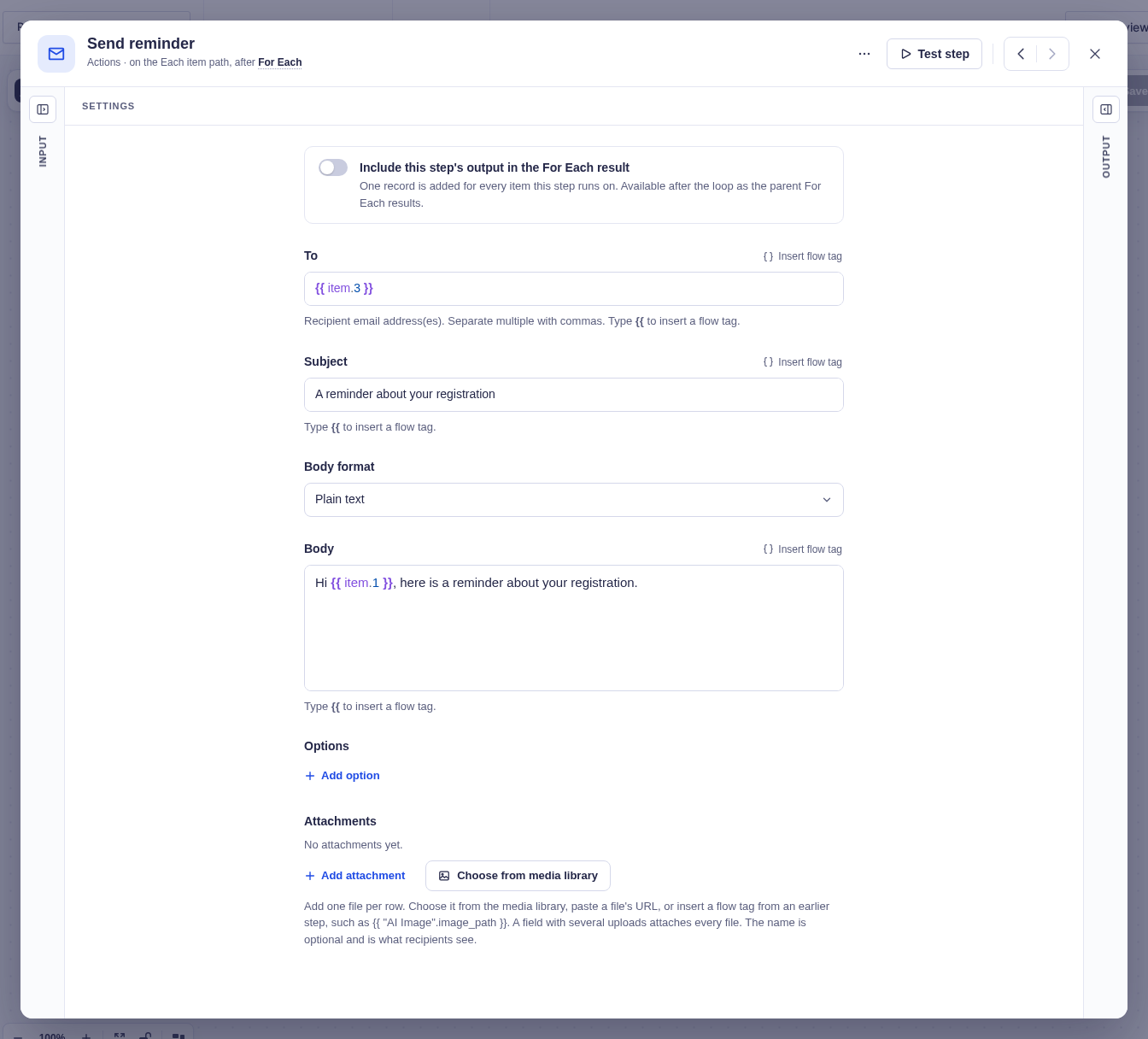
- Add Send Email to the Each item branch.
- In the recipient field, insert
{{ item.3 }}, where field3is the email field on the form. Send Email now runs once for every entry. - Add another Send Email to the Done branch if you want one summary after all entries have been processed. Use
{{ "For Each".succeeded }}and{{ "For Each".failed }}to include the totals.