Triggers
Form Submitted
Start a workflow when Gravity Forms is submitted.
Form Submitted starts a run when someone submits the form attached to the workflow. It also gives later steps access to the submitted entry.
When to use it
Section titled “When to use it”Use this trigger when every new submission to this form should begin the same process, such as routing applications, sending follow-up messages, or updating another system.
Output and branch
Section titled “Output and branch”The single default branch receives the full Gravity Forms entry. Its flow tags include form fields and standard entry properties.
| Output | Meaning |
|---|---|
id, form_id |
Entry and form IDs. |
date_created, date_updated |
Submission and update times. |
status, currency |
Entry status and currency. |
created_by, source_url, ip |
Submission context. |
Numeric keys such as 1 or 2.3 |
Values from fields on the form. |
run_started_at, run_started_timestamp |
When this run started, in site time and as a Unix timestamp. |
last_completed_run_started_at, last_completed_run_started_timestamp |
When the last run that completed successfully started. Empty until a run has completed. |
Every trigger carries the two run-start values. To fetch only what’s new since the last run, put Last completed run started in Get Entries’ Created after and This run started in its Created before.
Run a test submission before choosing form-field flow tags so the builder can show real output.
Good-to-knows
Section titled “Good-to-knows”- Only active, valid workflows launch automatically.
- The trigger responds to newly created entries. Editing an existing entry does not start another run.
- It watches the workflow’s attached form; it does not choose among several forms and is not available for global workflows.
Example
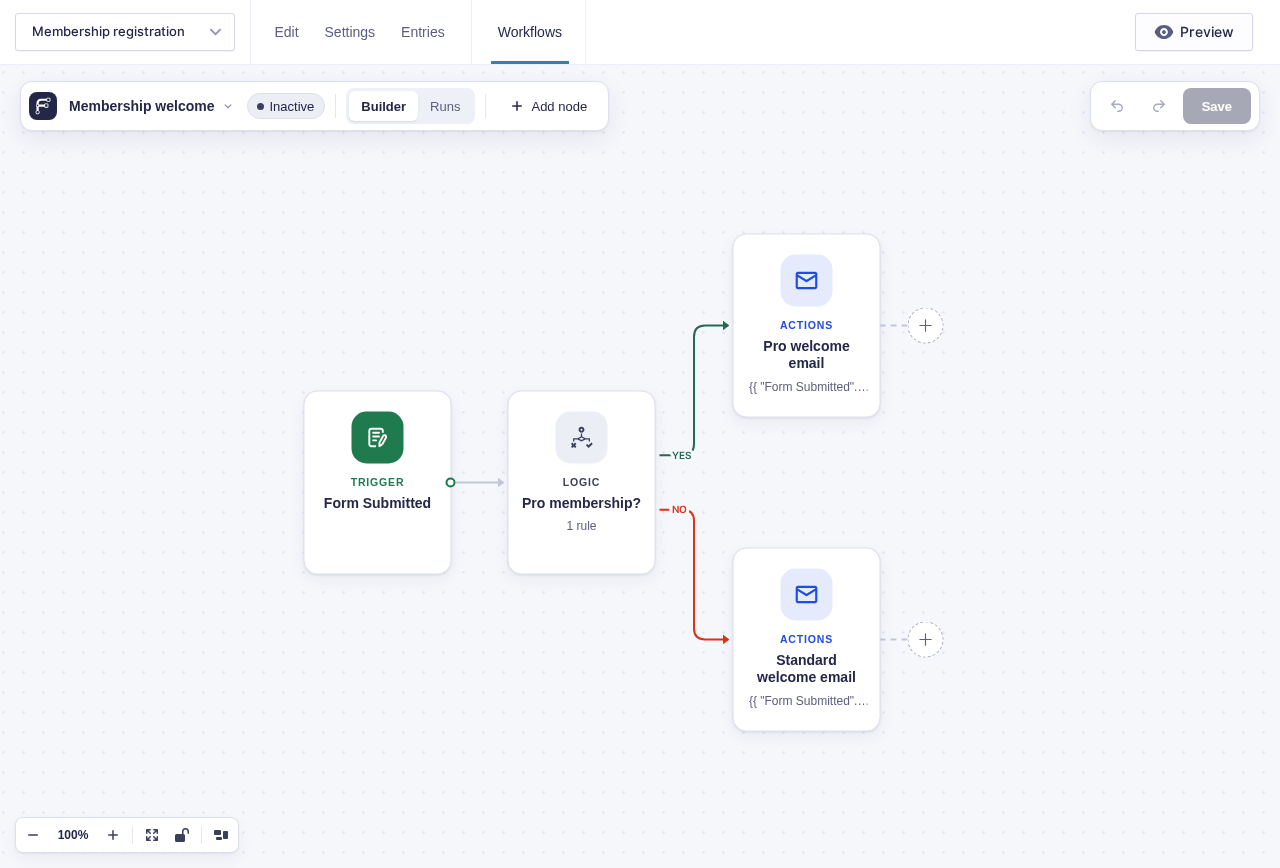
Section titled “Example”To welcome each new Pro member:
- Start with Form Submitted on the registration form.
- Add Condition (entry) and check whether the Membership field is
Pro. - Connect each branch to the appropriate Send Email step.