

Use Cases
Follow up when a request is still open
Wait two days, fetch the entry again, and remind the team only when nobody has handled it.
A new request gets an immediate notification, then disappears into a busy inbox. Instead of sending another email no matter what, let the workflow wait, reload the entry, and only follow up if the request is still open.
What you’ll build
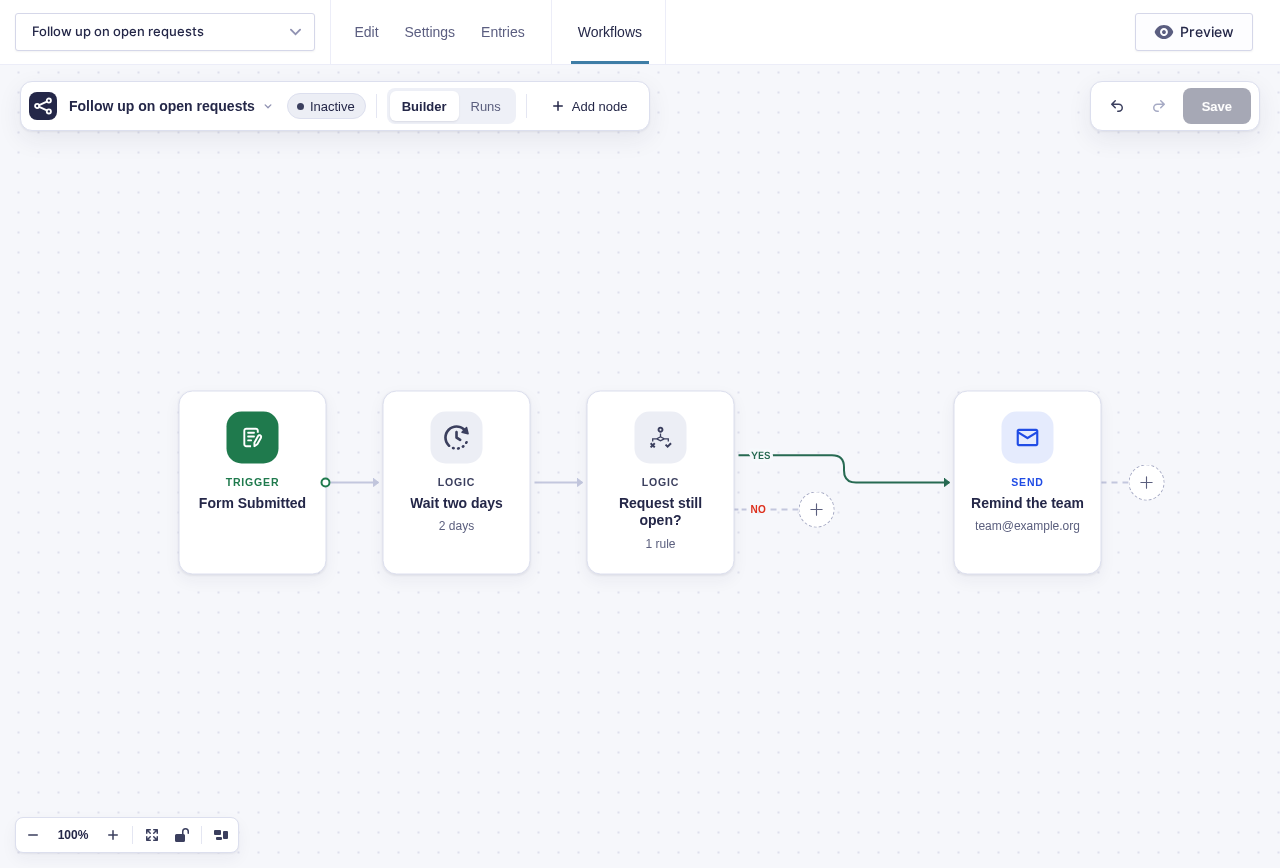
Section titled “What you’ll build”flowchart LR
A[Form Submitted] --> B[Delay for 2 days]
B --> C{Request status is Open?}
C -->|Yes| D[Send Email to the team]
C -->|No| E[Finish quietly]
Before you build
Section titled “Before you build”- Add an administrative Request Status dropdown with
Open,In progress, andResolvedchoices. SetOpenas its default. - Decide who owns reminders and how long the first response should take.
- Confirm WordPress can send mail reliably.
Build it step by step
Section titled “Build it step by step”-
Open your request form and add a Request Status drop down to the form. Add
Open,In progress, andResolvedas options. Set its visibility to Administrative. -
Navigate to Workflows in the form toolbar. Click New Workflow, then Add Trigger, and choose Form Submitted.
-
Add a Delay node and set it to wait for
2days. For a quick test, use two minutes and change it back after you see the run resume. -
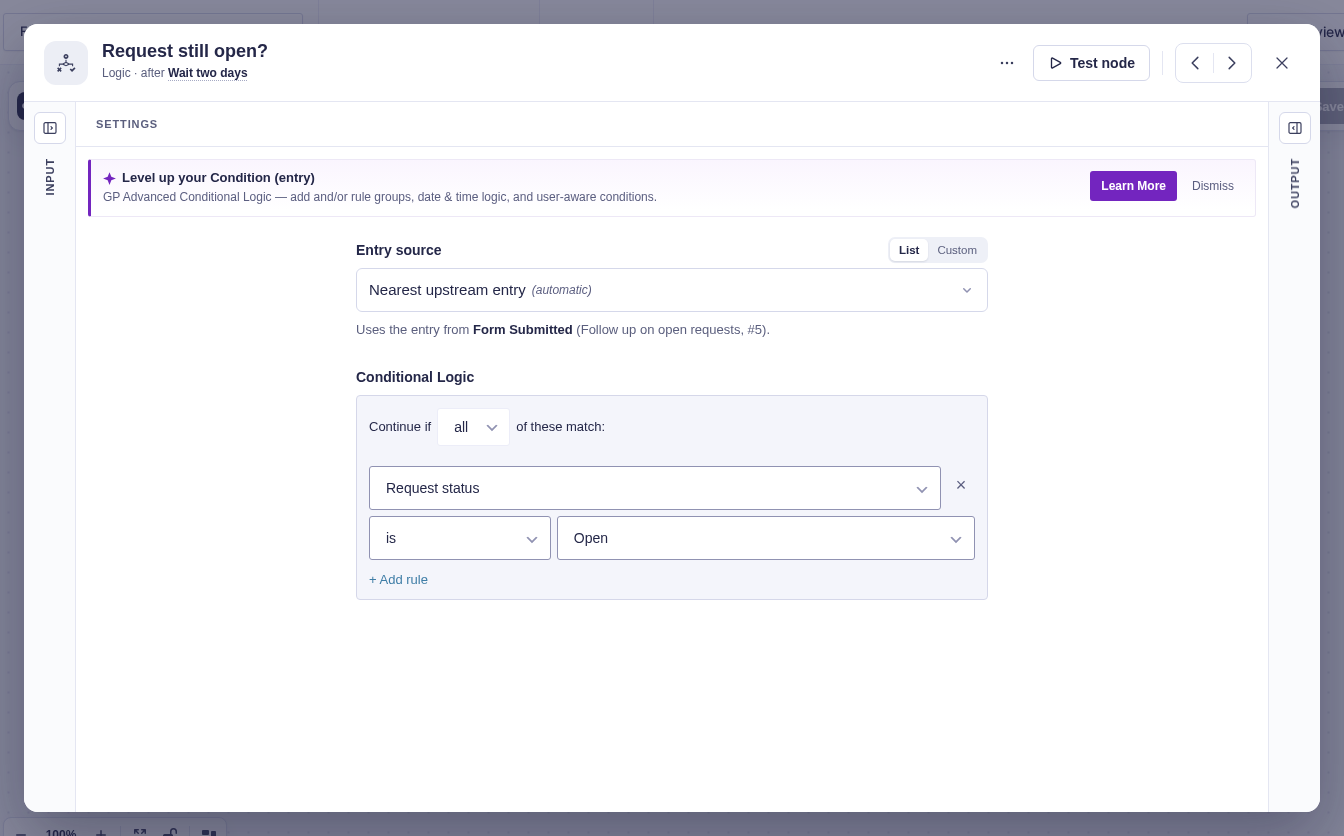
Add a Condition (entry) node and build one rule: Request Status is Open. When this node runs after the delay, it reloads the entry from Gravity Forms, so the rule sees changes staff made while the workflow was waiting.
-
On the Yes path, add a Send Email node with an email to your team. Leave No empty.
Data passed between nodes
Section titled “Data passed between nodes”| From | Data used later | Where it goes |
|---|---|---|
| Form Submitted | Entry identity and submitter fields | Delay context and reminder message |
| Delay | The same run and entry identity | Condition (entry) after two days |
| Gravity Forms | Fresh Request Status loaded when the condition runs | Yes or No branch |
Edge cases
Section titled “Edge cases”- Changing the status during the delay is safe: Condition (entry) reloads the current entry instead of using the submission snapshot.
- Permanently deleting the original entry through Gravity Forms cancels its active runs, so later reminders do not run. Moving it to Trash does not cancel them.
- An empty or unexpected status takes the No path with the rule shown. Add a second validation branch if missing status should alert staff.
Test and activate safely
Section titled “Test and activate safely”New workflows start Inactive. Change the delay to two minutes, point the email at a test inbox, and temporarily activate the workflow for a controlled live test. Resolve one request during the wait and confirm no reminder is sent; repeat with a request left Open and confirm the reminder. Deactivate it, restore the two-day delay and production recipient, then activate for production and review the first resumed run.
What Flowcrafter adds
Section titled “What Flowcrafter adds”Gravity Forms can send the first notification as soon as the form is submitted. Flowcrafter handles the part that depends on what happens later: wait, re-check the entry, and skip the reminder if the work is already done.
That same shape works for unsigned agreements, unanswered applications, and any other “remind me only if this is still pending” process.
Related resources
Section titled “Related resources”- Delay node — pause without keeping a browser request open
- Condition (entry) node — reload the entry and decide from its current values
- Pausing & Waiting — how delayed runs resume