

Reference
Flow Tag Syntax Reference
Exact flow tag syntax for node outputs, paths, filters, runtime selectors, and Gravity Forms merge tags.
Use this page when you need the exact syntax. For a guided introduction, see Passing Data Between Nodes.
Quick reference
Section titled “Quick reference”| Expression | Result |
|---|---|
{{ "Form submitted" }} |
Whole node output as compact JSON |
{{ "Form submitted".id }} |
Entry ID |
{{ "Form submitted"["3"] }} |
Raw field 3 value |
{{ "Form submitted"["3.1"] }} |
Raw field sub-input value |
{{ "HTTP request".body.data[0].name }} |
Nested value from the first list item |
{{ "HTTP request".body.data[-1] }} |
Last list item |
{{ "Form submitted".mergeTag('{Field:3}') }} |
Gravity Forms-formatted field value |
{{ "Order".total | number(2) }} |
Value formatted to two decimals |
{{ item.id }} |
Current For Each item ID |
{{ loop_1.index }} |
Current For Each index; the ID varies |
{{ run.id }} / {{ run.key }} |
Run ID / correlation key |
{{ site.admin_email }} |
The site’s admin email; site has other site values too |
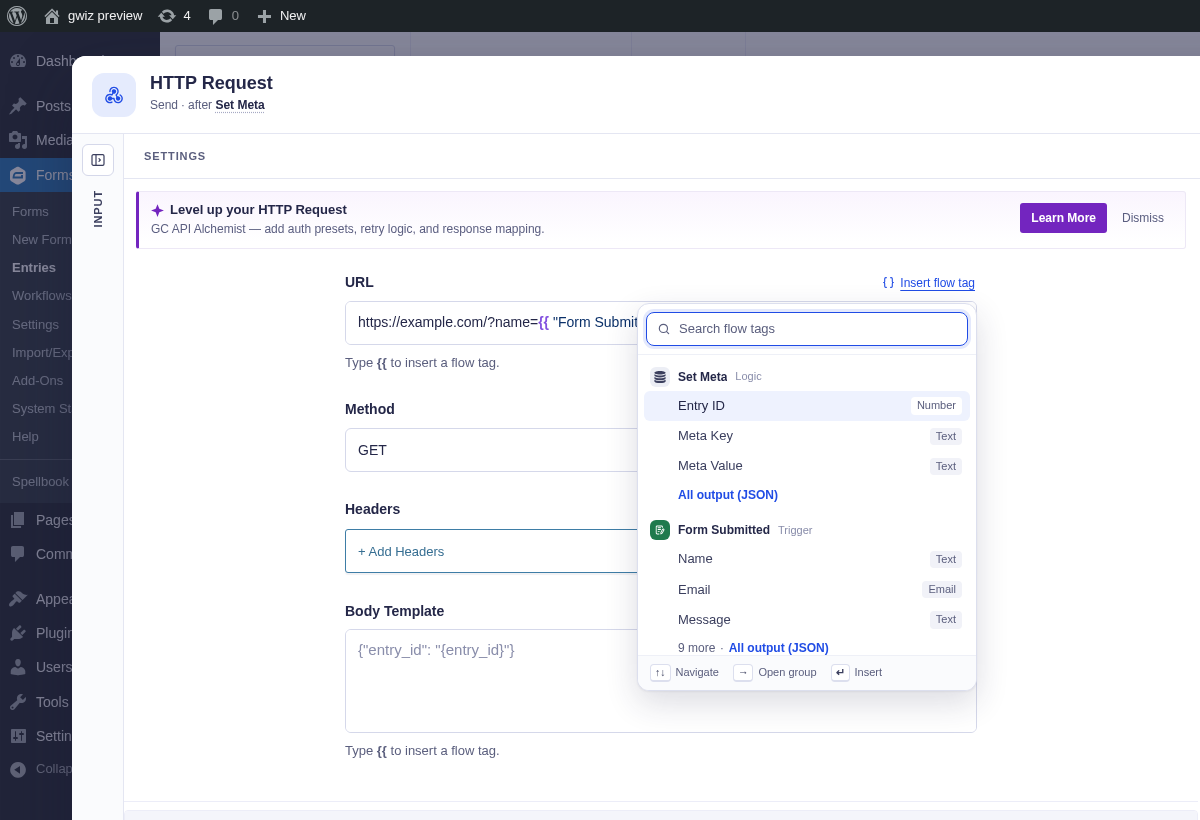
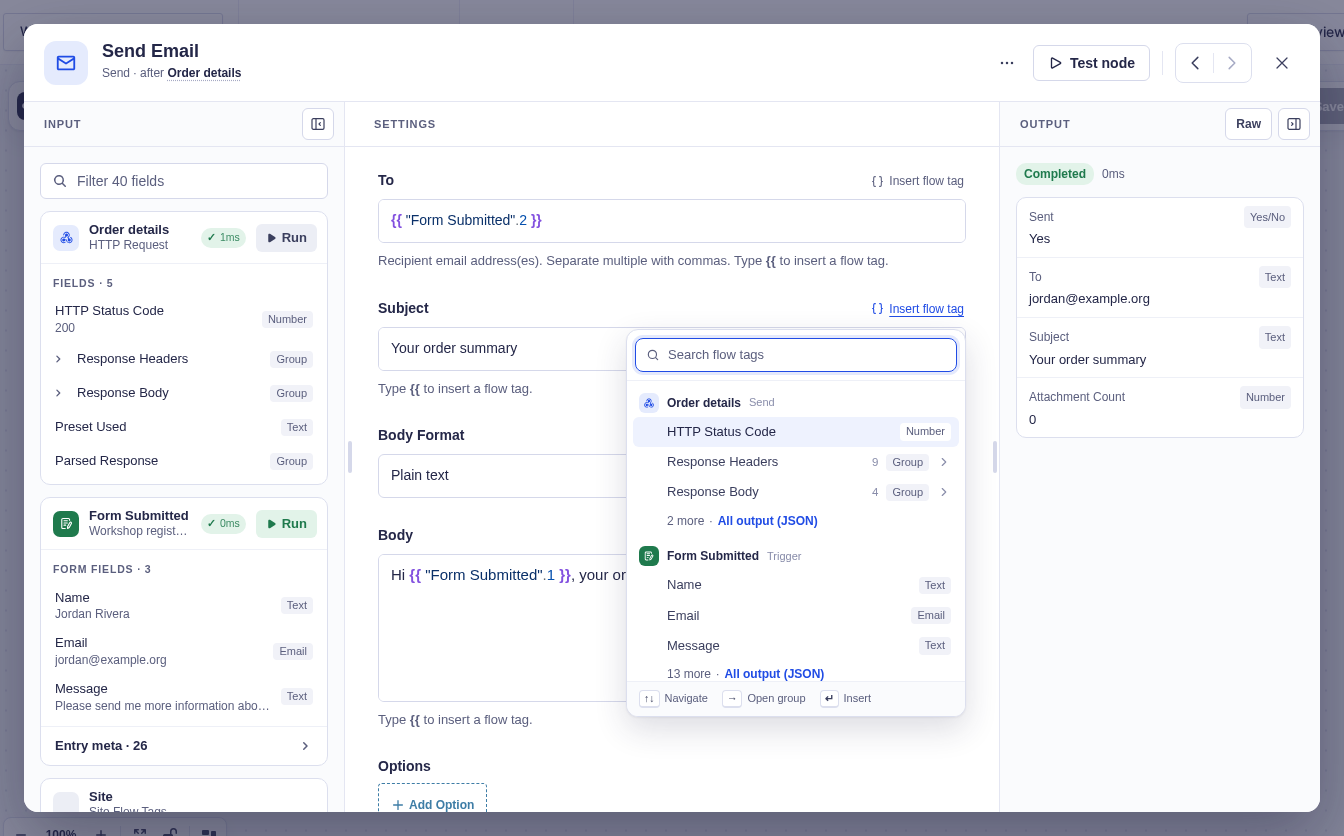
The picker shows the available upstream names and typed values. Use it when you want to insert a valid reference instead of typing one from memory.
Named node references
Section titled “Named node references”A node reference starts with the node’s visible name in double quotes:
{{ "Order lookup".status_code }}{{ "Customer's order".id }}The name must identify exactly one earlier node. Internal IDs are not valid named references:
{{http_request_1.status_code}} ← invalidInside a quoted name, only \" and \\ are valid escapes. Whitespace just inside {{ and }} is optional. Do not put whitespace between a node name and its path.
Path syntax
Section titled “Path syntax”| Syntax | Meaning | Example |
|---|---|---|
.key |
Object property | {{ "Request".status_code }} |
[0] |
Zero-based list index | {{ "Entries".items[0] }} |
[-1] |
Index from the end | {{ "Entries".items[-1] }} |
["key"] |
Quoted key | {{ "Form submitted"["3.1"] }} |
['key'] |
Single-quoted key | {{ "Response"['special-key'] }} |
.mergeTag('{tag}') |
Gravity Forms merge tag evaluated against the node’s entry | {{ "Form submitted".mergeTag('{Field:3}') }} |
Merge tags
- For site-wide values, use a flow tag under
site:{{ site.admin_email }}replaces{admin_email}. - A run works in the background without a current visitor, so visitor merge tags such as
{user:display_name}or{ip}have no runtime flow tag. - To read the original submitter’s information, use the entry instead:
{{ "Form submitted".mergeTag('{ip}') }}.
JSON values
- A whole list or group is returned as compact JSON. Its spacing and formatting may differ from the original response.
- A path can also read items from a list stored as JSON text. For example,
{{ "Form submitted"["5"][0] }}returns the first URL from a multi-file upload in field 5.
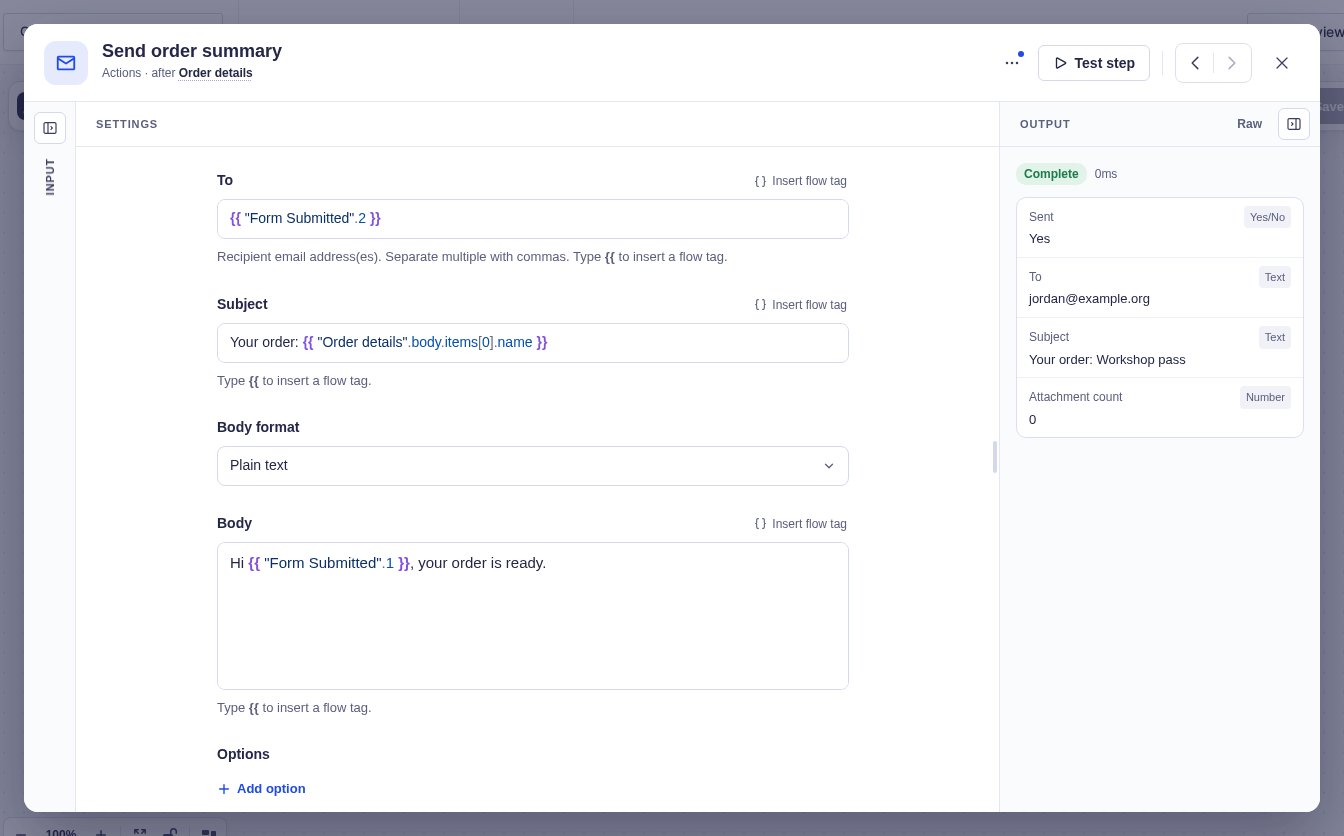
The full path {{ "Order details".body.items[0].name }} reads the first item’s name from the HTTP response. In this example, it resolves to Workshop pass.
Filters
Section titled “Filters”Place filters after the value and separate them with |. Parentheses are optional for filters that take no arguments.
| Flow tag filter | Arguments | Purpose |
|---|---|---|
number |
decimals=0 |
Fixed decimal places, without a thousands separator |
upper |
— | Uppercase text |
lower |
— | Lowercase text |
trim |
— | Remove surrounding whitespace |
truncate |
length, ellipsis='…' |
Shorten text |
default |
fallback |
Replace an empty value |
date |
format |
Format a date or timestamp with a PHP date format |
join |
separator=', ' |
Join a list into text |
count |
— | Count items in a list or keys in a group |
markdown |
— | Turn Markdown, such as an AI reply, into HTML |
Filters chain from left to right:
{{ "Order".total | number(2) | default('0') }}{{ "Form submitted".mergeTag('{Field:3}') | upper }}{{ "Get Entries".items | count }}A filter must match the kind of value it receives. For example, join needs a list, not a single name; upper needs text, not a list of entries; number needs a number, not "Pending"; and date needs a readable date. Using the wrong kind of value stops the node with an error.
Runtime selectors
Section titled “Runtime selectors”Runtime selectors are unquoted:
| Selector | Scope | Common properties |
|---|---|---|
item |
For Each Each item branch | Properties of the current item |
For Each runtime ID, such as loop_1 |
That For Each scope | index, number, count, remaining |
run |
Entire run | id, key |
site |
Always | name, url, admin_email, admin_url |
Use Insert flow tag, the {{ menu, or the Input column instead of typing a For Each runtime ID; it differs between workflows. A named node called item uses quotes: {{ "item".id }}.
Validation and run snapshots
Section titled “Validation and run snapshots”Before activation, Flowcrafter checks that named references are unambiguous and point to earlier nodes. Runtime selectors and property existence depend on live execution data and cannot always be validated in advance.
An unresolved tag stays visible as its original {{ ... }} text. A run resolves names against its frozen workflow snapshot, so later workflow edits do not change an in-progress run.