Actions
Create Entry
Write a new Gravity Forms entry or submit a form through its normal pipeline.
Create an entry in any Gravity Forms form, either with a quiet insert or a normal form submission.
When to use it
Section titled “When to use it”Use Create Entry when a workflow should create a related record in another form, or when a scheduled workflow needs to create an entry without a visitor.
Settings
Section titled “Settings”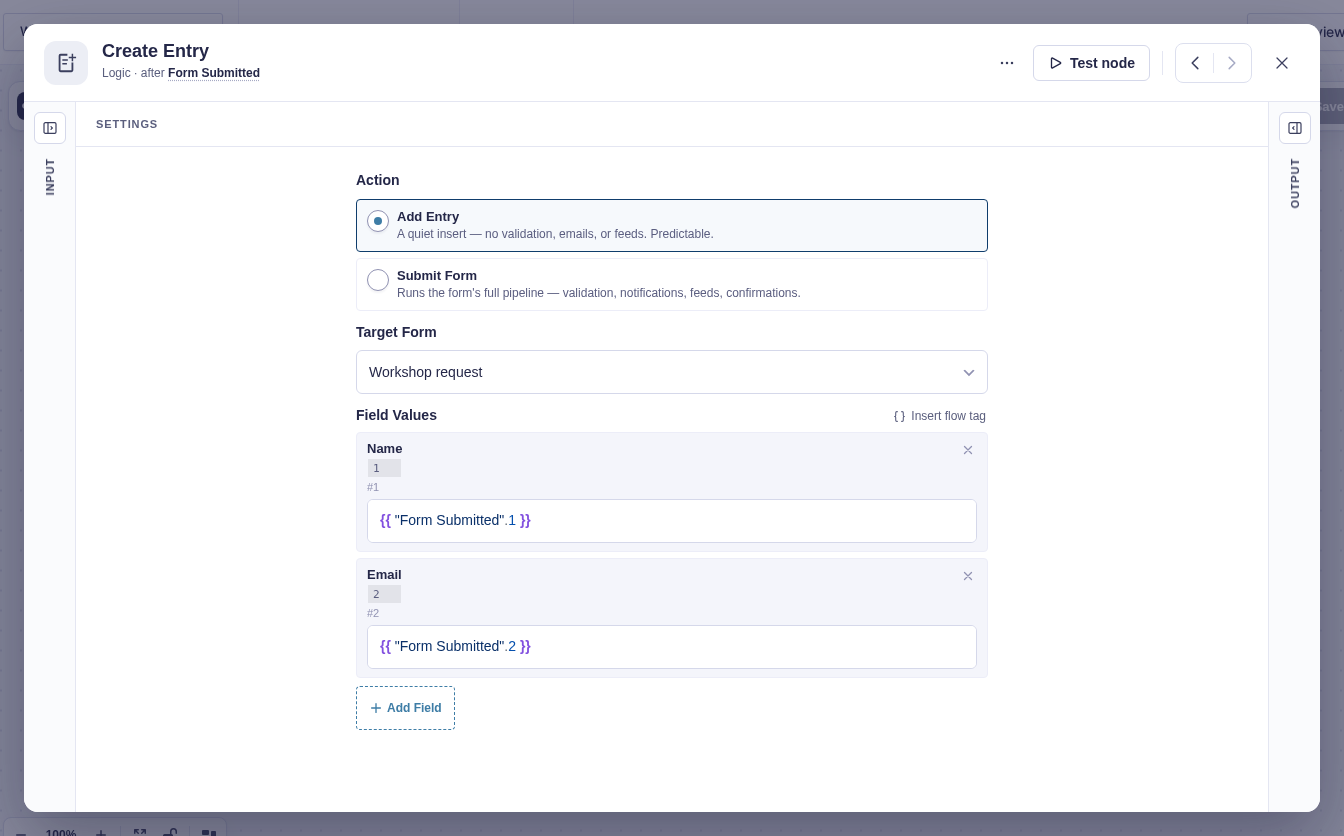
| Setting | What it controls |
|---|---|
| Action | Add entry (default) inserts directly without validation, confirmations, feeds, or notifications. Submit form runs validation, spam checks, confirmation handling, and the normal submission hooks. |
| Target Form | The form that receives the new entry. |
| Field Values | At least one target field ID and value. Values support flow tags. |
Submit form can start workflows attached to the target form. It runs in a background job, so a target form that requires CAPTCHA cannot be submitted successfully this way.
Output and branches
Section titled “Output and branches”The step has one output containing the new entry: Entry ID (entry_id and id), Form ID, standard entry properties, and mapped field values. Downstream entry-aware steps use it automatically.
Submit form also provides Confirmation message and, when applicable, a confirmation redirect. Validation failure, spam handling that creates no entry, or an insert error fails the step.
Example
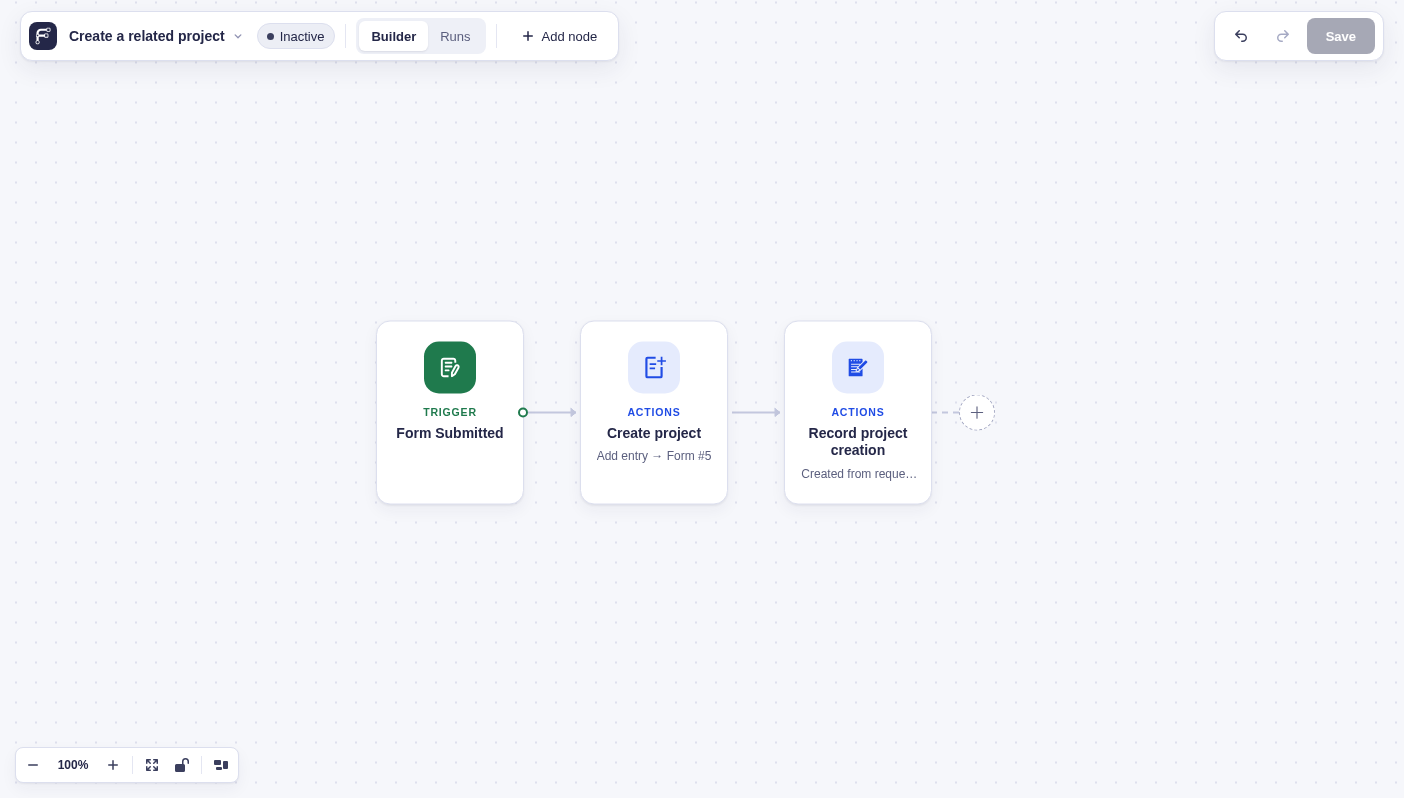
Section titled “Example”Choose Add entry, select a “Projects” form, and map its client-name field to {{ "Form Submitted"["1"] }}. The project entry is created without sending that form’s notifications. A following Add Entry Note step can record which original request created the project.