

Building Workflows
Calling APIs & Handling Responses
Send workflow data to an external service, use its response, and make failures safe to investigate or retry.
An API call is most useful when its response changes what happens next. Flowcrafter can send data with the HTTP Request node, inspect the status code and response body, and then route the run, update the entry, or hand the result to another system.
A response-aware integration usually follows this shape:
flowchart TD
    A[Build the request] --> B[HTTP Request]
    B --> C{Response accepted?}
    C -->|Yes| D[Use the returned data]
    C -->|No| E[Mark for attention]
    E --> F[Alert the team]
Build the request
Section titled “Build the request”Add an HTTP Request node and choose its method, public URL, headers, and body. Each setting supports flow tags, so the request can use form fields and the output from earlier nodes.
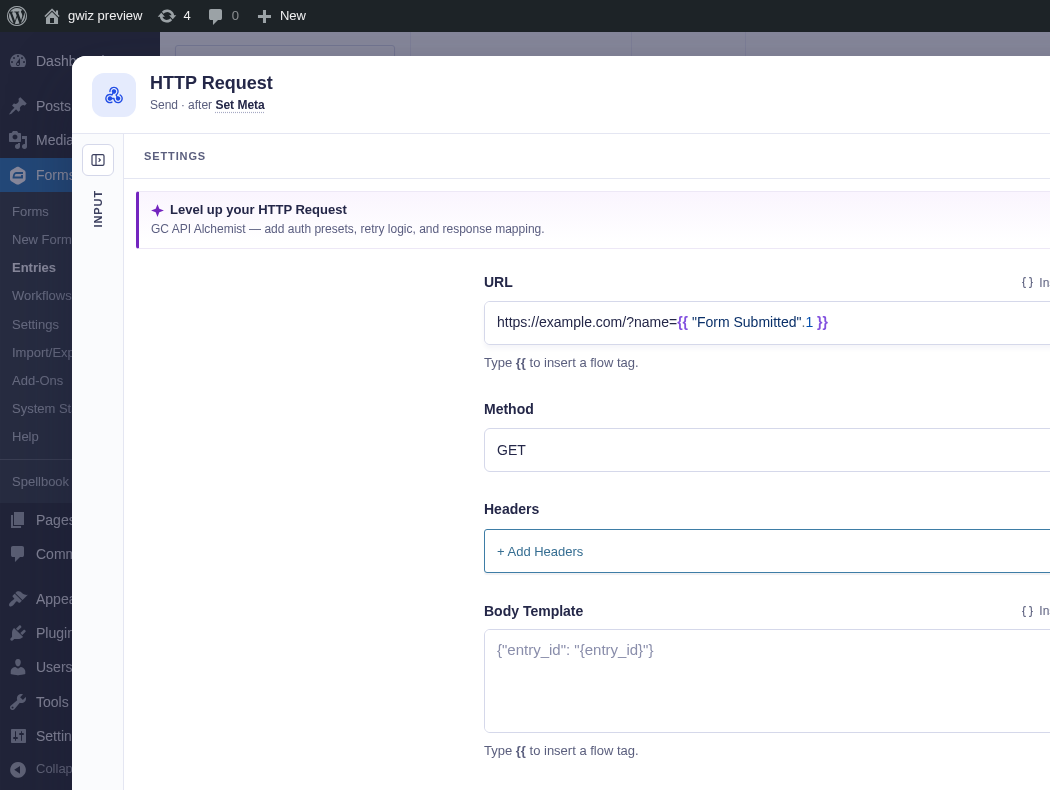
For a request that creates or changes something, include a value the receiving service can use to spot duplicates. An entry ID or {{ run.key }} works when the service can save it as an idempotency key—a stable value that makes a repeated request safe instead of creating the same contact, order, or ticket twice.
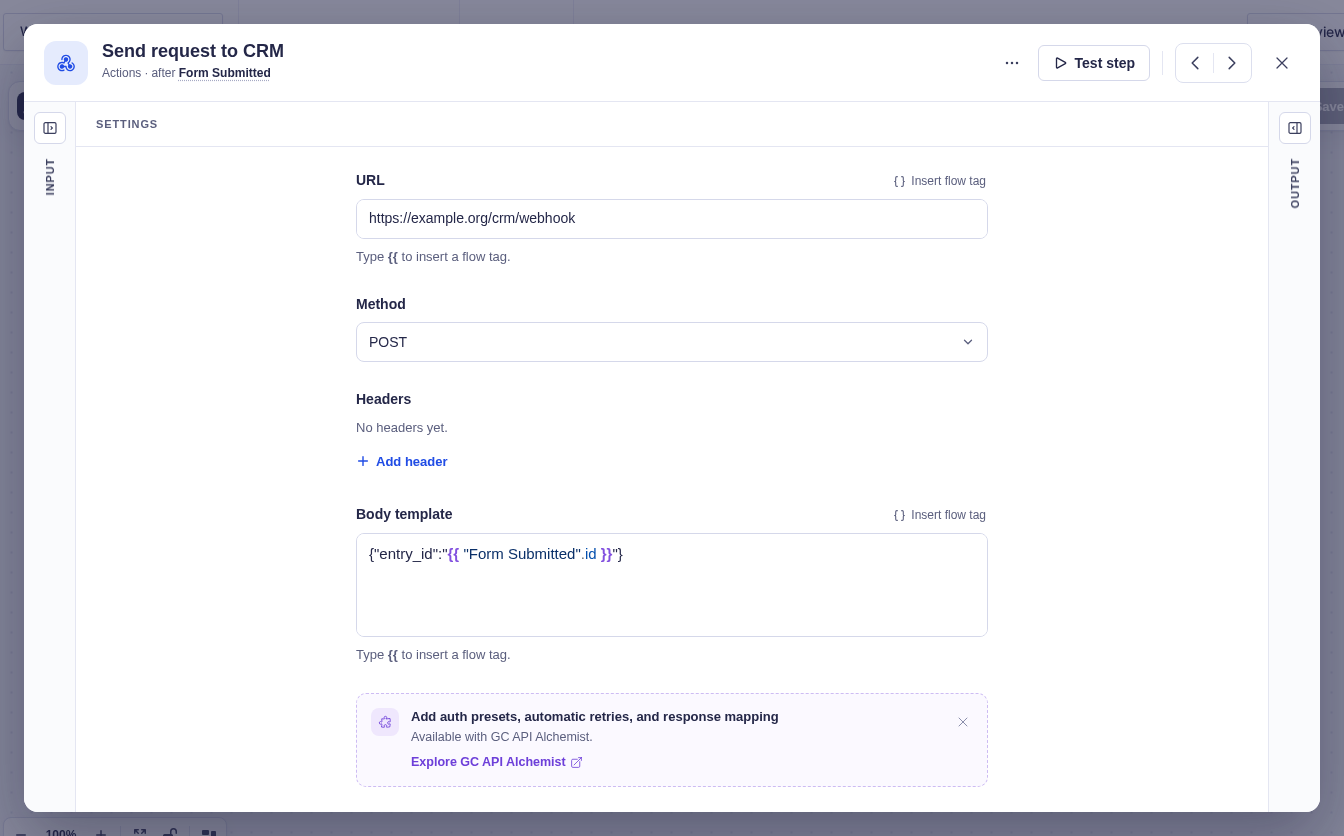
Handle the response
Section titled “Handle the response”HTTP Request gives later nodes the status code, response headers, and response body. JSON bodies become data you can reach with flow tags.
A common success check uses the Condition (data) node with two rules set to match all:
- The HTTP status code is greater than
199. - The HTTP status code is less than
300.
On the successful branch, validate any response value you plan to trust before writing it to the entry or using it for routing. Keep a Default branch when a Switch may receive an empty or unfamiliar value.
On the rejected branch, save a clear state such as Needs attention in an administrative entry field and notify the team. That leaves the handoff visible even after the run finishes.
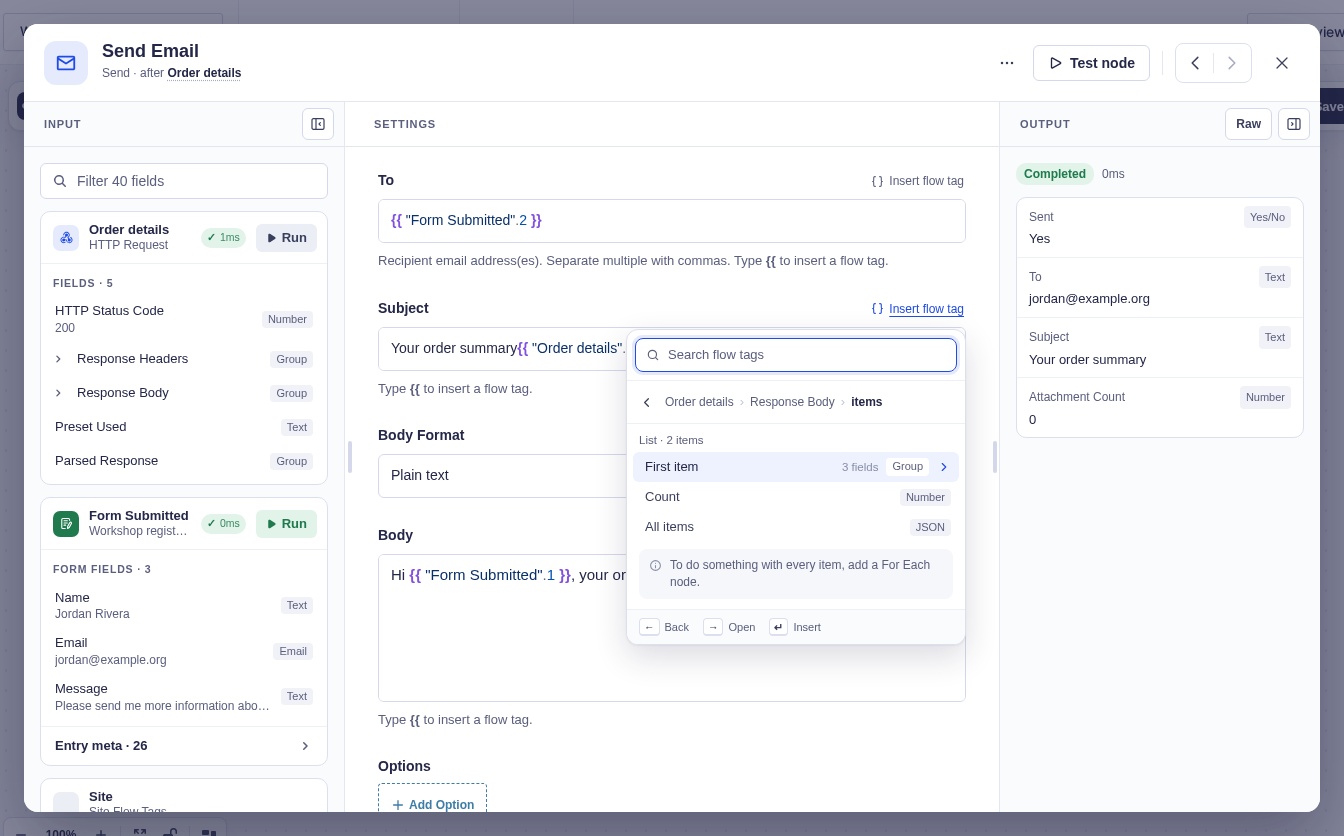
After testing against a safe response, the flow tag picker can expose its nested data to later nodes. This separate example uses the local order-details JSON fixture, not the fictional workshop endpoint above.
Know which failure you are handling
Section titled “Know which failure you are handling”An HTTP response and a connection failure take different paths:
| Result | What Flowcrafter does | What to build |
|---|---|---|
2xx response |
Makes the status and body available | Continue with the returned data |
4xx or 5xx response |
Makes the status and body available | Branch, record the problem, and alert someone |
| DNS, connection, or timeout error | Retries the node, then fails the run if attempts are exhausted | Monitor failed runs and make repeated writes safe |
A timeout can happen after the other service accepted the request. That is why idempotency matters: a retry should finish the handoff, not create a duplicate.
When the integration needs more
Section titled “When the integration needs more”GC API Alchemist adds reusable OAuth, API-key, and Bearer connections, structured request and response mapping, and connection-level retry policies. Use it when hand-built headers and text templates would make the workflow hard to maintain.
For a complete example, see Enrich and route a lead before it reaches your CRM. It checks an enrichment response, writes trusted values to the entry, routes the lead, and delays the CRM feed until the record is ready.
Related pages
Section titled “Related pages”- HTTP Request — settings and output reference
- Passing Data Between Nodes — build requests and read response data
- Branching & Conditional Logic — choose the next path from a response
- Running & Monitoring Workflows — investigate a failed request