Flow
Wait for Form Submission
Pause until another form submission has matching values.
Wait for Form Submission parks the workflow until a chosen form receives an entry that matches your rules, or until the wait expires.
When to use it
Section titled “When to use it”Use it for a second-stage form, a confirmation form, or any process where another submission must arrive before work continues.
Settings
Section titled “Settings”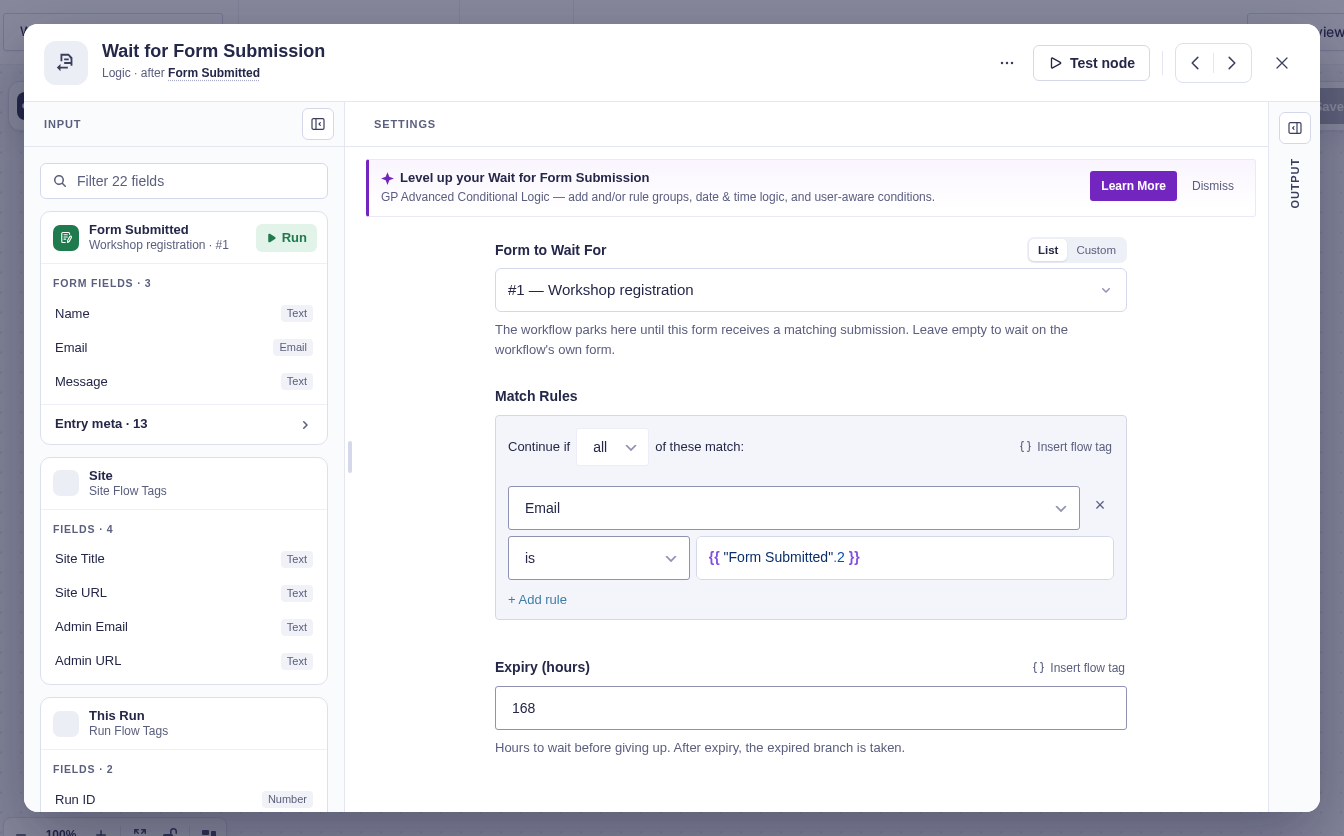
| Setting | What it does |
|---|---|
| Form to wait for | Selects the target form. Leave it empty to use the workflow’s form. Accepts flow tags. |
| Match rules | Required rules identifying the expected submission. Match all or any. Expected values accept flow tags. |
| Expiry (hours) | Automatically takes Expired after this many hours. Defaults to 168 (seven days) and accepts flow tags. Values below 1 become one hour. |
Match values are resolved and frozen when the step parks, so later changes to earlier data do not alter what the run is waiting for.
Branches and output
Section titled “Branches and output”| Branch | When it runs |
|---|---|
| Submitted | A new entry on the target form matches the rules. |
| Expired | No matching entry arrives before expiry. |
On Submitted, output includes Submitted entry ID, Submitted form ID, and Submitted at.
When Go To visits this step again
Section titled “When Go To visits this step again”Each visit freezes its own match rules and expiry timer. A matching entry can satisfy this step only once per run; duplicate delivery of that entry cannot answer a later visit. Submit a new matching entry for the next visit. A delayed, previously unseen submission is matched against the wait active when its callback arrives.
Good-to-knows
Section titled “Good-to-knows”- At least one match rule is required; the step will not wait for any arbitrary submission.
- Matching resumes every parked run whose rules match that new entry, so use a unique value when only one run should resume.
- Wait steps are not allowed inside a For Each Each item branch.
Example
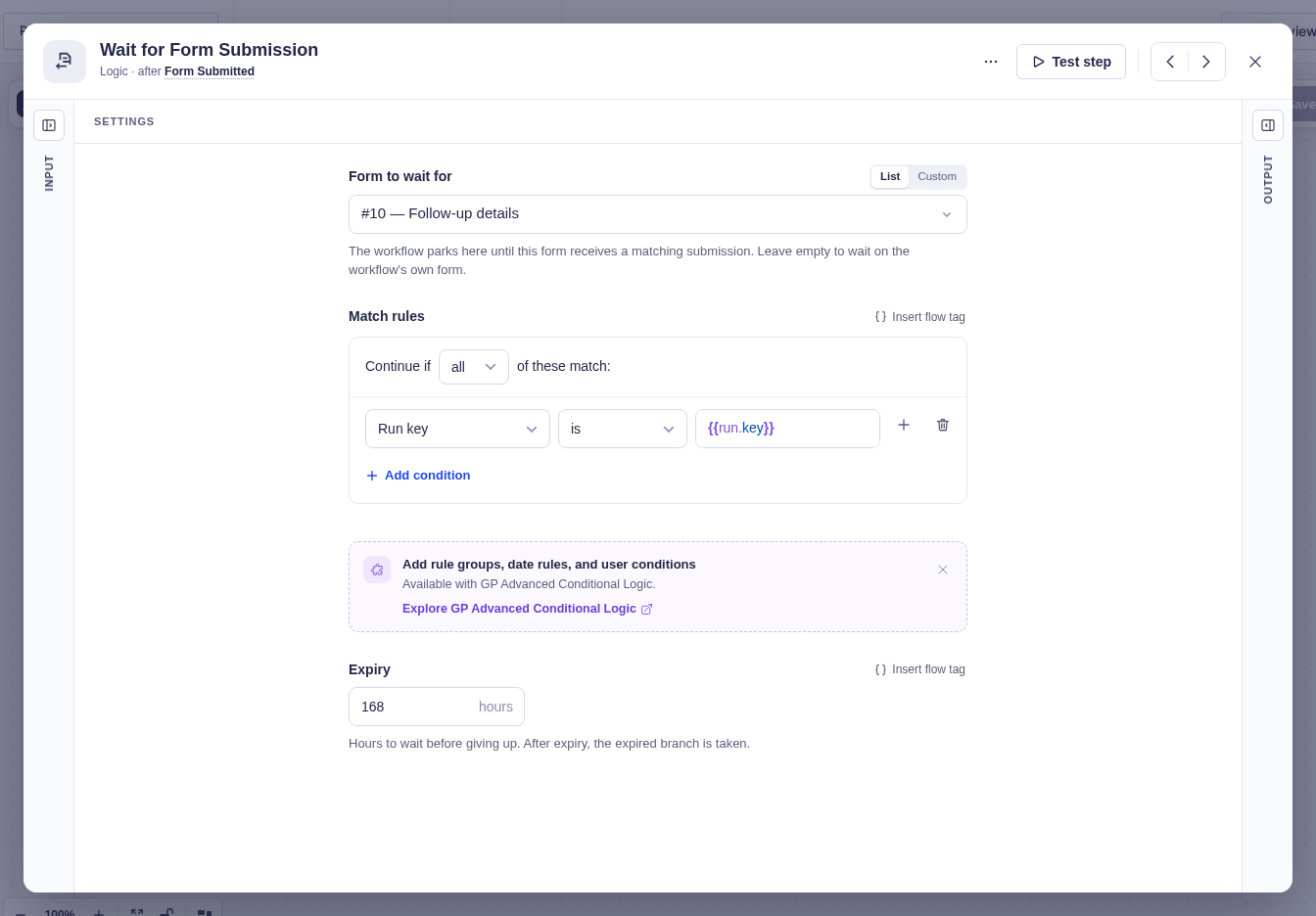
Section titled “Example”Add a hidden Run key field to a Follow-up details form and enable dynamic population with the parameter name run_key. Include run_key={{run.key}} in the form link you send from the workflow.
In Wait for Form Submission, choose Follow-up details as Form to Wait For. Add a match rule: Run key is {{run.key}}, and leave expiry at 168 hours. Only a submission carrying that run’s key takes Submitted.