Actions
Get Entries
Find Gravity Forms entries to use later in a workflow.
Fetch one or more Gravity Forms entries and make the result available to later nodes.
When to use it
Section titled “When to use it”Use Get Entries when the workflow needs entries other than the one that started the run: find a record by ID, search a form, or collect entries.
Settings
Section titled “Settings”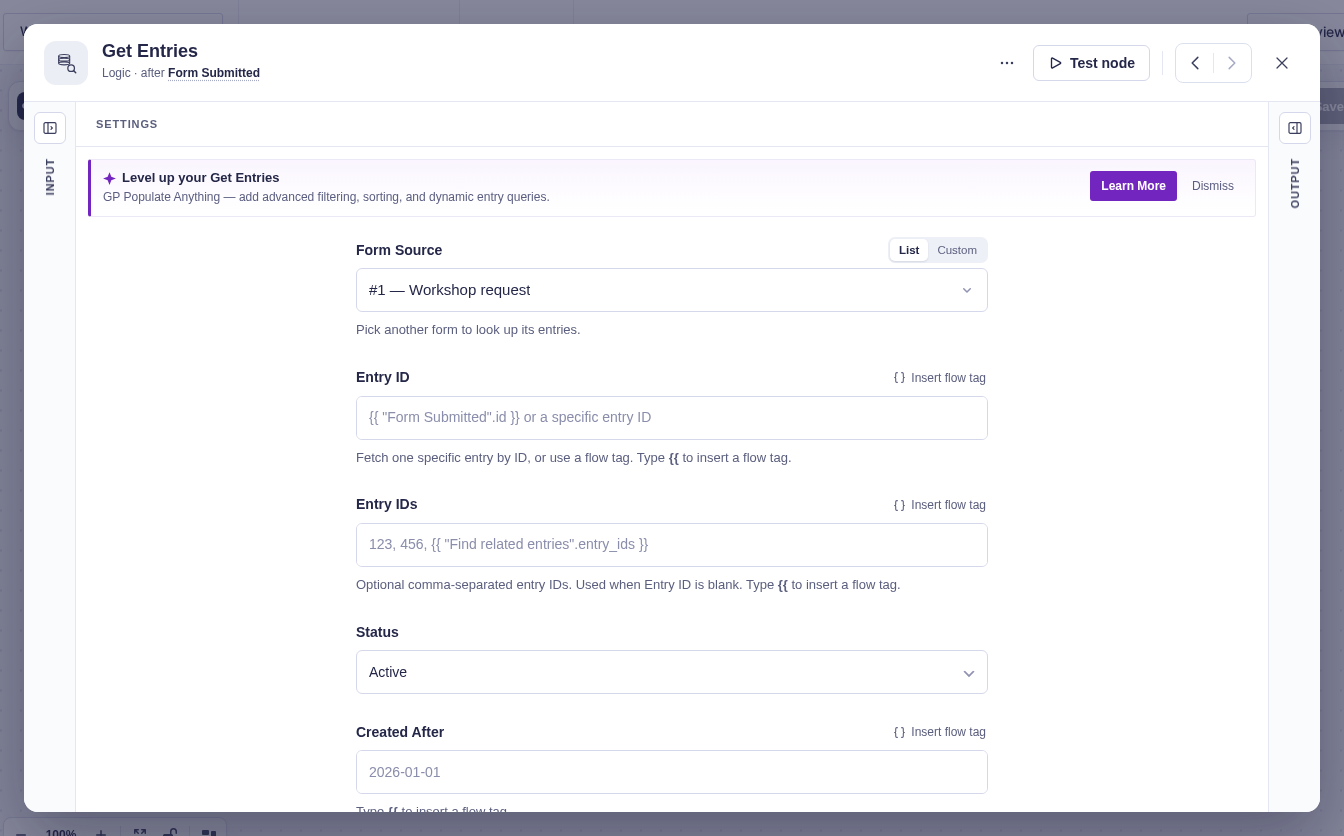
| Setting | What it controls |
|---|---|
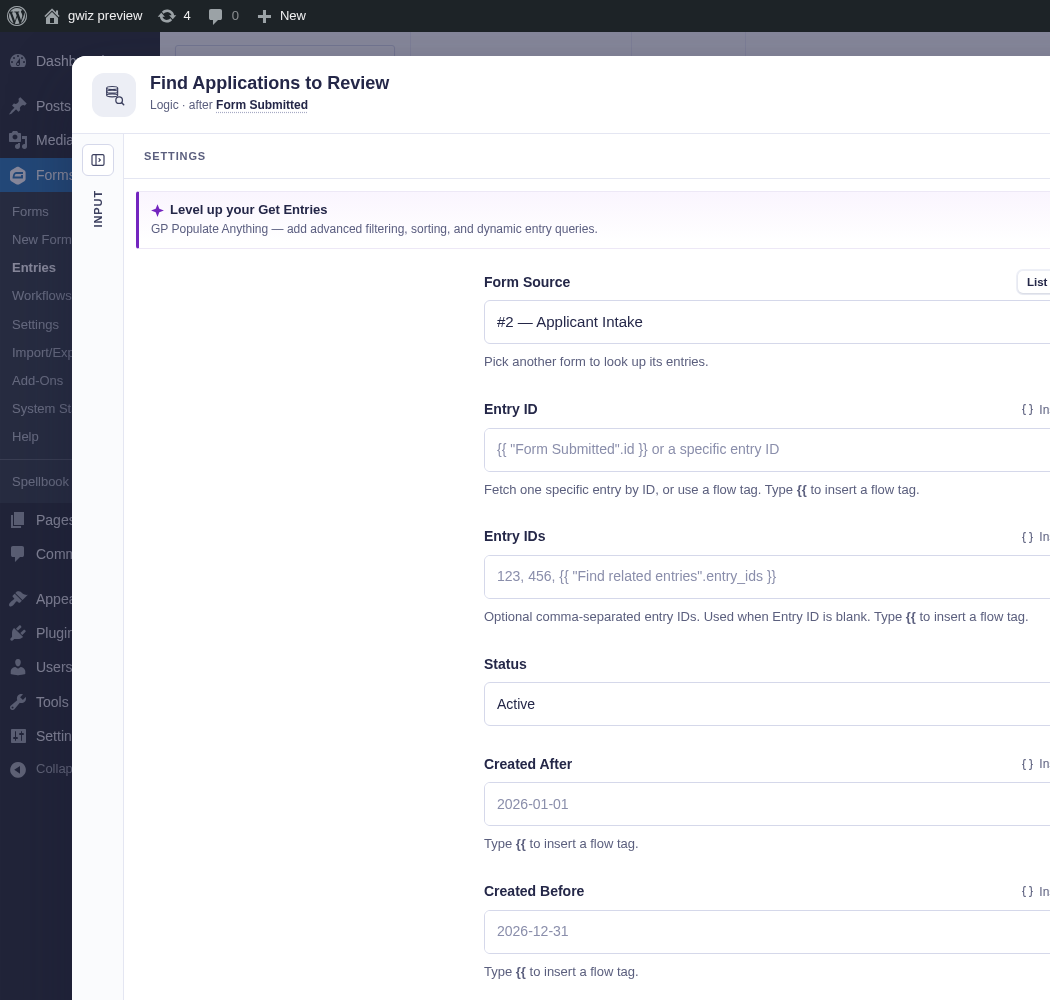
| Form Source | Form to search when no explicit entry ID is supplied. |
| Entry ID / Entry IDs | One ID, or a comma-separated list. A single Entry ID takes priority; all listed IDs must belong to one form. |
| Status | Active (default), spam, trash, or any status. |
| Created After / Created Before | Optional date limits. A date such as 2026-12-31 in Created Before includes that whole day; a date and time includes only entries created before that moment, so it lines up exactly with a Created After set to the same moment. |
| Field Filters | Exact matches by field ID or entry property. Values support flow tags. |
| Sort Key / Sort Direction | Orders results. The default is newest first (descending). |
| Limit | Maximum results. Defaults to 25. |
| If No Entries Found | Continue with empty output (default), or fail the workflow. |
| Return | Entry IDs only (default) stores lightweight references and outputs the count. Full entries also puts each entry’s field values in the output, for flow tags in later steps. |
Output and branches
Section titled “Output and branches”The single output always provides Count and Form ID. With Return set to Full entries, Entries contains normalized entry properties and field values.
With Entry IDs only, only For Each can hydrate the stored entries. Choose Full entries before connecting to Filter, Deduplicate, Group By, Split, or Format List. See Processing Lists.
Example
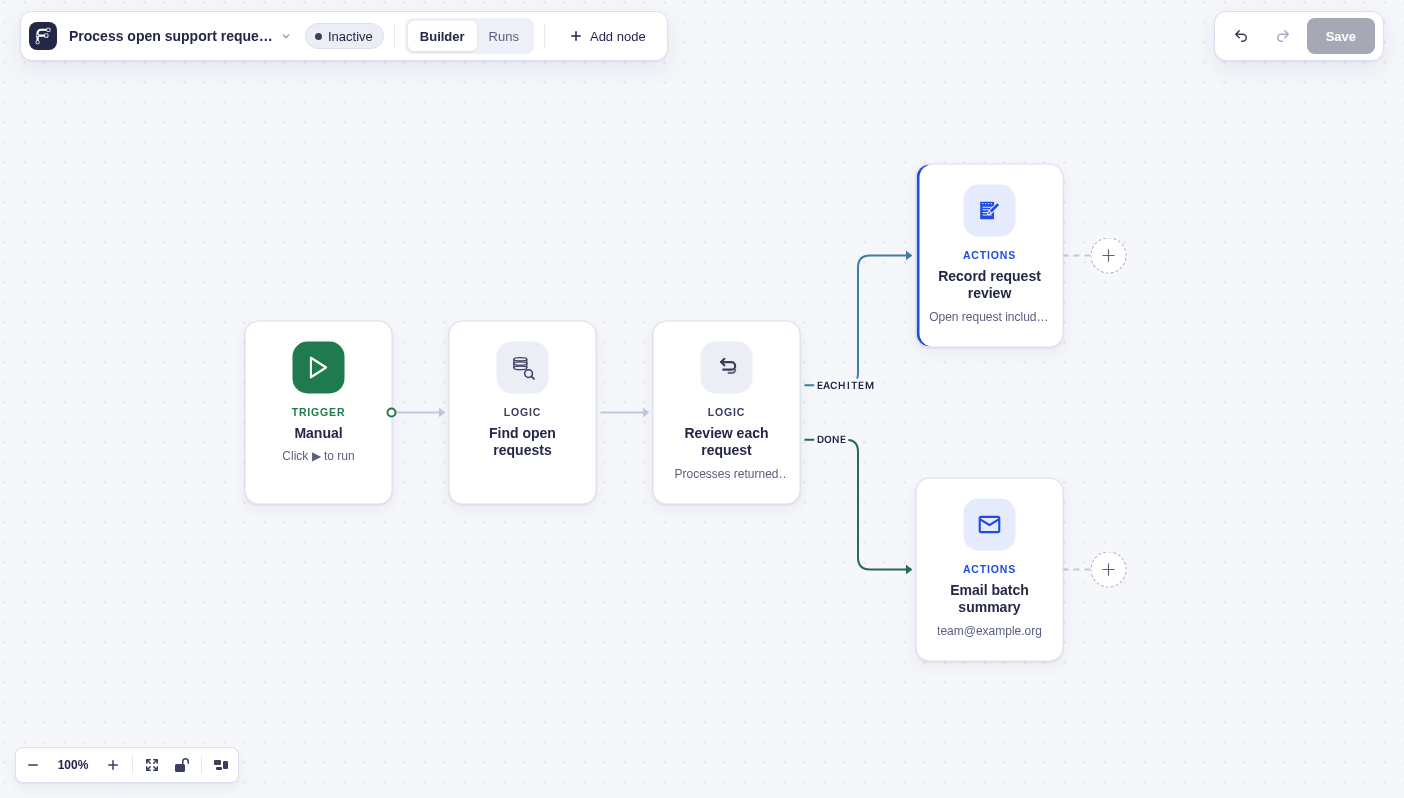
Section titled “Example”Choose your support form, set Status to Active, add field filter 5 = open, and connect the result to For Each to process up to 25 open requests. Here, the Each Item branch records a review note, and Done emails the team a batch summary.